
Woof Filters and Elementor
The support doesn work on Saturdays and Sundays, so some Friday requests can be answered on Monday. If you have problems with registration ask help on contact us page pleaseIf you not got email within 24~36 business hours, firstly check your spam box, and if no any email from the support there - back to the forum and read answer here. DO NOT ANSWER ON EMAILS [noreply@pluginus.net] FROM THE FORUM!! Emails are just for your info, all answers should be published only here.
The support doesn work on Saturdays and Sundays, so some Friday requests can be answered on Monday.

Quote from Coby on August 13, 2020, 16:11I cannot seem to get the filter system to work with Elementor.
I attempted to setup Woof filters without using Elementor, and still cannot seem to get them to work for some reason.
I use Woof on another website, and didnt have any issues using it without Elementor and did not have any issues.
On the elementor page I am using [woof] shortcode for the fitlers and [woof_producuts xxxxxx] for the products. The products show up, but I can only get it to display 1 column even though i have columns=4, and when I select any filters they are not adjusting the products grid.
https://southernprideoftexas.com/test-shop-2/
I cannot seem to get the filter system to work with Elementor.
I attempted to setup Woof filters without using Elementor, and still cannot seem to get them to work for some reason.
I use Woof on another website, and didnt have any issues using it without Elementor and did not have any issues.
On the elementor page I am using [woof] shortcode for the fitlers and [woof_producuts xxxxxx] for the products. The products show up, but I can only get it to display 1 column even though i have columns=4, and when I select any filters they are not adjusting the products grid.
https://southernprideoftexas.com/test-shop-2/

Quote from Pablo Borysenco on August 14, 2020, 11:52Hello
Please fix this errors - https://c2n.me/48KwaQ9.png
I can only get it to display 1 column - https://c2n.me/48Kweys.png - These are the styles of your current theme
Hello
Please fix this errors - https://c2n.me/48KwaQ9.png
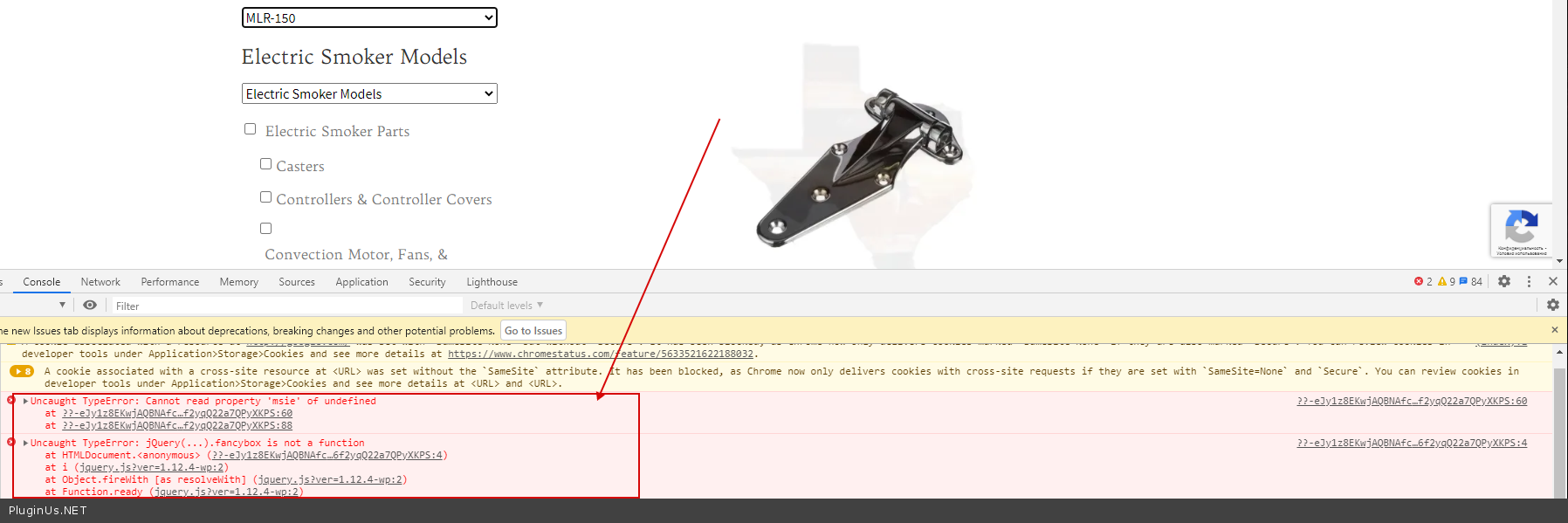
I can only get it to display 1 column - https://c2n.me/48Kweys.png - These are the styles of your current theme
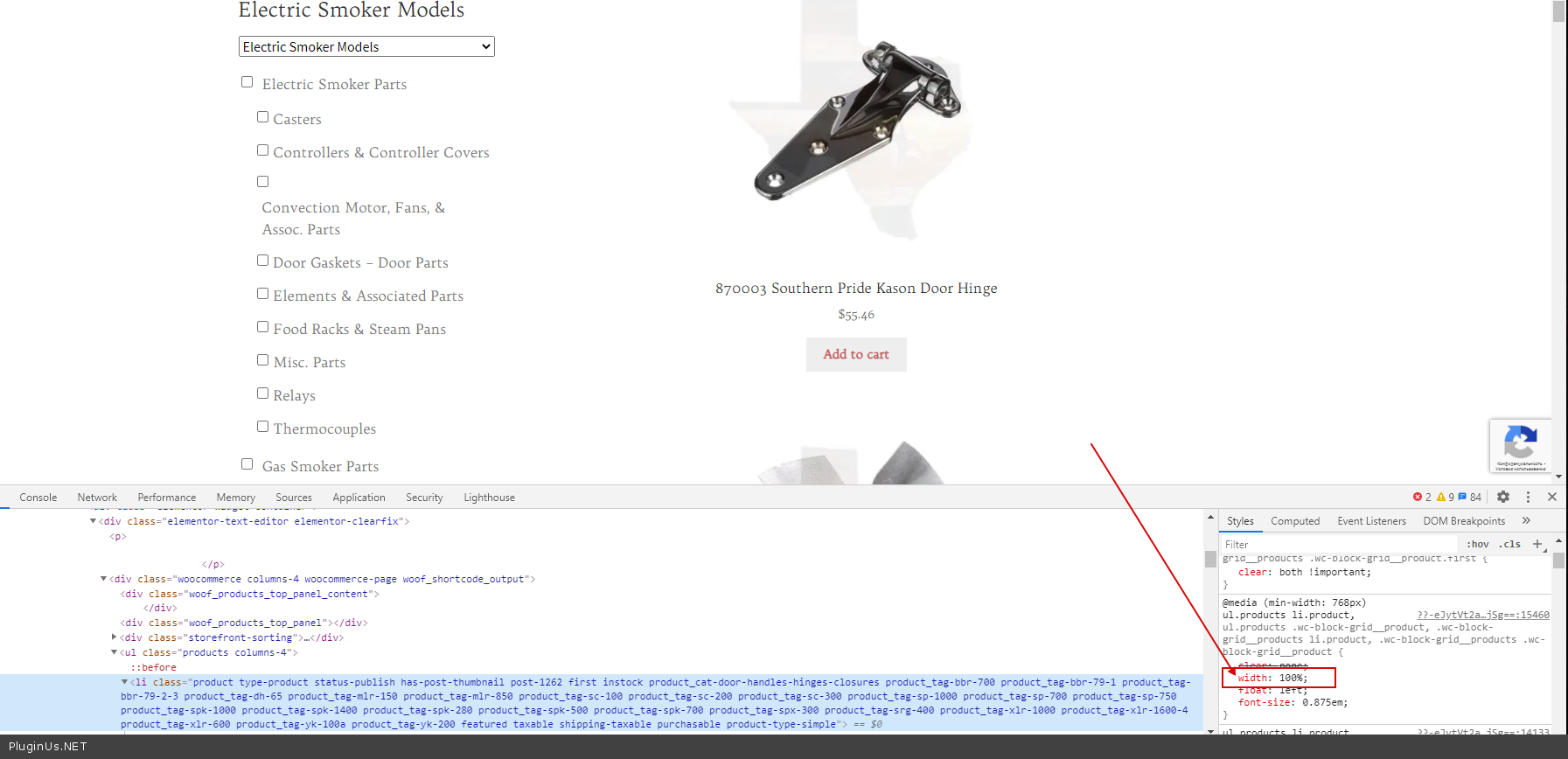
Quote from Coby on August 14, 2020, 20:26All fixed.
Thanks, Pablo.
I went ahead and purchased the premium plugin.
All fixed.
Thanks, Pablo.
I went ahead and purchased the premium plugin.
Quote from Coby on August 15, 2020, 02:58Can I get quick search to include attributes with title and content?
I have a tag for different types of products such as "convection motor", and attribute of the model # of the unit "spk-500"
If I search like SPK-500 convection motor the motor for the SPK-500 model doesn't appear.
Maybe i did something wrong =(
Can I get quick search to include attributes with title and content?
I have a tag for different types of products such as"convection motor", and attribute of the model # of the unit"spk-500"
If I search like SPK-500 convection motor the motor for the SPK-500 model doesn't appear.
Maybe i did something wrong =(
Quote from Pablo Borysenco on August 17, 2020, 11:28Hello
Paste your license key here - https://c2n.me/43SC6rb.png -> https://c2n.me/42HBIt7.png
Sorry, text search doesn't work with taxonomies
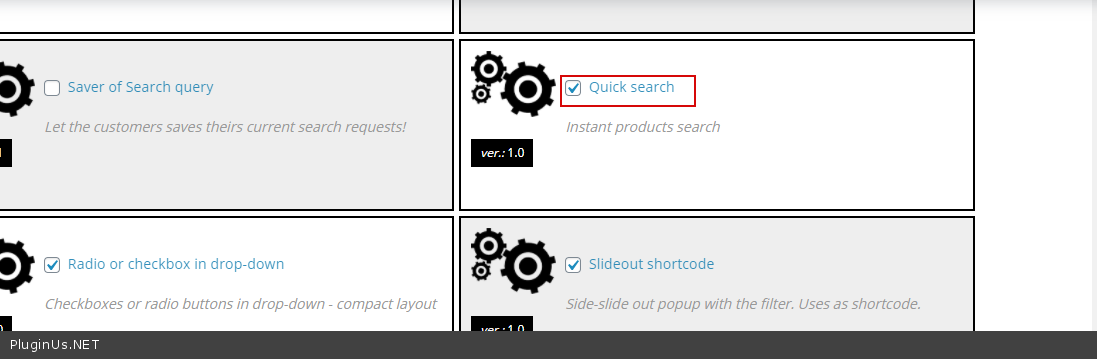
If you mean - https://c2n.me/48LQ40x.png Try this options -https://c2n.me/48LQ9fq.png
Hello
Paste your license key here - https://c2n.me/43SC6rb.png -> https://c2n.me/42HBIt7.png


Sorry, text search doesn't work with taxonomies
If you mean - https://c2n.me/48LQ40x.png Try this options -https://c2n.me/48LQ9fq.png
Quote from Coby on August 22, 2020, 20:09"Paste your license key here - https://c2n.me/43SC6rb.png -> https://c2n.me/42HBIt7.png"
Done
Yea, i tried that search function, but it doesn't work well if it doesn't work with attributes. Neither does the text function.
With the way my CRM integrates into Woocommerce I had to setup my product model #s as attributes for the filtering system to look like I wanted them to. Or maybe there is a better way I just didn't think of?
"Paste your license key here - https://c2n.me/43SC6rb.png -> https://c2n.me/42HBIt7.png"
Done
Yea, i tried that search function, but it doesn't work well if it doesn't work with attributes. Neither does the text function.
With the way my CRM integrates into Woocommerce I had to setup my product model #s as attributes for the filtering system to look like I wanted them to. Or maybe there is a better way I just didn't think of?
Quote from Coby on August 22, 2020, 20:17I setup the regulator text search and configured it to search by title and content.
I can then search like spk-500 convection motor, and i get 0 results.
The actual product has the words convection motor in the title and content, as well as the spk-500 model # in the content.
Why wouldn't it bring the product up as a result?
I setup the regulator text search and configured it to search by title and content.
I can then search like spk-500 convection motor, and i get 0 results.
The actual product has the words convection motor in the title and content, as well as the spk-500 model # in the content.
Why wouldn't it bring the product up as a result?
Quote from Pablo Borysenco on August 24, 2020, 13:32Hello
Please drop me wp-admin access( https://c2n.me/43SC6rb.png ->https://c2n.me/42BAoj4.png ) I will check it
Hello
Please drop me wp-admin access( https://c2n.me/43SC6rb.png ->https://c2n.me/42BAoj4.png ) I will check it

Quote from Coby on September 11, 2020, 01:39Sorry for the delay. Hurricane Laura got us pretty good. Trying to finish up resolving this issue.
Added in my wp-admin info as requested.
Thank you!
Sorry for the delay. Hurricane Laura got us pretty good. Trying to finish up resolving this issue.
Added in my wp-admin info as requested.
Thank you!
Quote from Pablo Borysenco on September 14, 2020, 11:46Hello
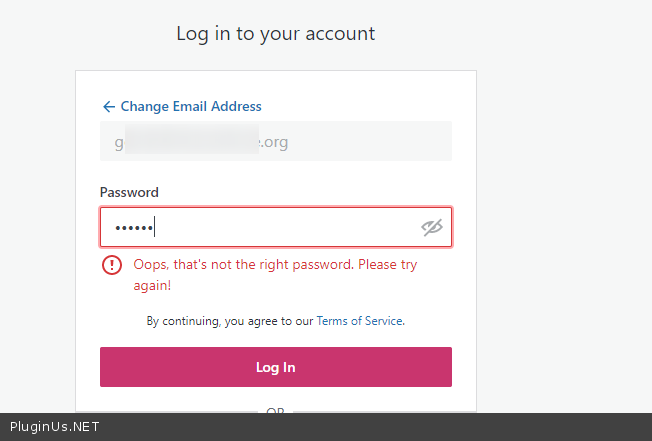
Please check access - https://c2n.me/494yvE6.png
Hello
Please check access - https://c2n.me/494yvE6.png
Quote from Coby on September 14, 2020, 17:54Apparently I didn't finish typing it out for you.
My apologies.
Try now.
Thank you!
Apparently I didn't finish typing it out for you.
My apologies.
Try now.
Thank you!
Quote from Coby on September 14, 2020, 17:56Ok, after i updated it again I refreshed then checked private data, and it keeps removing half the password. Maybe due to my special characters? Can I contact you a different way to provide the wp-admin credentials maybe?
Ok, after i updated it again I refreshed then checked private data, and it keeps removing half the password. Maybe due to my special characters? Can I contact you a different way to provide the wp-admin credentials maybe?
Quote from Coby on September 14, 2020, 17:57I added it again, but added spaces between the special characters and it seems to not be erasing part of the password now. So please use password provided, but do not add the spaces between characters.
Thank you!
I added it again, but added spaces between the special characters and it seems to not be erasing part of the password now. So please use password provided, but do not add the spaces between characters.
Thank you!
Quote from Pablo Borysenco on September 15, 2020, 12:44Hello
Your settings - https://clip2net.com/s/495ukD9 I changet it - https://clip2net.com/s/495ukD9
Result - https://c2n.me/495usyd.png
Hello
Your settings - https://clip2net.com/s/495ukD9 I changet it - https://clip2net.com/s/495ukD9
Result - https://c2n.me/495usyd.png

Quote from Coby on September 16, 2020, 18:02Still if I search for example SPK-500 convection to find my convection motor it does not bring up a result for the motor even though the content has the words "spk-500" and "convection" in it.
I assume "content" means the description area on my products? Does it pull search results from the short and long description areas? I only have descriptions entered into the short descriptio
n.
Still if I search for example SPK-500 convection to find my convection motor it does not bring up a result for the motor even though the content has the words"spk-500" and"convection" in it.
I assume"content" means the description area on my products? Does it pull search results from the short and long description areas? I only have descriptions entered into the short descriptio
n.

Quote from Coby on September 17, 2020, 05:21this comment was irrelevant so i removed it
this comment was irrelevant so i removed it
Quote from Pablo Borysenco on September 17, 2020, 12:23Hello
Ok!
I see - https://c2n.me/4978YSR.png - the result is correct, but for some reason it is not displayed in the quick view.
It looks like a third party plugin is interfering with the search query and changing it.
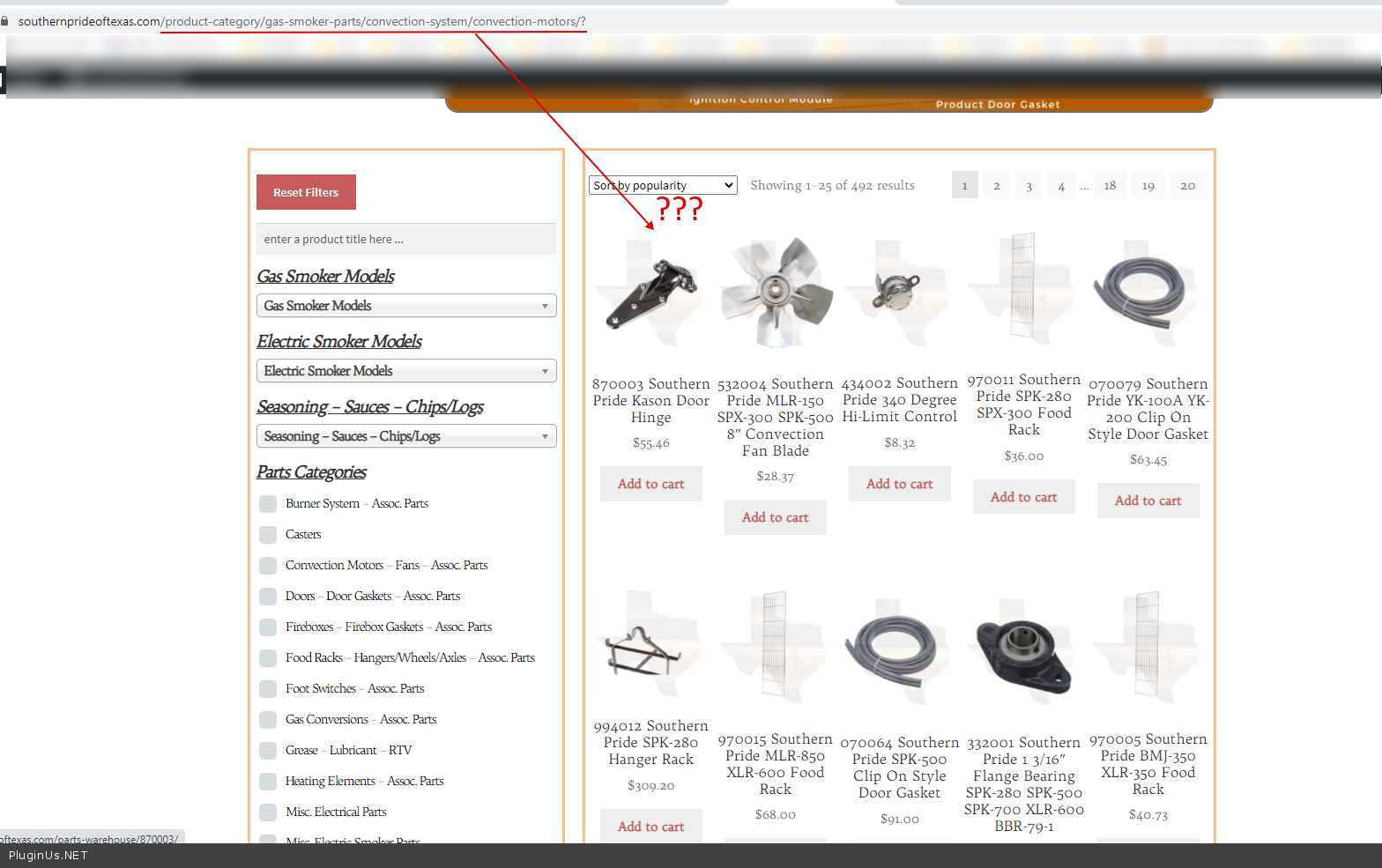
You have a very strange site setup - https://southernprideoftexas.com/product-category/gas-smoker-parts/convection-system/convection-motors/ - this link should show the convection motors using a woocommerce template, but for some reason here is a shortcode [woof_products] - it is not right
Hello
Ok!
I see - https://c2n.me/4978YSR.png - the result is correct, but for some reason it is not displayed in the quick view.
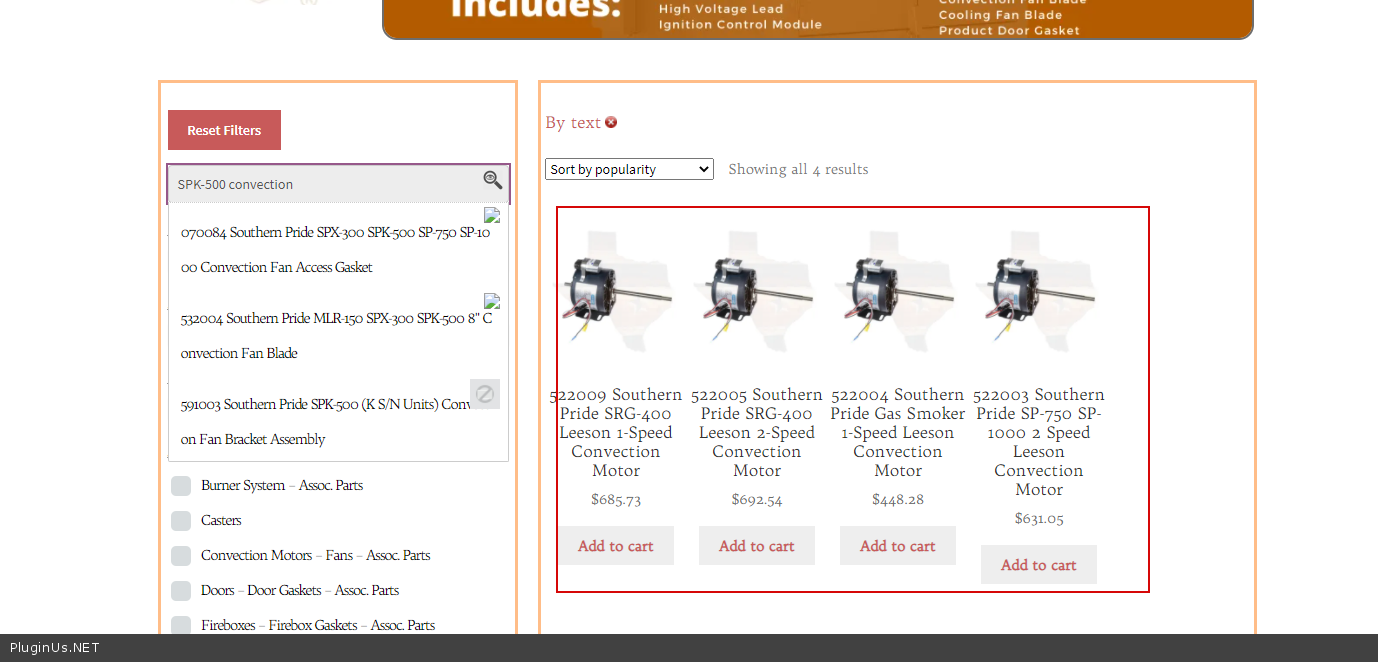
It looks like a third party plugin is interfering with the search query and changing it.
You have a very strange site setup - https://southernprideoftexas.com/product-category/gas-smoker-parts/convection-system/convection-motors/ - this link should show the convection motors using a woocommerce template, but for some reason here is a shortcode [woof_products] - it is not right
Quote from Coby on September 17, 2020, 19:08It wouldn't surprise me if I set it up incorrectly.
My shop page is using an elementor "shop" template I created.
As I remember by setting that page as the woocommerce "shop" page the filters were not changing the product grid results.
So I ended up just using a text widget for the sidebar with the filters, and a text widget in the main content area with [woof_products] to display the filtered products, and that worked correctly.
I just now created the same page as a normal page not using a template for my shop page then removed the page from the woocommerce > settings > products options so there is no assigned shop page anymore.
Still getting the same results.
I'm confused how you got the 4 items to show in the results in the image you provided.
I tried to actually perform the search, but I get a bunch of items in the results rather than 4 items like you have shown.
It wouldn't surprise me if I set it up incorrectly.
My shop page is using an elementor"shop" template I created.
As I remember by setting that page as the woocommerce"shop" page the filters were not changing the product grid results.
So I ended up just using a text widget for the sidebar with the filters, and a text widget in the main content area with [woof_products] to display the filtered products, and that worked correctly.
I just now created the same page as a normal page not using a template for my shop page then removed the page from the woocommerce > settings > products options so there is no assigned shop page anymore.
Still getting the same results.
I'm confused how you got the 4 items to show in the results in the image you provided.
I tried to actually perform the search, but I get a bunch of items in the results rather than 4 items like you have shown.

Quote from Pablo Borysenco on September 18, 2020, 13:29Hello
https://c2n.me/4985dGB.png - Please watch my video - https://c2n.me/4985mqK - As you can see, in ajax mode, the result is correct (I think because a third-party script cannot intercept this ajax request) But after reloading the page, the result is not correct
And in principle it is not correct (it should not be) to show these products on the category page - https://c2n.me/4985O5g.png - I think the same third-party script affects this
Can I disable plugins/theme to test? Or better create clone of your site - https://wordpress.org/plugins/duplicator/ - to do the test
Hello
https://c2n.me/4985dGB.png - Please watch my video - https://c2n.me/4985mqK - As you can see, in ajax mode, the result is correct (I think because a third-party script cannot intercept this ajax request) But after reloading the page, the result is not correct
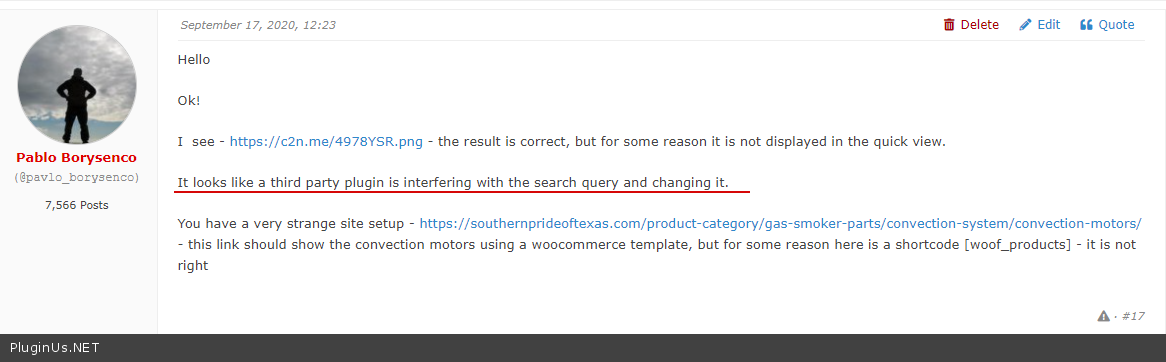
And in principle it is not correct (it should not be) to show these products on the category page - https://c2n.me/4985O5g.png - I think the same third-party script affects this
Can I disable plugins/theme to test? Or better create clone of your site - https://wordpress.org/plugins/duplicator/ - to do the test
Quote from Coby on September 18, 2020, 19:25Yes sir I saw the thing about a 3rd party script.
How do we find out what 3rd party script is causing the issues?
I had not noticed it was displaying the category page... that is definitely not correct.
Yes, sir you may proceed with testing. I installed the Duplciator plugin for you.
Yes sir I saw the thing about a 3rd party script.
How do we find out what 3rd party script is causing the issues?
I had not noticed it was displaying the category page... that is definitely not correct.
Yes, sir you may proceed with testing. I installed the Duplciator plugin for you.