
turbo mode
The support doesn work on Saturdays and Sundays, so some Friday requests can be answered on Monday. If you have problems with registration ask help on contact us page pleaseIf you not got email within 24~36 business hours, firstly check your spam box, and if no any email from the support there - back to the forum and read answer here. DO NOT ANSWER ON EMAILS [noreply@pluginus.net] FROM THE FORUM!! Emails are just for your info, all answers should be published only here.
The support doesn work on Saturdays and Sundays, so some Friday requests can be answered on Monday.

Quote from Prokopis on March 2, 2022, 17:32hi,
i have enable turbo mode and it clears me the filter if i disable it then the filter is ok
i follow the instructions as said but i cannot locate the issue.
wordpress cron - >daily
Reassemble products - > done
enable cron scheduler -> done
am i missing something?
hi,
i have enable turbo mode and it clears me the filter if i disable it then the filter is ok
i follow the instructions as said but i cannot locate the issue.
wordpress cron - >daily
Reassemble products - > done
enable cron scheduler -> done
am i missing something?

Quote from Pablo Borysenco on March 3, 2022, 12:35Hello
Please drop me exact link to the issue
Hello
Please drop me exact link to the issue
Quote from Prokopis on March 3, 2022, 21:28you can follow the link of the shop and on load you will notice that categories are removed one by one
https://okeizo.com/shop/
in the case you need to search for something you can disabled it using the credentials that i previous send it to you
you can follow the link of the shop and on load you will notice that categories are removed one by one
in the case you need to search for something you can disabled it using the credentials that i previous send it to you
Quote from Pablo Borysenco on March 4, 2022, 13:02Hello
Your link - https://c2n.me/4f66Je8.png
Hello
Your link - https://c2n.me/4f66Je8.png
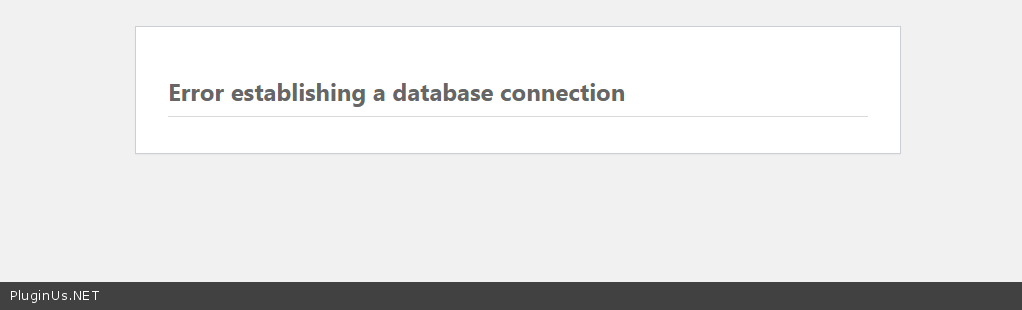
Quote from Prokopis on March 4, 2022, 13:10i have just connected. i do not know why you get that page?
or it might be because a few hours before i move the CDN?
Now is loading ok.
i have just connected. i do not know why you get that page?
or it might be because a few hours before i move the CDN?
Now is loading ok.
Quote from Prokopis on March 4, 2022, 17:14did you manage to locate the issue?
did you manage to locate the issue?
Quote from Pablo Borysenco on March 7, 2022, 13:32Hello
My test - https://c2n.me/4f78Wg4
Hello
My test - https://c2n.me/4f78Wg4
Quote from Prokopis on March 7, 2022, 14:54hi,
i saw what you did, it work for a while but after i have to clear the cache the categories are again disappeared. https://okeizo.com/shop/
do i have to do any additional actions after the clear of the cache?
hi,
i saw what you did, it work for a while but after i have to clear the cache the categories are again disappeared. https://okeizo.com/shop/
do i have to do any additional actions after the clear of the cache?
Quote from Prokopis on March 7, 2022, 17:05i have try again to disable and enable but still some of the filters are removed with the first loading.
using F12 i see that Turbo mode is enabled but i cant find any other issues
i have try again to disable and enable but still some of the filters are removed with the first loading.
using F12 i see that Turbo mode is enabled but i cant find any other issues
Quote from Pablo Borysenco on March 8, 2022, 12:28Hello
What cache?
looks like you're just deleting the search file.
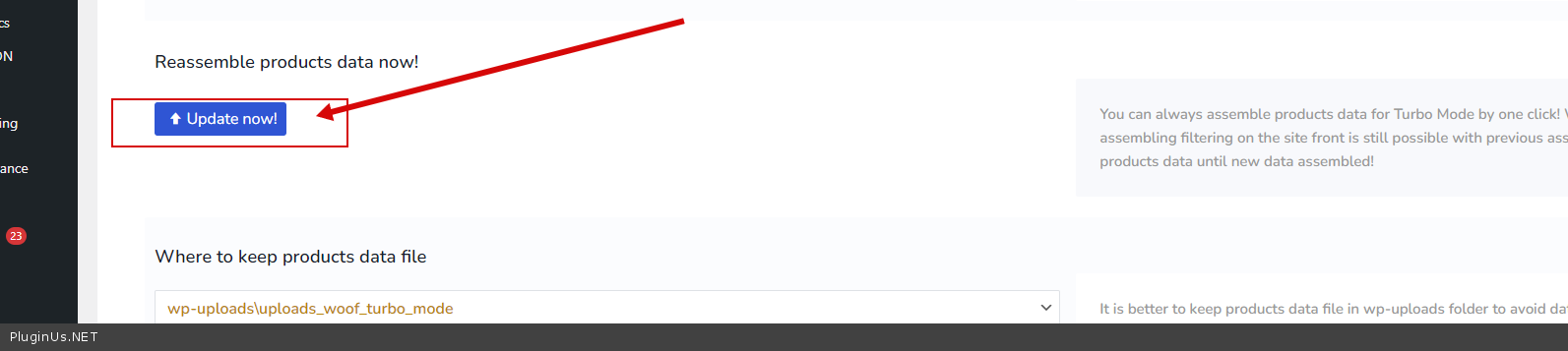
Please create the search file and do a test - https://c2n.me/4f7qbCT.png - Wait until the file is completely created
Hello
What cache?
looks like you're just deleting the search file.
Please create the search file and do a test - https://c2n.me/4f7qbCT.png - Wait until the file is completely created
Quote from Prokopis on March 8, 2022, 21:40hi,
i still have the same issue. i try using below options
i have disabled wp rocket and
- create date and still not working.
- change to second directory the save of the date, recreate the data and still not working.
when i load the page and press F12 it writes me that Turbo mode is enabled.
hi,
i still have the same issue. i try using below options
i have disabled wp rocket and
- create date and still not working.
- change to second directory the save of the date, recreate the data and still not working.
when i load the page and press F12 it writes me that Turbo mode is enabled.
Quote from Prokopis on March 9, 2022, 07:03as i told you i create to both directories the file to check it, the location that both files are saved are the below
/wp-content/uploads/uploads_woof_turbo_mode
/html/wp-content/plugins/woocommerce-products-filter/ext/turbo_mode/data
which is not exactly the same as is said on plugin
wp-uploads\uploads_woof_turbo_mode
/plugins/woocommerce-products-filter/ext/turbo_mode/data
can you find spot the differences at the path?
as i told you i create to both directories the file to check it, the location that both files are saved are the below
/wp-content/uploads/uploads_woof_turbo_mode
/html/wp-content/plugins/woocommerce-products-filter/ext/turbo_mode/data
which is not exactly the same as is said on plugin
wp-uploads\uploads_woof_turbo_mode
/plugins/woocommerce-products-filter/ext/turbo_mode/data
can you find spot the differences at the path?
Quote from Pablo Borysenco on March 9, 2022, 12:25Hello
Please paste your license key here - https://share.pluginus.net/image/i20210618130558.png -> https://share.pluginus.net/image/i20210618130614.png and wp-admin access - https://share.pluginus.net/image/i20210618130637.png
Hello
Please paste your license key here - https://share.pluginus.net/image/i20210618130558.png -> https://share.pluginus.net/image/i20210618130614.png and wp-admin access - https://share.pluginus.net/image/i20210618130637.png


Quote from Prokopis on March 9, 2022, 12:47details are added
details are added
Quote from Prokopis on March 9, 2022, 16:14did you had the time to check it.?
if you have the time please check it and advice so i can be live next Monday or Tuesday .
thanks
did you had the time to check it.?
if you have the time please check it and advice so i can be live next Monday or Tuesday .
thanks
Quote from Pablo Borysenco on March 10, 2022, 10:34Hello
My test - https://c2n.me/4f8jfl3
Hello
My test - https://c2n.me/4f8jfl3
Quote from Prokopis on March 10, 2022, 10:47hi,
Not all data information's are loaded to filters. for example you can see only one category but actually there are more categories.
you can check my staging side https://w3p.8f8.myftpupload.com/shop/
from my understating using turbo mode it does not read the file that was created that contains the attributes but it load the products.
hi,
Not all data information's are loaded to filters. for example you can see only one category but actually there are more categories.
you can check my staging side https://w3p.8f8.myftpupload.com/shop/
from my understating using turbo mode it does not read the file that was created that contains the attributes but it load the products.
Quote from Prokopis on March 11, 2022, 06:45hi,
in have create again the file for the turbo mode and now it load me all the filters but are not clickable, they are greyed out such as they do not contain any data.
also filters with slide (price range etc) do not display the slide.
hi,
in have create again the file for the turbo mode and now it load me all the filters but are not clickable, they are greyed out such as they do not contain any data.
also filters with slide (price range etc) do not display the slide.
Quote from Pablo Borysenco on March 11, 2022, 12:34Hello
and now it load me all the filters but are not clickable, - you should wait for the download and recalculation of the file
Hello
and now it load me all the filters but are not clickable, - you should wait for the download and recalculation of the file
Quote from Prokopis on March 11, 2022, 13:05only for the first time or always.
i have it open for a minute or more and it was still not loaded.
only for the first time or always.
i have it open for a minute or more and it was still not loaded.