
Sale Times Not working
The support doesn work on Saturdays and Sundays, so some Friday requests can be answered on Monday. If you have problems with registration ask help on contact us page pleaseIf you not got email within 24~36 business hours, firstly check your spam box, and if no any email from the support there - back to the forum and read answer here. DO NOT ANSWER ON EMAILS [noreply@pluginus.net] FROM THE FORUM!! Emails are just for your info, all answers should be published only here.
The support doesn work on Saturdays and Sundays, so some Friday requests can be answered on Monday.

Quote from Pablo Borysenco on August 12, 2020, 10:01Hello
Did you watch my last video? I showed you this error after manually changing the date on the product page
Hello
Did you watch my last video? I showed you this error after manually changing the date on the product page

Quote from lionheart on August 13, 2020, 00:12Your video is NOT showing the problem but here is a video that shows very clearly that woocommerce is NOT the issue and YOUR plugin is...
First of all, I'm taking a product that doesn't have ANY previously entered scheduled sales info in it. And it works perfectly if I go into the backend of the individual product and schedule a sale for today's date (IN MY TIME ZONE).
BUT if I do the SAME thing in YOUR plugin, it does NOT work.
See for yourself...
https://www.narishawaii.com/wp-content/uploads/Naris.mp4
You will NOT be able to replicate the issue using YOUR TIME ZONE, which is why I keep telling you that you are not seeing the problem.
Your video is NOT showing the problem but here is a video that shows very clearly that woocommerce is NOT the issue and YOUR plugin is...
First of all, I'm taking a product that doesn't have ANY previously entered scheduled sales info in it. And it works perfectly if I go into the backend of the individual product and schedule a sale for today's date (IN MY TIME ZONE).
BUT if I do the SAME thing in YOUR plugin, it does NOT work.
See for yourself...
[video src="https://www.narishawaii.com/wp-content/uploads/Naris.mp4" /]
You will NOT be able to replicate the issue using YOUR TIME ZONE, which is why I keep telling you that you are not seeing the problem.
Quote from Pablo Borysenco on August 13, 2020, 10:09Hello
You will NOT be able to replicate the issue using YOUR TIME ZONE, which is why I keep telling you that you are not seeing the problem. - But if I can repeat this error WITHOUT my plugin. Means timezone zones affect woocommerce it doesn't depend on my plugin. Correct?
new video - https://c2n.me/48JHgoh
I will pass it to the developer, maybe he will make a fix especially for you
Hello
You will NOT be able to replicate the issue using YOUR TIME ZONE, which is why I keep telling you that you are not seeing the problem. - But if I can repeat this error WITHOUT my plugin. Means timezone zones affect woocommerce it doesn't depend on my plugin. Correct?
new video - https://c2n.me/48JHgoh
I will pass it to the developer, maybe he will make a fix especially for you
Quote from lionheart on August 14, 2020, 00:42I don't know how timezones work within Wordpress, but the facts are that when you schedule a sale in YOUR timezone within woocommerce it doesn't work. BUT it DOES work when I schedule a sale in MY timezone. That doesn't prove that something is wrong with woocommerce. It only proves that the dates will be off if edited from a time zone other than what is in Wordpress' settings.
The fact is that when I schedule a sale (in the same time zone as woocommerce) it DOES work, but it DOESN'T work in YOUR plugin. This means your plugin isn't communicating with Wordpress, otherwise they would be the same.
I ended up playing around with the time zone settings in Wordpress (Settings... General) and I found that if I changed the time zone from a specific UTC time to 'Honolulu' your plugin worked properly. So you may want to investigate that.
I am glad I was able to figure this out on my own. I have another set of sales going live on the 15th and will test it out to make sure everything is working properly. I'll let you know if I see any other issues.
Thank you.
I don't know how timezones work within Wordpress, but the facts are that when you schedule a sale in YOUR timezone within woocommerce it doesn't work. BUT it DOES work when I schedule a sale in MY timezone. That doesn't prove that something is wrong with woocommerce. It only proves that the dates will be off if edited from a time zone other than what is in Wordpress' settings.
The fact is that when I schedule a sale (in the same time zone as woocommerce) it DOES work, but it DOESN'T work in YOUR plugin. This means your plugin isn't communicating with Wordpress, otherwise they would be the same.
I ended up playing around with the time zone settings in Wordpress (Settings... General) and I found that if I changed the time zone from a specific UTC time to 'Honolulu' your plugin worked properly. So you may want to investigate that.
I am glad I was able to figure this out on my own. I have another set of sales going live on the 15th and will test it out to make sure everything is working properly. I'll let you know if I see any other issues.
Thank you.
Quote from Pablo Borysenco on August 14, 2020, 10:43Hello
Yes, my plugin takes timezone data from wordpress settings ( get_option('gmt_offset') ).
When I was doing tests it was: UTC -10 - And it seemed to me correct - https://c2n.me/48Ks5uw.png - For this reason, I was sure that the time zone settings did not affect this error.
Do you live in the same time zone?
Hello
Yes, my plugin takes timezone data from wordpress settings ( get_option('gmt_offset') ).
When I was doing tests it was: UTC -10 - And it seemed to me correct - https://c2n.me/48Ks5uw.png - For this reason, I was sure that the time zone settings did not affect this error.
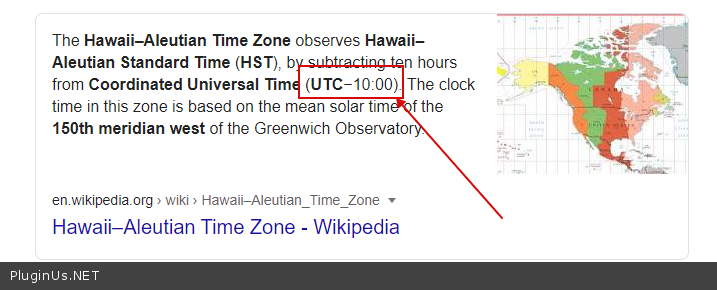
Do you live in the same time zone?
Quote from lionheart on August 16, 2020, 22:23Yes I live in Hawaii.
The new sales just went live so it seems to be working now.
Thank you.
Yes I live in Hawaii.
The new sales just went live so it seems to be working now.
Thank you.
Quote from Pablo Borysenco on August 17, 2020, 09:55Hello
Great! Welcome;)
Hello
Great! Welcome;)