
Issues with cached pages ajax and currency switched after update 2.4.9
The support doesn work on Saturdays and Sundays, so some Friday requests can be answered on Monday. If you have problems with registration ask help on contact us page pleaseIf you not got email within 24~36 business hours, firstly check your spam box, and if no any email from the support there - back to the forum and read answer here. DO NOT ANSWER ON EMAILS [noreply@pluginus.net] FROM THE FORUM!! Emails are just for your info, all answers should be published only here.
The support doesn work on Saturdays and Sundays, so some Friday requests can be answered on Monday.

Quote from Fran on July 9, 2026, 11:02Some of my visitors warned me that currencies were hard cached on the site (i.e some pages in AUD and others in CAD) . After diggin I found this https://pluginus.net/support/topic/fox-currency-switcher-pro-v1-4-9-currency-selector-not-working-on-cached-pages-rollback-request/ which matches with the last update. i've used the latest rollback, so I accidentally rolled back to the free version 1.4.3, as WPVivid Backup didn't stored uploaded files.
I've attempted to download version 2.4.8 but I can't find how. There is no rollback repository there
https://codecanyon.net/item/woocommerce-currency-switcher/8085217The issues are that currency selector is not working for guest visitors, who receive cached pages, and also with logged visitors which receive non-cached pages sometimes the currency selector doesn't reloads the site, it seems is doing nothing. Ajax price load seems that is not working at all on cached files.
All this was working perfectly before version 2.4.9.
If a fix for this will be released soon, I can wait with the free version 1.4.3 which works well for me (but maybe vulnerable and exploitable?) so I better maybe disable the plugin for security, and if a fix will take long I will appreciate a way to download 2.4.8, which maybe I'm missing on codecanyon
Some of my visitors warned me that currencies were hard cached on the site (i.e some pages in AUD and others in CAD) . After diggin I found this https://pluginus.net/support/topic/fox-currency-switcher-pro-v1-4-9-currency-selector-not-working-on-cached-pages-rollback-request/ which matches with the last update. i've used the latest rollback, so I accidentally rolled back to the free version 1.4.3, as WPVivid Backup didn't stored uploaded files.
I've attempted to download version 2.4.8 but I can't find how. There is no rollback repository there
https://codecanyon.net/item/woocommerce-currency-switcher/8085217
The issues are that currency selector is not working for guest visitors, who receive cached pages, and also with logged visitors which receive non-cached pages sometimes the currency selector doesn't reloads the site, it seems is doing nothing. Ajax price load seems that is not working at all on cached files.
All this was working perfectly before version 2.4.9.
If a fix for this will be released soon, I can wait with the free version 1.4.3 which works well for me (but maybe vulnerable and exploitable?) so I better maybe disable the plugin for security, and if a fix will take long I will appreciate a way to download 2.4.8, which maybe I'm missing on codecanyon

Quote from Alex Dev on July 9, 2026, 13:01Hello
Thank you for the detailed report, it helps a lot.
First, your download question. The previous premium versions are included in your CodeCanyon purchase, but only inside the full package. In your CodeCanyon Downloads, for FOX - Currency Switcher choose "All files and documentation" (not "Installable WordPress file only"). After you unzip that package there is an "archive" folder inside that contains the last several releases, including 2.4.8 and 2.4.7. That is why you could not find them on the item page: they ship inside the bundle, not as a separate repository.
Please also note that you are currently on the free version 1.4.3, which is a separate and much older codebase. To move forward you should reinstall a premium build first.
The likely fix for the cached-pages problem. FOX has a dedicated option for sites that use caching. When a site is cached, the displayed currency gets baked into the cached HTML, which is exactly the behavior you described (some pages stuck in AUD, others in CAD). Enabling the caching option in the FOX Options tab (I am using cache plugin on my site) moves currency handling to the front-end (client side), so a single cached page can show and recalculate the correct currency, and the AJAX price refresh works on cached pages.
Please do the following:
1. Reinstall a premium version (the latest 2.4.9 is fine to start with).
2. In the FOX Options tab, enable the caching option.
3. Fully clear every cache (caching plugin, host or server cache, and CDN if you use one).
4. Test the shop as a guest visitor and check whether the switcher and the AJAX prices now work.About rolling back. If you prefer to roll back instead, please note that 2.4.8 and 2.4.9 are very close, so 2.4.8 will most likely behave the same way. The meaningful difference is at 2.4.7, since a lot of code changed between 2.4.7 and 2.4.9. So if you want to roll back to a known-good state, use 2.4.7 from the archive folder, not 2.4.8.
One important note. Your report actually describes two different situations. The guest and cached-page problem is what the caching option above is meant to solve. But you also mentioned that for logged-in visitors on non-cached pages the switcher sometimes does nothing. That part is not caching-related, so please confirm separately whether it still happens after you enable the option and clear the cache. If it does, it points to something else and we will investigate it directly.
So that we can pinpoint this, after the steps above please tell us specifically, for each case, whether it now works:
1. guest visitors on cached pages
2. logged-in visitors on non-cached pages
3. AJAX price refresh on cached pagesIf it is still not resolved, please share access to the site (or to a staging copy) and the exact page URL in the private area of this ticket, and we will reproduce it on our side.
On security: staying on the old free 1.4.3 long term is not ideal. The better path is to move to a current premium build. If you need to wait for any reason, temporarily disabling the plugin is a reasonable precaution in the meantime.
Hello
Thank you for the detailed report, it helps a lot.
First, your download question. The previous premium versions are included in your CodeCanyon purchase, but only inside the full package. In your CodeCanyon Downloads, for FOX - Currency Switcher choose"All files and documentation" (not"Installable WordPress file only"). After you unzip that package there is an"archive" folder inside that contains the last several releases, including 2.4.8 and 2.4.7. That is why you could not find them on the item page: they ship inside the bundle, not as a separate repository.
Please also note that you are currently on the free version 1.4.3, which is a separate and much older codebase. To move forward you should reinstall a premium build first.
The likely fix for the cached-pages problem. FOX has a dedicated option for sites that use caching. When a site is cached, the displayed currency gets baked into the cached HTML, which is exactly the behavior you described (some pages stuck in AUD, others in CAD). Enabling the caching option in the FOX Options tab (I am using cache plugin on my site) moves currency handling to the front-end (client side), so a single cached page can show and recalculate the correct currency, and the AJAX price refresh works on cached pages.
Please do the following:
1. Reinstall a premium version (the latest 2.4.9 is fine to start with).
2. In the FOX Options tab, enable the caching option.
3. Fully clear every cache (caching plugin, host or server cache, and CDN if you use one).
4. Test the shop as a guest visitor and check whether the switcher and the AJAX prices now work.
About rolling back. If you prefer to roll back instead, please note that 2.4.8 and 2.4.9 are very close, so 2.4.8 will most likely behave the same way. The meaningful difference is at 2.4.7, since a lot of code changed between 2.4.7 and 2.4.9. So if you want to roll back to a known-good state, use 2.4.7 from the archive folder, not 2.4.8.
One important note. Your report actually describes two different situations. The guest and cached-page problem is what the caching option above is meant to solve. But you also mentioned that for logged-in visitors on non-cached pages the switcher sometimes does nothing. That part is not caching-related, so please confirm separately whether it still happens after you enable the option and clear the cache. If it does, it points to something else and we will investigate it directly.
So that we can pinpoint this, after the steps above please tell us specifically, for each case, whether it now works:
1. guest visitors on cached pages
2. logged-in visitors on non-cached pages
3. AJAX price refresh on cached pages
If it is still not resolved, please share access to the site (or to a staging copy) and the exact page URL in the private area of this ticket, and we will reproduce it on our side.
On security: staying on the old free 1.4.3 long term is not ideal. The better path is to move to a current premium build. If you need to wait for any reason, temporarily disabling the plugin is a reasonable precaution in the meantime.
Quote from Fran on July 17, 2026, 17:41I’ve attempted the next workarounds witn no success:
- Updated to version 2.4.9
- Enable the caching option on FOX CS
- disable Wordfence
- Cloudflare currently disabled for staging site (only DNS mode with no proxy)
- Flush Object Cache repeteadly
- Supercache is currently disabled. Tried to enable/disable/delete with always worng results. Enable it from https://staging.smokingsweeties.com/wp-admin/options-general.php?page=wpsupercacheThe main issue right now is that (with cache and cloudflare disabled) when one user changues the currency, it affects to the others, so each user changes currency globally. When enabling cache, everything gets chaotic. Randomly the currency switcher is unresponsive in the product page inside the popup. Not with previous versions before 2.4.7
I've added private data with credentials and links.
I’ve attempted the next workarounds witn no success:
- Updated to version 2.4.9
- Enable the caching option on FOX CS
- disable Wordfence
- Cloudflare currently disabled for staging site (only DNS mode with no proxy)
- Flush Object Cache repeteadly
- Supercache is currently disabled. Tried to enable/disable/delete with always worng results. Enable it from https://staging.smokingsweeties.com/wp-admin/options-general.php?page=wpsupercache
The main issue right now is that (with cache and cloudflare disabled) when one user changues the currency, it affects to the others, so each user changes currency globally. When enabling cache, everything gets chaotic. Randomly the currency switcher is unresponsive in the product page inside the popup. Not with previous versions before 2.4.7
I've added private data with credentials and links.
Quote from Alex Dev on July 20, 2026, 12:41Hello Fran
We have good news. I have uploaded a new build of FOX directly to your staging site. It is not published yet (it is not on CodeCanyon or on our site at the moment), so please treat it as a pre-release build for testing.
- Currency being shared between visitors
This was the main problem and we have fixed it.
The reason: when the plugin stores the selected currency in transients, the storage key was built from the visitor IP address. In most setups that is fine, but as soon as visitors come through a proxy, a NAT, a corporate or mobile network, or a hosting layer that does not pass the real client IP to PHP, many different visitors end up sharing the same key. They then also share the same stored currency, which is exactly what you described: one visitor switches the currency and it changes for everybody.
What we changed: when the storage type is Transient and the option "I am using cache plugin" is enabled, the plugin now generates a random key once in the browser and keeps it in localStorage. That key is sent with every AJAX request and is used as the storage key instead of the IP. So every browser now has its own currency, regardless of how many visitors share one IP address.
An important side effect: this mode does not set any cookie, so your pages stay fully cacheable. That matters for you because page caching and Cloudflare normally break as soon as the plugin sets a session cookie on the first visit.
- Switcher not responding and AJAX prices not refreshing
We also found and fixed a JavaScript bug in the price refresh: in some cases the AJAX response was parsed twice, which threw an error and stopped the prices from being redrawn. This affected the Smart Designer switcher in cached mode in particular, which is the one you use in the popup with the sd=1 shortcode.
- The shortcode not rendering in the Bricks popup
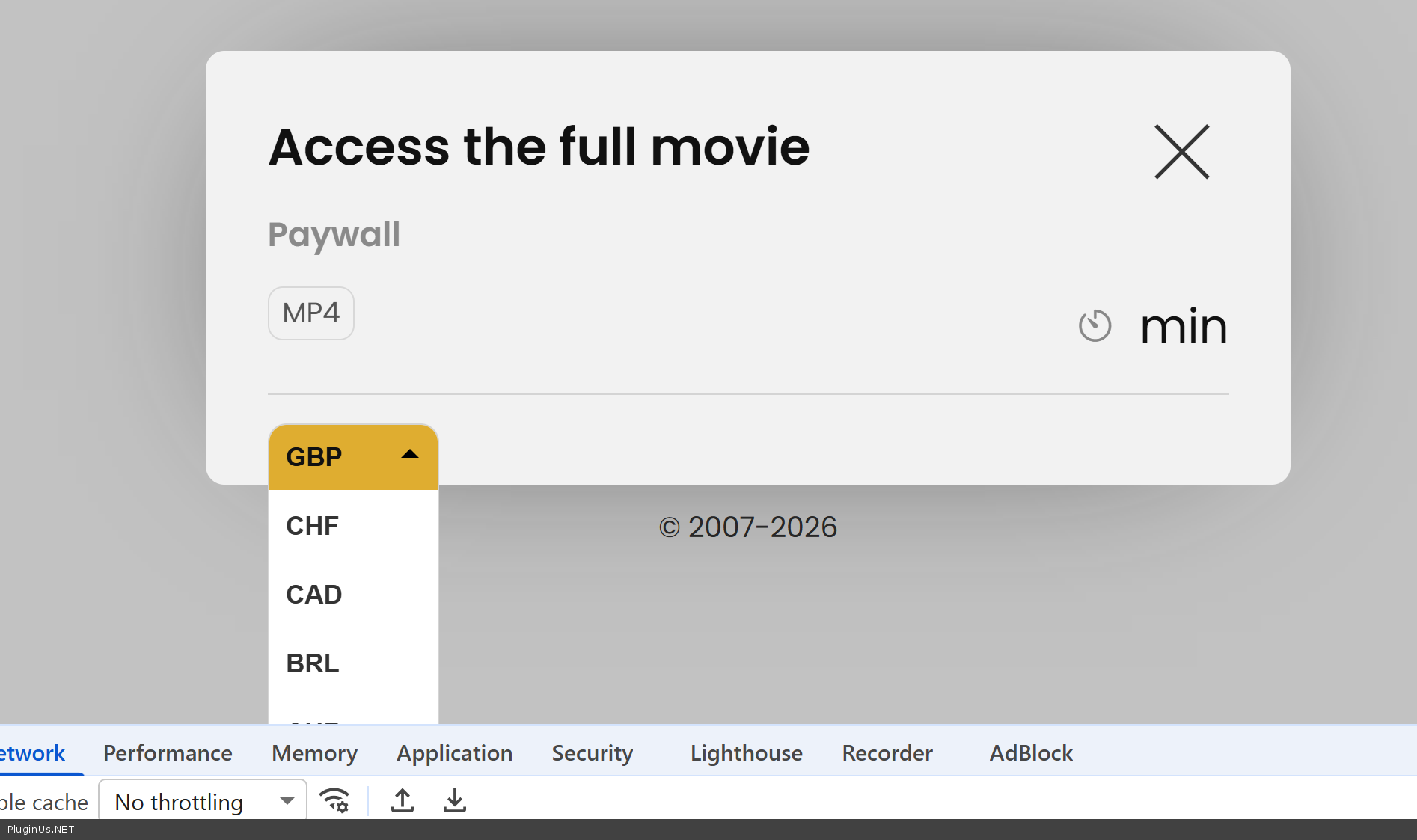
I opened your paywall popup template, enabled "Fetch content via Ajax", saved it and tested the product page. The switcher rendered correctly and the literal [woocs sd=1] text no longer appears. So this looks fixed by the update as well.
What we would like you to check
Please test on the staging site as it is now and tell us the result for each case:
- Two different devices on two different networks, for example a computer on Wi-Fi and a phone on mobile data. Switch the currency on one and confirm that the other one is not affected. Please avoid testing with two tabs on the same machine, since that is the same IP and it does not prove anything.
- The popup on a product page: does the switcher render and does it actually switch.
- The prices: do they refresh correctly after switching, on the product page, in the popup and in the cart.
Once those look good, please turn your caching back on step by step, first the caching plugin and then Cloudflare, clearing all caches between the steps, and test again as a guest visitor. Please keep the storage type set to Transient and the option "I am using cache plugin" enabled, because the new logic works only in that combination.
Please let us know how it behaves and we will continue from there.
p.s. your support expired please renew it here https://currency-switcher.com/downloads - do not do it on codecanyon please as we moved from there
https://share.pluginus.net/image/i20230222134241.png
https://share.pluginus.net/image/i20230222134615.png
https://share.pluginus.net/image/i20230222134511.png
Hello Fran
We have good news. I have uploaded a new build of FOX directly to your staging site. It is not published yet (it is not on CodeCanyon or on our site at the moment), so please treat it as a pre-release build for testing.
- Currency being shared between visitors
This was the main problem and we have fixed it.
The reason: when the plugin stores the selected currency in transients, the storage key was built from the visitor IP address. In most setups that is fine, but as soon as visitors come through a proxy, a NAT, a corporate or mobile network, or a hosting layer that does not pass the real client IP to PHP, many different visitors end up sharing the same key. They then also share the same stored currency, which is exactly what you described: one visitor switches the currency and it changes for everybody.
What we changed: when the storage type is Transient and the option"I am using cache plugin" is enabled, the plugin now generates a random key once in the browser and keeps it in localStorage. That key is sent with every AJAX request and is used as the storage key instead of the IP. So every browser now has its own currency, regardless of how many visitors share one IP address.
An important side effect: this mode does not set any cookie, so your pages stay fully cacheable. That matters for you because page caching and Cloudflare normally break as soon as the plugin sets a session cookie on the first visit.
- Switcher not responding and AJAX prices not refreshing
We also found and fixed a JavaScript bug in the price refresh: in some cases the AJAX response was parsed twice, which threw an error and stopped the prices from being redrawn. This affected the Smart Designer switcher in cached mode in particular, which is the one you use in the popup with the sd=1 shortcode.
- The shortcode not rendering in the Bricks popup
I opened your paywall popup template, enabled"Fetch content via Ajax", saved it and tested the product page. The switcher rendered correctly and the literal [woocs sd=1] text no longer appears. So this looks fixed by the update as well.
What we would like you to check
Please test on the staging site as it is now and tell us the result for each case:
- Two different devices on two different networks, for example a computer on Wi-Fi and a phone on mobile data. Switch the currency on one and confirm that the other one is not affected. Please avoid testing with two tabs on the same machine, since that is the same IP and it does not prove anything.
- The popup on a product page: does the switcher render and does it actually switch.
- The prices: do they refresh correctly after switching, on the product page, in the popup and in the cart.
Once those look good, please turn your caching back on step by step, first the caching plugin and then Cloudflare, clearing all caches between the steps, and test again as a guest visitor. Please keep the storage type set to Transient and the option"I am using cache plugin" enabled, because the new logic works only in that combination.
Please let us know how it behaves and we will continue from there.
p.s. your support expired please renew it here https://currency-switcher.com/downloads - do not do it on codecanyon please as we moved from there
https://share.pluginus.net/image/i20230222134241.png
https://share.pluginus.net/image/i20230222134615.png
https://share.pluginus.net/image/i20230222134511.png


Quote from Fran on July 27, 2026, 12:57Hi, after the latest update 5.0 and 5.0.1 The paywall is working properly on the staging site.
However on the /cart page the currency switcher is doing nothing on Cart, (this page is not cached, of course), it only shows the default currency, and switching does nothing.
A last note regarding renewing support.
I will be glad to purchase a lifetime license. I never consider using plugins with annual renewals, except for Bricks, which I’m happy to support because they continuously add valuable features that reduce my need for other plugins. I see that your lifetime license includes support for the first year only. in this case, my the expected support is reporting bugs, not seeking for custom assistance or configuration.
Do you have any plans to include bug repporting support with the lifetime license, or I should additionally pay an anual license for reporting bugs support?
Hi, after the latest update 5.0 and 5.0.1 The paywall is working properly on the staging site.
However on the /cart page the currency switcher is doing nothing on Cart, (this page is not cached, of course), it only shows the default currency, and switching does nothing.
A last note regarding renewing support.
I will be glad to purchase a lifetime license. I never consider using plugins with annual renewals, except for Bricks, which I’m happy to support because they continuously add valuable features that reduce my need for other plugins. I see that your lifetime license includes support for the first year only. in this case, my the expected support is reporting bugs, not seeking for custom assistance or configuration.
Do you have any plans to include bug repporting support with the lifetime license, or I should additionally pay an anual license for reporting bugs support?
Quote from Alex Dev on July 28, 2026, 14:12Hello Fran
Two separate things here, the cart and the license. Let me take them in order.
The cart
I reproduced it on my side and I get two different results depending on where I look, so I need you to tell me which one you meant.
Switching the currency on a product page and then opening the /cart page: the prices convert correctly.
The slide out side cart, the panel that opens from the edge of the screen: it keeps the old currency.One lead worth checking first. In your earlier message you wrote that you were flushing the object cache repeatedly, which means it is still active on the staging site. Flushing it is not the same as turning it off, and a persistent object cache stores WooCommerce data between requests.
Your question about the lifetime license
Yes, what you described is exactly what stays free, permanently.
The rule is this. If a problem reproduces on a clean installation, it is our bug. You can report it at any time, with any license, however old it is, and it gets fixed in a release at no charge. We want those reports, the plugin does not improve without them.
What is time limited is the other kind of request, when the plugin works correctly on a clean install and the problem appears only on one particular site. Working that out means logging in and going through the theme, the other plugins and the server, which is personal time spent on one installation. That is what the support period pays for.
You said your expected use is reporting bugs, not configuration help. So the lifetime license is the right fit for you.
Also here it is https://currency-switcher.com/downloads spwcial program for customers from codecanyon
Hello Fran
Two separate things here, the cart and the license. Let me take them in order.
The cart
I reproduced it on my side and I get two different results depending on where I look, so I need you to tell me which one you meant.
Switching the currency on a product page and then opening the /cart page: the prices convert correctly.
The slide out side cart, the panel that opens from the edge of the screen: it keeps the old currency.
One lead worth checking first. In your earlier message you wrote that you were flushing the object cache repeatedly, which means it is still active on the staging site. Flushing it is not the same as turning it off, and a persistent object cache stores WooCommerce data between requests.
Your question about the lifetime license
Yes, what you described is exactly what stays free, permanently.
The rule is this. If a problem reproduces on a clean installation, it is our bug. You can report it at any time, with any license, however old it is, and it gets fixed in a release at no charge. We want those reports, the plugin does not improve without them.
What is time limited is the other kind of request, when the plugin works correctly on a clean install and the problem appears only on one particular site. Working that out means logging in and going through the theme, the other plugins and the server, which is personal time spent on one installation. That is what the support period pays for.
You said your expected use is reporting bugs, not configuration help. So the lifetime license is the right fit for you.
Also here it is https://currency-switcher.com/downloads spwcial program for customers from codecanyon
Quote from Fran on July 29, 2026, 12:33What I have discovered is that having the option "I am using cache plugin on my site " breaks the currency switcher on Cart page. The only way to make it work on the Cart page (which is never cached) is to disable "I am using cache plugin on my site " option.
Additionally, turning off ""I am using cache plugin on my site " option", makes work the currency on Cart page, but then is out of sync on product pages.
Example: Turn USD on cart page, returning on product page I see on EUR. Going to cart page again, I see on USD.Again, all those issues were not happening on old versions of the plugin months ago.
What I have discovered is that having the option"I am using cache plugin on my site" breaks the currency switcher on Cart page. The only way to make it work on the Cart page (which is never cached) is to disable"I am using cache plugin on my site" option.
Additionally, turning off""I am using cache plugin on my site" option", makes work the currency on Cart page, but then is out of sync on product pages.
Example: Turn USD on cart page, returning on product page I see on EUR. Going to cart page again, I see on USD.
Again, all those issues were not happening on old versions of the plugin months ago.
Quote from Alex Dev on July 29, 2026, 20:53Hi Fran
Could you please download the latest 2.4.8 build and install it on the staging site. You will find it in your CodeCanyon downloads the "archive" folder inside contains the previous releases https://clip2net.com/s/4ocFMJD
Install it over the current version, clear all caches, and tell me whether the currency switcher works correctly on the cart page again.
If it does, please post FTP access in the private area of this ticket and I will take it from there.
Hi Fran
Could you please download the latest 2.4.8 build and install it on the staging site. You will find it in your CodeCanyon downloads the"archive" folder inside contains the previous releases https://clip2net.com/s/4ocFMJD
Install it over the current version, clear all caches, and tell me whether the currency switcher works correctly on the cart page again.
If it does, please post FTP access in the private area of this ticket and I will take it from there.
Quote from Fran on July 30, 2026, 19:07I can confirm version 2.4.8 works FULLY consistent on the staging site, as used to be on the past.
While version 2.5.1 still shows several inconsistencies, better give a try to yourself (you have the credentials of the staging site).
The axis of inconsistencies on version 2.5.1 depends on:
- user logged/unlogged (each may reproduce different incoherences)
- incoherences on currencies difeering between Product Page , Mini-cart popup, Cart Page
- incoherences between "switcher>selected currency" and currency shown on price.
- Refreshing the page may solve the issue, or may reproduce the issue that on the first load was inexistenting.I've run my tests with two devices connected to different ips, one logged and the other anonymous visitor fully cached. Despite turning WP Supercache plugin off is not part of the problem while on all the test "I am using cache plugin on my site" was always enabled.
I can confirm version 2.4.8 works FULLY consistent on the staging site, as used to be on the past.
While version 2.5.1 still shows several inconsistencies, better give a try to yourself (you have the credentials of the staging site).
The axis of inconsistencies on version 2.5.1 depends on:
- user logged/unlogged (each may reproduce different incoherences)
- incoherences on currencies difeering between Product Page , Mini-cart popup, Cart Page
- incoherences between"switcher>selected currency" and currency shown on price.
- Refreshing the page may solve the issue, or may reproduce the issue that on the first load was inexistenting.
I've run my tests with two devices connected to different ips, one logged and the other anonymous visitor fully cached. Despite turning WP Supercache plugin off is not part of the problem while on all the test"I am using cache plugin on my site" was always enabled.
Quote from Alex Dev on July 31, 2026, 15:20Hello Fran
I just uploaded latest (not released yet) version of the plugin yo the stage site, looks like it works. Please test it, but before, remove from cart any products you added, go to shop, click on buy, select any currency, for example GBP, add to cart - look into sidebar cart, click on cart and then chekout - on my side its works. The same I did in another browser to test non-logged users.
Write your feedback please ...
Hello Fran
I just uploaded latest (not released yet) version of the plugin yo the stage site, looks like it works. Please test it, but before, remove from cart any products you added, go to shop, click on buy, select any currency, for example GBP, add to cart - look into sidebar cart, click on cart and then chekout - on my side its works. The same I did in another browser to test non-logged users.
Write your feedback please ...
Quote from Fran on August 1, 2026, 02:10Thanks Alex. I've tested and now it works flawless. As it used to be on version 2.4.8. Thanks!
Thanks Alex. I've tested and now it works flawless. As it used to be on version 2.4.8. Thanks!
Quote from Alex Dev on August 3, 2026, 18:23Hello Fran
You are Welcome and Thank you for your cooperation! Release of the plugin should be done on this week ...
Hello Fran
You are Welcome and Thank you for your cooperation! Release of the plugin should be done on this week ...