
Currency switcher is a little high and transparency option?
The support doesn work on Saturdays and Sundays, so some Friday requests can be answered on Monday. If you have problems with registration ask help on contact us page pleaseIf you not got email within 24~36 business hours, firstly check your spam box, and if no any email from the support there - back to the forum and read answer here. DO NOT ANSWER ON EMAILS [noreply@pluginus.net] FROM THE FORUM!! Emails are just for your info, all answers should be published only here.
The support doesn work on Saturdays and Sundays, so some Friday requests can be answered on Monday.

Quote from littlepanda on July 22, 2021, 15:09Hello,
I contacted you on codecanyon and was advised to request here.
Ihave inserted your shortcode into our Woodmart theme top header but it is a little higher than the other elements on this header. I’m sure this can be adjusted easily but I’m not good at CSS. Can you assist with this to get the switcher lined up correctly? (see screenshots)
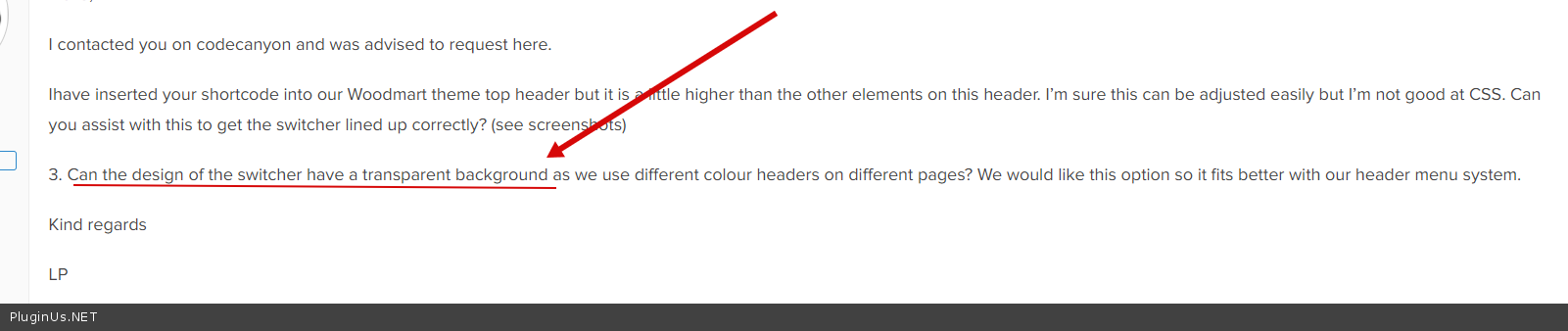
3. Can the design of the switcher have a transparent background as we use different colour headers on different pages? We would like this option so it fits better with our header menu system.
Kind regards
LP
Hello,
I contacted you on codecanyon and was advised to request here.
Ihave inserted your shortcode into our Woodmart theme top header but it is a little higher than the other elements on this header. I’m sure this can be adjusted easily but I’m not good at CSS. Can you assist with this to get the switcher lined up correctly? (see screenshots)
3. Can the design of the switcher have a transparent background as we use different colour headers on different pages? We would like this option so it fits better with our header menu system.
Kind regards
LP

Quote from Pablo Borysenco on July 23, 2021, 11:11Hello
Please drop me exact link to your site
I need to see your site to make custom code
Hello
Please drop me exact link to your site
I need to see your site to make custom code
Quote from littlepanda on July 23, 2021, 11:15Hi. I added the site address to the private data.
Hi. I added the site address to the private data.
Quote from Pablo Borysenco on July 23, 2021, 12:20Please add CSS:
div.selectron23{
margin-top: 12px;
}
.selectron23-container{
background: transparent!important;
}
.selectron23-option{
background: transparent!important
}
Please add CSS:
div.selectron23{
margin-top: 12px;
}
.selectron23-container{
background: transparent!important;
}
.selectron23-option{
background: transparent!important
}
Quote from littlepanda on July 23, 2021, 12:50Thank you.
That fixed the position being too high.
The background transparent idea didn't work as I thought.
Maybe if you could add a transparency option in future in the 'Design' section so we have more to work with when trying to style the switcher colour?
Anways, thank you for the help. Will be 5 starring you on Codecanyon shortly. I always appreciate good support.
Thank you.
That fixed the position being too high.
The background transparent idea didn't work as I thought.
Maybe if you could add a transparency option in future in the 'Design' section so we have more to work with when trying to style the switcher colour?
Anways, thank you for the help. Will be 5 starring you on Codecanyon shortly. I always appreciate good support.
Quote from littlepanda on July 24, 2021, 12:39Actually, the position of the currency switcher is okay on desktop now thanks to your code but the shortcode for a second switcher design in our mobile menu is a little high.
Do you have any idea as to how we can lower it's position to line up with the Weglot shortcode? See this screenshot : https://ibb.co/HrVZp05
Our website address where this happens in mobile view is in the private area.
Thank you once again for your kind help
Actually, the position of the currency switcher is okay on desktop now thanks to your code but the shortcode for a second switcher design in our mobile menu is a little high.
Do you have any idea as to how we can lower it's position to line up with the Weglot shortcode? See this screenshot : https://ibb.co/HrVZp05
Our website address where this happens in mobile view is in the private area.
Thank you once again for your kind help
Quote from Pablo Borysenco on July 26, 2021, 11:26Hello
Add CSS please:
.elementor-widget-container div.selectron23{
margin-top: 20px;
}
Hello
Add CSS please:
.elementor-widget-container div.selectron23{
margin-top: 20px;
}
Quote from littlepanda on December 3, 2021, 10:42Hello.
The transparency idea works okay but the switcher still has a border which looks a little odd.
See the following screenshot. Do you have a solution for this?
https://ibb.co/zX2tfTV
Ideally in switcher designer you could add an option to set as transparent instead of having to select a colour?
Hello.
The transparency idea works okay but the switcher still has a border which looks a little odd.
See the following screenshot. Do you have a solution for this?
Ideally in switcher designer you could add an option to set as transparent instead of having to select a colour?
Quote from Pablo Borysenco on December 3, 2021, 12:28Hello
Please add CSS:
body .selectron23-container{
border: unset !important;
}
Hello
Please add CSS:
body .selectron23-container{
border: unset !important;
}
Quote from littlepanda on December 3, 2021, 17:33Thank you. Do you have code to make the dropdown have a black background?
Thx again
Thank you. Do you have code to make the dropdown have a black background?
Thx again
Quote from Pablo Borysenco on December 6, 2021, 12:01Hello
https://c2n.me/4eeJpyJ.jpg - You already have a black background
Hello
https://c2n.me/4eeJpyJ.jpg - You already have a black background

Quote from littlepanda on December 6, 2021, 12:14Not transparent when the CSS added
See here: https://ibb.co/0cH2HKb
This is the CSS I'm using:
.selectron23-container{
background: transparent!important;
}
.selectron23-option{
background: transparent!important
}
body .selectron23-container{
border: unset !important;
}
Not transparent when the CSS added
See here: https://ibb.co/0cH2HKb
This is the CSS I'm using:
.selectron23-container{
background: transparent!important;
}
.selectron23-option{
background: transparent!important
}
body .selectron23-container{
border: unset !important;
}
Quote from Pablo Borysenco on December 6, 2021, 13:41Yes! this code makes the background transparent as you requested - https://c2n.me/4eeQfQL.png
Yes! this code makes the background transparent as you requested - https://c2n.me/4eeQfQL.png
Quote from littlepanda on December 6, 2021, 14:12The background of the switcher becomes transparent but we require the dropdown to have a black background.
Honestly, this would be much easier if you could just have a transparent option in the designer instead of this back and forth.
The background of the switcher becomes transparent but we require the dropdown to have a black background.
Honestly, this would be much easier if you could just have a transparent option in the designer instead of this back and forth.
Quote from Pablo Borysenco on December 7, 2021, 10:47Hello
OK! Just delete this code - https://share.pluginus.net/image/i20211207114627.png
Hello
OK! Just delete this code - https://share.pluginus.net/image/i20211207114627.png

Quote from littlepanda on December 7, 2021, 11:23Hi,
So I deleted that code and now I get this with a black background dropdown.
See here: https://ibb.co/TPmRSnK
I simply need the currency switcher to be transparent except for the dropdown which I want a black background
Hi,
So I deleted that code and now I get this with a black background dropdown.
See here: https://ibb.co/TPmRSnK
I simply need the currency switcher to be transparent except for the dropdown which I want a black background
Quote from Pablo Borysenco on December 7, 2021, 11:57I simply need the currency switcher to be transparent except for the dropdown which I want a black background - now i understand you - https://c2n.me/4efBnTJ.png
.selectron23-option[data-selected="1"]{
background: transparent!important
}
body .selectron23-container{
border: unset !important;
}
I simply need the currency switcher to be transparent except for the dropdown which I want a black background - now i understand you - https://c2n.me/4efBnTJ.png

.selectron23-option[data-selected="1"]{
background: transparent!important
}
body .selectron23-container{
border: unset !important;
}
Quote from littlepanda on December 7, 2021, 12:30So that code makes the switcher Black background again and with a black background on the dropdown:
https://ibb.co/5TP5grM
So that code makes the switcher Black background again and with a black background on the dropdown:
Quote from Pablo Borysenco on December 7, 2021, 13:24please add
.selectron23-container{
background: transparent!important;
}
please add
.selectron23-container{
background: transparent!important;
}
Quote from littlepanda on December 7, 2021, 14:03Okay that did it.
Thank you!
Okay that did it.
Thank you!