
Control the CSS (look) of dropdown
The support doesn work on Saturdays and Sundays, so some Friday requests can be answered on Monday. If you have problems with registration ask help on contact us page pleaseIf you not got email within 24~36 business hours, firstly check your spam box, and if no any email from the support there - back to the forum and read answer here. DO NOT ANSWER ON EMAILS [noreply@pluginus.net] FROM THE FORUM!! Emails are just for your info, all answers should be published only here.
The support doesn work on Saturdays and Sundays, so some Friday requests can be answered on Monday.

Quote from heaven11audio on July 31, 2019, 15:37Hello,
First off, let me just say that I'm very impressed with all the features you've packed into this plugin. Truly a labor of love. So while I'm not even sure I need more than 2 currencies, I don't mind paying you to support the development of this asset. Bravo!
So my problem resides in being able to control the colors of the drop down widget and the ddslick dropdown.
The plugin generates a code <div class="dd-select" style="width: 100%; background: rgb(238, 238, 238);"> which I'm not able to circumvent with an external stylesheet? How would I control this background color? Is there a location where I can set the fonts/colors of the currency dropdowns? (Maybe an interesting feature to add ;-)
One last thing: is it possible to set a fixed price in the currencies for shipping locations per product category?
Cheers,
Itai
Hello,
First off, let me just say that I'm very impressed with all the features you've packed into this plugin. Truly a labor of love. So while I'm not even sure I need more than 2 currencies, I don't mind paying you to support the development of this asset. Bravo!
So my problem resides in being able to control the colors of the drop down widget and the ddslick dropdown.
The plugin generates a code <div class="dd-select" style="width: 100%; background: rgb(238, 238, 238);"> which I'm not able to circumvent with an external stylesheet? How would I control this background color? Is there a location where I can set the fonts/colors of the currency dropdowns? (Maybe an interesting feature to add ;-)
One last thing: is it possible to set a fixed price in the currencies for shipping locations per product category?
Cheers,
Itai

Quote from Pablo Borysenco on August 1, 2019, 11:31Hello Itai
Try this CSS
.woocommerce-currency-switcher-form .dd-select{
background: rgb(28, 108, 238) !important;
}
form.woocommerce-currency-switcher-form{
/*set color and font*/
}
is it possible to set a fixed price in the currencies for shipping locations per product category? - Unfortunately not. But I think this can be done using shipping classes.
Hello Itai
Try this CSS
.woocommerce-currency-switcher-form .dd-select{
background: rgb(28, 108, 238) !important;
}
form.woocommerce-currency-switcher-form{
/*set color and font*/
}
is it possible to set a fixed price in the currencies for shipping locations per product category? - Unfortunately not. But I think this can be done using shipping classes.
Quote from heaven11audio on August 1, 2019, 15:56Thanks Pablo!
That worked for the .dd on the shop page.
Now what about the hover background of the widget on this page:
https://heaven11audio.com/shop/billie-silver/
again, it hovers white. I would like it to behave like the shop page .dd (https://heaven11audio.com/shop/)
I tried this:
.woocs-style-1-dropdown-menu li:hover, li:active {
background-color: #ffd900!important;
color:#000000!important;
}
.woocs-style-1-dropdown-menu a:hover, a:active {
background-color: #ffd900!important;
color:#000000!important;
}...also is there a special process to have a translated widget on my french site. I tried looking for string translation in WPML but couldn't find 'Canadian Dollars'. If I place the widgets on my french pages they just show up as english.
Thanks Pablo!
That worked for the .dd on the shop page.
Now what about the hover background of the widget on this page:
https://heaven11audio.com/shop/billie-silver/
again, it hovers white. I would like it to behave like the shop page .dd (https://heaven11audio.com/shop/)
I tried this:
.woocs-style-1-dropdown-menu li:hover, li:active {
background-color: #ffd900!important;
color:#000000!important;
}
.woocs-style-1-dropdown-menu a:hover, a:active {
background-color: #ffd900!important;
color:#000000!important;
}
...also is there a special process to have a translated widget on my french site. I tried looking for string translation in WPML but couldn't find 'Canadian Dollars'. If I place the widgets on my french pages they just show up as english.
Quote from Pablo Borysenco on August 2, 2019, 11:11Hello
Try this:
#main .woocs-style-1-dropdown .woocs-style-1-dropdown-menu li:hover {
background-color: #ffd900 !important;
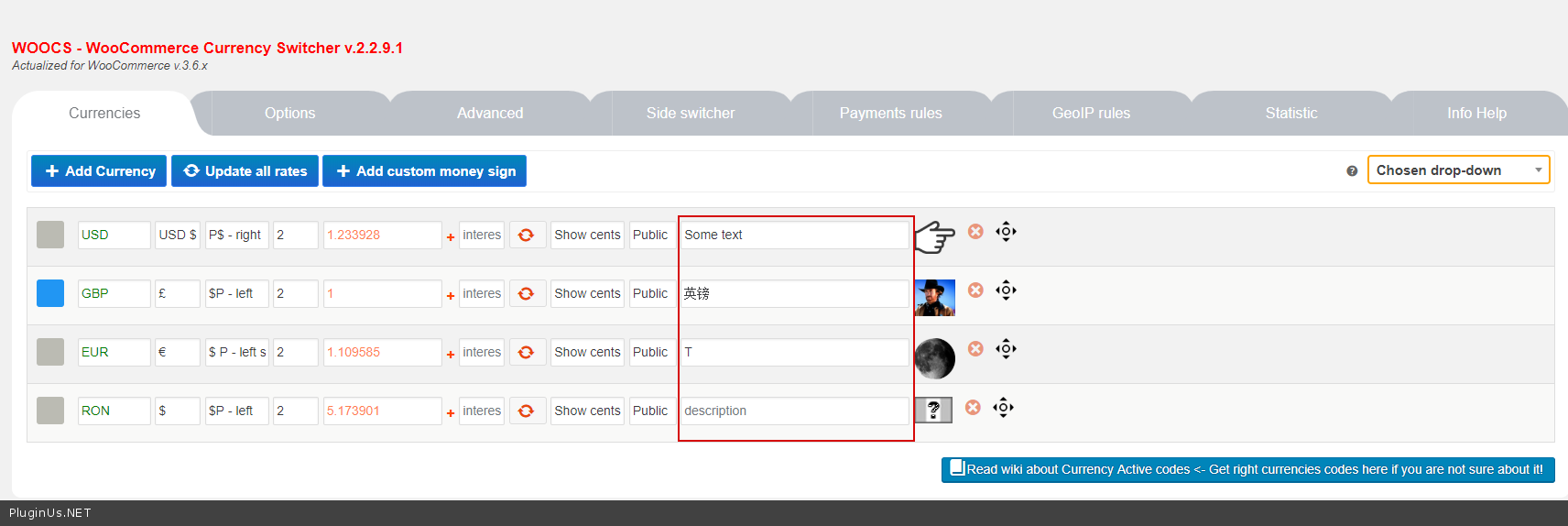
}These are the lines - https://c2n.me/42TieSr.png - unfortunately these lines cannot be translated
Hello
Try this:
background-color: #ffd900 !important;
}
Quote from Pablo Borysenco on August 5, 2019, 12:03Hello
Welcome;)
Hello
Welcome;)