

wrong rate xchange
The support doesn work on Saturdays and Sundays, so some Friday requests can be answered on Monday. If you have problems with registration ask help on contact us page pleaseIf you not got email within 24~36 business hours, firstly check your spam box, and if no any email from the support there - back to the forum and read answer here. DO NOT ANSWER ON EMAILS [noreply@pluginus.net] FROM THE FORUM!! Emails are just for your info, all answers should be published only here.
The support doesn work on Saturdays and Sundays, so some Friday requests can be answered on Monday.

Quote from Ahmed on January 16, 2026, 11:45Dears, thanks for provide free version of this professional plugin.
The problem in USD to CAD. The rate in the setting mentioned in right way ..
but in website, the product page or checkout page is not working well
Please check the website product page: https://wahyalquran.com/1-day-weekly-for-1-hour/
Then complete in the checkout to check the changes in rates..
list of the website plugins:
3D FlipBook : DearFlip Lite
Checkout Field Editor for WooCommerce
Click to Chat
Compact Audio Player
Disable Comments
Duplicate Page
Duplicator
Elementor
Enable Media Replace
Essential Addons for Elementor
FOX - Currency Switcher Professional for WooCommerce
Image Hotspot - Map Image Annotation
Inactive Logout
Leverage Browser Caching
LiteSpeed Cache
Payment Plugins for Stripe WooCommerce
Really Simple Security
Royal Elementor Addons
Shortcodes Ultimate
Sucuri Security - Auditing, Malware Scanner and Hardening
Temporary Login Without Password
Testimonial Builder
UpdraftPlus - Backup/Restore
WooCommerce
WooCommerce Direct Checkout
WooCommerce PayPal Payments
Wordfence Security
WP File Manager
WPCode Lite
WPForms Lite
WPS Hide Login
YITH WooCommerce Product Add-ons & Extra Options
Yoast SEO
Dears, thanks for provide free version of this professional plugin.
The problem in USD to CAD. The rate in the setting mentioned in right way ..
but in website, the product page or checkout page is not working well
Please check the website product page: https://wahyalquran.com/1-day-weekly-for-1-hour/
Then complete in the checkout to check the changes in rates..
list of the website plugins:
3D FlipBook : DearFlip Lite
Checkout Field Editor for WooCommerce
Click to Chat
Compact Audio Player
Disable Comments
Duplicate Page
Duplicator
Elementor
Enable Media Replace
Essential Addons for Elementor
FOX - Currency Switcher Professional for WooCommerce
Image Hotspot - Map Image Annotation
Inactive Logout
Leverage Browser Caching
LiteSpeed Cache
Payment Plugins for Stripe WooCommerce
Really Simple Security
Royal Elementor Addons
Shortcodes Ultimate
Sucuri Security - Auditing, Malware Scanner and Hardening
Temporary Login Without Password
Testimonial Builder
UpdraftPlus - Backup/Restore
WooCommerce
WooCommerce Direct Checkout
WooCommerce PayPal Payments
Wordfence Security
WP File Manager
WPCode Lite
WPForms Lite
WPS Hide Login
YITH WooCommerce Product Add-ons & Extra Options
Yoast SEO

Quote from Alex Dovlatov on January 16, 2026, 13:34Hello
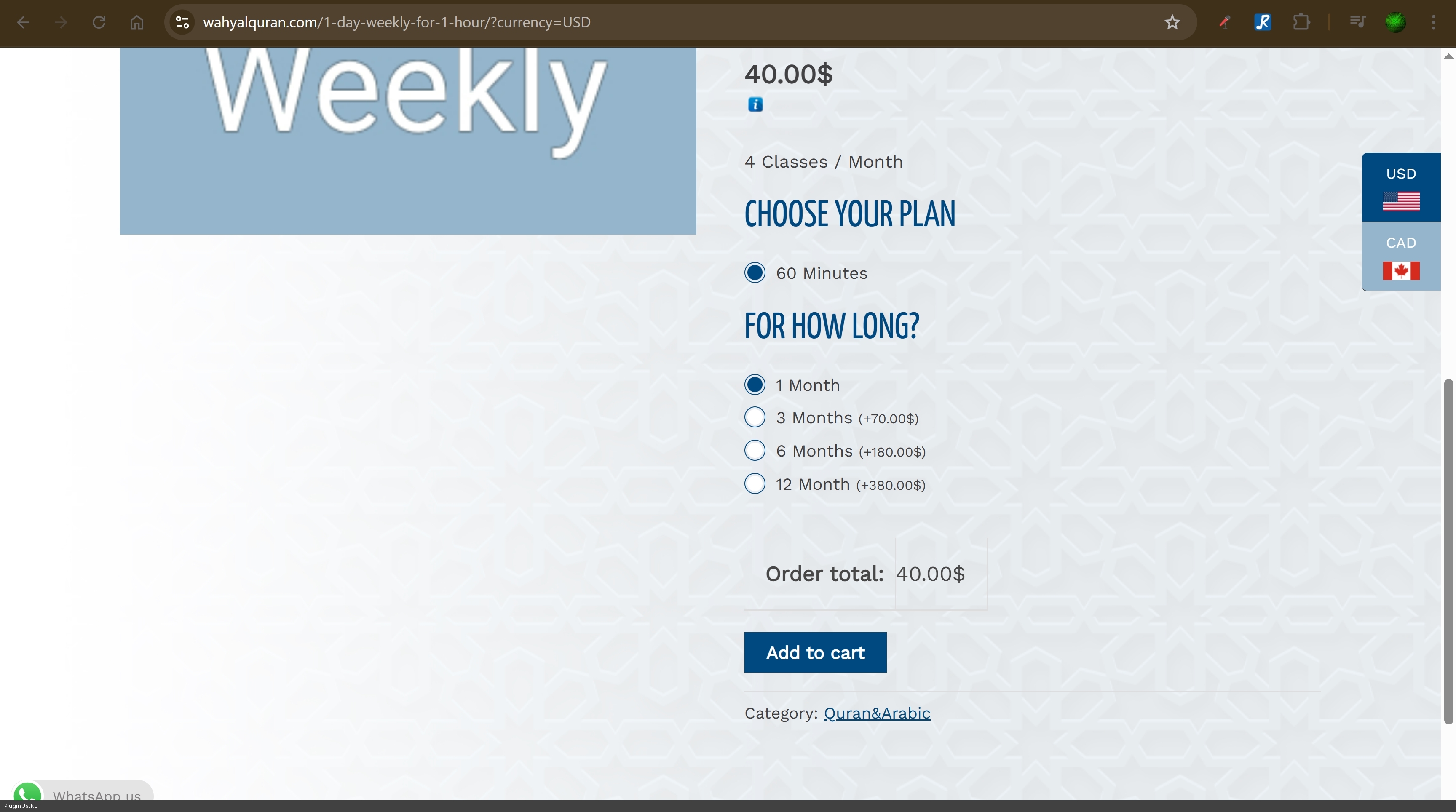
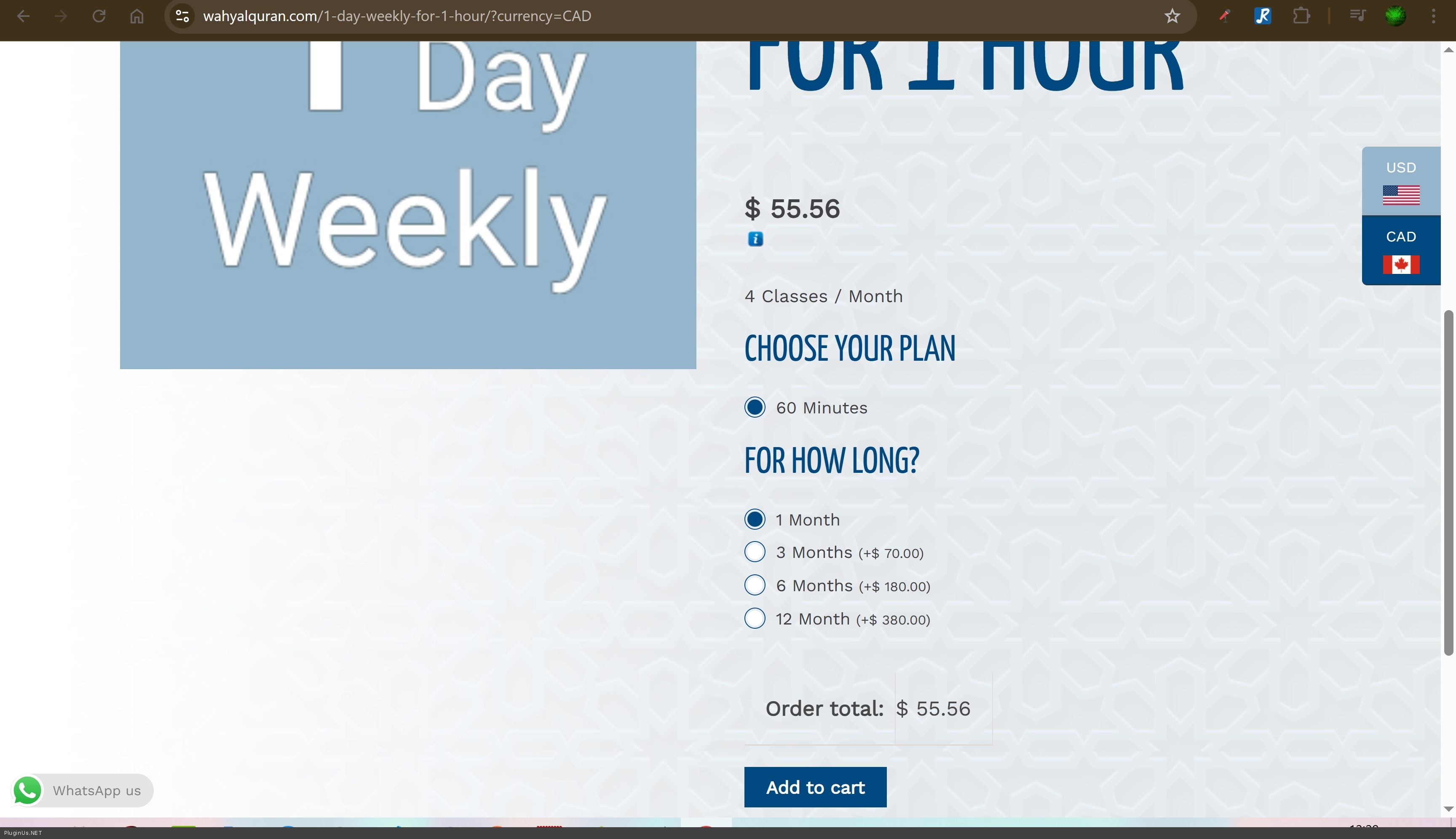
Just looked your site:
USD
CAD:
RATE:
Here looks like all is ok
Checkout:
Wrong!
This is 100% a conflict with another plugin or your theme. The issue is there's a double conversion happening - if you multiply $55 × 1.39, you get approximately the wrong amount you're seeing.
Here's what I suggest:
1. Clear cache completely:
- Disable LiteSpeed Cache plugin entirely
- Clear all cache
- Keep it disabled for testing2. Plugin conflict test:
- Disable all plugins except WooCommerce and WOOCS
- Check if currency conversion works correctly
- If yes, activate plugins one by one to find the conflict3. Theme test:
- Temporarily switch to a default theme (Storefront or Twenty Twenty-Four)
- Test if the problem persists
- This will show if your theme has conflicting codeIf you can provide FTP access (secret area of this ticket), I can take a look at what's happening in the code, but I cannot guarantee a fix if it's a conflict with third-party plugins or theme.
https://share.pluginus.net/image/i20230222134241.png
https://share.pluginus.net/image/i20230222134615.pngThe most likely causes are:
- Payment gateway plugin doing its own conversion
- Theme's custom price calculations
- Another currency/payment plugin interferingLet me know the test results.
Hello
Just looked your site:
USD
CAD:
RATE:
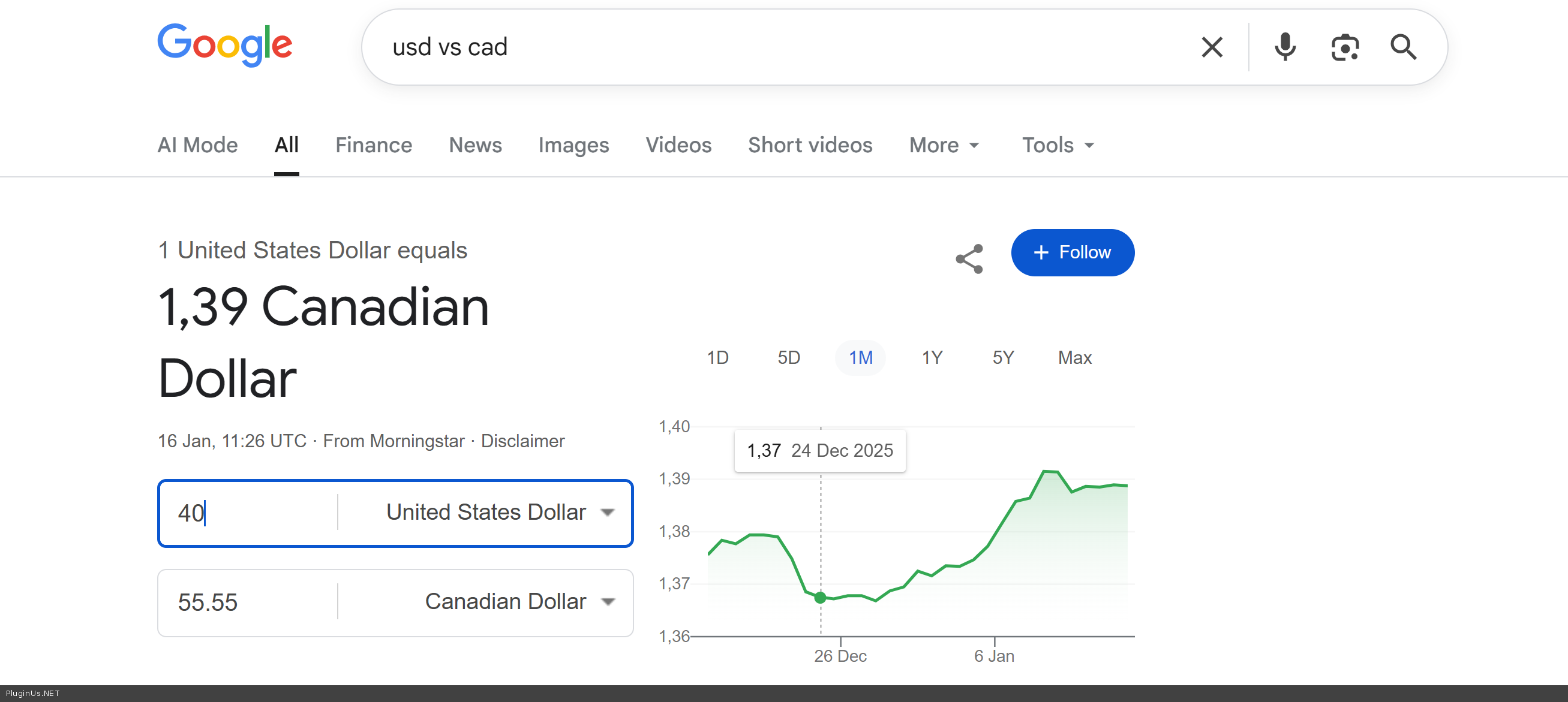
Here looks like all is ok
Checkout:
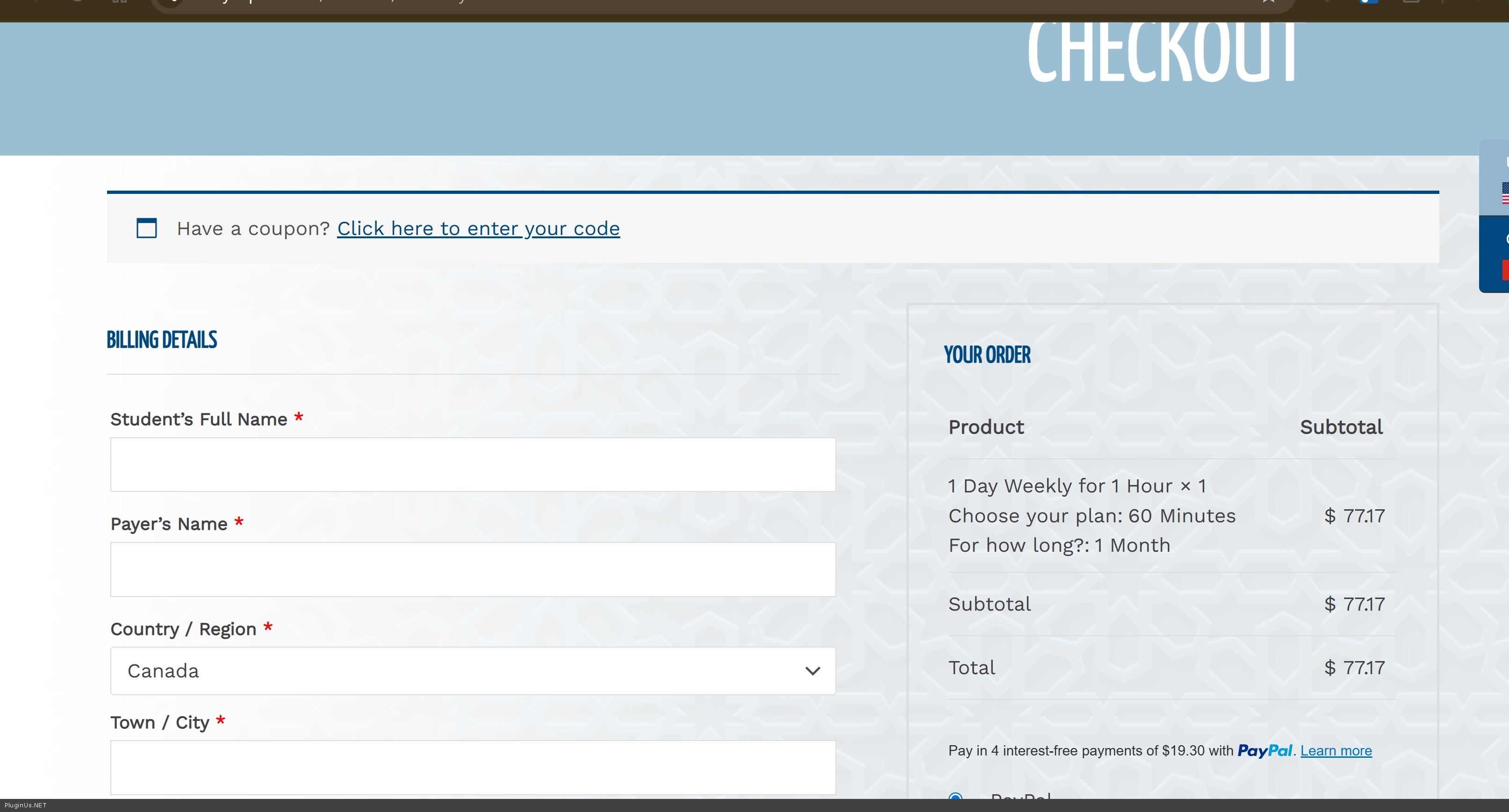
Wrong!
This is 100% a conflict with another plugin or your theme. The issue is there's a double conversion happening - if you multiply $55 × 1.39, you get approximately the wrong amount you're seeing.
Here's what I suggest:
1. Clear cache completely:
- Disable LiteSpeed Cache plugin entirely
- Clear all cache
- Keep it disabled for testing
2. Plugin conflict test:
- Disable all plugins except WooCommerce and WOOCS
- Check if currency conversion works correctly
- If yes, activate plugins one by one to find the conflict
3. Theme test:
- Temporarily switch to a default theme (Storefront or Twenty Twenty-Four)
- Test if the problem persists
- This will show if your theme has conflicting code
If you can provide FTP access (secret area of this ticket), I can take a look at what's happening in the code, but I cannot guarantee a fix if it's a conflict with third-party plugins or theme.
https://share.pluginus.net/image/i20230222134241.png
https://share.pluginus.net/image/i20230222134615.png


The most likely causes are:
- Payment gateway plugin doing its own conversion
- Theme's custom price calculations
- Another currency/payment plugin interfering
Let me know the test results.
Quote from Ahmed on January 18, 2026, 07:34Thanks for the reply.
Based on my testing, I expected that the problem was related to:
YITH WooCommerce Product Add-Ons = "WOOCS"
I add the code snippet mentioned in you dicumentaions, but still no changes happened!If u mind, I sent u in the private data an admin link to log in for 3 hours to check the website overall
Thanks again and hope to solve this problem and provide me with the steps of what u do.
Thanks for the reply.
Based on my testing, I expected that the problem was related to:
YITH WooCommerce Product Add-Ons ="WOOCS"
I add the code snippet mentioned in you dicumentaions, but still no changes happened!
If u mind, I sent u in the private data an admin link to log in for 3 hours to check the website overall
Thanks again and hope to solve this problem and provide me with the steps of what u do.
Quote from Alex Dovlatov on January 19, 2026, 13:17Hello
I can suggest you https://currency-switcher.com/woocs-labs/ - you should create clone of your site, for example by duplicator https://wordpress.org/plugins/duplicator/, and in the secret area provide wp-admin + ftp access there, and within about 2 weeks this issue will be resolved or declined
After providing requested data in the private area of this ticket please write me here that you did it to register the LABS ticket
Hello
I can suggest you https://currency-switcher.com/woocs-labs/ - you should create clone of your site, for example by duplicator https://wordpress.org/plugins/duplicator/, and in the secret area provide wp-admin + ftp access there, and within about 2 weeks this issue will be resolved or declined
After providing requested data in the private area of this ticket please write me here that you did it to register the LABS ticket