
Woof_Products shortcode is skipping products... :(
The support doesn work on Saturdays and Sundays, so some Friday requests can be answered on Monday. If you have problems with registration ask help on contact us page pleaseIf you not got email within 24~36 business hours, firstly check your spam box, and if no any email from the support there - back to the forum and read answer here. DO NOT ANSWER ON EMAILS [noreply@pluginus.net] FROM THE FORUM!! Emails are just for your info, all answers should be published only here.
The support doesn work on Saturdays and Sundays, so some Friday requests can be answered on Monday.

Quote from cold_realms on May 6, 2021, 01:09I am using the following shortcode and I noticed that there were blank gaps in the product list and not all products are listed (The cat:83 that is ignored only has 2 items) we seem to be missing 12 off of the list so far. Everything is in stock so I am not sure what is going on. We open in 27 days and I really cannot have our product pages missing items...
This is the shortcode I am using:
[woof_products tax_exclude=product_cat:83 is_ajax=1 columns=5 per_page=15 ]
- I have tried to turn off infinite load with yith - No effect
- I have tried turning off Turbo Mode - No positive effect.
- I have tried disabling ajax - No effect...
I am using the following shortcode and I noticed that there were blank gaps in the product list and not all products are listed (The cat:83 that is ignored only has 2 items) we seem to be missing 12 off of the list so far. Everything is in stock so I am not sure what is going on. We open in 27 days and I really cannot have our product pages missing items...
This is the shortcode I am using:
[woof_products tax_exclude=product_cat:83 is_ajax=1 columns=5 per_page=15 ]
- I have tried to turn off infinite load with yith - No effect
- I have tried turning off Turbo Mode - No positive effect.
- I have tried disabling ajax - No effect...
Quote from cold_realms on May 6, 2021, 07:35After further digging I have more info:
- The missing products are:
- 2 with stock issues (tester products), so they should be skipped but they in fact leave blank holes in the product list....
- And the rest are all virtual products that list as in stock. Does not matter if I set stock levels at 999 or just simply mark them as in stock. The woof_products list ignores them and leaves holes int he grid of products.
After further digging I have more info:
- The missing products are:
- 2 with stock issues (tester products), so they should be skipped but they in fact leave blank holes in the product list....
- And the rest are all virtual products that list as in stock. Does not matter if I set stock levels at 999 or just simply mark them as in stock. The woof_products list ignores them and leaves holes int he grid of products.
Quote from cold_realms on May 6, 2021, 08:14Ok, the primary issue resolved, however, the display gaps issue is still there and pretty huge.
Lemme explain: The Virtual products had been mismarked as catalog visibility "Search Only", so changing that does fill the empty holes and restore all products.
Great... except there are products I will want to be hidden from the catalog and having giant holes in the display is terrible. I confirmed that the default [product] shortcode does not exhibit this behavior, it is limited only to woof_products :(
I really hope you can help me out with this
Ok, the primary issue resolved, however, the display gaps issue is still there and pretty huge.
Lemme explain: The Virtual products had been mismarked as catalog visibility"Search Only", so changing that does fill the empty holes and restore all products.
Great... except there are products I will want to be hidden from the catalog and having giant holes in the display is terrible. I confirmed that the default [product] shortcode does not exhibit this behavior, it is limited only to woof_products :(
I really hope you can help me out with this

Quote from Pablo Borysenco on May 6, 2021, 12:33Hello
your shortcode is not correct. please read this - https://products-filter.com/shortcode/woof_products/
Drop me exact link to the issue
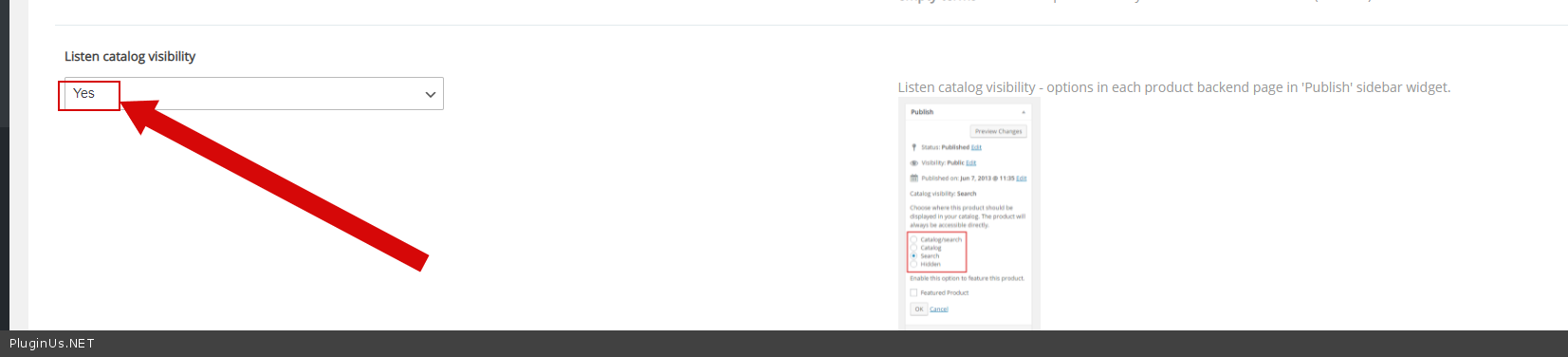
Check option in Advanced->Options- https://c2n.me/4bWnTg0.png
Hello
your shortcode is not correct. please read this - https://products-filter.com/shortcode/woof_products/
Drop me exact link to the issue
Check option in Advanced->Options- https://c2n.me/4bWnTg0.png
Quote from cold_realms on May 6, 2021, 20:13The catalog visibility option did the trick.
As far as my shortcode, I used that page to build it so I don't see what is wrong :( .
I should explain a tad bit more on the page setup for clarity:
I have a Woof filter on one side called with: [woof is_ajax=1 tax_exclude=product_cat:83]
That connects to the product one called via: [woof_products is_ajax=1 tax_exclude=product_cat:83 columns=5 per_page=15 ]
So I would appreciate knowing what is wrong with the shortcodes I have used.
I am happy to make you a login so you can see because the site is not open to the public yet. I'll put it in the private link along with my license code in a few minutes.
The catalog visibility option did the trick.
As far as my shortcode, I used that page to build it so I don't see what is wrong :( .
I should explain a tad bit more on the page setup for clarity:
I have a Woof filter on one side called with: [woof is_ajax=1 tax_exclude=product_cat:83]
That connects to the product one called via: [woof_products is_ajax=1 tax_exclude=product_cat:83 columns=5 per_page=15 ]
So I would appreciate knowing what is wrong with the shortcodes I have used.
I am happy to make you a login so you can see because the site is not open to the public yet. I'll put it in the private link along with my license code in a few minutes.
Quote from Pablo Borysenco on May 7, 2021, 12:09Hello
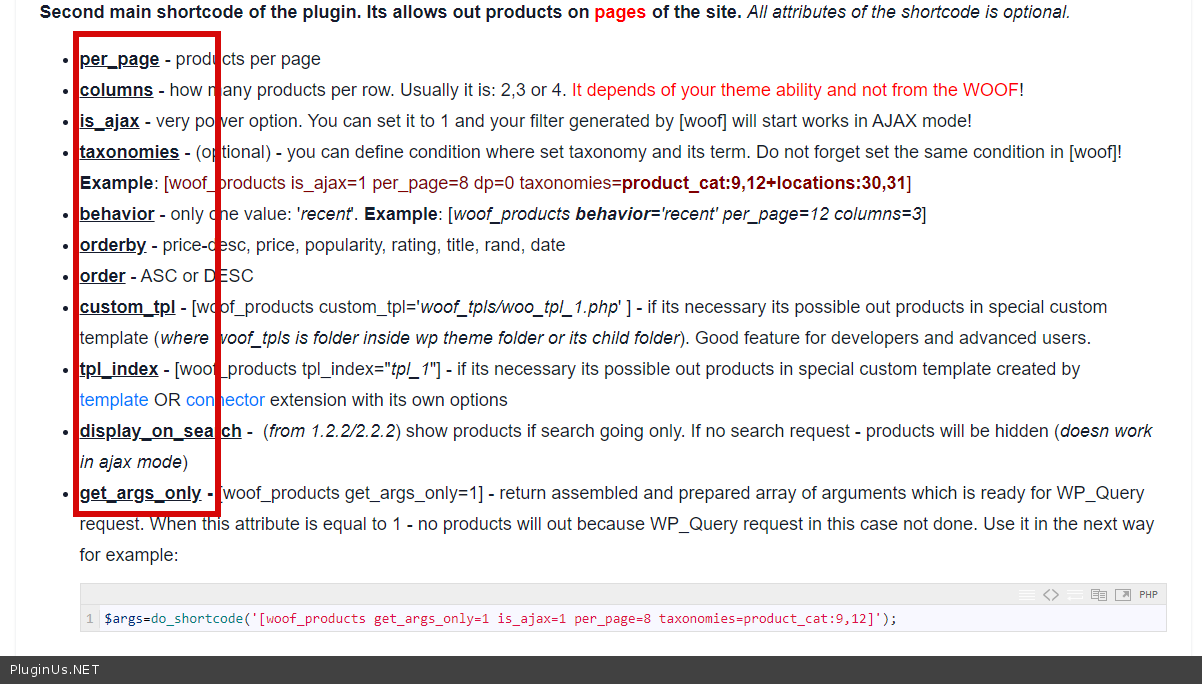
Please read this - https://c2n.me/4bX8GlW.png - this shortcode has no such attribute "tax_exclude"
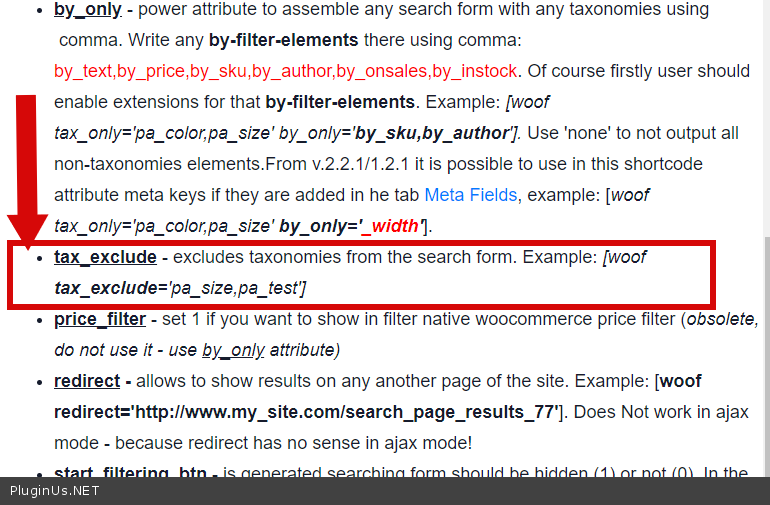
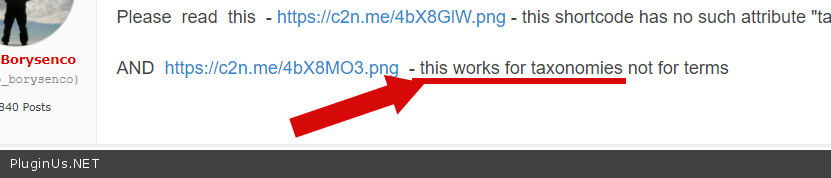
AND https://c2n.me/4bX8MO3.png - this works for taxonomies not for terms
Hello
Please read this - https://c2n.me/4bX8GlW.png - this shortcode has no such attribute"tax_exclude"
AND https://c2n.me/4bX8MO3.png - this works for taxonomies not for terms
Quote from cold_realms on May 7, 2021, 18:29Thanks for getting back to me.
Ah, Luckily there is only one page where tax_exclude was to be used. It is odd that there isn't a way to exclude a taxonomy from the product list but I assume you had your reasons.
Other than having to explicitly list all the taxonomies I do want is there a way to exclude specific taxonomies? If not is that at least in the works?
Thanks for getting back to me.
Ah, Luckily there is only one page where tax_exclude was to be used. It is odd that there isn't a way to exclude a taxonomy from the product list but I assume you had your reasons.
Other than having to explicitly list all the taxonomies I do want is there a way to exclude specific taxonomies? If not is that at least in the works?
Quote from Pablo Borysenco on May 10, 2021, 11:47Hello
there isn't a way to exclude a taxonomy from the product - https://c2n.me/4bYp0aT.png - Please read docs - https://products-filter.com/shortcode/woof/ - This works for taxonomies. This does not work for individual taxonomy terms. In
your case, exclude a category from the filter [woof is_ajax=1 tax_exclude=product_cat]
Hello
there isn't a way to exclude a taxonomy from the product - https://c2n.me/4bYp0aT.png - Please read docs - https://products-filter.com/shortcode/woof/ - This works for taxonomies. This does not work for individual taxonomy terms. In
your case, exclude a category from the filter [woof is_ajax=1 tax_exclude=product_cat]