Use a Combination Of Filter With Enter Button
The support doesn work on Saturdays and Sundays, so some Friday requests can be answered on Monday. If you have problems with registration ask help on contact us page pleaseIf you not got email within 24~36 business hours, firstly check your spam box, and if no any email from the support there - back to the forum and read answer here. DO NOT ANSWER ON EMAILS [noreply@pluginus.net] FROM THE FORUM!! Emails are just for your info, all answers should be published only here.
The support doesn work on Saturdays and Sundays, so some Friday requests can be answered on Monday.

Quote from stefsterNYC on October 13, 2021, 17:45I'm looking to do something like this. Is this possible?
Adidas
I'm looking to do something like this. Is this possible?
Adidas

Quote from Pablo Borysenco on October 14, 2021, 10:25Hello
unfortunately the plugin does not have such a feature
Try using a text search extension With this option - https://share.pluginus.net/image/i20211014112503.png
Hello
unfortunately the plugin does not have such a feature
Try using a text search extension With this option - https://share.pluginus.net/image/i20211014112503.png

Quote from stefsterNYC on October 14, 2021, 10:35Thanks. They're already using this text extension on other pages. However, they wanted to know if we could combine the drop down like on the sample site as well.
Thanks. They're already using this text extension on other pages. However, they wanted to know if we could combine the drop down like on the sample site as well.
Quote from Pablo Borysenco on October 14, 2021, 10:50My test - https://c2n.me/4dEBAgN
My test - https://c2n.me/4dEBAgN
Quote from stefsterNYC on October 14, 2021, 12:32What shortcode are you using for that? Standard?
I think your test is fine, but I did not see any thumbnails on the drop down.
What shortcode are you using for that? Standard?
I think your test is fine, but I did not see any thumbnails on the drop down.
Quote from stefsterNYC on October 14, 2021, 13:47My overview
https://www.loom.com/share/6704a05836c44af88dd3542e30523a0a
My overview
Quote from stefsterNYC on October 14, 2021, 13:59I added another video in the private section. I'm getting close but no cigar.
I added another video in the private section. I'm getting close but no cigar.
Quote from Pablo Borysenco on October 15, 2021, 11:29Hello
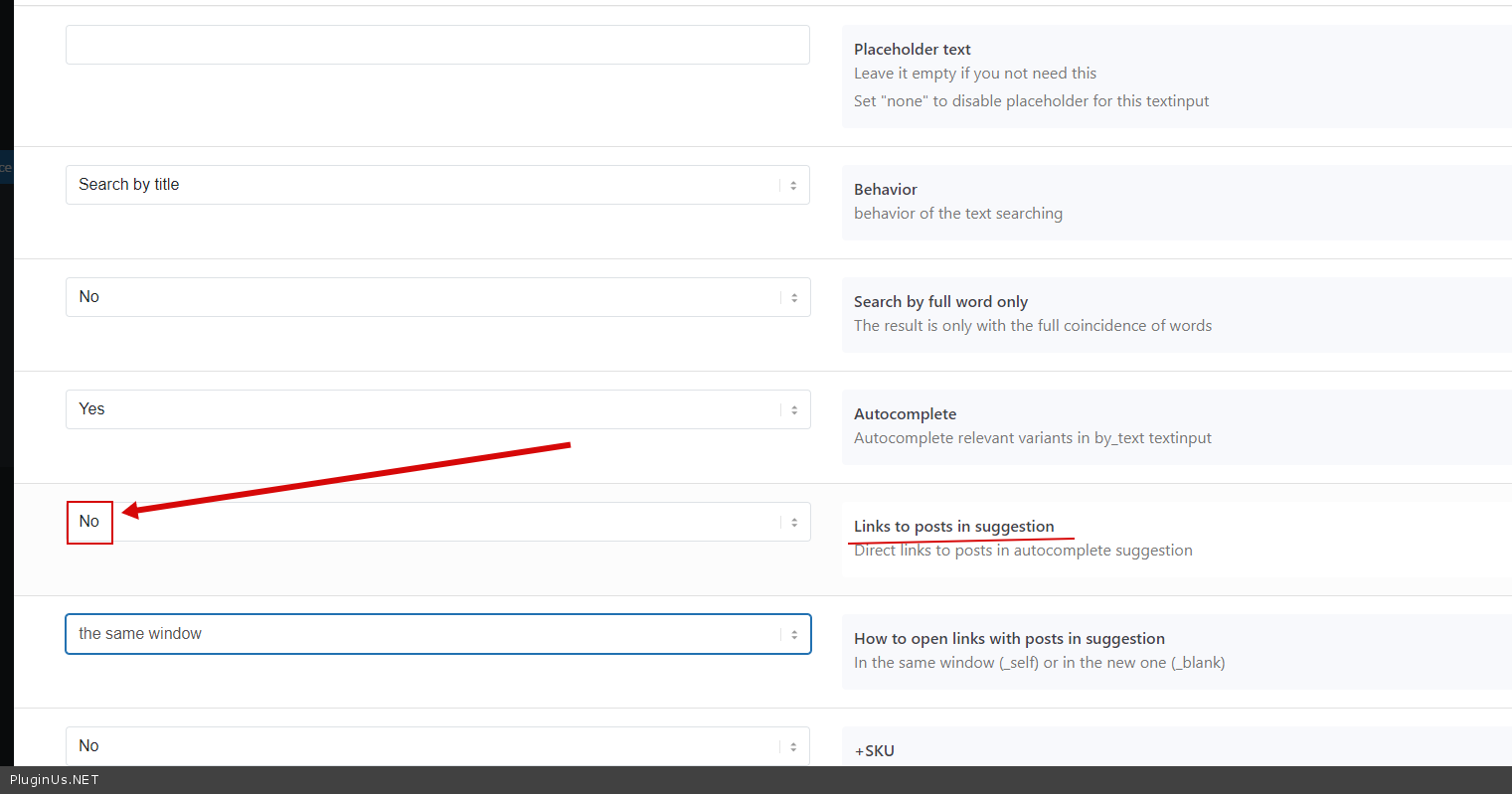
Please check option - https://c2n.me/4dFkKOh.png
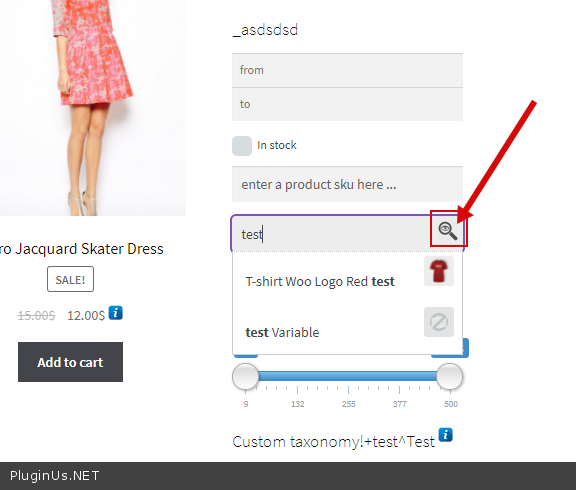
To do search click here - https://c2n.me/4dFlcwe.png
Hello
Please check option - https://c2n.me/4dFkKOh.png
To do search click here - https://c2n.me/4dFlcwe.png
Quote from stefsterNYC on October 15, 2021, 11:48Thanks. That's not what I'm asking. I'm asking about the shortcode itself.
[what_is_this_going_to_be?]
Thanks. That's not what I'm asking. I'm asking about the shortcode itself.
[what_is_this_going_to_be?]
Quote from Pablo Borysenco on October 15, 2021, 13:02Ok please try to read docs - https://products-filter.com/shortcode/woof_text_filter
Ok please try to read docs - https://products-filter.com/shortcode/woof_text_filter
Quote from stefsterNYC on October 15, 2021, 13:48I already looked at that. They didn't make any sense at all.
I already looked at that. They didn't make any sense at all.
Quote from stefsterNYC on October 15, 2021, 15:19The settings are the same as yours. I'm pretty sure I went over that in my Loom video for you.
I also asked why the thumbnails aren't showing. You didn't respond on that either. They're showing now though, but they're way too small.
And the main goal here is to not have to use the spyglass. It is to hit "enter" period and be taking to a results page. Which when clicked doesn't do jack.
So either I need to create a results page for it to go to which, with your instructions isn't clear. At all.
Maybe there's a language issue here. Thanks anyway.
The settings are the same as yours. I'm pretty sure I went over that in my Loom video for you.
I also asked why the thumbnails aren't showing. You didn't respond on that either. They're showing now though, but they're way too small.
And the main goal here is to not have to use the spyglass. It is to hit"enter" period and be taking to a results page. Which when clicked doesn't do jack.
So either I need to create a results page for it to go to which, with your instructions isn't clear. At all.
Maybe there's a language issue here. Thanks anyway.
Quote from stefsterNYC on October 15, 2021, 16:34I could have sworn I saw a way to make it so that I could create a page for results and use the page ID. Now I can't find it. Was I seeing things?
I could have sworn I saw a way to make it so that I could create a page for results and use the page ID. Now I can't find it. Was I seeing things?
Quote from Pablo Borysenco on October 18, 2021, 12:37Hello
I described to you how to show thumbnails in this message - https://share.pluginus.net/image/i20211018133139.png. And I really don't know why you didn't do it but asked for the shortcode that is described in the documentation
They're showing now though, but they're way too small. - Use custom CSS
It is to hit "enter" period and be taking to a results page. - In this case, you need JS customization.
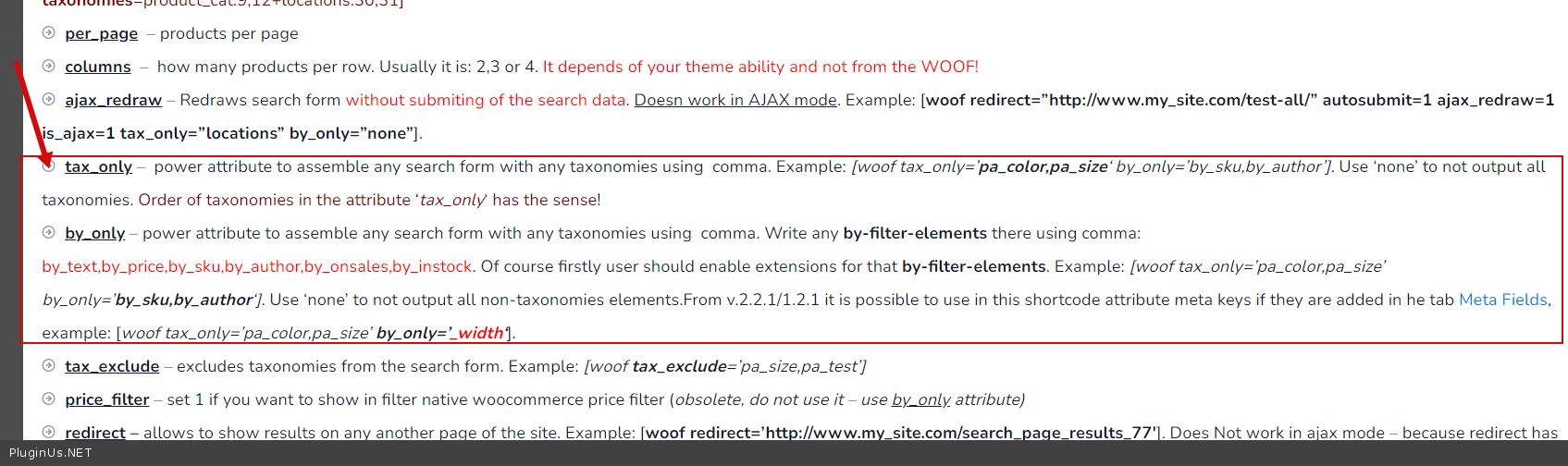
If you need to redirect the user to another page. This option is only available in this shortcode( https://c2n.me/4dGMyfo.png ). - https://products-filter.com/shortcode/woof
To show/hide filter items- https://c2n.me/4dGMC37.png
Hello
I described to you how to show thumbnails in this message - https://share.pluginus.net/image/i20211018133139.png. And I really don't know why you didn't do it but asked for the shortcode that is described in the documentation

They're showing now though, but they're way too small. - Use custom CSS
It is to hit"enter" period and be taking to a results page. - In this case, you need JS customization.
If you need to redirect the user to another page. This option is only available in this shortcode( https://c2n.me/4dGMyfo.png ). - https://products-filter.com/shortcode/woof
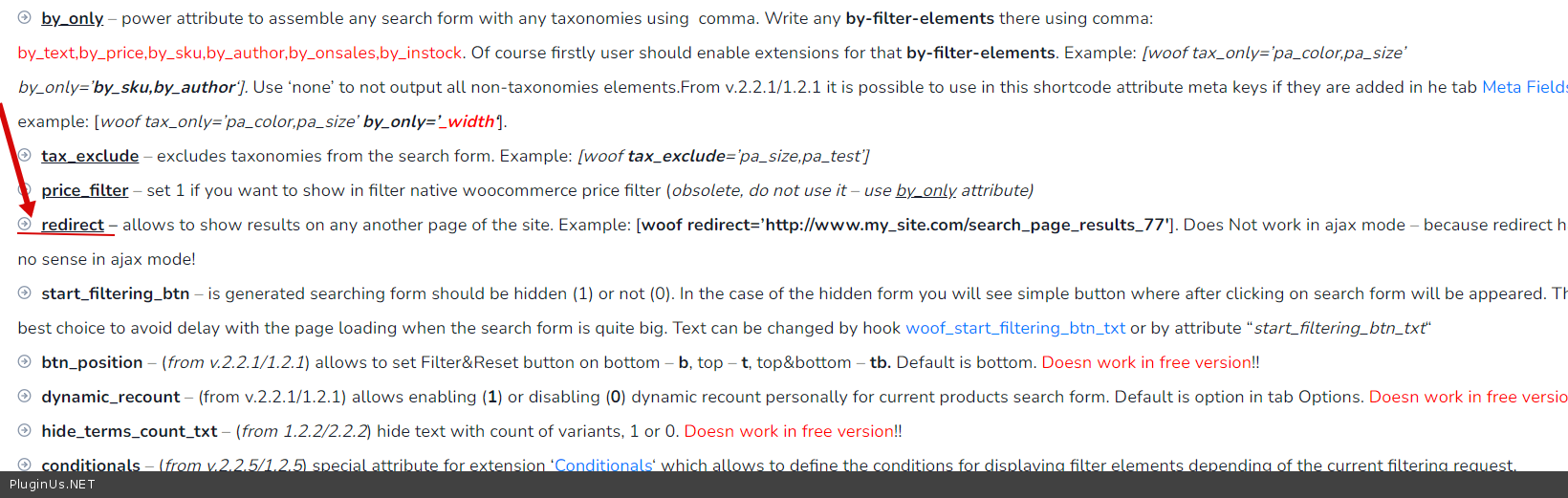
To show/hide filter items- https://c2n.me/4dGMC37.png