

Sorry, but nothing matched your terms. Please try again.
The support doesn work on Saturdays and Sundays, so some Friday requests can be answered on Monday. If you have problems with registration ask help on contact us page pleaseIf you not got email within 24~36 business hours, firstly check your spam box, and if no any email from the support there - back to the forum and read answer here. DO NOT ANSWER ON EMAILS [noreply@pluginus.net] FROM THE FORUM!! Emails are just for your info, all answers should be published only here.
The support doesn work on Saturdays and Sundays, so some Friday requests can be answered on Monday.

Quote from cherrycoding on June 13, 2022, 05:52Hi,
I have a problem all of my filters doesnt work anymore.
I always get the error:
Sorry, but nothing matched your terms. Please try again.
Hi,
I have a problem all of my filters doesnt work anymore.
I always get the error:
Sorry, but nothing matched your terms. Please try again.

Quote from Pablo Borysenco on June 13, 2022, 11:54Hello
Looks like you got it fixed
I think the plugin update helped you
Hello
Looks like you got it fixed
I think the plugin update helped you
Quote from cherrycoding on June 17, 2022, 08:06Hi,
I have updated it but still have some problems.
E.g. it shows me some filters (schuh größe=) which is not present in this category
And there are many filters which have no products e.g. farbe (color) if you click on it you have no match.
Can you please check it?
Hi,
I have updated it but still have some problems.
E.g. it shows me some filters (schuh größe=) which is not present in this category
And there are many filters which have no products e.g. farbe (color) if you click on it you have no match.
Can you please check it?
Quote from Pablo Borysenco on June 17, 2022, 11:19Hello
Ok! I got it
Can I disable plugins/theme to test?
Hello
Ok! I got it
Can I disable plugins/theme to test?
Quote from cherrycoding on June 17, 2022, 12:47Yeah at dev.cherrycoding its test
Yeah at dev.cherrycoding its test
Quote from Pablo Borysenco on June 17, 2022, 13:14I disabled this third-party plugin - https://share.pluginus.net/image/i20220617111220.png - now it works correctly - https://c2n.me/4fWjdH6.jpg
I disabled this third-party plugin - https://share.pluginus.net/image/i20220617111220.png - now it works correctly - https://c2n.me/4fWjdH6.jpg

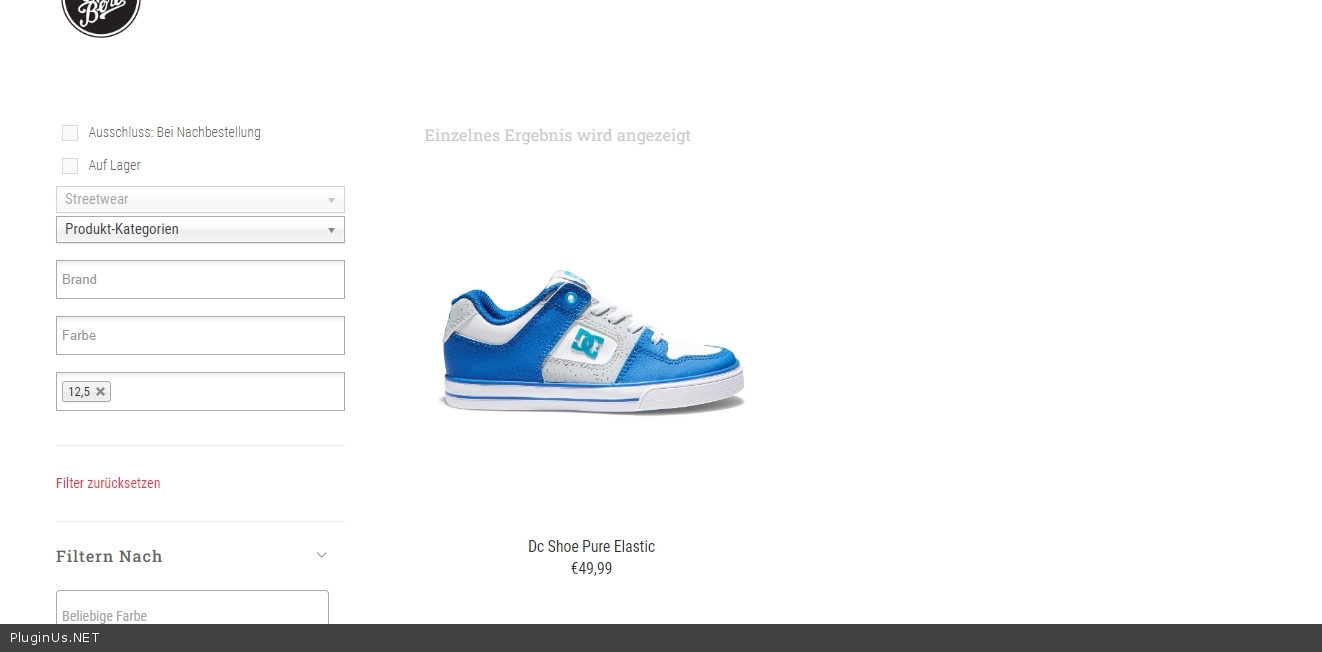
Quote from cherrycoding on June 22, 2022, 05:08Hi,
Thanks I used this plugin to show the single variations, if have tried to use your option “show variation image” to show the image with the other color variations
But it shows me 2 images, can you check this please?
Also it shows me this product even if its not available in BEIGE (stock = 0).
I have changed the URL for test but user credentials are the same.
Thanks
Hi,
Thanks I used this plugin to show the single variations, if have tried to use your option “show variation image” to show the image with the other color variations
But it shows me 2 images, can you check this please?
Also it shows me this product even if its not available in BEIGE (stock = 0).
I have changed the URL for test but user credentials are the same.
Thanks
Quote from Pablo Borysenco on June 22, 2022, 12:39Hello
Please paste your license key here - https://share.pluginus.net/image/i20210618130558.png -> https://share.pluginus.net/image/i20210618130614.png
Update the plugin to latest version - https://products-filter.com/how-to-make-auto-update-for-wordpress-plugins-and-themes-bought-on-envato
Hello
Please paste your license key here - https://share.pluginus.net/image/i20210618130558.png -> https://share.pluginus.net/image/i20210618130614.png


Update the plugin to latest version - https://products-filter.com/how-to-make-auto-update-for-wordpress-plugins-and-themes-bought-on-envato
Quote from cherrycoding on June 22, 2022, 12:53I have updated the plugin and added the license key.
I have updated the plugin and added the license key.
Quote from Pablo Borysenco on June 23, 2022, 11:36Hello
But it shows me 2 images, can you check this please? - It looks like this is an incompatibility of the functionality with the current theme. I think the current theme is using non-standard image hooks
I added this code - https://share.pluginus.net/image/i20220623093608.png - Please do a test
Also it shows me this product even if its not available in BEIGE (stock = 0). - My test - https://c2n.me/4fZ2Xm7
Hello
But it shows me 2 images, can you check this please? - It looks like this is an incompatibility of the functionality with the current theme. I think the current theme is using non-standard image hooks
I added this code - https://share.pluginus.net/image/i20220623093608.png - Please do a test

Also it shows me this product even if its not available in BEIGE (stock = 0). - My test - https://c2n.me/4fZ2Xm7
Quote from cherrycoding on June 23, 2022, 11:50Thanks this works even it's not the best solution to hide it with css but if it's a theme problem this is mucher better then before.
But it still shows me products which are not sellable (link in the section above)
Thanks
Thanks this works even it's not the best solution to hide it with css but if it's a theme problem this is mucher better then before.
But it still shows me products which are not sellable (link in the section above)
Thanks
Quote from Pablo Borysenco on June 23, 2022, 13:11My test - https://share.pluginus.net/image/i20220623110808.png
My test - https://share.pluginus.net/image/i20220623110808.png

Quote from cherrycoding on June 23, 2022, 13:43Thanks, can I set this in the settings? I only want to show stock products.
Thanks, can I set this in the settings? I only want to show stock products.
Quote from cherrycoding on June 23, 2022, 14:45Also for me the checkbox is not visible in the frontend even it's activaed in the sttings, but as I said it would be better to filter only stock products automatically
Also for me the checkbox is not visible in the frontend even it's activaed in the sttings, but as I said it would be better to filter only stock products automatically
Quote from Pablo Borysenco on June 24, 2022, 09:46Hello
Please read this - https://products-filter.com/manipulate-search-data-options
Hello
Please read this - https://products-filter.com/manipulate-search-data-options
Quote from cherrycoding on June 28, 2022, 10:45Thanks I have changed that, but there is one more thing:
If I select a category in the menu (link in the private section) and select a brand then the category selection in the filter is empty.
Can you check it please?
Thanks I have changed that, but there is one more thing:
If I select a category in the menu (link in the private section) and select a brand then the category selection in the filter is empty.
Can you check it please?
Quote from cherrycoding on June 28, 2022, 11:14And also if you select a brand e.g. "Oakley" then it shows much more colors then are available, if you choose a color first e.g. GREY and then the brand it works.
I think it could be related to the issue with the categories?
Thanks
And also if you select a brand e.g."Oakley" then it shows much more colors then are available, if you choose a color first e.g. GREY and then the brand it works.
I think it could be related to the issue with the categories?
Thanks
Quote from Pablo Borysenco on June 28, 2022, 12:18Hello
Please do a test
Hello
Please do a test
Quote from cherrycoding on June 28, 2022, 13:09Thanks, looks good now. What have you changed?
Thanks, looks good now. What have you changed?
Quote from Pablo Borysenco on June 29, 2022, 12:28Hello
I checked in Advanced->Options - https://share.pluginus.net/image/i20220628213939.png
Hello
I checked in Advanced->Options - https://share.pluginus.net/image/i20220628213939.png
