Quote from Alex Dev on July 15, 2026, 22:45
Hello Lorick
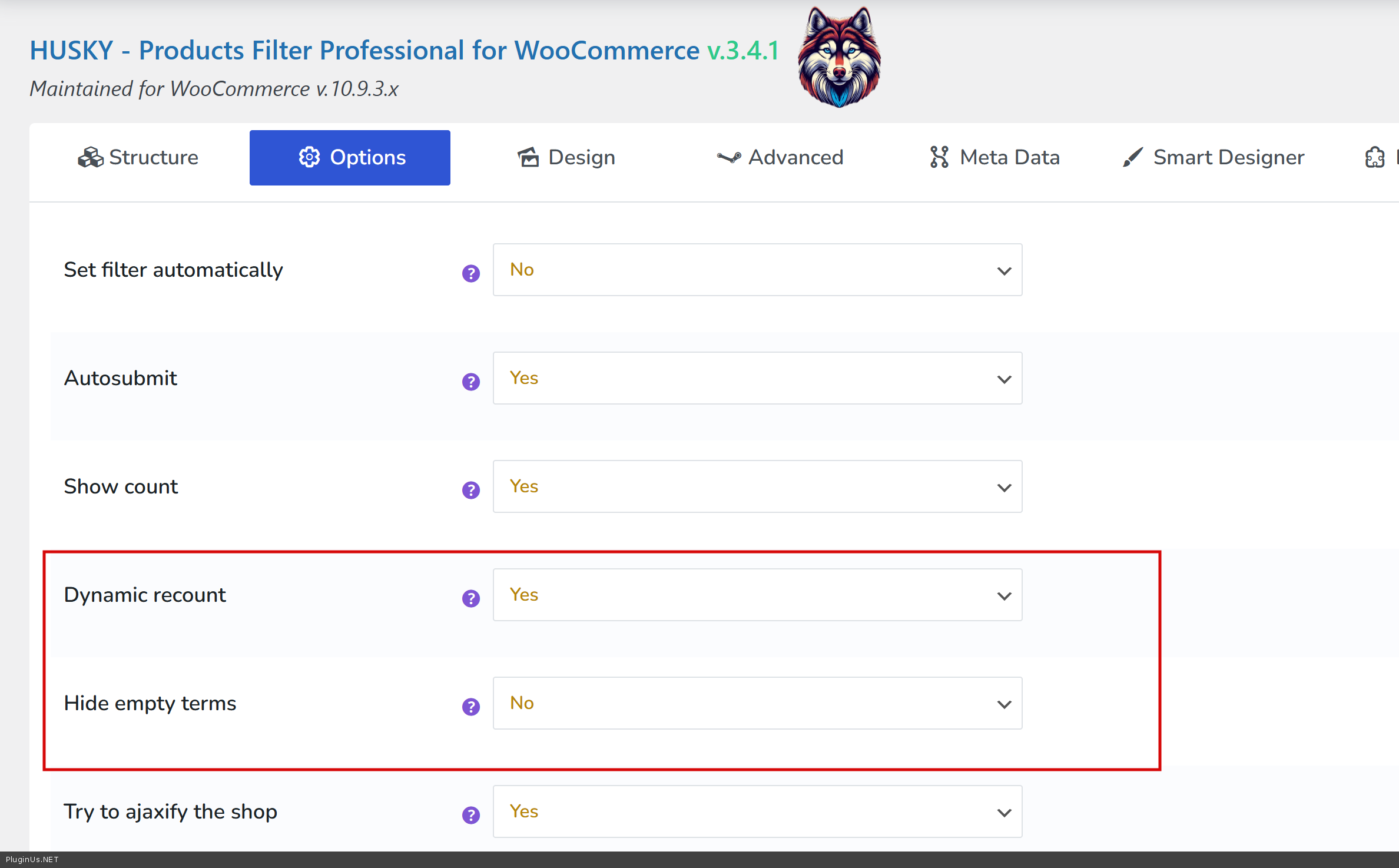
This is possible in the premium version of the plugin, in the Options tab. It is controlled by three settings that work as a chain, so please set them in this order.
Options tab:
Show count set to Yes. This is the base option that counts products for each term.
Dynamic recount set to Yes. This recalculates the counts on the fly as filters are selected. It requires Show count to be on.
Hide empty terms set to Yes. This is the one you need. It fully hides the terms that give zero results with the currently selected filters, so the values that cannot be chosen simply disappear instead of staying visible.
Once all three are set to Yes, the unavailable options will be hidden automatically while the customer filters.
Please note these options belong to the premium version. If the Hide empty terms option looks greyed out and cannot be clicked, it means the free version of the plugin is currently active on your site, not the premium one. In that case, open Plugins and check the active plugin name: the premium one is titled HUSKY - Products Filter for WooCommerce Professional. If you see the free version active, please deactivate and remove it first (two versions cannot run at the same time), then install and activate the premium package from your account, and the option will become available.
Hello Lorick
This is possible in the premium version of the plugin, in the Options tab. It is controlled by three settings that work as a chain, so please set them in this order.
Options tab:
Show count set to Yes. This is the base option that counts products for each term.
Dynamic recount set to Yes. This recalculates the counts on the fly as filters are selected. It requires Show count to be on.
Hide empty terms set to Yes. This is the one you need. It fully hides the terms that give zero results with the currently selected filters, so the values that cannot be chosen simply disappear instead of staying visible.
Once all three are set to Yes, the unavailable options will be hidden automatically while the customer filters.
Please note these options belong to the premium version. If the Hide empty terms option looks greyed out and cannot be clicked, it means the free version of the plugin is currently active on your site, not the premium one. In that case, open Plugins and check the active plugin name: the premium one is titled HUSKY - Products Filter for WooCommerce Professional. If you see the free version active, please deactivate and remove it first (two versions cannot run at the same time), then install and activate the premium package from your account, and the option will become available.


