

Price filter is not working, everything else works
The support doesn work on Saturdays and Sundays, so some Friday requests can be answered on Monday. If you have problems with registration ask help on contact us page pleaseIf you not got email within 24~36 business hours, firstly check your spam box, and if no any email from the support there - back to the forum and read answer here. DO NOT ANSWER ON EMAILS [noreply@pluginus.net] FROM THE FORUM!! Emails are just for your info, all answers should be published only here.
The support doesn work on Saturdays and Sundays, so some Friday requests can be answered on Monday.

Quote from sarumbear on July 30, 2020, 13:11I'm sorry that you happened to hit the site while we were upgrading that server.
I think we are miscommunicating. You say one of the pages has no filter. As you can see from the screengrabs below both pages has your filter on them. Please see the screen grabs below. Maybe you mean something different when you say "no filter"?
https://shop-staging.justevs.com/showroom/
https://shop-staging.justevs.com/shop/
I'm sorry that you happened to hit the site while we were upgrading that server.
I think we are miscommunicating. You say one of the pages has no filter. As you can see from the screengrabs below both pages has your filter on them. Please see the screen grabs below. Maybe you mean something different when you say"no filter"?

https://shop-staging.justevs.com/showroom/

https://shop-staging.justevs.com/shop/

Quote from Pablo Borysenco on July 30, 2020, 14:13Please check my screenshots - https://c2n.me/48AT0iJ.png AND https://c2n.me/48AT6q1.png
I mean after filtering. on one page the template "no products" has no filter
You can test it when filters exist:
https://shop-staging.justevs.com/shop/?swoof=1&slider_battery_capacity=0^99
https://shop-staging.justevs.com/showroom/?swoof=1&slider_battery_capacity=0^99
Please check my screenshots - https://c2n.me/48AT0iJ.png AND https://c2n.me/48AT6q1.png
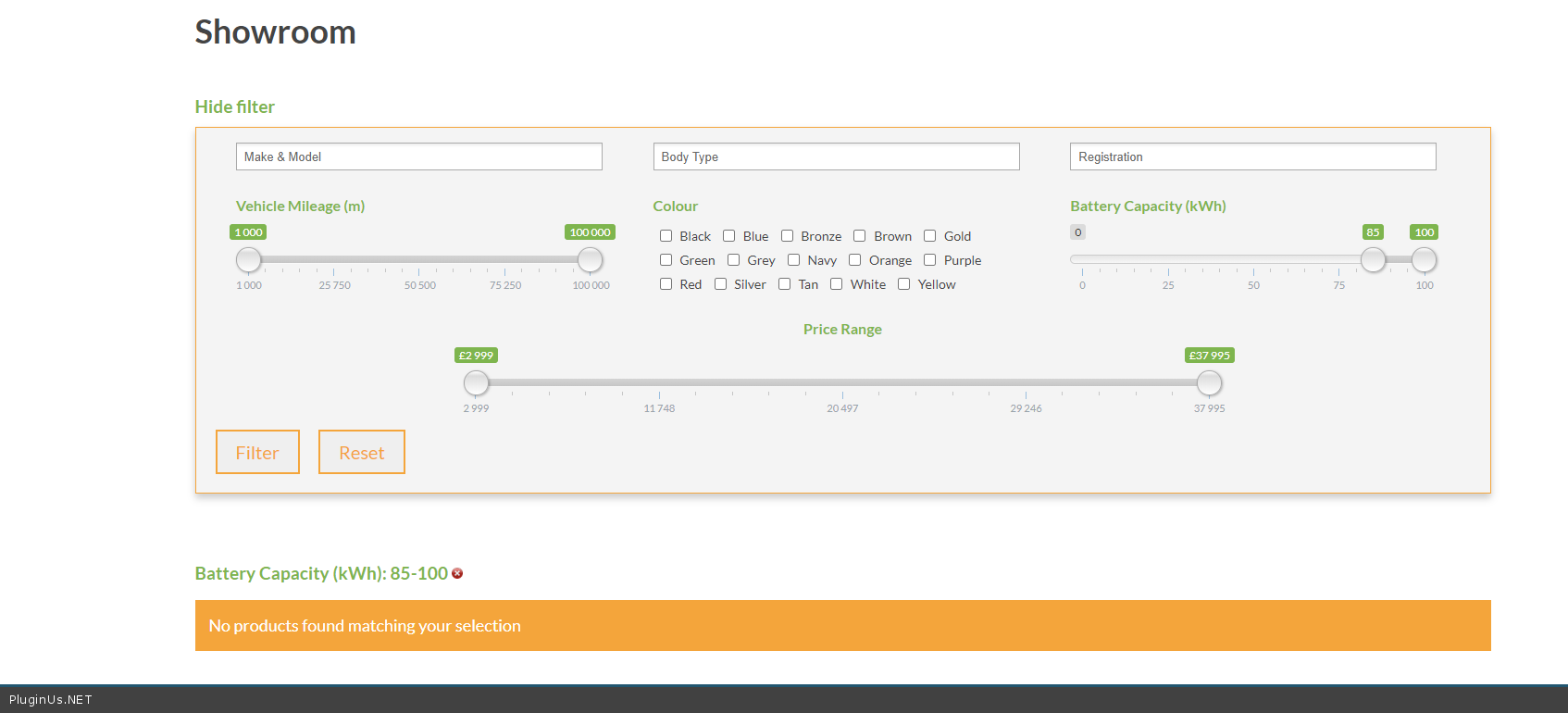
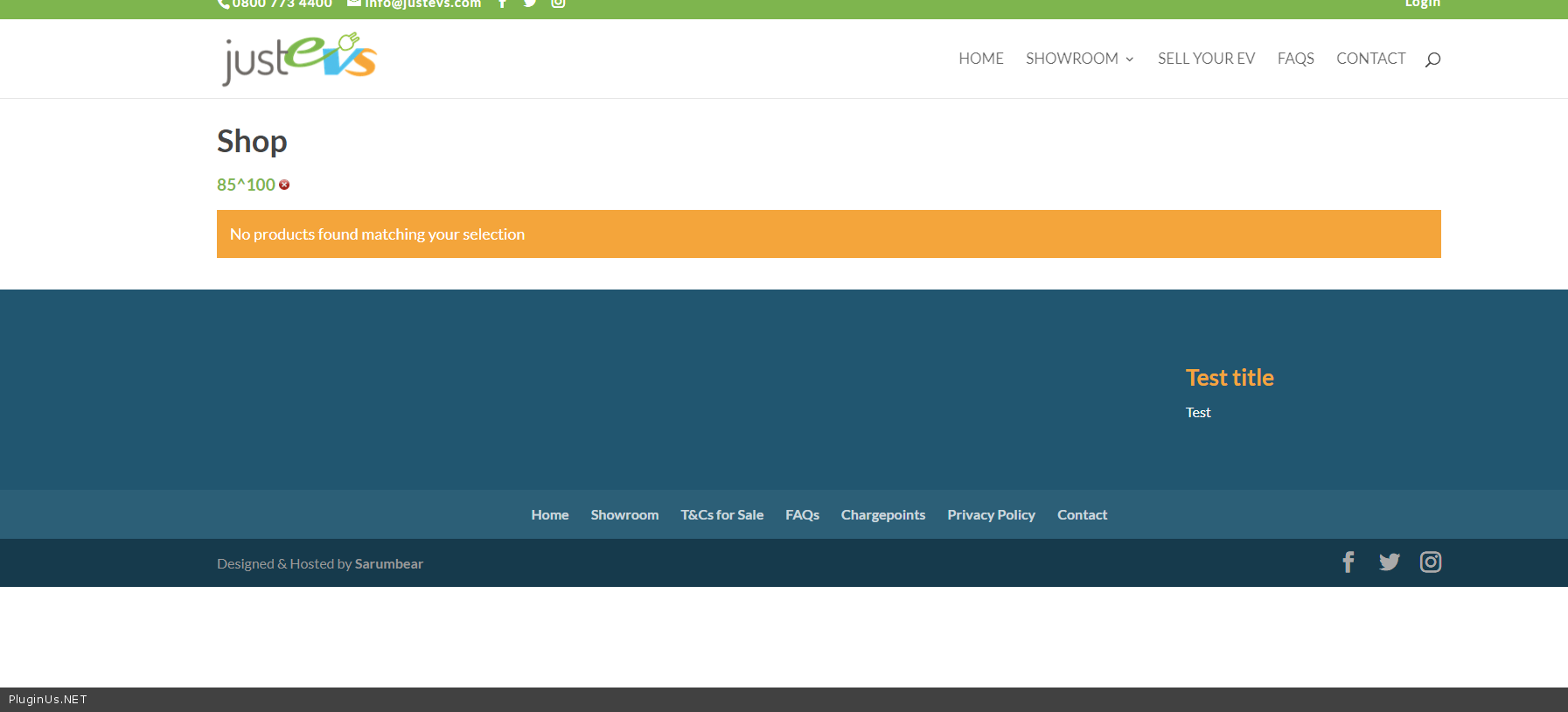
I mean after filtering. on one page the template"no products" has no filter
You can test it when filters exist:
https://shop-staging.justevs.com/shop/?swoof=1&slider_battery_capacity=0^99
https://shop-staging.justevs.com/showroom/?swoof=1&slider_battery_capacity=0^99
Quote from sarumbear on July 30, 2020, 14:31That is the standard Woo shop page. The page is empty as created by Woo setup. However, it shows the filters on the page as you can filter the battery capacity. What do you mean by "it has no filter"? Where should I add the filter?
That is the standard Woo shop page. The page is empty as created by Woo setup. However, it shows the filters on the page as you can filter the battery capacity. What do you mean by"it has no filter"? Where should I add the filter?
Quote from sarumbear on July 30, 2020, 14:58You said "on one page the template 'no products' has no filter". There is only one template as far as I can see, which is under the Product Filter tab of Woo settings. Doesn't that affect both pages? If not, where is the setting for the 2nd template? In other words what am I doing that is causing the standard Woo page not displaying the results correctly?
As you have an admin access do please make the necessary change so that I can understand my mistake.
PS. I still think we are miscommunicating, but I want you to know that appreciate you persevering.
You said"on one page the template 'no products' has no filter". There is only one template as far as I can see, which is under the Product Filter tab of Woo settings. Doesn't that affect both pages? If not, where is the setting for the 2nd template? In other words what am I doing that is causing the standard Woo page not displaying the results correctly?
As you have an admin access do please make the necessary change so that I can understand my mistake.
PS. I still think we are miscommunicating, but I want you to know that appreciate you persevering.
Quote from Pablo Borysenco on July 31, 2020, 11:45Hello
Please watch my video - https://c2n.me/48BGjrZ
Hello
Please watch my video - https://c2n.me/48BGjrZ
Quote from sarumbear on July 31, 2020, 17:35Aha! I understood now. I was simply not expecting the Woof NOT to work on a standard Woo page without requiring an override. After all there is only one job for Woof and normal behaviour is not expected to be achieved with an override, which is meant for customization.
I changed the shortcode you used [woof sid=woof_hide_short] to what is on the Showroom page [woof autohide=1] and now I can access the filter after a no product found search.
Aha! I understood now. I was simply not expecting the Woof NOT to work on a standard Woo page without requiring an override. After all there is only one job for Woof and normal behaviour is not expected to be achieved with an override, which is meant for customization.
I changed the shortcode you used [woof sid=woof_hide_short] to what is on the Showroom page [woof autohide=1] and now I can access the filter after a no product found search.
Quote from Pablo Borysenco on August 3, 2020, 10:51Hello
Ok! Great
Hello
Ok! Great