
Possible incompatibility with catalog mode
The support doesn work on Saturdays and Sundays, so some Friday requests can be answered on Monday. If you have problems with registration ask help on contact us page pleaseIf you not got email within 24~36 business hours, firstly check your spam box, and if no any email from the support there - back to the forum and read answer here. DO NOT ANSWER ON EMAILS [noreply@pluginus.net] FROM THE FORUM!! Emails are just for your info, all answers should be published only here.
The support doesn work on Saturdays and Sundays, so some Friday requests can be answered on Monday.

Quote from estetica.leticiallaneza on June 8, 2020, 20:26Hello "Support team.
I am configuring the plugin for woocustomizer and trying to fix the problem with woocustomizer support, in parallel I would like to query:
If you have had a similar problem with this plugin using catalog mode?
The problem is:
I have configured the catalog mode after having installed the premium version of Woof Filter and the prices in the first opening of the page are not hidden, but when I reload the page they are hidden and what I see is that the address/slug changes :https://esteticaleticiallaneza.com/tienda/?swoof=1&paged=3
https://esteticaleticiallaneza.com/tienda/page/3/?swoof=1
They would appreciate checking if the fault is due to a data storage in woof or some type and incompatibility. In parallel, I deal with the support of the other plugin; It is important for us to hide the data hidden from unregistered users because we have a contract with the distributor that includes that clause
I really appreciate your help.
a greeting
Hello"Support team.
I am configuring the plugin for woocustomizer and trying to fix the problem with woocustomizer support, in parallel I would like to query:
If you have had a similar problem with this plugin using catalog mode?
The problem is:
I have configured the catalog mode after having installed the premium version of Woof Filter and the prices in the first opening of the page are not hidden, but when I reload the page they are hidden and what I see is that the address/slug changes :
https://esteticaleticiallaneza.com/tienda/?swoof=1&paged=3
https://esteticaleticiallaneza.com/tienda/page/3/?swoof=1
They would appreciate checking if the fault is due to a data storage in woof or some type and incompatibility. In parallel, I deal with the support of the other plugin; It is important for us to hide the data hidden from unregistered users because we have a contract with the distributor that includes that clause
I really appreciate your help.
a greeting

Quote from Pablo Borysenco on June 9, 2020, 12:07Hello
Please disable ajax mode.
It seems that third-party functionality does not work in ajax mode
Hello
Please disable ajax mode.
It seems that third-party functionality does not work in ajax mode
Quote from estetica.leticiallaneza on June 9, 2020, 17:41Hello;
I have already checked and the problem is with the Woof Filter Plugin when I deactivate it does not show the wrecks in the catalog mode
I'm trying to disable (try ajax store) and it won't let me enable it. I gave the drop-down tab select "NO" and when the changes have been made it returns to "YES".
Hello;
I have already checked and the problem is with the Woof Filter Plugin when I deactivate it does not show the wrecks in the catalog mode
I'm trying to disable (try ajax store) and it won't let me enable it. I gave the drop-down tab select"NO" and when the changes have been made it returns to"YES".
Quote from estetica.leticiallaneza on June 9, 2020, 17:44sorry wrecks=prices
Hello;
I have already checked and the problem is with the Woof Filter Plugin when I deactivate it does not show the prices in the catalog mode
I'm trying to disable (try ajax store) and it won't let me enable it. I gave the drop-down tab select "NO" and when the changes have been made it returns to "YES".
sorry wrecks=prices
Hello;
I have already checked and the problem is with the Woof Filter Plugin when I deactivate it does not show the prices in the catalog mode
I'm trying to disable (try ajax store) and it won't let me enable it. I gave the drop-down tab select"NO" and when the changes have been made it returns to"YES".
Quote from Pablo Borysenco on June 10, 2020, 12:29Hello
ok! Please drop me wp-admin access( https://c2n.me/43SC6rb.png -> https://c2n.me/42BAoj4.png ) I will check it
Hello
ok! Please drop me wp-admin access( https://c2n.me/43SC6rb.png -> https://c2n.me/42BAoj4.png ) I will check it


Quote from estetica.leticiallaneza on June 10, 2020, 13:28the requested information is already provided, the plugin is installed but inactive so that the prices are not displayed.
the requested information is already provided, the plugin is installed but inactive so that the prices are not displayed.
Quote from estetica.leticiallaneza on June 10, 2020, 14:53Add User in Private data" sorry.
Add User in Private data" sorry.
Quote from Pablo Borysenco on June 11, 2020, 11:52Hello
I did test - https://c2n.me/47X1dXG - I can not repeat the error. Maybe I'm doing something wrong?
Hello
I did test - https://c2n.me/47X1dXG - I can not repeat the error. Maybe I'm doing something wrong?
Quote from estetica.leticiallaneza on June 11, 2020, 21:09When you activate the plugin, you just have to go to the store and select page 3 that's where the articles in catalog mode start, they are all from the Biologique brand. Try doing the same with the plugin disabled and you will see as on the same page 3, the products do not show prices.
What it shows in the video is the auto-filter has nothing to do with the problem we have.
We need two plugins, one for the filters and the other for the catalog mode that are compatible and these seem not to be. Process a return and provare with the YITH have both plugins and are compatible with each other.
When you activate the plugin, you just have to go to the store and select page 3 that's where the articles in catalog mode start, they are all from the Biologique brand. Try doing the same with the plugin disabled and you will see as on the same page 3, the products do not show prices.
What it shows in the video is the auto-filter has nothing to do with the problem we have.
We need two plugins, one for the filters and the other for the catalog mode that are compatible and these seem not to be. Process a return and provare with the YITH have both plugins and are compatible with each other.
Quote from Pablo Borysenco on June 12, 2020, 14:14Hello
I do not understand you. Do you want to request a refund? unfortunately incompatibility with a third-party plugin is not a reason to the refund.
I can’t check your site - https://c2n.me/47Y57yn.png
Hello
I do not understand you. Do you want to request a refund? unfortunately incompatibility with a third-party plugin is not a reason to the refund.
I can’t check your site - https://c2n.me/47Y57yn.png
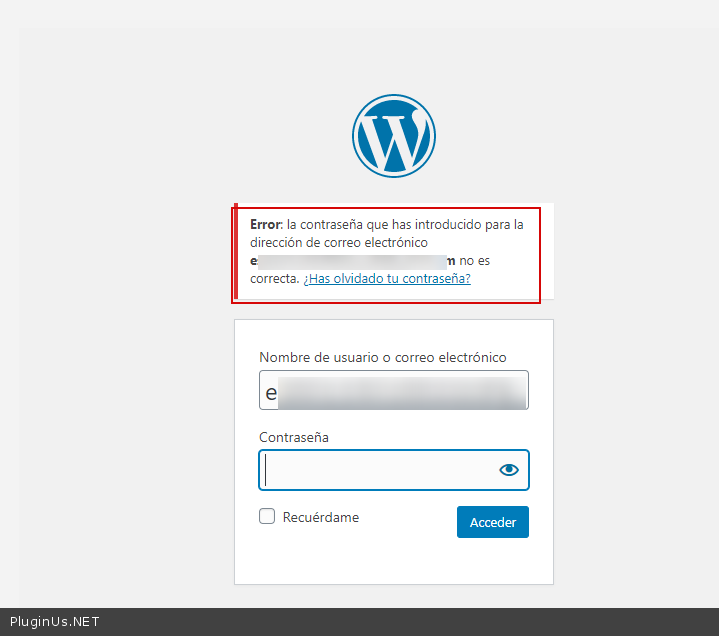
Quote from estetica.leticiallaneza on June 13, 2020, 16:52It is not the only problem that I found in the plugin fill the previous posts.
I have already bought another YITH plugin and it does not cause me the errors in the catalog mode.
I understand that you do not want to pay me back. But don't expect me to buy something from your repository again, I don't have to explain further.
It is not the only problem that I found in the plugin fill the previous posts.
I have already bought another YITH plugin and it does not cause me the errors in the catalog mode.
I understand that you do not want to pay me back. But don't expect me to buy something from your repository again, I don't have to explain further.
Quote from Pablo Borysenco on June 15, 2020, 12:38Hello
I act according to the rules. you do not want to pay me back - This money doesn't matter
Hello
I act according to the rules. you do not want to pay me back - This money doesn't matter