PluginUs.Net - Business Tools for WooCommerce and WordPress

[realize your idea - make your dreams come true]

Support Forum

You need to log-in to create request (topic) to the support

How to get WOOF working on tablets (ipad) when using WP Rocket caching File Optimization

The support doesn work on Saturdays and Sundays, so some Friday requests can be answered on Monday. If you have problems with registration ask help on contact us page please
If you not got email within 24~36 business hours, firstly check your spam box, and if no any email from the support there - back to the forum and read answer here. DO NOT ANSWER ON EMAILS [noreply@pluginus.net] FROM THE FORUM!! Emails are just for your info, all answers should be published only here.
The support doesn work on Saturdays and Sundays, so some Friday requests can be answered on Monday.

Hi Support,

We already turned of caching for mobile devices or otherwise the WOOF filter isn't working with WP Rocket caching. Though we noticed when using Optimize CSS delivery and Load JavaScript Deferred the filter isn't working properly on iPads. Though these settings give a impressive speedboost to our shop (Flatsome Theme): https://webshop.shcn.eu/

How can we keep using the File optimization settings in WP Rocket without loosing the filter functionality on tablet as an iPad.

Thanks


Hello

Optimize CSS delivery -  this should work without issue.

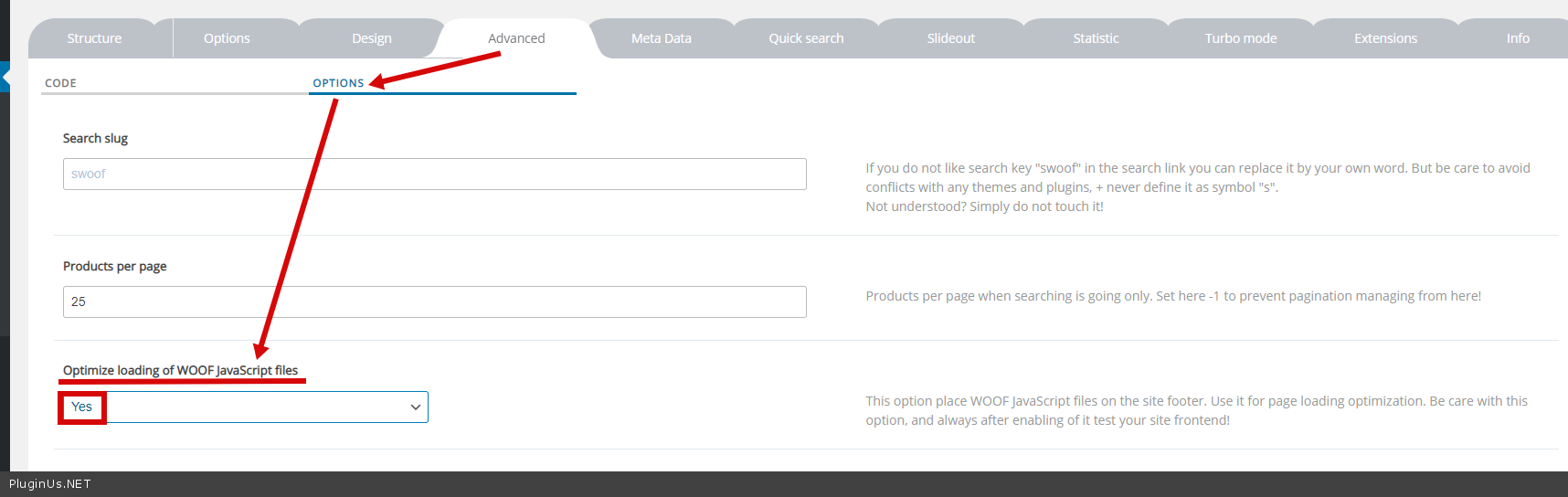
 Load JavaScript Deferred - yes it is completely possible and it not only depends on my plangin. JS could call a third party plugin. This setting is not suitable for all plugins. Please  try  this  option - https://c2n.me/4askbZL.png