

Hide empty not working
The support doesn work on Saturdays and Sundays, so some Friday requests can be answered on Monday. If you have problems with registration ask help on contact us page pleaseIf you not got email within 24~36 business hours, firstly check your spam box, and if no any email from the support there - back to the forum and read answer here. DO NOT ANSWER ON EMAILS [noreply@pluginus.net] FROM THE FORUM!! Emails are just for your info, all answers should be published only here.
The support doesn work on Saturdays and Sundays, so some Friday requests can be answered on Monday.

Quote from Christine on November 29, 2021, 23:59I am using this page for mobile devices: https://necm.pushleads.com/mobile/
I have it set to hide empty. I'm not sure if that is really what I need. I want the table filters to work so if a item in the first drop down menu does not exist in the next drop down it should not appear. Please advise.
I am using this page for mobile devices: https://necm.pushleads.com/mobile/
I have it set to hide empty. I'm not sure if that is really what I need. I want the table filters to work so if a item in the first drop down menu does not exist in the next drop down it should not appear. Please advise.

Quote from Pablo Borysenco on November 30, 2021, 10:41Hello
I have it set to hide empty. - Where did you set it up?
For a more advanced filter use this plugin - https://wordpress.org/plugins/woocommerce-products-filter/
Hello
I have it set to hide empty. - Where did you set it up?
For a more advanced filter use this plugin - https://wordpress.org/plugins/woocommerce-products-filter/
Quote from Christine on November 30, 2021, 14:23I set in table settings. The code:
[woot id=3 woof_step autosubmit=0 filter_type=1 by_step=”tax:color_base:Color, tax:color_name: Name of Color ,tax:door_style,tax:drawer_front,title:Title,tax:barnds:Manufacturer,image,price”] [woof_products is_ajax=0 display_on_search=1]
I want to select an item from the color base then have only the items associated with that appear in color name, etc. The code show the results in the table to all items are available to select from the drop downs. Link to my page: https://necm.pushleads.com/mobile/
Where do you put this? From the demos it looks like it's a php file. I want to add the short code to the page.
I set in table settings. The code:
[woot id=3 woof_step autosubmit=0 filter_type=1 by_step=”tax:color_base:Color, tax:color_name: Name of Color ,tax:door_style,tax:drawer_front,title:Title,tax:barnds:Manufacturer,image,price”] [woof_products is_ajax=0 display_on_search=1]
I want to select an item from the color base then have only the items associated with that appear in color name, etc. The code show the results in the table to all items are available to select from the drop downs. Link to my page: https://necm.pushleads.com/mobile/
Where do you put this? From the demos it looks like it's a php file. I want to add the short code to the page.
Quote from Pablo Borysenco on December 1, 2021, 10:18Hello
Please read docs - https://products-tables.com/shortcode/woot
The shortcodes you wrote don't make sense
If you want such a filter use the plugin - https://wordpress.org/plugins/woocommerce-products-filter/ - Read this - https://products-filter.com/extencion/woocommerce-step-by-step-filter
Hello
Please read docs - https://products-tables.com/shortcode/woot
The shortcodes you wrote don't make sense
If you want such a filter use the plugin - https://wordpress.org/plugins/woocommerce-products-filter/ - Read this - https://products-filter.com/extencion/woocommerce-step-by-step-filter
Quote from Christine on December 1, 2021, 17:00I need to set logic ‘AND‘ for any taxonomies in the WOOF search request. Can this be done in short code?
So select the color base then the color name will only show what is the color base selected, etc.
I am doing it with this page: http://necm.pushleads.com/kitchen-cabinets
Not using Woot. Works exactly like I want be very slow to load. Woot is much faster and I want to update the pages to Woot.
I'm struggling to get this to work.
I need to set logic ‘AND‘ for any taxonomies in the WOOF search request. Can this be done in short code?
So select the color base then the color name will only show what is the color base selected, etc.
I am doing it with this page: http://necm.pushleads.com/kitchen-cabinets
Not using Woot. Works exactly like I want be very slow to load. Woot is much faster and I want to update the pages to Woot.
I'm struggling to get this to work.
Quote from Pablo Borysenco on December 2, 2021, 10:26Hello
To set the logic "AND" - https://share.pluginus.net/image/i20211202112605.png
Hello
To set the logic "AND" - https://share.pluginus.net/image/i20211202112605.png

Quote from Christine on December 2, 2021, 15:04Please tell me where to find the area to configure.
Please tell me where to find the area to configure.
Quote from Pablo Borysenco on December 3, 2021, 12:03Hello
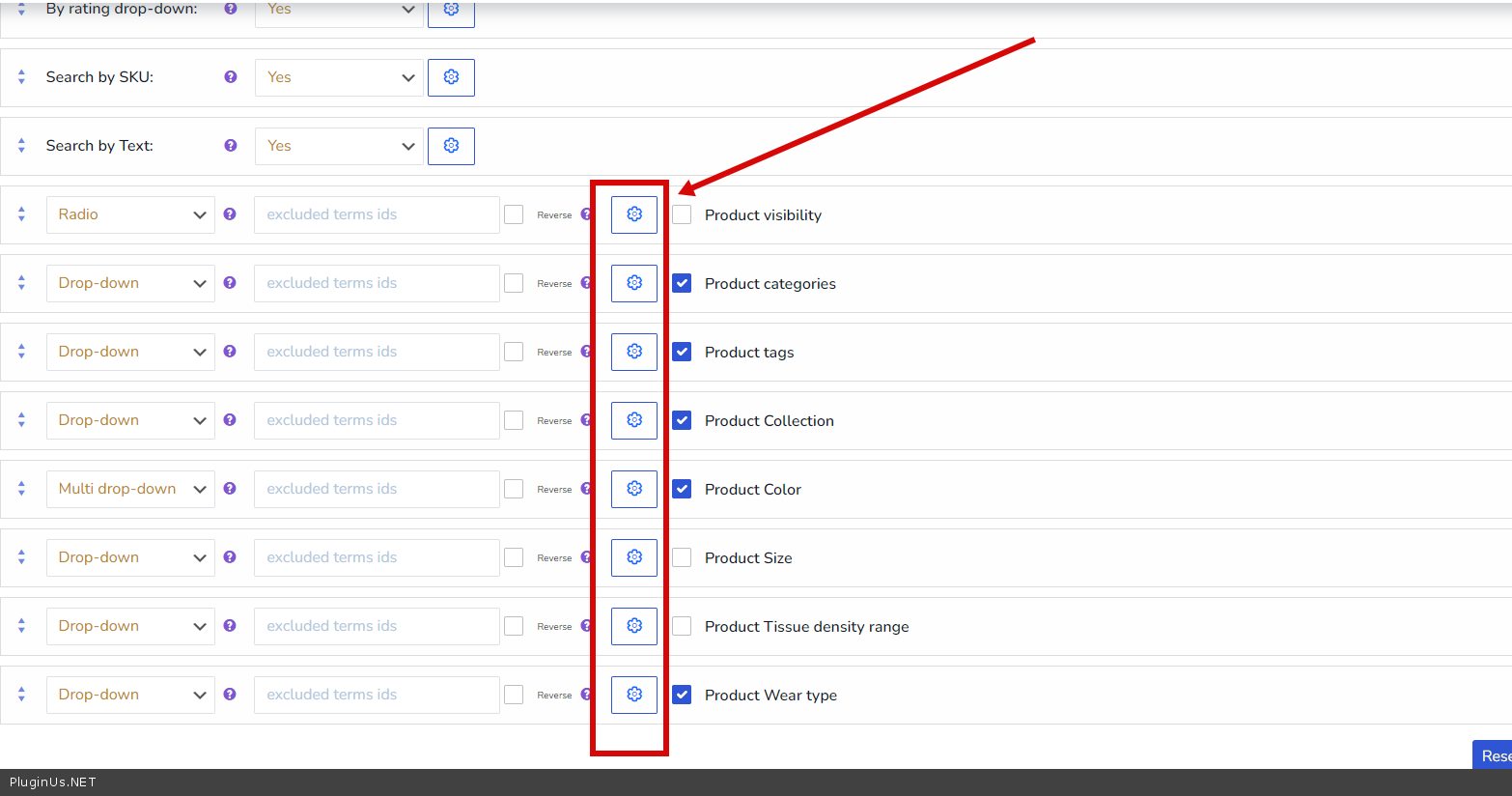
In additional options - https://c2n.me/4edcCT2.png - > https://share.pluginus.net/image/i20211202112605.png
Please watch a video - https://products-filter.com/video#beGT6p_look
Hello
In additional options - https://c2n.me/4edcCT2.png - > https://share.pluginus.net/image/i20211202112605.png
Please watch a video - https://products-filter.com/video#beGT6p_look