PluginUs.Net - Business Tools for WooCommerce and WordPress

[realize your idea - make your dreams come true]

Support Forum

You need to log-in to create request (topic) to the support

Geo location function not working properly

The support doesn work on Saturdays and Sundays, so some Friday requests can be answered on Monday. If you have problems with registration ask help on contact us page please
If you not got email within 24~36 business hours, firstly check your spam box, and if no any email from the support there - back to the forum and read answer here. DO NOT ANSWER ON EMAILS [noreply@pluginus.net] FROM THE FORUM!! Emails are just for your info, all answers should be published only here.
The support doesn work on Saturdays and Sundays, so some Friday requests can be answered on Monday.

Hi, we have followed this guide and configured settings. but sometimes it’s not working properly. When I visit the website from the USA showing another country's currency.

https://vegefruit.online/

Also, I can't find the private data input button.

Many thanks

Dilan

Hello Dilan

Please  renew  your  support

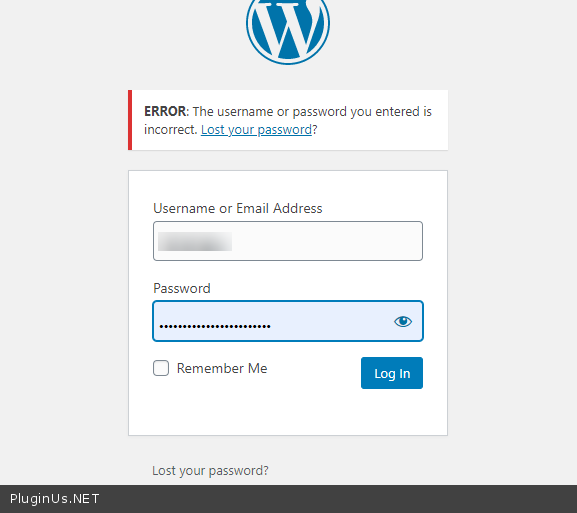
Check your access  - https://c2n.me/4dxxdtb.png

Hi Pablo,

Now login is working. You can check.

Also, We purchased this plugin in February 2021. But we are actually using this plugin from August 2021. Then we have configured the GeoIP feature according to your guide. But It does not work properly sometimes. we definitely renew the support. Don't worry about it. But this time we need your support.


Many thanks

Dilan

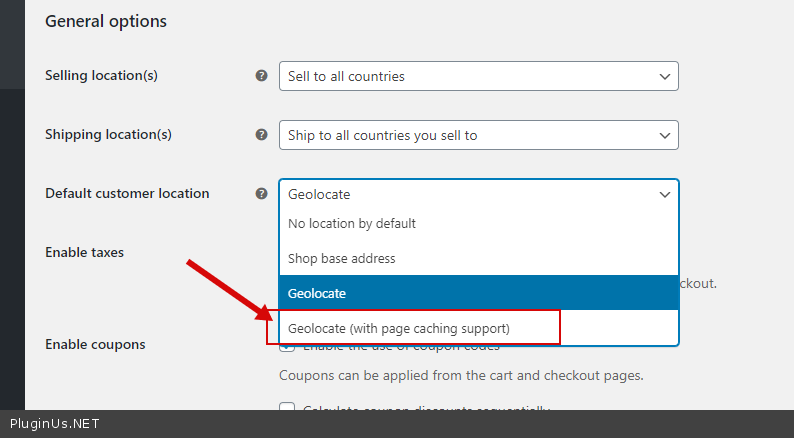
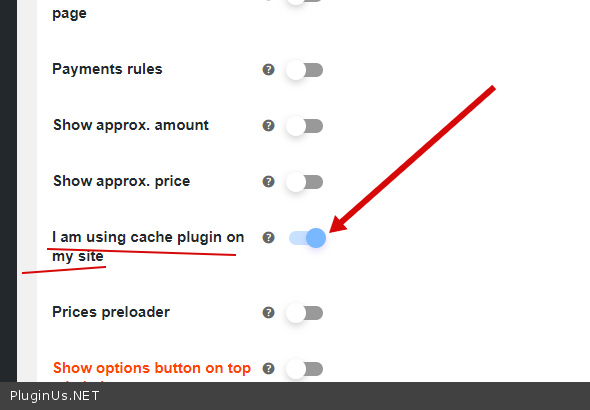
I checked your settings. Please read this article - https://currency-switcher.com/using-geolocation-causes-problems-doesnt-seem-to-work-for-me/  - and follow the recommendations

you are using a caching plugin  so   - https://c2n.me/4dxGE2k.png AND https://c2n.me/4dxGIgP.png

Update  the  plugin  to  latest  version - https://currency-switcher.com/how-to-make-auto-update-for-wordpress-plugins-and-themes-bought-on-envato

Hi Pablo,

I have another issue. When I tried to purchase using USD currency the checkout page showed"Invalid currency code" error. Please check the screenshot for your reference.

https://drive.google.com/file/d/1VdH2eRBollviiywkyuXlkjkmL269gr2S/view?usp=sharing

How can I fix it?

Many thanks

Dilan

Hello Dilan

Please  check  your access - https://c2n.me/4ePAith.png

renew  your support

Hi Pablo,

I fixed that issue. I have added a custom currency that is the issue.

If I get any issues. I'll let you know.

Many thanks

Dilan

Hello

Great!  Welcome;)