
Flags Don't show
The support doesn work on Saturdays and Sundays, so some Friday requests can be answered on Monday. If you have problems with registration ask help on contact us page pleaseIf you not got email within 24~36 business hours, firstly check your spam box, and if no any email from the support there - back to the forum and read answer here. DO NOT ANSWER ON EMAILS [noreply@pluginus.net] FROM THE FORUM!! Emails are just for your info, all answers should be published only here.
The support doesn work on Saturdays and Sundays, so some Friday requests can be answered on Monday.

Quote from Hussein on May 3, 2021, 20:07Hello,
Flags don't show in the dropdown menu in the front end, could you please help?
I want to show flags with the currency symbol from "symbol" column not the "currency" column.
So in dropdown menu only: Flags + currency symbol from "symbol" column.link and wp usernam and ftp username are in the private box
Thanks
Hello,
Flags don't show in the dropdown menu in the front end, could you please help?
I want to show flags with the currency symbol from"symbol" column not the"currency" column.
So in dropdown menu only: Flags + currency symbol from"symbol" column.
link and wp usernam and ftp username are in the private box
Thanks

Quote from Pablo Borysenco on May 4, 2021, 11:17Hello
Please watch a video - https://currency-switcher.com/video-tutorials/#video_1
My test - https://c2n.me/4bUO63S.png
Set symbols here - https://c2n.me/4bUO8hP.png and check it - https://c2n.me/4bUOaxn.png
Hello
Please watch a video - https://currency-switcher.com/video-tutorials/#video_1
My test - https://c2n.me/4bUO63S.png
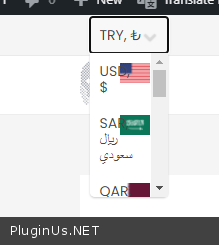
Set symbols here - https://c2n.me/4bUO8hP.png and check it - https://c2n.me/4bUOaxn.png
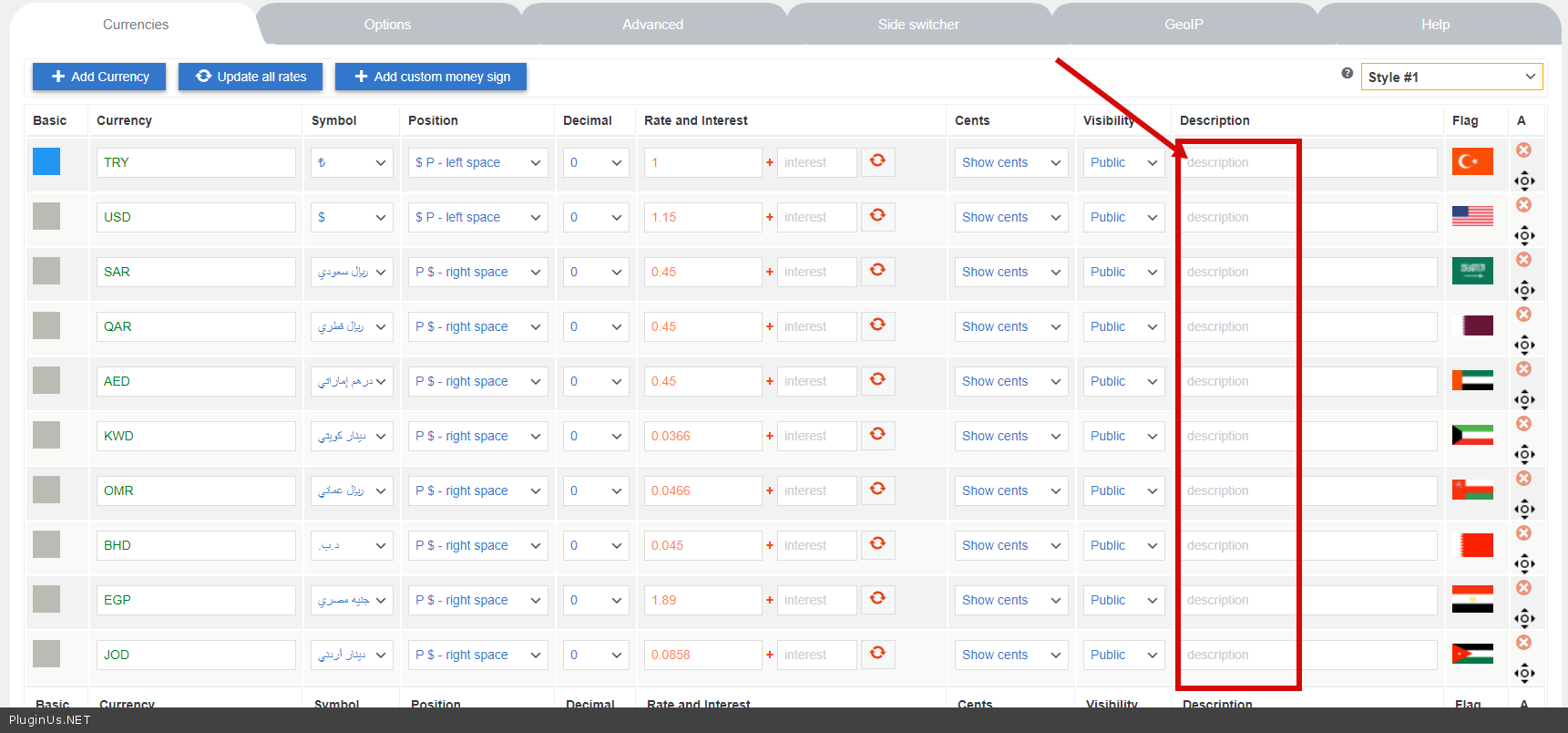
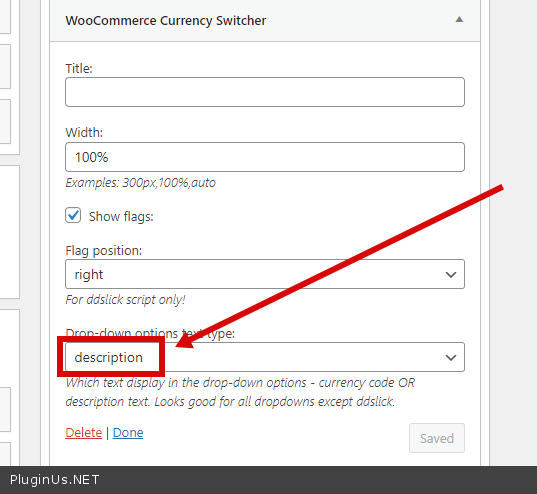
Quote from Hussein on May 4, 2021, 12:40Hello,
Thanks for the support.
Now it looks great when I choose the English language for my website. check here: https://ibb.co/YBs3VBV
But when I change the language of the website to Arabic, which is Right To Left, the dropdown menu looks messed up, and text is overlapped with images, please check here: https://ibb.co/JqcCK4f
Could you please help
Hello,
Thanks for the support.
Now it looks great when I choose the English language for my website. check here: https://ibb.co/YBs3VBV
But when I change the language of the website to Arabic, which is Right To Left, the dropdown menu looks messed up, and text is overlapped with images, please check here: https://ibb.co/JqcCK4f
Could you please help
Quote from Pablo Borysenco on May 5, 2021, 11:08Hello
Please add CSS
.rtl .woocs-style-3-du-dialog .woocs-style-3-dlg-select-item {
text-align: left;
}
Result: https://c2n.me/4bVtL6c.jpg
Hello
Please add CSS
.rtl .woocs-style-3-du-dialog .woocs-style-3-dlg-select-item {
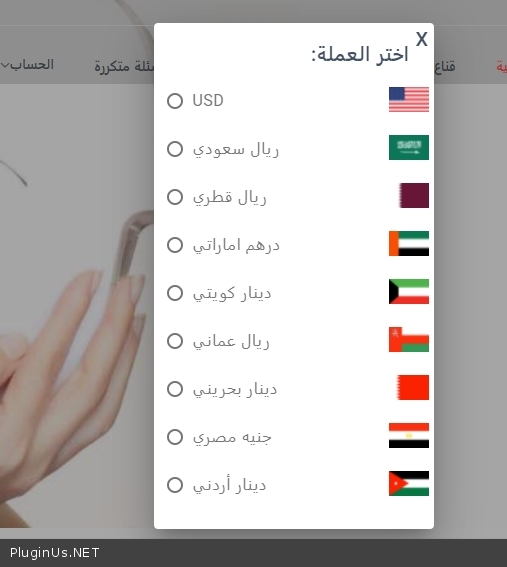
Quote from Hussein on May 5, 2021, 11:39Great, it works perfectly fine.
For future references and in case I want to use a different dropdown menu style, I assume I should change "style-3" to "style-1" or "style-2".
Could you please send me the name of different menu styles to use in CSS in case I want to change the style in the future.
Thank you so much for the great support.
Great, it works perfectly fine.
For future references and in case I want to use a different dropdown menu style, I assume I should change"style-3" to"style-1" or"style-2".
Could you please send me the name of different menu styles to use in CSS in case I want to change the style in the future.
Thank you so much for the great support.
Quote from Pablo Borysenco on May 6, 2021, 10:11Hello
Better write to me in support and I will give you styles.
The problem is that it very much depends on the styles of the current theme.
Hello
Better write to me in support and I will give you styles.
The problem is that it very much depends on the styles of the current theme.
Quote from Hussein on May 11, 2021, 12:24Hello,
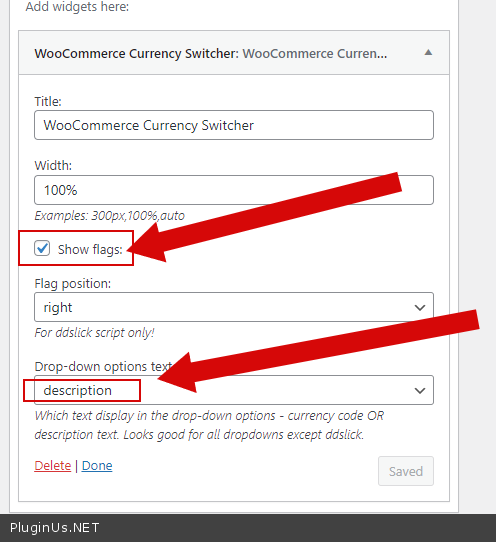
The flags and the description are missing after deactivating-reactivating the plugin.
Could you please help by readding the flags and the description?And how to avoid losing the setting in the future?
login informaton are in private box.
Thanks
Hello,
The flags and the description are missing after deactivating-reactivating the plugin.
Could you please help by readding the flags and the description?
And how to avoid losing the setting in the future?
login informaton are in private box.
Thanks
Quote from Pablo Borysenco on May 12, 2021, 10:37Hello
https://c2n.me/4bZIauZ.png - Please do not change these settings.
Hello
https://c2n.me/4bZIauZ.png - Please do not change these settings.
Quote from Hussein on May 12, 2021, 13:07Hello,
The dropdown menu looks odd and messed up, it's huge and with the plugin title: https://ibb.co/stnRwq4
Can you please make like it was before: https://ibb.co/JqcCK4f
Thanks
Hello,
The dropdown menu looks odd and messed up, it's huge and with the plugin title: https://ibb.co/stnRwq4
Can you please make like it was before: https://ibb.co/JqcCK4f
Thanks
Quote from Hussein on May 12, 2021, 13:40Never mind,
I managed to solve it.
Thanks
Never mind,
I managed to solve it.
Thanks