patrice@profusionwebsolutions.com(@patrice-profusionwebsolutions-com)
3 Posts
Customers
Quote from patrice@profusionwebsolutions.com on July 4, 2020, 05:40
Hi Support:
We have some issues with the WOOF plugin - This is a licensed version I can post the license in private if you need it, purchased 4 Jul 2020 Regular License
1) Filter not updating categories
Go to https://www.asianengineparts.com/shop/ Click on Kia under make, 2.4 under engine family and bolts under parts category. While we expected that once we click on Kia only the sub categories under engine family related to Kia will show up but all sub categories show up. Same with parts category all show up and it is not relevant to Kia.
2) When we turn Turbo Mode on. It completely breaks the search. When turbo mode is turned on and we click on Kia all sub categories disappear making it impossible to select anything under engine family or parts category. We had to disable Turbo Mode to even get it to work to #1 above
3) We added .br_product_result_count in the Result count css selector field. Instead of replacing the results which is what the documentation says, the new search results keep getting added on top of the older search results.So overtime we search we have more values added making it extremely confusing. So we have removed the selector field for now.
Please let us know on how to fix the above issues
Hi Support:
We have some issues with the WOOF plugin - This is a licensed version I can post the license in private if you need it, purchased 4 Jul 2020 Regular License
1) Filter not updating categories
Go to https://www.asianengineparts.com/shop/ Click on Kia under make, 2.4 under engine family and bolts under parts category. While we expected that once we click on Kia only the sub categories under engine family related to Kia will show up but all sub categories show up. Same with parts category all show up and it is not relevant to Kia.
2) When we turn Turbo Mode on. It completely breaks the search. When turbo mode is turned on and we click on Kia all sub categories disappear making it impossible to select anything under engine family or parts category. We had to disable Turbo Mode to even get it to work to #1 above
3) We added .br_product_result_count in the Result count css selector field. Instead of replacing the results which is what the documentation says, the new search results keep getting added on top of the older search results.So overtime we search we have more values added making it extremely confusing. So we have removed the selector field for now.
Please let us know on how to fix the above issues

Pablo Borysenco(@pavlo_borysenco)
34,196 Posts
Quote from Pablo Borysenco on July 6, 2020, 11:17
Hello
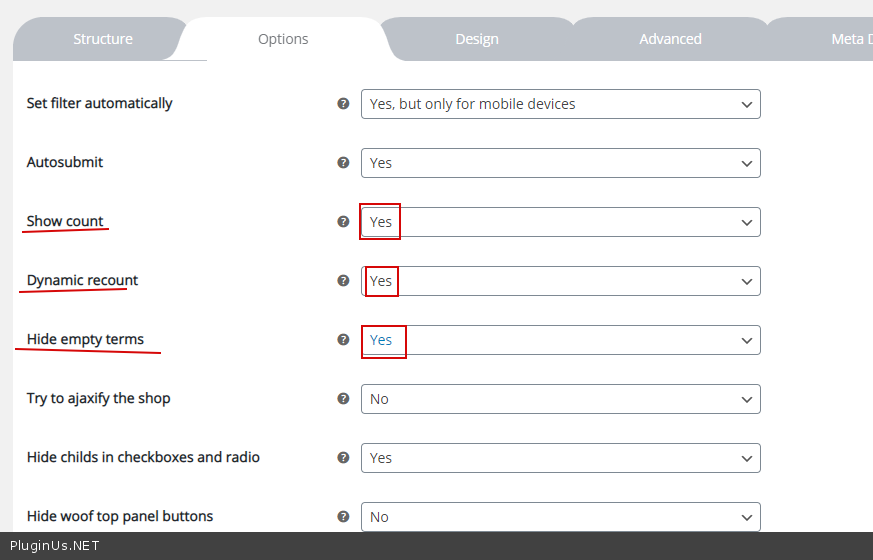
1 Please check options - https://c2n.me/48h5n5O.png
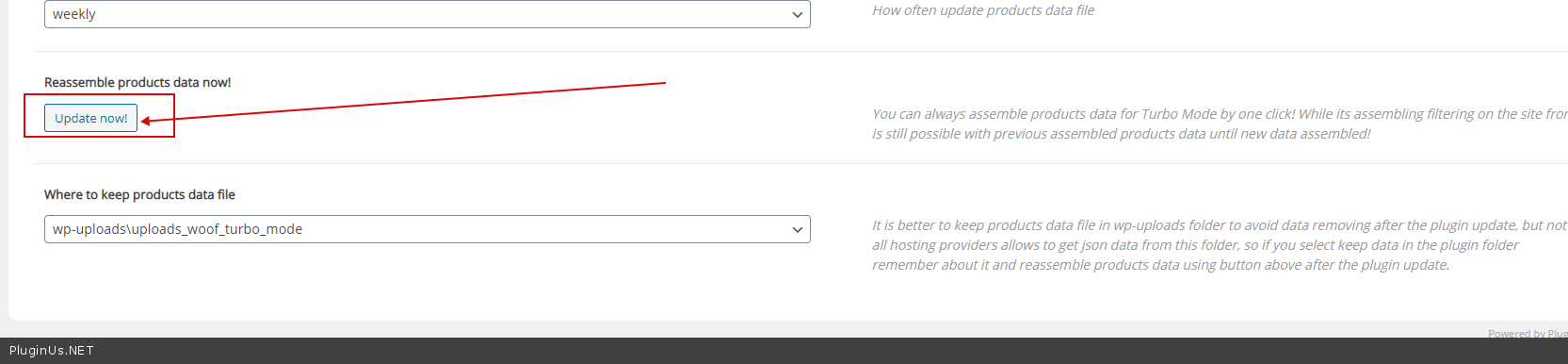
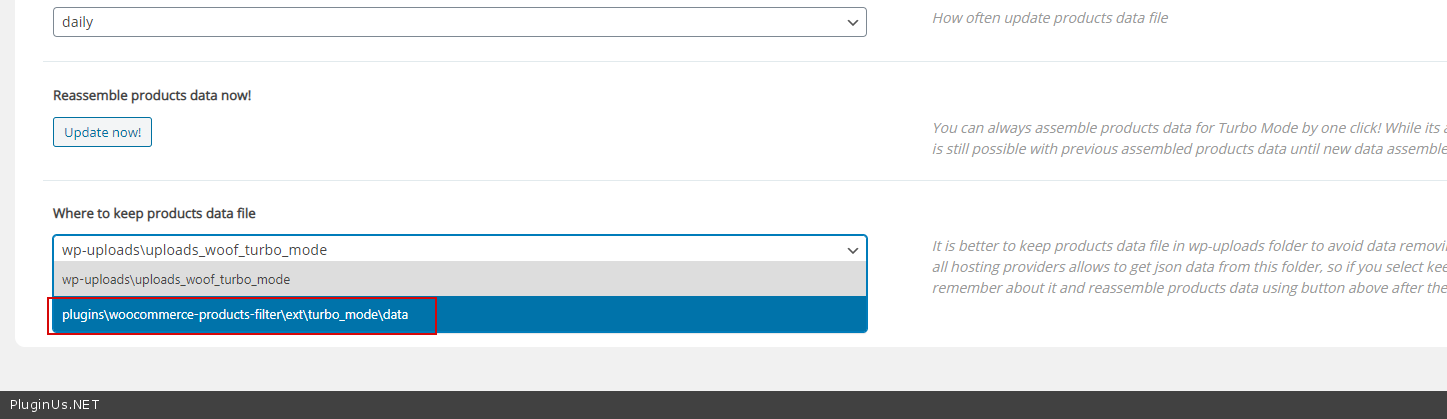
2 Try to read docs - https://products-filter.com/extencion/turbo-mode/ Did you create a file - https://c2n.me/48h5HuP.png ? if no luck - please change folder( https://c2n.me/48h6aUS.png ) and create a new file
3 Use .woocommerce-result-count
Hello
1 Please check options - https://c2n.me/48h5n5O.png
2 Try to read docs - https://products-filter.com/extencion/turbo-mode/ Did you create a file - https://c2n.me/48h5HuP.png ? if no luck - please change folder( https://c2n.me/48h6aUS.png ) and create a new file
3 Use .woocommerce-result-count
patrice@profusionwebsolutions.com(@patrice-profusionwebsolutions-com)
3 PostsTopic Author
Customers
Quote from patrice@profusionwebsolutions.com on July 6, 2020, 16:45
Hi:
- Those options are already checked
- Already done but does not work
- Again I used that class too and did not not work
Hi:
- Those options are already checked
- Already done but does not work
- Again I used that class too and did not not work
Pablo Borysenco(@pavlo_borysenco)
34,196 Posts
Quote from Pablo Borysenco on July 7, 2020, 11:39
Hello
1/2 Please add FTP access
3 - https://c2n.me/48i96ax
Hello
1/2 Please add FTP access
3 - https://c2n.me/48i96ax
patrice@profusionwebsolutions.com(@patrice-profusionwebsolutions-com)
3 PostsTopic Author
Customers
Quote from patrice@profusionwebsolutions.com on July 7, 2020, 16:40
Hi :
FTP provided in private data
Hi :
FTP provided in private data
Pablo Borysenco(@pavlo_borysenco)
34,196 Posts
Quote from Pablo Borysenco on July 8, 2020, 16:15
Hello
Categories should be marked throughout the hierarchy.
Example: https://c2n.me/48jvtyB
Hello
Categories should be marked throughout the hierarchy.
Example: https://c2n.me/48jvtyB