PluginUs.Net - Business Tools for WooCommerce and WordPress

[realize your idea - make your dreams come true]

Support Forum

You need to log-in to create request (topic) to the support

Filter is not working proper when i log out from wordpress

The support doesn work on Saturdays and Sundays, so some Friday requests can be answered on Monday. If you have problems with registration ask help on contact us page please
If you not got email within 24~36 business hours, firstly check your spam box, and if no any email from the support there - back to the forum and read answer here. DO NOT ANSWER ON EMAILS [noreply@pluginus.net] FROM THE FORUM!! Emails are just for your info, all answers should be published only here.
The support doesn work on Saturdays and Sundays, so some Friday requests can be answered on Monday.

I use the free version of WOOF.


Produkt with variation. For example:

attributes are size 50 60 70 80

variation 50 has no stock

variation 60 has 2 pcs

variation 70 has no stock

variation 80 has no stock


I use Filter for size, color and so on and the check box for"in stock".


As long as I am logged in in wordpress - the filter is ok.

Filter setting size 60 plus checkbox => product is showing

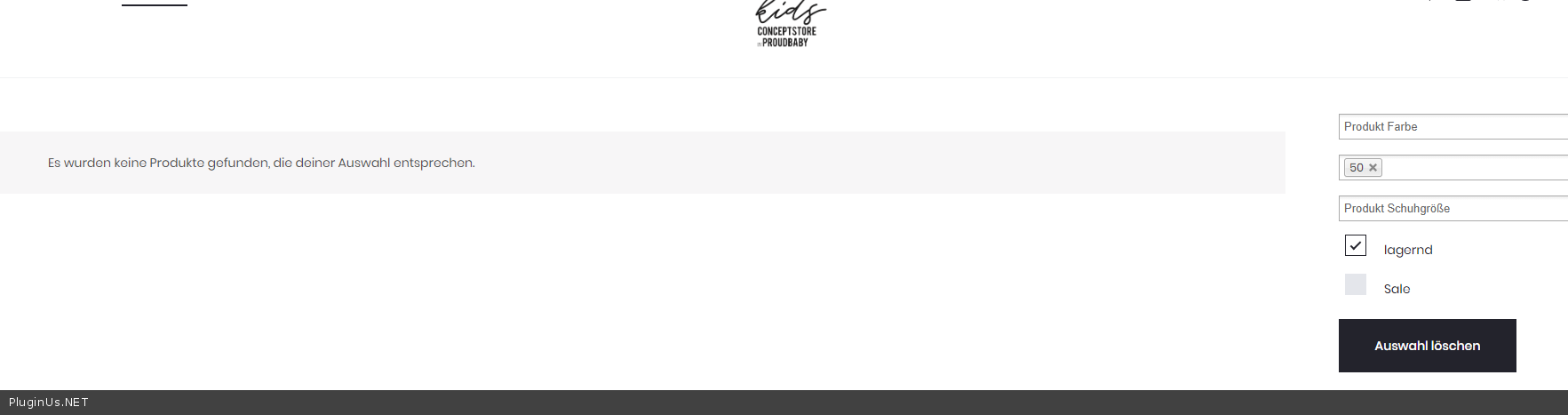
Filter setting size 50 plus checkbox => prodoct is not showing


When I log out - the filter is not working:

Filter setting size 60 plus checkbox => product is showing

Filter setting size 50 plus checkbox => prodoct is still showing


I have no clue whats wrong...

Hello

Please  drop me  exact  link to the  issue

Hi,

link to the website?

Its proudbaby.at Onlineshop every page.

Example...

https://proudbaby.at/product-kategorie/outlet/

Hello

I checked  it - https://c2n.me/47RTTEW.png - it seems to work correctly


Hi!

Please check it with a item.

e.g.


Go to Kategorie Outlet.

Filter Size 50 and you will get only one item: name it – Body, deauville mauve

Because in the attributes size there are size 50 56 62 68 ... until here its correct.

This item is only in stock in size 56. When you now hit the button"in stock" it shoud dissapear but it does not.


When i am logged in in wordpress it does what it should do. Logged out it does not.

I tried Edge Firefox and Chrome Safari PC and Mobilephone... no difference.

Is there any way i can show you this? Skype?

Hello

please  drop me  screenshots of the  attributes and variations(on edit page) of this  product

 Is there any way i can show you this? Skype? -  Only  on forum

I think i found it.... the checkbox"activated" is not checked. When I check it, the filter works!

I deactivate these box, because the customer cannot see the size anymore. But the filter needs this. Am I right?

Hello

Sorry, it looks like I did not understand you.

the checkbox"activated" - Where?

Do  you  mean variation  settings? - In this case, the product has this attribute but it is not indicated that the variant with this attribute has a value  out of stock