Field added using ACF plugin does not appear as a BEAR column
The support doesn work on Saturdays and Sundays, so some Friday requests can be answered on Monday. If you have problems with registration ask help on contact us page pleaseIf you not got email within 24~36 business hours, firstly check your spam box, and if no any email from the support there - back to the forum and read answer here. DO NOT ANSWER ON EMAILS [noreply@pluginus.net] FROM THE FORUM!! Emails are just for your info, all answers should be published only here.
The support doesn work on Saturdays and Sundays, so some Friday requests can be answered on Monday.

Quote from Yaron on March 21, 2026, 22:27A product filed which was added using the Advanced Custom Fields plugin, does bot apear as a bear column and thefore can not be bulk edited.
The field definition can be seen in the attached screenshots. https://prnt.sc/tc_13DES5of9
How can I fix this please?
Thanks.
A product filed which was added using the Advanced Custom Fields plugin, does bot apear as a bear column and thefore can not be bulk edited.
The field definition can be seen in the attached screenshots. https://prnt.sc/tc_13DES5of9
How can I fix this please?
Thanks.

Quote from Alex Dovlatov on March 23, 2026, 12:34Hello Yaron
BEAR doesn't auto-detect ACF fields, but you can add it manually:
Open BEAR → go to the Meta tab in the column panel
Type the field name tk_product_formats_ and add it as a custom meta columnHowever, there's a limitation: ACF Checkbox fields store their values as a serialized array in the database, not a plain string. BEAR's meta columns are designed for simple scalar values, so bulk-editing a checkbox array field won't work out of the box — it will likely show the raw serialized data.
For this type of field, the practical options are:If you only need to view the value in the table — adding it as a meta column will work fine
If you need to bulk edit it — that would require a custom solution or manual editing per product in BEAR's inline editor
Hello Yaron
BEAR doesn't auto-detect ACF fields, but you can add it manually:
Open BEAR → go to the Meta tab in the column panel
Type the field name tk_product_formats_ and add it as a custom meta column
However, there's a limitation: ACF Checkbox fields store their values as a serialized array in the database, not a plain string. BEAR's meta columns are designed for simple scalar values, so bulk-editing a checkbox array field won't work out of the box — it will likely show the raw serialized data.
For this type of field, the practical options are:
If you only need to view the value in the table — adding it as a meta column will work fine
If you need to bulk edit it — that would require a custom solution or manual editing per product in BEAR's inline editor
Quote from Yaron on March 23, 2026, 12:52Thanks Alex.
That is what I did but the info shown is not of a checkbox. Please see https://prnt.sc/mSlCdJ1eZU8m
Thanks.
Thanks Alex.
That is what I did but the info shown is not of a checkbox. Please see https://prnt.sc/mSlCdJ1eZU8m
Thanks.
Quote from Yaron on March 23, 2026, 12:54Also,
"a custom solution or manual editing per product in BEAR's inline editor"
Can you elaborate on that?
Thanks
Also,
"a custom solution or manual editing per product in BEAR's inline editor"
Can you elaborate on that?
Thanks
Quote from Alex Dovlatov on March 24, 2026, 17:55Hello Yaron
I did tests, and now all is more simple, watch the video please: https://drive.google.com/file/d/16Xmjj12jbPy4nz58t7buf40dqDgTqBOv/view?usp=sharing
- add meta key as textinput/string
- save
- in tab settings enable it
- use it as string with drop-down values using comma, example: 1,2
IMPORTANT: to your site wp theme file functions.php add next code:
add_filter('update_post_metadata', function ($check, $object_id, $meta_key, $meta_value) {
    if ($meta_key === 'test_1') {
        if (is_string($meta_value) AND strpos($meta_value, ',') !== false) {
            $meta_value = array_map('trim', explode(',', $meta_value));
            $meta_value = array_map('strval', $meta_value);
            update_post_meta($object_id, $meta_key, $meta_value);
            return true;
        }
    }

    return $check;
}, 10, 4);
Try it ...
Hello Yaron
I did tests, and now all is more simple, watch the video please: https://drive.google.com/file/d/16Xmjj12jbPy4nz58t7buf40dqDgTqBOv/view?usp=sharing
- add meta key as textinput/string
- save
- in tab settings enable it
- use it as string with drop-down values using comma, example: 1,2
IMPORTANT: to your site wp theme file functions.php add next code:
add_filter('update_post_metadata', function ($check, $object_id, $meta_key, $meta_value) {
    if ($meta_key === 'test_1') {
        if (is_string($meta_value) AND strpos($meta_value, ',') !== false) {
            $meta_value = array_map('trim', explode(',', $meta_value));
            $meta_value = array_map('strval', $meta_value);
            update_post_meta($object_id, $meta_key, $meta_value);
            return true;
        }
    }

    return $check;
}, 10, 4);
Try it ...
Quote from Yaron on March 24, 2026, 18:59Thank you. It works. But admin has to be in recovery mode. What am I missing?
WordPress has a built-in feature that detects when a plugin or theme causes a fatal error on your site, and notifies you with this automated email.
Butiko - Child Theme.
First, visit your website (https://www.mendele.co.il/) and check for any visible issues. Next, visit the page where the error was caught (https://www.mendele.co.il/wp-admin/post.php?post=238763&action=edit) and check for any visible issues.
If your site appears broken and you can't access your dashboard normally, WordPress now has a special "recovery mode". This lets you safely login to your dashboard and investigate further.
In recovey mode it works.
The code:
}
// by Yaron 240326 Showing the Formats field in BEAR plugin for bulk editing
add_filter('update_post_metadata', function ($check, $object_id, $meta_key, $meta_value) {
if ($meta_key === 'tk_product_formats_') {
if (is_string($meta_value) AND strpos($meta_value, ',') !== false) {
$meta_value = array_map('trim', explode(',', $meta_value));
$meta_value = array_map('strval', $meta_value);
update_post_meta($object_id, $meta_key, $meta_value);
return true;
}
}return $check;
}, drm, pdf, printed, mobi, epub3);
?>META: https://prnt.sc/s_KHaK2pSP8R
SETTINGS: https://prnt.sc/PzaZW1yIWbqR
EDIT FIELD GROUP: https://prnt.sc/pootUwtQyMtT
BEAR: https://prnt.sc/wbcr6unlAOTa
Thank you. It works. But admin has to be in recovery mode. What am I missing?
WordPress has a built-in feature that detects when a plugin or theme causes a fatal error on your site, and notifies you with this automated email.
Butiko - Child Theme.
First, visit your website (https://www.mendele.co.il/) and check for any visible issues. Next, visit the page where the error was caught (https://www.mendele.co.il/wp-admin/post.php?post=238763&action=edit) and check for any visible issues.
If your site appears broken and you can't access your dashboard normally, WordPress now has a special"recovery mode". This lets you safely login to your dashboard and investigate further.
In recovey mode it works.
The code:
}
// by Yaron 240326 Showing the Formats field in BEAR plugin for bulk editing
add_filter('update_post_metadata', function ($check, $object_id, $meta_key, $meta_value) {
if ($meta_key === 'tk_product_formats_') {
if (is_string($meta_value) AND strpos($meta_value, ',') !== false) {
$meta_value = array_map('trim', explode(',', $meta_value));
$meta_value = array_map('strval', $meta_value);
update_post_meta($object_id, $meta_key, $meta_value);
return true;
}
}
return $check;
}, drm, pdf, printed, mobi, epub3);
?>
META: https://prnt.sc/s_KHaK2pSP8R
SETTINGS: https://prnt.sc/PzaZW1yIWbqR
EDIT FIELD GROUP: https://prnt.sc/pootUwtQyMtT
Quote from Yaron on March 24, 2026, 19:03Butiko - Child Theme This theme failed to load properly and was paused within the admin backend.
Butiko - Child Theme This theme failed to load properly and was paused within the admin backend.
Quote from Alex Dovlatov on March 25, 2026, 12:48Hello Yaron
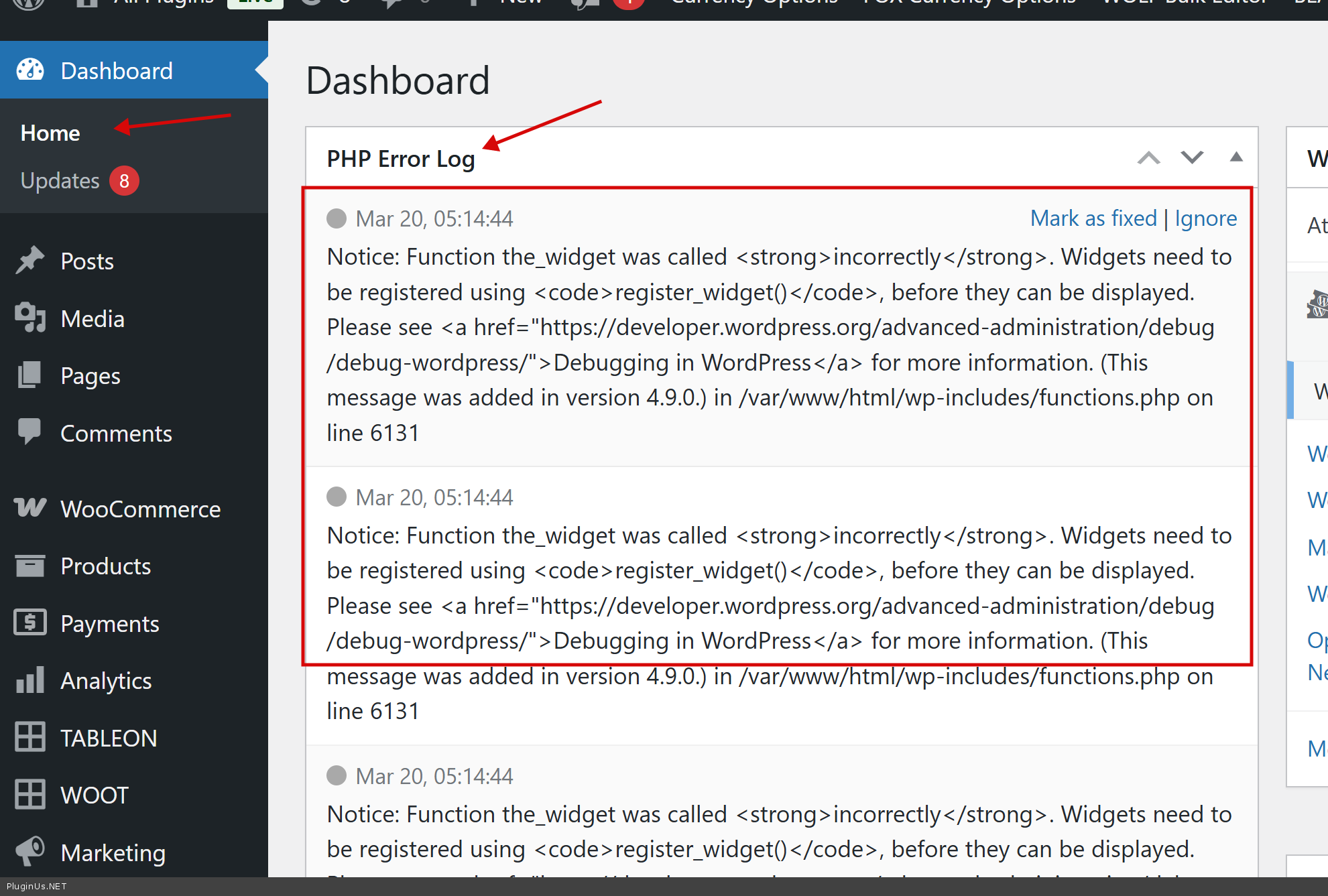
Install please this plugin https://wordpress.org/plugins/error-log-monitor/ and make its settings, then not in recovery mode catch the error, go to wp-admin dasboard and copy information from the plugin widget and paste here.
Hello Yaron
Install please this plugin https://wordpress.org/plugins/error-log-monitor/ and make its settings, then not in recovery mode catch the error, go to wp-admin dasboard and copy information from the plugin widget and paste here.