PluginUs.Net - Business Tools for WooCommerce and WordPress

[realize your idea - make your dreams come true]

Support Forum

You need to log-in to create request (topic) to the support

Essential Grid extension isn't filtering products.

The support doesn work on Saturdays and Sundays, so some Friday requests can be answered on Monday. If you have problems with registration ask help on contact us page please
If you not got email within 24~36 business hours, firstly check your spam box, and if no any email from the support there - back to the forum and read answer here. DO NOT ANSWER ON EMAILS [noreply@pluginus.net] FROM THE FORUM!! Emails are just for your info, all answers should be published only here.
The support doesn work on Saturdays and Sundays, so some Friday requests can be answered on Monday.

Hi there,


I have purchased the premium version of the plugin but the filters don't appear to working correctly. Please could you take a look through this development url. I have installed the Essential Grid extension and added an 'all products' grid in the settings. I am using the shortcode [woof_products per_page=8 is_ajax=0 tpl_index=tpl_essential] in the category/tag archive layout in Divi and also on the Shop page layout.

https://l3r.266.myftpupload.com/product-category/tables/?filter=1&product_cat=dining-tables&really_curr_tax=360-product_cat

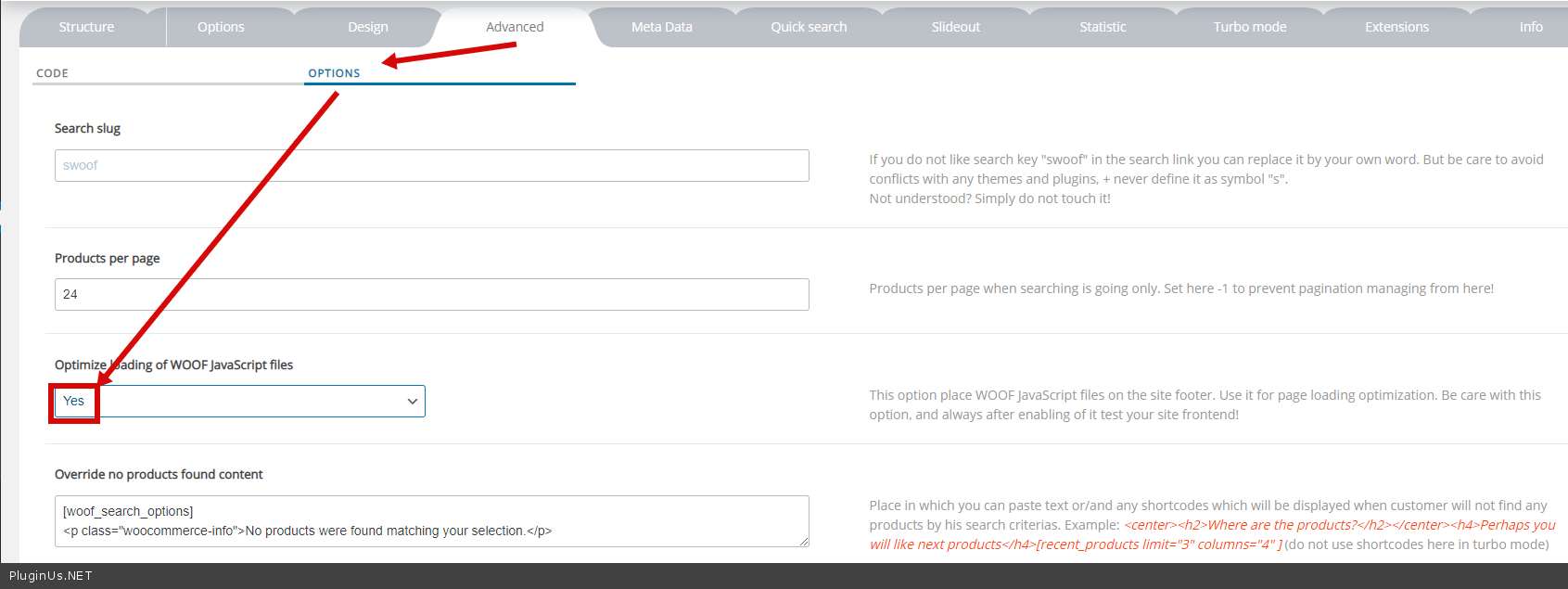
I have tried this option, but it hasn't worked - Try  this  optionhttps://c2n.me/49STJaf.png

Thanks,


Tom

Hello Tom

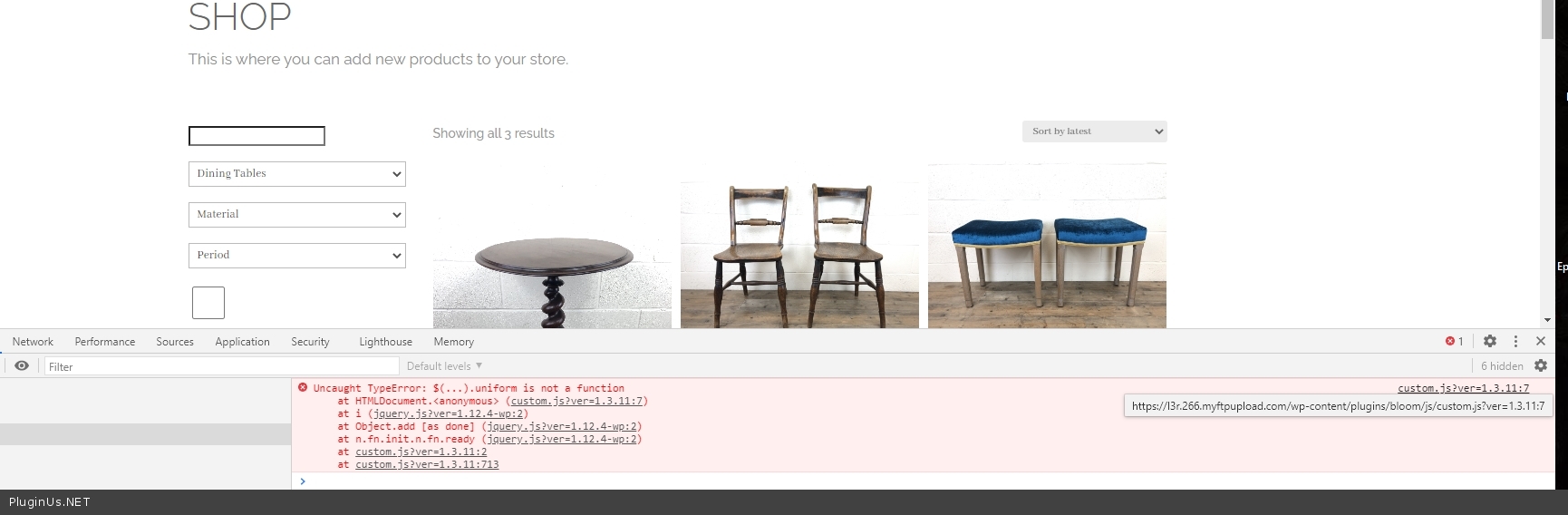
Please  fix this JS  error - https://c2n.me/49TYVL4.jpg - and  do a test