Emergency: Woof Categories not working when i switch in grid list view
The support doesn work on Saturdays and Sundays, so some Friday requests can be answered on Monday. If you have problems with registration ask help on contact us page pleaseIf you not got email within 24~36 business hours, firstly check your spam box, and if no any email from the support there - back to the forum and read answer here. DO NOT ANSWER ON EMAILS [noreply@pluginus.net] FROM THE FORUM!! Emails are just for your info, all answers should be published only here.
The support doesn work on Saturdays and Sundays, so some Friday requests can be answered on Monday.

Quote from Muhammad on June 18, 2020, 18:34Hello,
Here is my site:https://movieposterfactory.com/
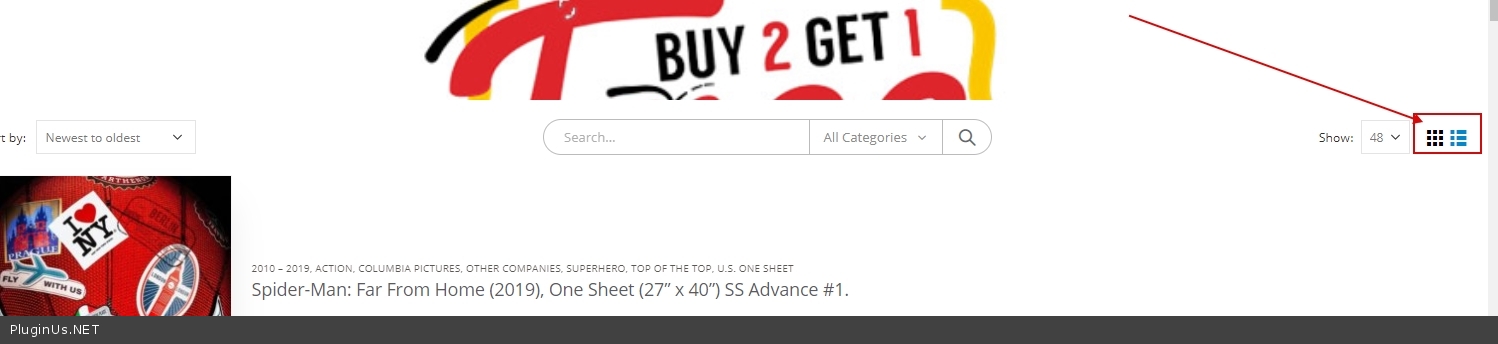
I need emergency attention from your technical staff who develop Woof Woocommerce Products filter plugin. I am using it in my left sidebar. When I click on category it works fine. But when I select grid list view categories checkbox stop working, the Only checkbox was marked the action didn't occur at all, please help me out as soon as possible.
Hello,
Here is my site:https://movieposterfactory.com/
I need emergency attention from your technical staff who develop Woof Woocommerce Products filter plugin. I am using it in my left sidebar. When I click on category it works fine. But when I select grid list view categories checkbox stop working, the Only checkbox was marked the action didn't occur at all, please help me out as soon as possible.

Quote from Pablo Borysenco on June 19, 2020, 12:27Hello
your purchase key can not be validated, please login into codecanyon account and duplicate your message there on the plugin forum, just copy/paste
Update plugin to latest version - https://products-filter.com/how-to-make-auto-update-for-wordpress-plugins-and-themes-bought-on-envato/
This is a plugin incompatibility with the current template.
List/grid switching occurs in Ajax mode. Also for some reason this redraws the widget . The problem is that after redrawing in ajax mode, for correct operation it is necessary to initialize JS scripts
Hello
your purchase key can not be validated, please login into codecanyon account and duplicate your message there on the plugin forum, just copy/paste
Update plugin to latest version - https://products-filter.com/how-to-make-auto-update-for-wordpress-plugins-and-themes-bought-on-envato/
This is a plugin incompatibility with the current template.
List/grid switching occurs in Ajax mode. Also for some reason this redraws the widget . The problem is that after redrawing in ajax mode, for correct operation it is necessary to initialize JS scripts
Quote from Muhammad on June 19, 2020, 12:33So what i can do to initialize JS scripts?? Please help me
So what i can do to initialize JS scripts?? Please help me
Quote from Muhammad on June 19, 2020, 12:39If i updated the plugin to latest version, would the issue resolve?
If i updated the plugin to latest version, would the issue resolve?
Quote from Muhammad on June 19, 2020, 12:52I am already running 2.2.2.1 version of the plugin on my site, so, it's the latest version of the plugin, check this screenshot: https://www.screencast.com/t/nLc9VUfhKM
You can also check it through FTP, if you needed wp-admin access I will provide this as well, Please fix this issue.
I am already running 2.2.2.1 version of the plugin on my site, so, it's the latest version of the plugin, check this screenshot: https://www.screencast.com/t/nLc9VUfhKM
You can also check it through FTP, if you needed wp-admin access I will provide this as well, Please fix this issue.
Quote from Pablo Borysenco on June 19, 2020, 13:07Hello
First please: your purchase key can not be validated, login into codecanyon account and duplicate your message there on the plugin forum, just copy/paste
If i updated the plugin to latest version, would the issue resolve? - I think no! But we do not support very old versions
I am already running 2.2.2.1 version of the plugin on my site - this is a very old version of the plugin
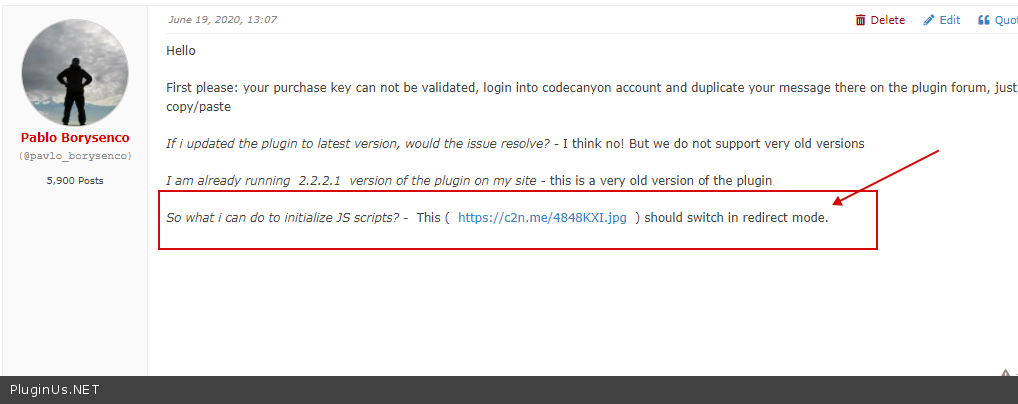
So what i can do to initialize JS scripts? - This ( https://c2n.me/4848KXI.jpg ) should switch in redirect mode.
Hello
First please: your purchase key can not be validated, login into codecanyon account and duplicate your message there on the plugin forum, just copy/paste
If i updated the plugin to latest version, would the issue resolve? - I think no! But we do not support very old versions
I am already running 2.2.2.1 version of the plugin on my site - this is a very old version of the plugin
So what i can do to initialize JS scripts? - This ( https://c2n.me/4848KXI.jpg ) should switch in redirect mode.

Quote from Muhammad on June 19, 2020, 13:10This ( https://c2n.me/4848KXI.jpg ) should switch in redirect mode.
How I can done this?? Please guide me please.
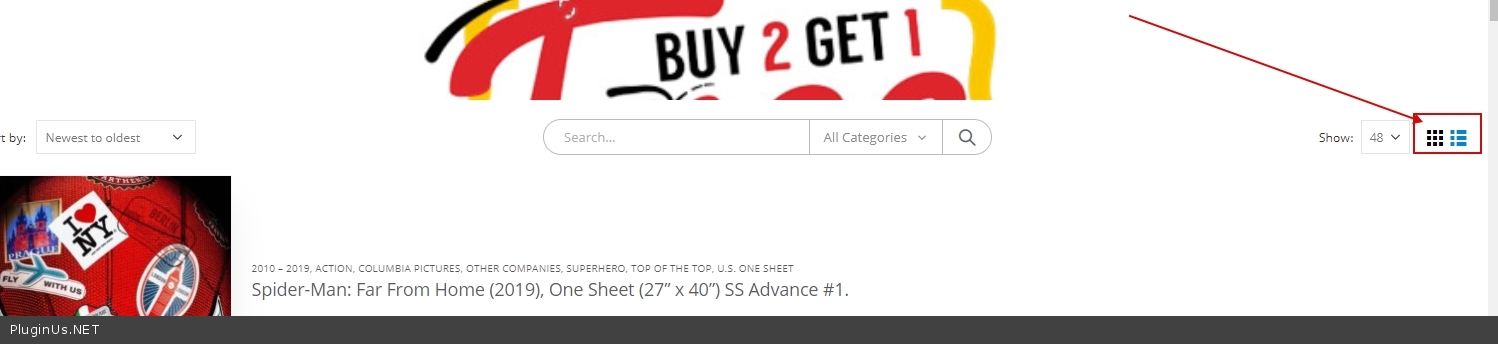
This ( https://c2n.me/4848KXI.jpg ) should switch in redirect mode.
How I can done this?? Please guide me please.
Quote from Pablo Borysenco on June 19, 2020, 13:13your purchase key can not be validated, login into codecanyon account and duplicate your message there on the plugin forum, just copy/paste
Contact to current theme support
your purchase key can not be validated, login into codecanyon account and duplicate your message there on the plugin forum, just copy/paste
Contact to current theme support
Quote from Muhammad on June 20, 2020, 11:47Hello, i have updated the plugin to the latest version, still not working in my site everstar.tk
The issue is "whenever I click on checkboxes of categories it works and takes me to that product page, but when I change the view to list or grid the checkboxes stop working, it only works when I refresh the page",I connected to theme support they told me that, they have no issue with the theme, please check on everstar.tk site, what is the issue, why this is happening, I have pasted the new license in private data also the FTP details,
Hello, i have updated the plugin to the latest version, still not working in my site everstar.tk
The issue is"whenever I click on checkboxes of categories it works and takes me to that product page, but when I change the view to list or grid the checkboxes stop working, it only works when I refresh the page",
I connected to theme support they told me that, they have no issue with the theme, please check on everstar.tk site, what is the issue, why this is happening, I have pasted the new license in private data also the FTP details,
Quote from Pablo Borysenco on June 22, 2020, 11:27Hello
I already described the reason for you - https://c2n.me/485UMTu.png
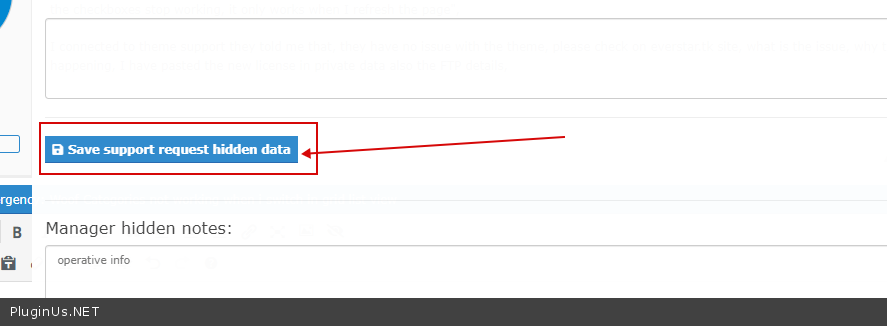
I do not see any license key in private data. ( Do not forget to press the button - https://c2n.me/485V1Hv.png )
Hello
I already described the reason for you - https://c2n.me/485UMTu.png
I do not see any license key in private data. ( Do not forget to press the button - https://c2n.me/485V1Hv.png )