PluginUs.Net - Business Tools for WooCommerce and WordPress

[realize your idea - make your dreams come true]

Support Forum

You need to log-in to create request (topic) to the support

Conflict with Divi Theme

The support doesn work on Saturdays and Sundays, so some Friday requests can be answered on Monday. If you have problems with registration ask help on contact us page please
If you not got email within 24~36 business hours, firstly check your spam box, and if no any email from the support there - back to the forum and read answer here. DO NOT ANSWER ON EMAILS [noreply@pluginus.net] FROM THE FORUM!! Emails are just for your info, all answers should be published only here.
The support doesn work on Saturdays and Sundays, so some Friday requests can be answered on Monday.

Hello!

I have the following case (latest versions of WP, Woocommerce, Divi Theme, Woof):

The footer on homepage it's ok, with no conflicts: https://cosulbio.ro/

The footer in pages with the plugin inserted, it's not rendering correct (no CSS on footer elements): https://cosulbio.ro/categorie/alimente-bauturi/alimente/

Is I disable Woof plugin, everything it's rendering correct.

Thank you!


Hello

Please  paste your license key here - https://c2n.me/43SC6rb.png -> https://c2n.me/42HBIt7.png

Disable ajax  mode and  do a test

Hello!

I paste my license code.

Also I tried to set"Try to ajaxify the shop" to No, but after I'm saving it's going back to Yes. So I can not change this option.

I found something else:

I have the development site installed to another server: https://dev.cosulbio.ro

Here is installed an older version of you plugin: 2.2.4.2. This version is not  throwing any error on the shop pages: https://dev.cosulbio.ro/categorie/alimente-bauturi/alimente/

What is your advice? Should I go with the old version or do you have a solution for the last one?

Hello

but after I'm saving it's going back to Yes. - Ok! Firstly  disable  Turbo mode, please

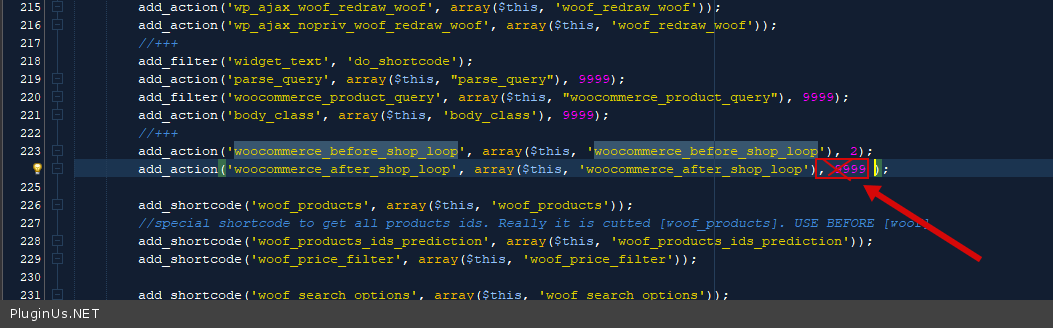
Or  try  in  file  - wp-content\plugins\woocommerce-products-filter\index.php - delete  this  code - https://c2n.me/4bMY71y.png

Hello!

It worked by deleting the code.

I have 2 questions:

  1. Will you change the code in the next update to resolve this issue?
  2. Can I set a cron job for turbo mode in order to update it?

Thank you!

Hello

  1. Unfortunately no.
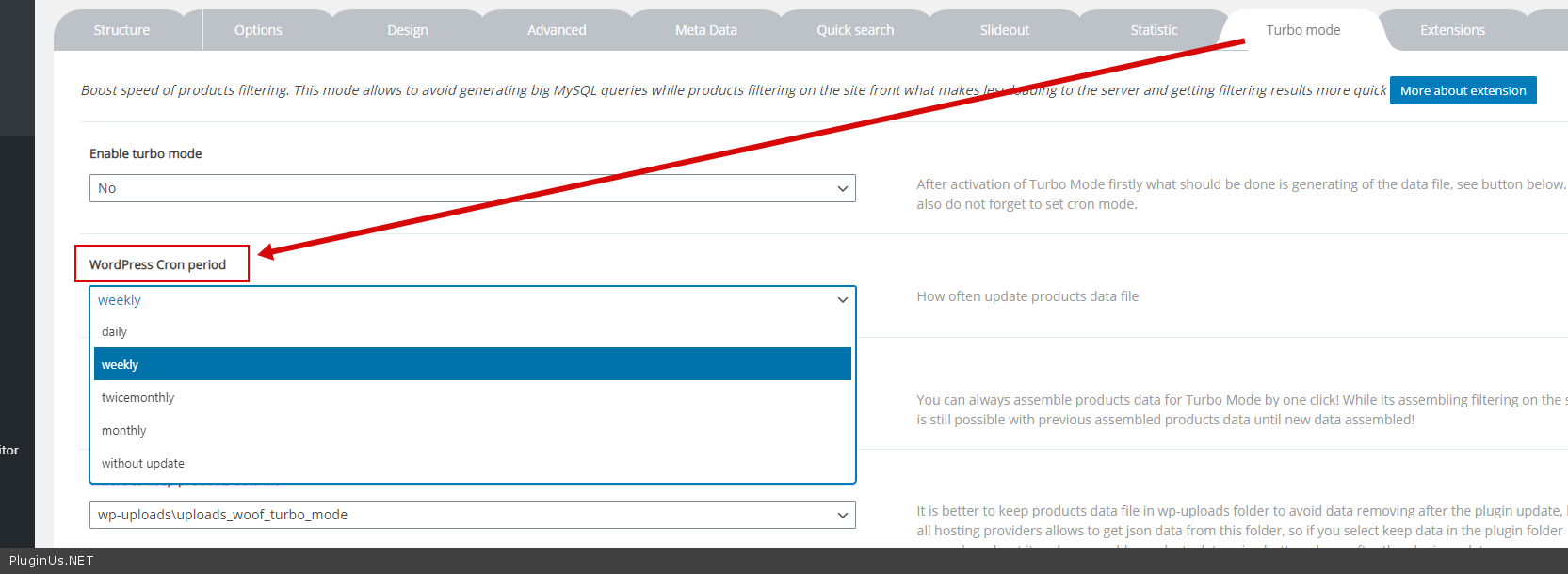
  2.  this  option please - https://c2n.me/4bOauwU.png

Hello!

I use https://cron-job.org/. The stock is updating at 3 o'clock in the morning, every day. At 4 o'clock I need to run Turbo Mode in order to update the database. Is it possible?

Hello

Unfortunately no.  The plugin does not have this feature