

CheckoutWC displaying prices incorrectly
The support doesn work on Saturdays and Sundays, so some Friday requests can be answered on Monday. If you have problems with registration ask help on contact us page pleaseIf you not got email within 24~36 business hours, firstly check your spam box, and if no any email from the support there - back to the forum and read answer here. DO NOT ANSWER ON EMAILS [noreply@pluginus.net] FROM THE FORUM!! Emails are just for your info, all answers should be published only here.
The support doesn work on Saturdays and Sundays, so some Friday requests can be answered on Monday.

Quote from kevin on November 19, 2025, 13:18Hello there,
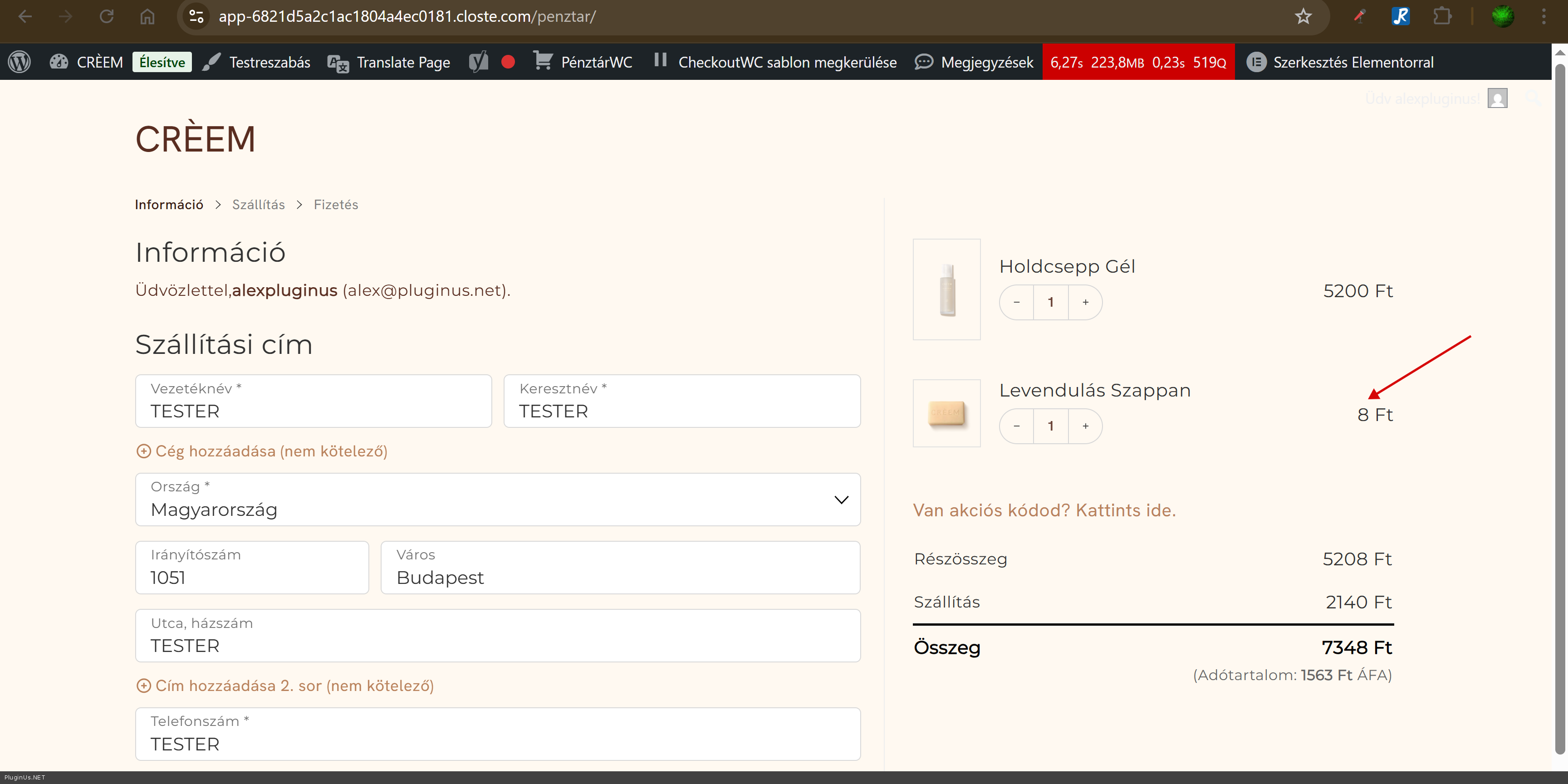
We have purchased the Pro version of the plugin and so far we are experiencing issues when using with CheckoutWC. We have 2 currencies available: HUF and EUR (HUF being the base currency, 1 EUR = 390 HUF). On the product page and in the side-cart, the exchange rate is fine - for example a product priced at 5200 HUF appears as 13.33 EUR. However, when we arrive to the Checkout page, the 13.33 EUR is gone and now the product price is 0.03 EUR which is obviously not great. After navigating back from the Checkout page, the side cart shows the wrong price as well.
You can try it out on the staging site, after changing the currency to EUR in the left corner: https://app-6821d5a2c1ac1804a4ec0181.closte.com/termekek/
I would be happy if you could assist me what setting could be wrong.
Thank you in advance!
Best regards,
Kevin
Hello there,
We have purchased the Pro version of the plugin and so far we are experiencing issues when using with CheckoutWC. We have 2 currencies available: HUF and EUR (HUF being the base currency, 1 EUR = 390 HUF). On the product page and in the side-cart, the exchange rate is fine - for example a product priced at 5200 HUF appears as 13.33 EUR. However, when we arrive to the Checkout page, the 13.33 EUR is gone and now the product price is 0.03 EUR which is obviously not great. After navigating back from the Checkout page, the side cart shows the wrong price as well.
You can try it out on the staging site, after changing the currency to EUR in the left corner: https://app-6821d5a2c1ac1804a4ec0181.closte.com/termekek/
I would be happy if you could assist me what setting could be wrong.
Thank you in advance!
Best regards,
Kevin

Quote from Alex Dovlatov on November 20, 2025, 13:11Hello Kevin
Just looked the stage site
I not see the issue, its shows right. If you see the issue please make the video and share in the private area of this ticket, also you can disable all plugins exept fox and woocomemrce to see if checkout issue is gone
Place please purchase code into the secret area of the current ticket:
https://share.pluginus.net/image/i20230222134241.png
https://share.pluginus.net/image/i20230222134615.png
https://share.pluginus.net/image/i20230222134511.pngp.s. add more resourses to stage site its slow event for testing, also in console I see bad connections, maybe they are making site the slow
Hello Kevin
Just looked the stage site
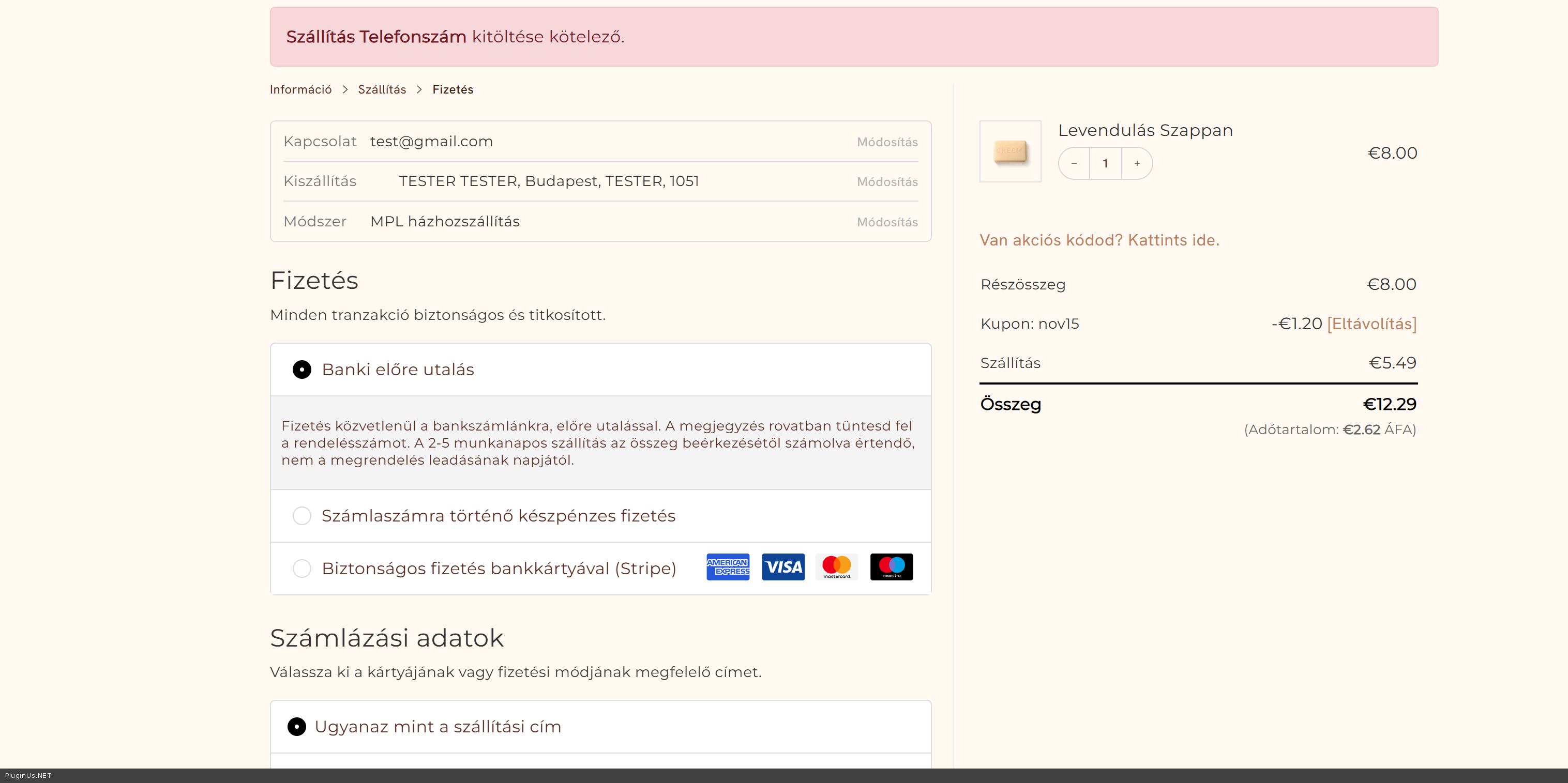
I not see the issue, its shows right. If you see the issue please make the video and share in the private area of this ticket, also you can disable all plugins exept fox and woocomemrce to see if checkout issue is gone
Place please purchase code into the secret area of the current ticket:
https://share.pluginus.net/image/i20230222134241.png
https://share.pluginus.net/image/i20230222134615.png
https://share.pluginus.net/image/i20230222134511.png


p.s. add more resourses to stage site its slow event for testing, also in console I see bad connections, maybe they are making site the slow
Quote from kevin on December 3, 2025, 15:47Hi Alex,
Sorry for the late reply - thank you for checking on my issue!
For some reason, on my end it looks different - in the side cart the prices show up as they should but landing at the checkout page, they become just cents:
I've tried it in incognito as well but the results are the same. I use Google Chrome.
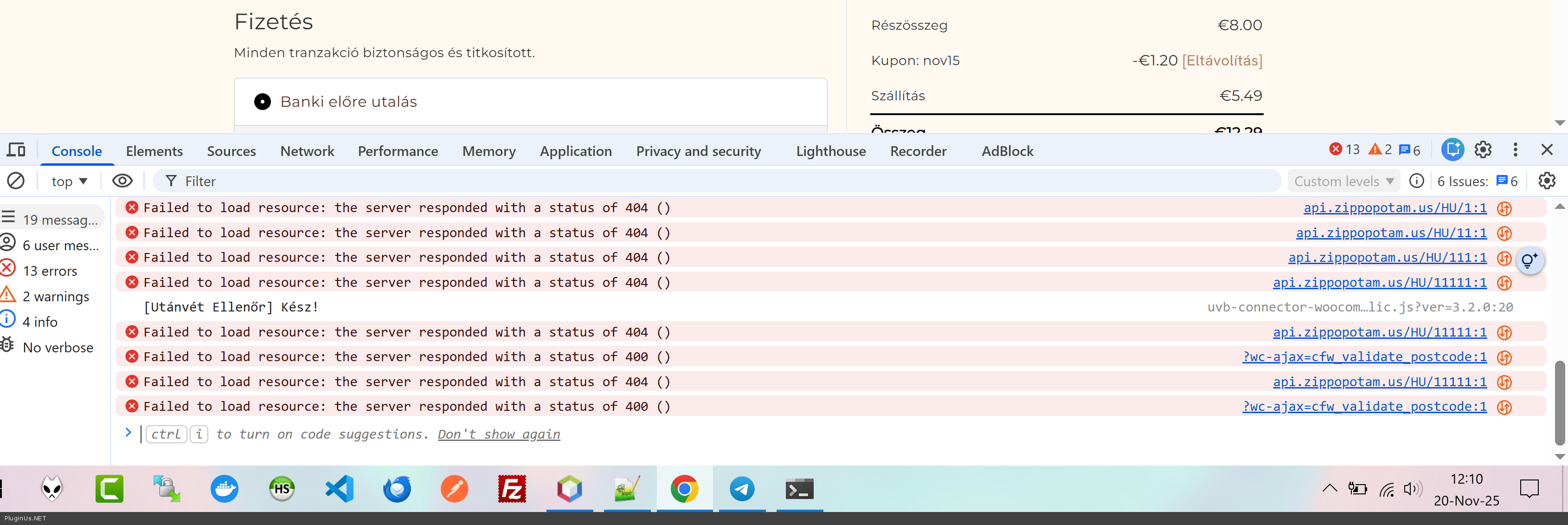
My console looks like this:
I have added the purchase code and a wp-admin to this ticket. Unfortunately I cannot add more resources, something is eating it up on the site - please let me know if you see anything that could cause problems with the plugin.
Thank you so much.
Best regards,
Kevin
Hi Alex,
Sorry for the late reply - thank you for checking on my issue!
For some reason, on my end it looks different - in the side cart the prices show up as they should but landing at the checkout page, they become just cents:

I've tried it in incognito as well but the results are the same. I use Google Chrome.
My console looks like this:

I have added the purchase code and a wp-admin to this ticket. Unfortunately I cannot add more resources, something is eating it up on the site - please let me know if you see anything that could cause problems with the plugin.
Thank you so much.
Best regards,
Kevin
Quote from Alex Dovlatov on December 4, 2025, 13:53Hello Kevin
Problem is somewhere in data base or any conflict, look, I disabled FOX plugin and added this product to https://app-6821d5a2c1ac1804a4ec0181.closte.com/wp-admin/post.php?post=253&action=edit the cart - https://c2n.me/4nrsm5x.png - the same error I see, and its not clear how is it work, one product added normally, another one not
You can disable all plugins and do tests with adding products to the cart, I tried to do it, but its take alot of time as the site works very slow, you can do tests without FOX so with it, disable all exept woocommerce plugin and FOX
Hello Kevin
Problem is somewhere in data base or any conflict, look, I disabled FOX plugin and added this product to https://app-6821d5a2c1ac1804a4ec0181.closte.com/wp-admin/post.php?post=253&action=edit the cart - https://c2n.me/4nrsm5x.png - the same error I see, and its not clear how is it work, one product added normally, another one not
You can disable all plugins and do tests with adding products to the cart, I tried to do it, but its take alot of time as the site works very slow, you can do tests without FOX so with it, disable all exept woocommerce plugin and FOX