

Change selector tag name and hide search by text
The support doesn work on Saturdays and Sundays, so some Friday requests can be answered on Monday. If you have problems with registration ask help on contact us page pleaseIf you not got email within 24~36 business hours, firstly check your spam box, and if no any email from the support there - back to the forum and read answer here. DO NOT ANSWER ON EMAILS [noreply@pluginus.net] FROM THE FORUM!! Emails are just for your info, all answers should be published only here.
The support doesn work on Saturdays and Sundays, so some Friday requests can be answered on Monday.

Quote from Georgina on March 23, 2021, 20:11Hi!
- I wanted to know if is it possible to change the name of the tag selector, to write Select (instead of repeting title, like the image, Filtros por categoría)
2. When I clear filters, it goes to home it doesn´t stay on the page. Is there any setting for that?
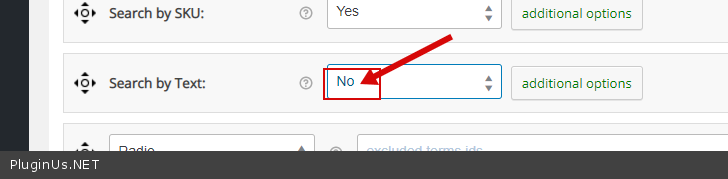
3. I´m using search by text in order to use it with the default search bar on the theme. Is it possible to hide the search form under the filters?
Thank you very much!!
Hi!
- I wanted to know if is it possible to change the name of the tag selector, to write Select (instead of repeting title, like the image, Filtros por categoría)

2. When I clear filters, it goes to home it doesn´t stay on the page. Is there any setting for that?
3. I´m using search by text in order to use it with the default search bar on the theme. Is it possible to hide the search form under the filters?

Thank you very much!!

Quote from Pablo Borysenco on March 24, 2021, 12:36Hello
- Unfortunately no, you need customization of the code
- Drop me exact link to the issue
- check option please - https://c2n.me/4bqoLXt.png
Hello
- Unfortunately no, you need customization of the code
- Drop me exact link to the issue
- check option please - https://c2n.me/4bqoLXt.png
Quote from Georgina on March 24, 2021, 13:13
- Can I do it manually ?
- I put it private
- Great! It worked!
Also I´m looking for the Clear all string on Loco and I couldn´t find it to change it. Do you know where can I change it?
Thank you very much!!
- Can I do it manually ?
- I put it private
- Great! It worked!
Also I´m looking for the Clear all string on Loco and I couldn´t find it to change it. Do you know where can I change it?
Thank you very much!!
Quote from Georgina on March 25, 2021, 02:02Hi! Sorry to bother you again, I´m testing the search. I´m using ivory search and for example I search: juego de rol attribute) nd it displays some options but when I submit search it says no results. Do you know any settings for that.
Hi! Sorry to bother you again, I´m testing the search. I´m using ivory search and for example I search: juego de rol attribute) nd it displays some options but when I submit search it says no results. Do you know any settings for that.


Quote from Pablo Borysenco on March 25, 2021, 14:29Hello
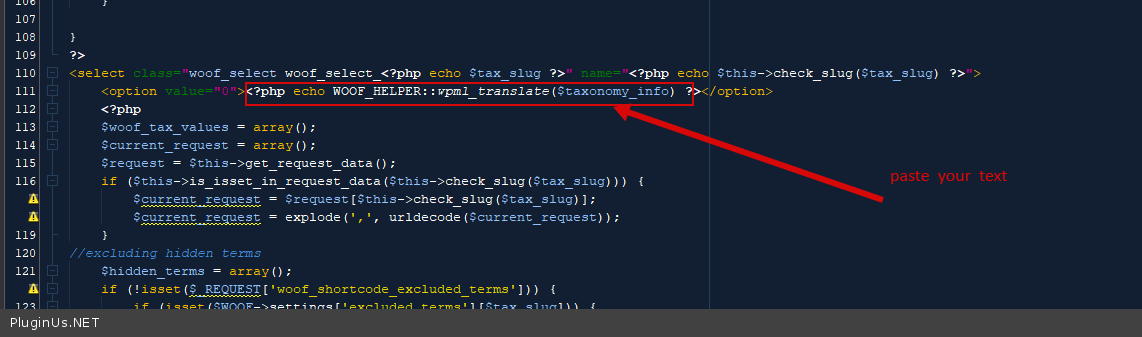
- in file - wp-content\plugins\woocommerce-products-filter\views\html_types\select.php - change this code - https://c2n.me/4brpNEt.png
- Paste your license key here - https://c2n.me/43SC6rb.png -> https://c2n.me/42HBIt7.png and wp-admin access - https://c2n.me/42BAoj4.png
I´m testing the search. - this plugin is not compatible with third party filters
Hello
- in file - wp-content\plugins\woocommerce-products-filter\views\html_types\select.php - change this code - https://c2n.me/4brpNEt.png
- Paste your license key here - https://c2n.me/43SC6rb.png -> https://c2n.me/42HBIt7.png and wp-admin access - https://c2n.me/42BAoj4.png



I´m testing the search. - this plugin is not compatible with third party filters
Quote from Georgina on March 25, 2021, 15:02
- Thank you!
- Put it private
So how can we make the search in the site using woof?
Thank you!
- Thank you!
- Put it private
So how can we make the search in the site using woof?
Thank you!
Quote from Georgina on March 25, 2021, 15:10And sorry I forgot, how can I change products per page results? Because it shows only five. Thank you!
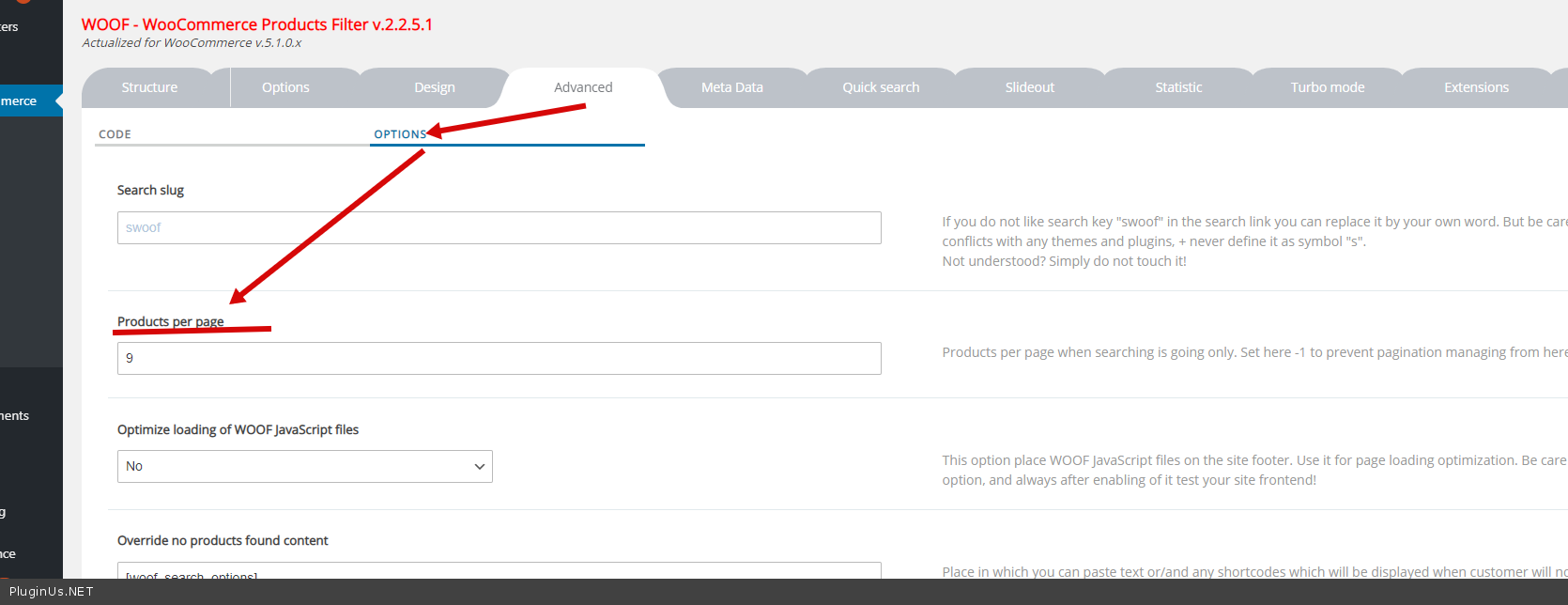
And sorry I forgot, how can I change products per page results? Because it shows only five. Thank you!
Quote from Pablo Borysenco on March 26, 2021, 13:40Hello
2 Put it private - Don't forget to hit the save button
So how can we make the search in the site using woof? - To show rext search - https://products-filter.com/shortcode/woof_text_filter/
Per-page - https://c2n.me/4bsj21A.png
Hello
2 Put it private - Don't forget to hit the save button
So how can we make the search in the site using woof? - To show rext search - https://products-filter.com/shortcode/woof_text_filter/
Per-page - https://c2n.me/4bsj21A.png
Quote from Georgina on March 26, 2021, 13:57Hi Pablo,
I just saved the private data, could you see it?
Thank you very much, but I´m still having issues that when I type for example (juegos de rol) the search bar shows several ajax results but when I submit the search it´s empty. I deactivated woof plugin and it works, also with woocommerce filters it works. Do you know what could happened? Thank you!
Hi Pablo,
I just saved the private data, could you see it?
Thank you very much, but I´m still having issues that when I type for example (juegos de rol) the search bar shows several ajax results but when I submit the search it´s empty. I deactivated woof plugin and it works, also with woocommerce filters it works. Do you know what could happened? Thank you!
Quote from Georgina on March 26, 2021, 15:34Do you think there is a possible solution? We are launching the site very soon and searching is the most important funcionality of the site. Thank you very much!
Do you think there is a possible solution? We are launching the site very soon and searching is the most important funcionality of the site. Thank you very much!
Quote from Georgina on March 27, 2021, 01:44Hi Pablo,
I tried two different filter plugin (Ajax and premmerce) and both show results, maybe I need to adjust some settings? Sorry to bother you again, asi we are launching soon I would like to know if this is going to work or we need to find something else.
Thank you very much!
Hi Pablo,
I tried two different filter plugin (Ajax and premmerce) and both show results, maybe I need to adjust some settings? Sorry to bother you again, asi we are launching soon I would like to know if this is going to work or we need to find something else.
Thank you very much!
Quote from Pablo Borysenco on March 29, 2021, 12:19Hello
Please do a test
Hello
Please do a test
Quote from Georgina on March 29, 2021, 12:25Hi Pablo,
Thank you very much!
I just tried searching 'juego' and the bar shows some results. But there are only showing a few.
Hi Pablo,
Thank you very much!
I just tried searching 'juego' and the bar shows some results. But there are only showing a few.


Quote from Pablo Borysenco on March 30, 2021, 10:59Hello
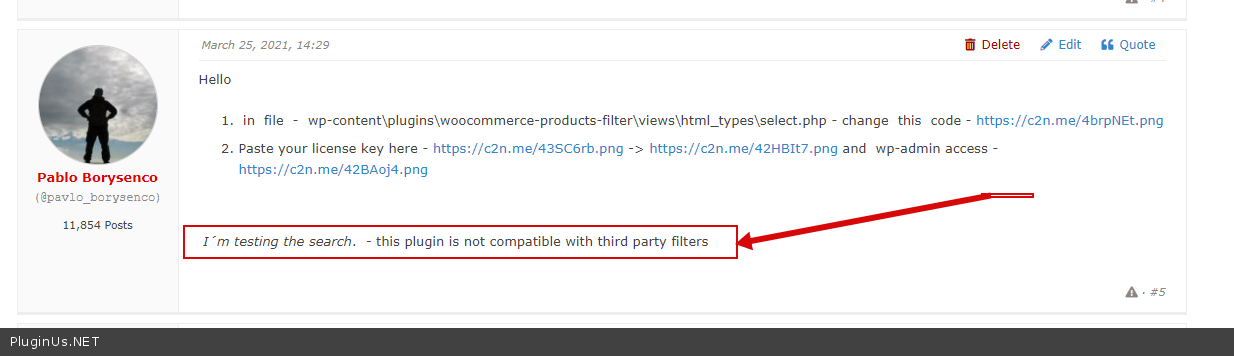
oK! Please read my message - https://c2n.me/4buFNEn.png - this is a third-party filter that has its own search query.
My text filter searches by title and description and short description. I don't know what fields the third-party filter uses
Hello
oK! Please read my message - https://c2n.me/4buFNEn.png - this is a third-party filter that has its own search query.
My text filter searches by title and description and short description. I don't know what fields the third-party filter uses
Quote from Georgina on March 30, 2021, 11:34It's ajax search bar ivory, I don't understand, every site has a search bar, how can you use it? I I tried with other filters and it works. I won't be able to use it then. Otros different search bar and same result. Nobody uses it with search bars?
It's ajax search bar ivory, I don't understand, every site has a search bar, how can you use it? I I tried with other filters and it works. I won't be able to use it then. Otros different search bar and same result. Nobody uses it with search bars?
Quote from Pablo Borysenco on March 30, 2021, 13:19All cars use wheels, but not all wheels are suitable for a particular car model. this third party filter was created by another author, it uses its own variables and its own logic
, every site has a search bar, - It doesn't matter where the filter is located. The main thing is what this plugin uses for search
Instead of this third-party filter, please, insert - https://products-filter.com/shortcode/woof_text_filter/
All cars use wheels, but not all wheels are suitable for a particular car model. this third party filter was created by another author, it uses its own variables and its own logic
, every site has a search bar, - It doesn't matter where the filter is located. The main thing is what this plugin uses for search
Instead of this third-party filter, please, insert - https://products-filter.com/shortcode/woof_text_filter/
Quote from Georgina on March 30, 2021, 13:53Hi, thank you very much, I understand what you mean. I find some problems there. Our search bar is in on the header in all the site and when we make a search in home, it displays results on the same page (searching on product widgets that are there). And for example if I search for espejos (plural) of espejo it doesn´t give any results.
Hi, thank you very much, I understand what you mean. I find some problems there. Our search bar is in on the header in all the site and when we make a search in home, it displays results on the same page (searching on product widgets that are there). And for example if I search for espejos (plural) of espejo it doesn´t give any results.
Quote from Pablo Borysenco on March 31, 2021, 11:18Hello
Because you don't have products with a title "espejos". So that the search can automatically match the value for the plural and singular plugin must have "know grammar" logic for all languages plus exceptions
Hello
Because you don't have products with a title"espejos". So that the search can automatically match the value for the plural and singular plugin must have"know grammar" logic for all languages plus exceptions
Quote from Georgina on April 1, 2021, 02:05Hi Pablo,
You know I changed to Relevanssi search bar and it has and option that combines with product filters and I removed the search by text and it now it shows the results of the search bar, which is what we need but it shows all the filters (not only the filters that involves search results) Do you think there is something we can try about befote giving up? We really want to use this filters.
Thank you very much!
Hi Pablo,
You know I changed to Relevanssi search bar and it has and option that combines with product filters and I removed the search by text and it now it shows the results of the search bar, which is what we need but it shows all the filters (not only the filters that involves search results) Do you think there is something we can try about befote giving up? We really want to use this filters.
Thank you very much!

Quote from Pablo Borysenco on April 1, 2021, 12:52Hello
Unfortunately, as I wrote above, the plugin is not compatible with third-party filters.
It is very difficult to make them compatible. Each of these plugins changes the search query according to its own logic
For woof, text search is part of the functionality.
For Relevanssi - text search is what this plugin was designed
We are developing new functionality for text search, but at the moment it works like this
Hello
Unfortunately, as I wrote above, the plugin is not compatible with third-party filters.
It is very difficult to make them compatible. Each of these plugins changes the search query according to its own logic
For woof, text search is part of the functionality.
For Relevanssi - text search is what this plugin was designed
We are developing new functionality for text search, but at the moment it works like this