PluginUs.Net - Business Tools for WooCommerce and WordPress

[realize your idea - make your dreams come true]
Botoscope is currently in early access

Support Forum

You need to log-in to create request (topic) to the support

Cannot activate the WOOCS Plugin

The support doesn work on Saturdays and Sundays, so some Friday requests can be answered on Monday. If you have problems with registration ask help on contact us page please
If you not got email within 24~36 business hours, firstly check your spam box, and if no any email from the support there - back to the forum and read answer here. DO NOT ANSWER ON EMAILS [noreply@pluginus.net] FROM THE FORUM!! Emails are just for your info, all answers should be published only here.
The support doesn work on Saturdays and Sundays, so some Friday requests can be answered on Monday.

Yesterday I purchased this plugin from Evabtp (Receipt RCD42737408) for our http://www.degrandson.com website

I deleted the free version of the plugin and then installed the download from Evanto. The version installed is 2.4.5.

I seem to be stuck with the Freeversion.  E.g., I cannot add the Euro as an additional currency.

Your help, please.

JohnF


Hello John

FOX/WOOCS plugin not need activation, just download and unzip it: https://currency-switcher.com/i-just-bought-the-plugin-and-cant-install-it-error

After you installed the plugin:

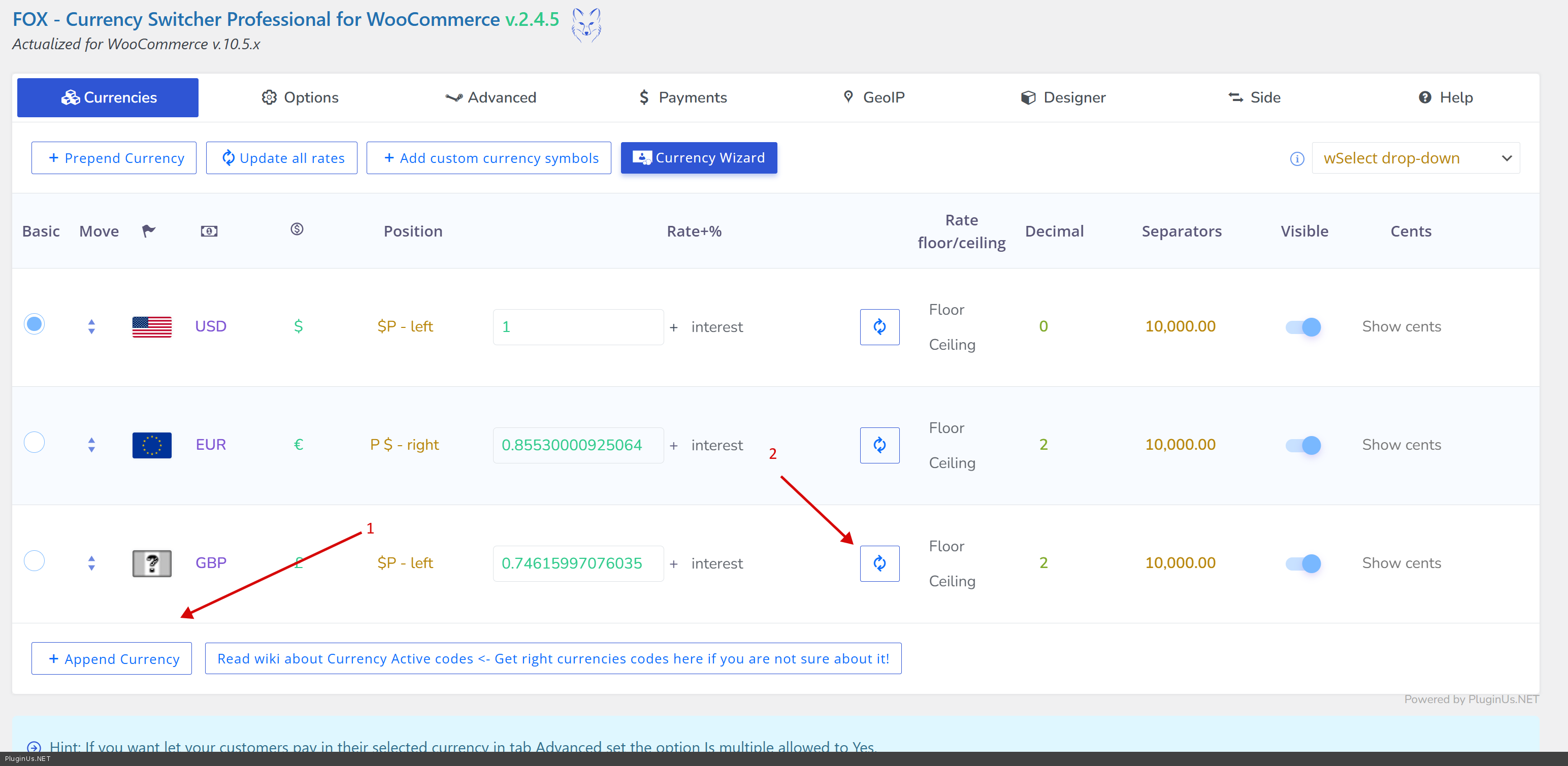
  • click append currency
  • write currency code, for example EUR or GBP
  • click on button update rate
  • Save

Place please actual purchase code of the plugin into the private area of this ticket:
https://share.pluginus.net/image/i20230222134241.png
https://share.pluginus.net/image/i20230222134615.png
https://share.pluginus.net/image/i20230222134511.png

If no luck you can place wp-admin access in the private area of this ticket I will make settings