PluginUs.Net - Business Tools for WooCommerce and WordPress

[realize your idea - make your dreams come true]
Botoscope is currently in early access

Support Forum

You need to log-in to create request (topic) to the support

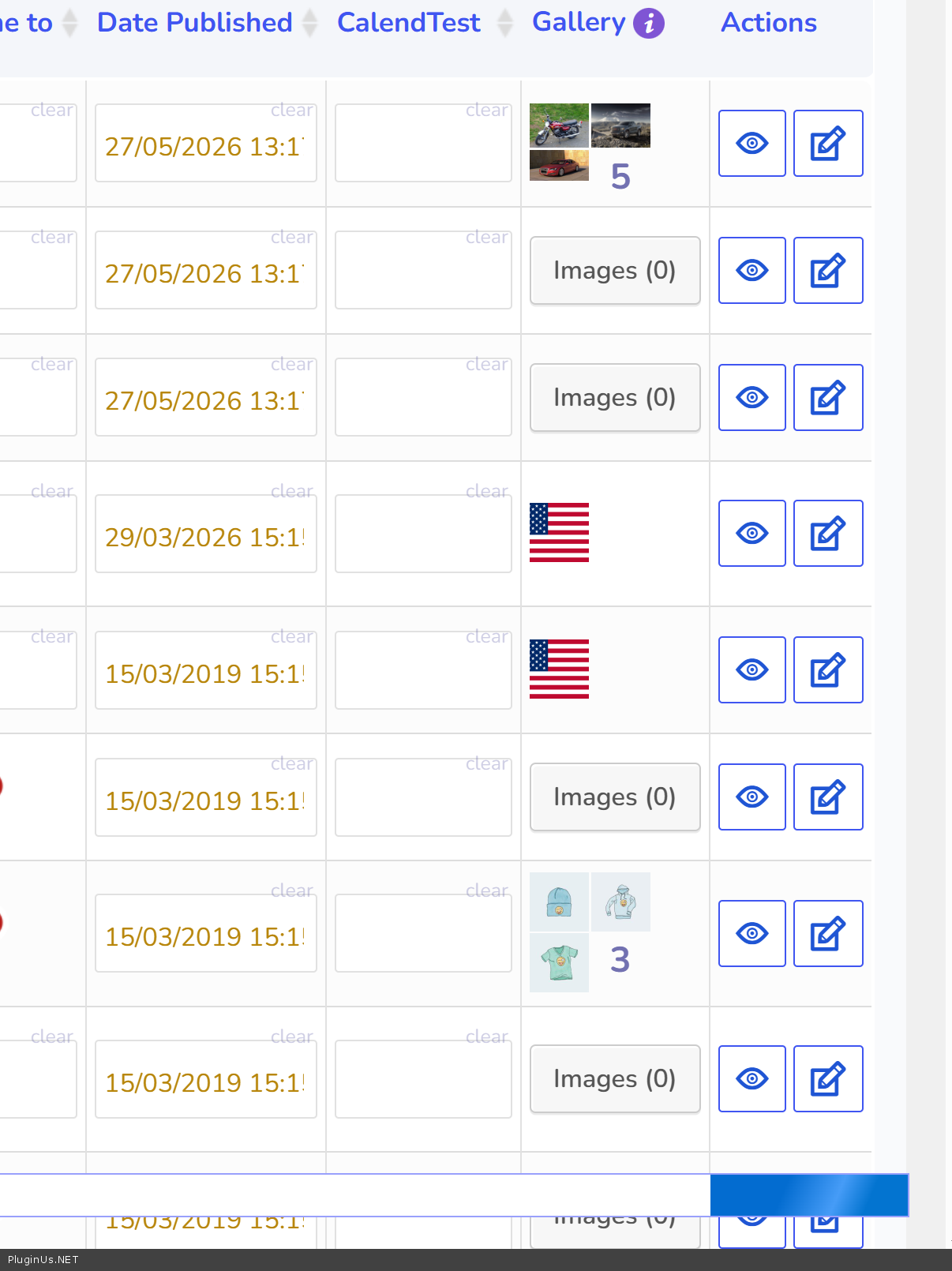
button for gallery images disappeared

The support doesn work on Saturdays and Sundays, so some Friday requests can be answered on Monday. If you have problems with registration ask help on contact us page please
If you not got email within 24~36 business hours, firstly check your spam box, and if no any email from the support there - back to the forum and read answer here. DO NOT ANSWER ON EMAILS [noreply@pluginus.net] FROM THE FORUM!! Emails are just for your info, all answers should be published only here.
The support doesn work on Saturdays and Sundays, so some Friday requests can be answered on Monday.

The button for adding a gallery image went missing in the editor, I previously deleted all images from media folder to upload new watermarked versions, and now cannot add to gallery.

Here is sample image. and right now the only way an image will appear in gallery is if I go to product edit and add it.

View post on imgur.com

g

Hello

Thank you for the report. I found two issues here and both will be fixed in the next update.

First, when all images were deleted from the media library but the product gallery meta was not cleared, the plugin was still seeing the old (now broken) attachment IDs and rendering the button incorrectly, causing it to visually disappear.

Second, after saving gallery changes, the button was losing its click functionality because WordPress was stripping the javascript: protocol from the href attribute during the AJAX response.

If you want to fix this right now without waiting for the update, open this file in your plugin folder:

woo-bulk-editor/views/elements/draw_gallery_popup_editor_btn.php

Find this code (around line 14):

$images = array_filter( $images, function ( $value ) { return ! is_null( $value ) && $value !== ''; } );

Replace it with:

$images = array_filter( $images, function ( $value ) { return ! is_null( $value ) && $value !== '' && wp_attachment_is_image( $value ); } );

Then find this line (around line 61):

<a href="javascript: void(0);" class="gallery_popup_editor_btn"

Replace it with:

<a href="#" class="gallery_popup_editor_btn"

Both fixes together will restore the gallery button fully.

Thanks It worked great!

Appreciate your help.

Gerry

Hello Gerry

You are Welcome :)