Pablo Borysenco(@pavlo_borysenco)
34,196 Posts
Quote from Pablo Borysenco on February 9, 2022, 10:44
Hello
Unfortunately, we do not have a ready solution for you.
if you have programming experience I can help you to do it
Hello
Unfortunately, we do not have a ready solution for you.
if you have programming experience I can help you to do it
Pablo Borysenco(@pavlo_borysenco)
34,196 Posts
Quote from Pablo Borysenco on February 9, 2022, 13:58
Ok! To get current currency - https://currency-switcher.com/function/woocs-current_currency
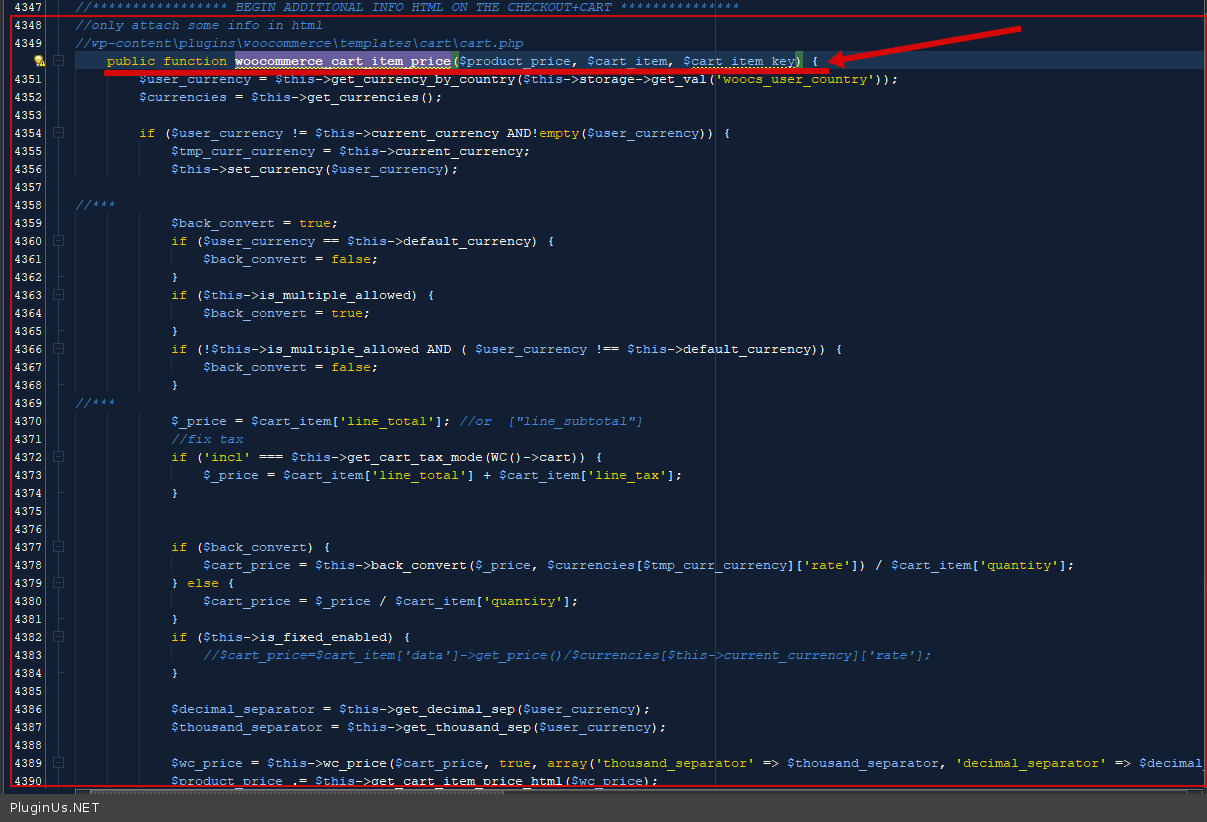
check the current currency on the checkout page. And if it doesn't match the currency you saved - use filters - 'woocommerce_cart_total' 'woocommerce_cart_item_price' 'woocommerce_cart_item_subtotal' 'woocommerce_cart_subtotal' 'woocommerce_cart_totals_taxes_total_html' 'woocommerce_cart_tax_totals''woocommerce_cart_shipping_method_full_label'
example how to add additional information - \wp-content\plugins\woocommerce-currency-switcher\classes\woocs.php - https://c2n.me/4eSLrCs.png
Ok! To get current currency - https://currency-switcher.com/function/woocs-current_currency
check the current currency on the checkout page. And if it doesn't match the currency you saved - use filters - 'woocommerce_cart_total' 'woocommerce_cart_item_price' 'woocommerce_cart_item_subtotal' 'woocommerce_cart_subtotal' 'woocommerce_cart_totals_taxes_total_html' 'woocommerce_cart_tax_totals''woocommerce_cart_shipping_method_full_label'
example how to add additional information - \wp-content\plugins\woocommerce-currency-switcher\classes\woocs.php - https://c2n.me/4eSLrCs.png