

woof_products meta possible?
The support doesn work on Saturdays and Sundays, so some Friday requests can be answered on Monday. If you have problems with registration ask help on contact us page pleaseIf you not got email within 24~36 business hours, firstly check your spam box, and if no any email from the support there - back to the forum and read answer here. DO NOT ANSWER ON EMAILS [noreply@pluginus.net] FROM THE FORUM!! Emails are just for your info, all answers should be published only here.
The support doesn work on Saturdays and Sundays, so some Friday requests can be answered on Monday.

Quote from Jason on March 3, 2021, 01:01Hello!
Is it possible to filter by meta using woof_products? I would like to show only certain products on a page based on a specific meta field. I've reviewed to documentation and I'm unsure of which direction to take. Would i use woof_get_meta_query? I know the easy way would be to setup product categories, but the system that feeds products to woocommerce doesn't support that option.
Appreciate the help in advance!
Hello!
Is it possible to filter by meta using woof_products? I would like to show only certain products on a page based on a specific meta field. I've reviewed to documentation and I'm unsure of which direction to take. Would i use woof_get_meta_query? I know the easy way would be to setup product categories, but the system that feeds products to woocommerce doesn't support that option.
Appreciate the help in advance!

Quote from Pablo Borysenco on March 3, 2021, 12:52Hello
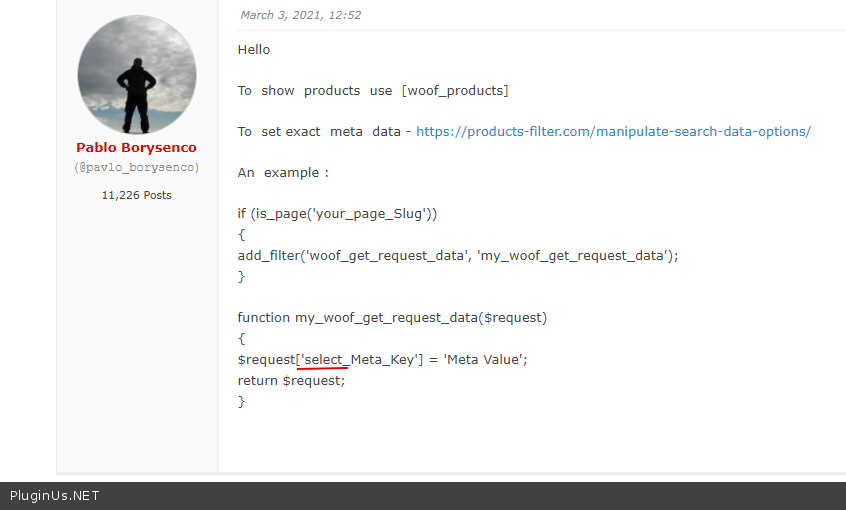
To show products use [woof_products]
To set exact meta data - https://products-filter.com/manipulate-search-data-options/
An example :
if (is_page('your_page_Slug'))
{
add_filter('woof_get_request_data', 'my_woof_get_request_data');
}function my_woof_get_request_data($request)
{
$request['select_Meta_Key'] = 'Meta Value';
return $request;
}
Hello
To show products use [woof_products]
To set exact meta data - https://products-filter.com/manipulate-search-data-options/
An example :
if (is_page('your_page_Slug'))
{
add_filter('woof_get_request_data', 'my_woof_get_request_data');
}
function my_woof_get_request_data($request)
{
$request['select_Meta_Key'] = 'Meta Value';
return $request;
}
Quote from Jason on March 4, 2021, 04:30Hello
Thanks for the response! I've reviewed the above and the provided link. On the page, I'm using [woof_products] and I've added the following code as a snippet but the products are still not being filtered properly. I'm still seeing all products. Am I missing something?
if (is_page('test-products'))
{
add_filter('woof_get_request_data', 'my_woof_get_request_data');
}
function my_woof_get_request_data($request){
$request['_category']='bulk containers';
return $request;
}I appreciate your help!
Hello
Thanks for the response! I've reviewed the above and the provided link. On the page, I'm using [woof_products] and I've added the following code as a snippet but the products are still not being filtered properly. I'm still seeing all products. Am I missing something?
if (is_page('test-products'))
{
add_filter('woof_get_request_data', 'my_woof_get_request_data');
}
function my_woof_get_request_data($request){
$request['_category']='bulk containers';
return $request;
}
I appreciate your help!
Quote from Pablo Borysenco on March 4, 2021, 12:28Hello
Am I missing something? - Yes! Please check it - https://c2n.me/4bbcKLE.png it looks like I didn’t explain it well
To understand it better. Please create a filter by this meta field - https://products-filter.com/extencion/woocommerce-filter-by-meta-fields/
Pay attention to what data that filter will add to the url. And this data must be added to the code
Hello
Am I missing something? - Yes! Please check it - https://c2n.me/4bbcKLE.png it looks like I didn’t explain it well
To understand it better. Please create a filter by this meta field - https://products-filter.com/extencion/woocommerce-filter-by-meta-fields/
Pay attention to what data that filter will add to the url. And this data must be added to the code
Quote from Jason on March 4, 2021, 14:13Pablo,
I've updated the code as directed (I think) to the below, but I still can't get it to work.
if (is_page('test-products'))
{
add_filter('woof_get_request_data', 'my_woof_get_request_data');
}
function my_woof_get_request_data($request){
$request['select__category']='1';
return $request;
}When I filter normally, my url ends with: /test-products/?swoof=1&select__category=1 ,which shows me the products I'm after.
I'm not sure what I'm doing wrong here. If you have time to check it out I'd appreciate it. Sorry for being a pain.
Pablo,
I've updated the code as directed (I think) to the below, but I still can't get it to work.
if (is_page('test-products'))
{
add_filter('woof_get_request_data', 'my_woof_get_request_data');
}
function my_woof_get_request_data($request){
$request['select__category']='1';
return $request;
}
When I filter normally, my url ends with: /test-products/?swoof=1&select__category=1 ,which shows me the products I'm after.
I'm not sure what I'm doing wrong here. If you have time to check it out I'd appreciate it. Sorry for being a pain.
Quote from Pablo Borysenco on March 5, 2021, 12:41Hello
Please add FTP access - https://c2n.me/43SC6rb.png ->https://c2n.me/42BAoj4.png - I will check it
Hello
Please add FTP access - https://c2n.me/43SC6rb.png ->https://c2n.me/42BAoj4.png - I will check it


Quote from Pablo Borysenco on March 8, 2021, 17:08Hello
I changed the code.
New code:
add_filter('gdoc_table_html', 'decode_html_in_gdoc_table');
add_filter('woof_get_request_data',function($request){
if(is_page('test-products')){
$request['select__category']='1';
}
return $request;
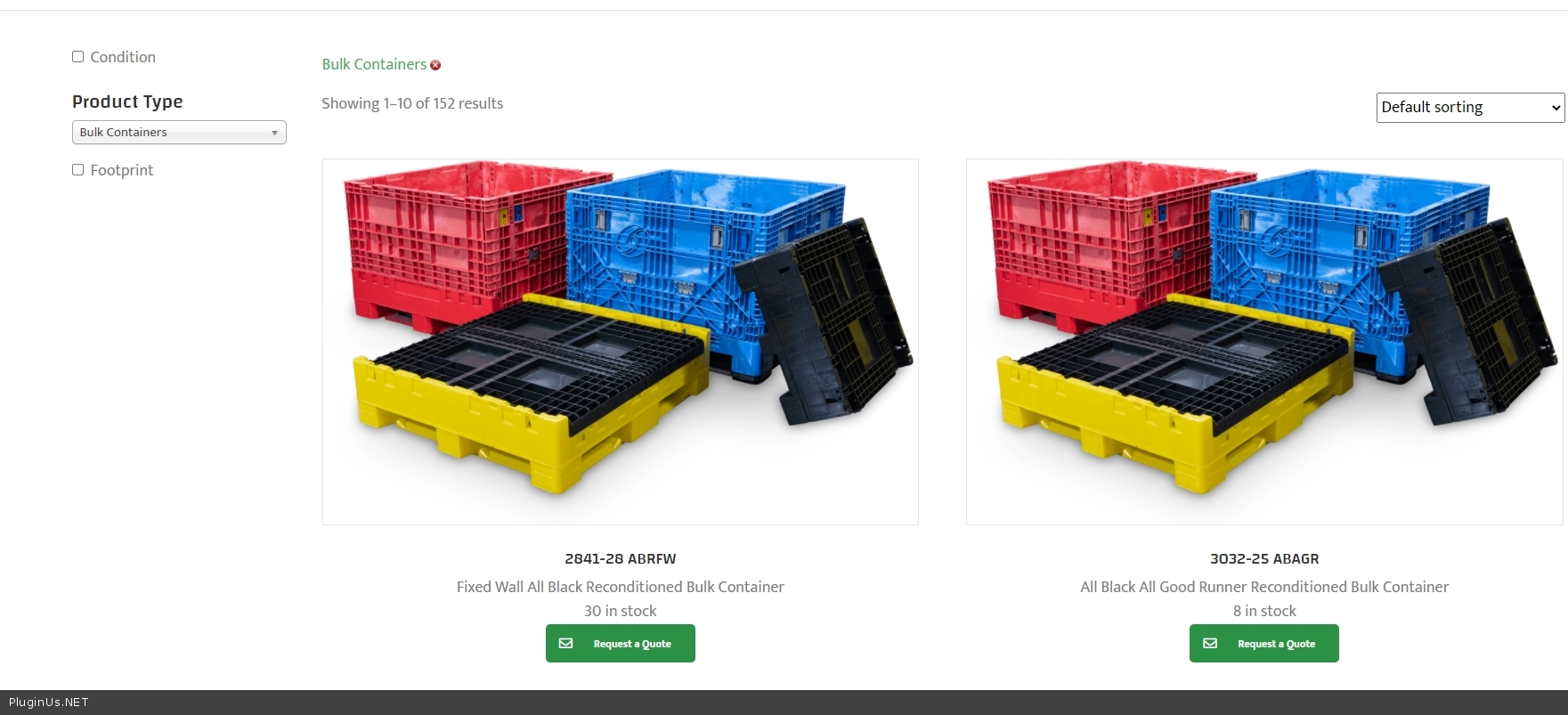
});Result: https://c2n.me/4bdJHzt.jpg
Hello
I changed the code.
New code:
add_filter('gdoc_table_html', 'decode_html_in_gdoc_table');
add_filter('woof_get_request_data',function($request){
if(is_page('test-products')){
$request['select__category']='1';
}
return $request;
});
Result: https://c2n.me/4bdJHzt.jpg
Quote from Jason on March 12, 2021, 14:58Pablo - Thanks for your help on this! Everything seems to be working as desired.
Thanks again!
Pablo - Thanks for your help on this! Everything seems to be working as desired.
Thanks again!
Quote from Pablo Borysenco on March 15, 2021, 13:20Hello
Welcome;)
Hello
Welcome;)