PluginUs.Net - Business Tools for WooCommerce and WordPress

[realize your idea - make your dreams come true]

Support Forum

You need to log-in to create request (topic) to the support

WOOf needs update, Woocommerce 4.9 and up not working

The support doesn work on Saturdays and Sundays, so some Friday requests can be answered on Monday. If you have problems with registration ask help on contact us page please
If you not got email within 24~36 business hours, firstly check your spam box, and if no any email from the support there - back to the forum and read answer here. DO NOT ANSWER ON EMAILS [noreply@pluginus.net] FROM THE FORUM!! Emails are just for your info, all answers should be published only here.
The support doesn work on Saturdays and Sundays, so some Friday requests can be answered on Monday.

Hi, I've got the paid version of this plugin, and since the Woocommerce plugin was updated to version 4.9 and higher, the WOOF plugin doesn't work anymore. I got a pre-warning for the incompatibility of the WOOF-plugin, when I wanted to upgrade the Woocommerce-plugin. Please update the WOOF-plugin ASAP.


Hello

Paste your license key here - https://c2n.me/43SC6rb.png -> https://c2n.me/42HBIt7.png and  wp-admin access - https://c2n.me/42BAoj4.png


Sent PM with hidden data.

Your  access - https://c2n.me/4aEK7qH.png

Please  update  plugin  to latest  version - https://products-filter.com/how-to-make-auto-update-for-wordpress-plugins-and-themes-bought-on-envato/

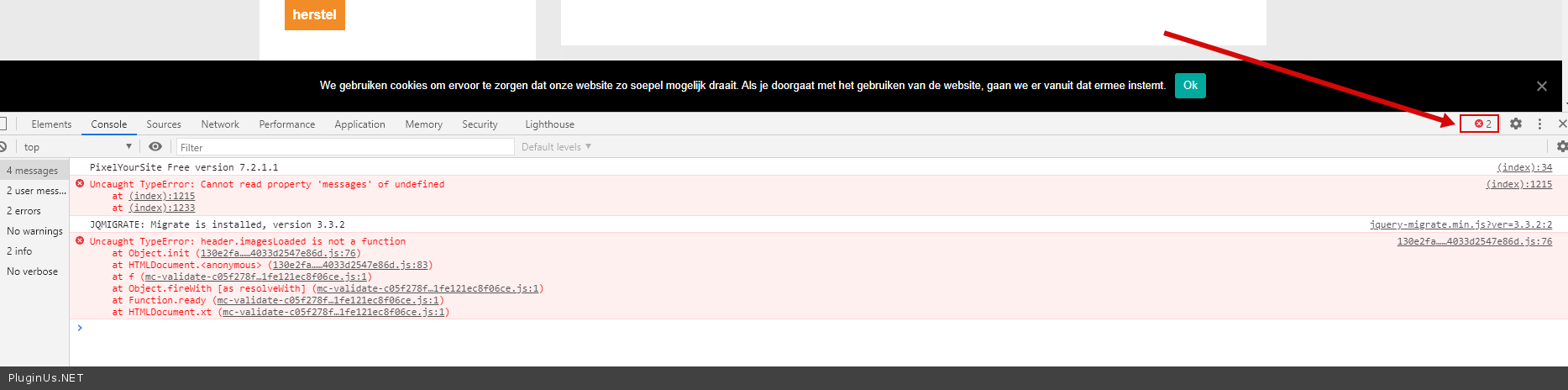
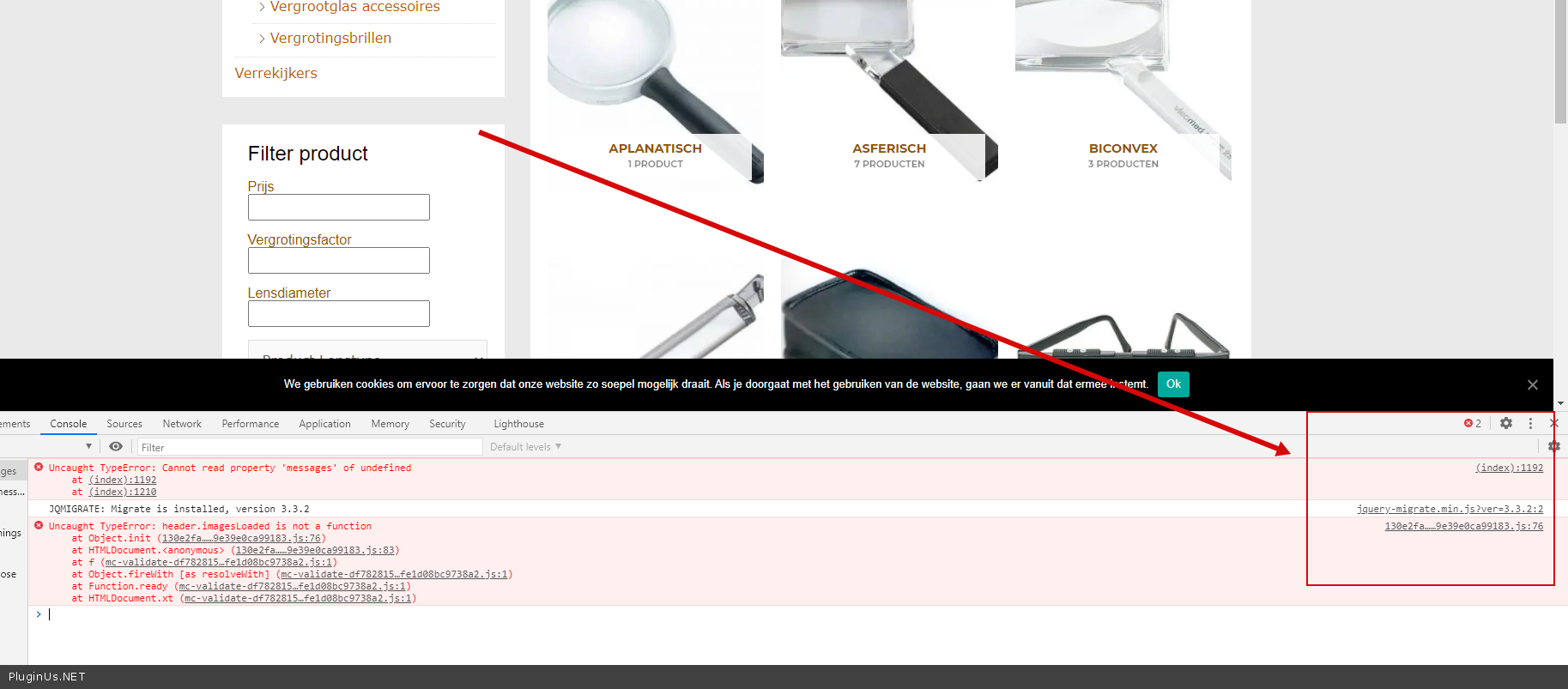
And  fix  this  errors - https://c2n.me/4aEKgyx.png

Clear all cache  and  do  a test

It's working! Thanks for the assistance!

No, it's not... after refreshing the cookies of different browsers the problem still exists..... (on desktop/iPhone and Ipad) :-(

Hello

Please  fix these  errores - https://c2n.me/4aGrieO.png ( disable JS file optimization plugin )


I don't know where to disable that option. I use WP-rocket as a cache plugin. Tried something else:  I just installed this plugin (without succes): Enable jQuery Migrate Helper. I chanced the password: have a look at the private data for this topic.


Your  link(wp-admin) - https://c2n.me/4aGHCxW.png

 I use WP-rocket as a cache plugin. - Try to  disable  it

The problem is not with my plugin. Your site has JS errors( this calls third party plugins or theme ), you need to fix them