PluginUs.Net - Business Tools for WooCommerce and WordPress

[realize your idea - make your dreams come true]

Support Forum

You need to log-in to create request (topic) to the support

WOOF : Issues or Bugs with "Slide Out" filter extension

The support doesn work on Saturdays and Sundays, so some Friday requests can be answered on Monday. If you have problems with registration ask help on contact us page please
If you not got email within 24~36 business hours, firstly check your spam box, and if no any email from the support there - back to the forum and read answer here. DO NOT ANSWER ON EMAILS [noreply@pluginus.net] FROM THE FORUM!! Emails are just for your info, all answers should be published only here.
The support doesn work on Saturdays and Sundays, so some Friday requests can be answered on Monday.

Concerning the The  "Slide Out" filter  extension

1) - Both the Button and the Filter window get covered over by the Website's header.
I could not figure out what the z-Index should be so that I create a CSS for the button and teh filter window
2) - I created two (2)  170x28 images for the slide-out filter button.
One was horizontal, the other was vertical.
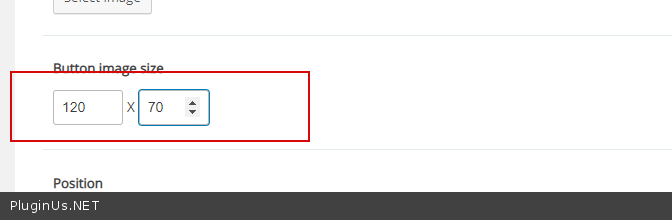
No matter what" Button Image size" I typed in, the image would ALWAYS be cut-off as a 50px x 50 px image
3) - So then I tried displaying the button as text.
This also had issues . . .
The custom text for button would only allow ONE word to be used.
The only way to use multiple words was to do something like" Filter Products " so that a space would appear between the two words.
And without the"  " you could only use ONE word for the custom text.
4) - The other issue was that the"custom text" button was way too short to have two or more words in it .
So I had to create some CSS to expand the length of it .

/* This affect the Slide Out tab for the product filter */

.ui-slideouttab-handle {
display: block;
position: absolute;
cursor: pointer;
color: white;
font-size: 18px !important;
text-align: center !important;
background-color: black !important;
z-index: 100000 !important;
width: 200px !important;
}

====================================

Can you please reply under each inquiry.
Great plugin.
Thanks in advance.

Hello

  1.  drop  me  exact  link to the  issue
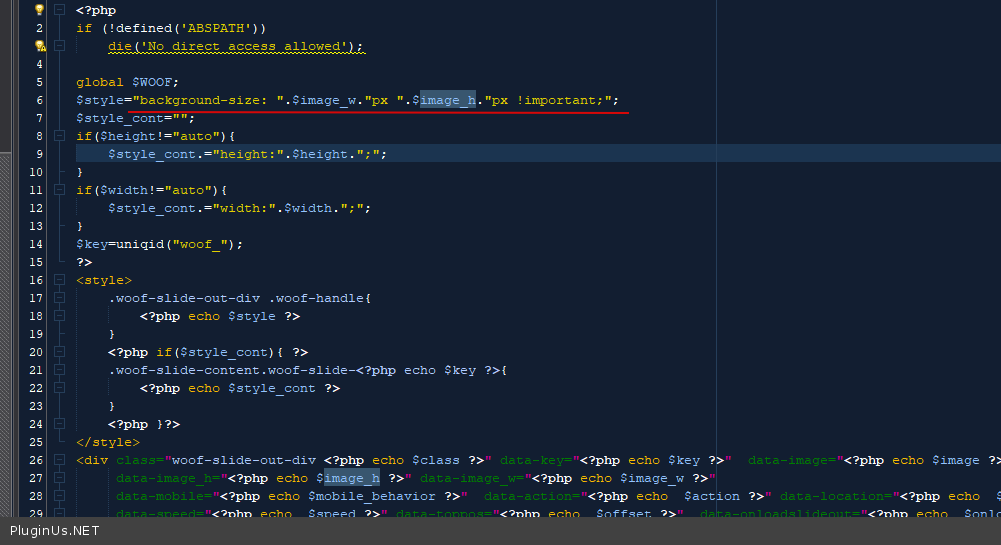
  2. Try  tio use  this  option - https://c2n.me/4aezacX.png  In  file - wp-content\plugins\woocommerce-products-filter\ext\slideout\views\shortcodes\woof_slideout.php  change  this  code - https://c2n.me/4aeA0AW.png
  3. Yes text is displayed only up to space
  4. ok