PluginUs.Net - Business Tools for WooCommerce and WordPress

[realize your idea - make your dreams come true]

Support Forum

You need to log-in to create request (topic) to the support

WOOF Filter replace slug with title

The support doesn work on Saturdays and Sundays, so some Friday requests can be answered on Monday. If you have problems with registration ask help on contact us page please
If you not got email within 24~36 business hours, firstly check your spam box, and if no any email from the support there - back to the forum and read answer here. DO NOT ANSWER ON EMAILS [noreply@pluginus.net] FROM THE FORUM!! Emails are just for your info, all answers should be published only here.
The support doesn work on Saturdays and Sundays, so some Friday requests can be answered on Monday.

Hi,

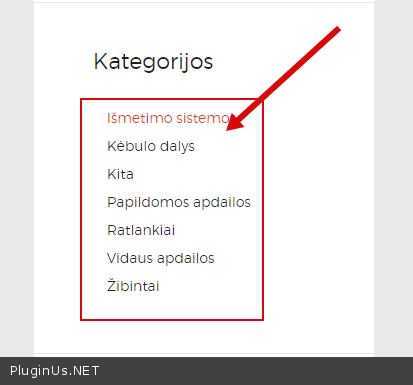
We would like to change woof_products_top_panel values from slug to title. Now, for example when we choose category as filter it shows it's name as slug (url), but we want to show it as title. Here is the photo:

https://capture.dropbox.com/OicnwpvFnGiohVLa

Also, how to remove this top search bar which I crossed red?


And could you please share a solution how we can rename this https://www.dropbox.com/s/fovpfrsen8kiw58/Screenshot%202022-04-04%20at%2004.36.25.png?dl=0 ? I think it can be done with JS but I am not very familiar with JS, only PHP.

https://capture.dropbox.com/e61d6ERdknlNCXr2


Hello

https://c2n.me/4fm5MMw.png - I have nothing to do with this filter

And could you please share a solution how we can rename this - In file - wp-content\plugins\woocommerce-products-filter\views\html_types\select.php - change  this  - https://share.pluginus.net/image/i20220406082723.png

Hi,

What do you mean you don't have? The top line is WOOF filter top panel, so it doesn't matter if we display categories as categories widget or as WOOF category filter, in the end - WOOF top panel shows selected category name as slug, not title. https://capture.dropbox.com/LagFQeMaYHAsNusc

If you don't believe I can turn on WOOF category filter and you will see the same problem, tell me if you want ;)


For the text rename -  I changed the line as I intended to, but text still remains same. I have cleared all caches, where is the catch? https://capture.dropbox.com/8j0XAfXflLJmiaKx

https://capture.dropbox.com/5MWIdULYVQIqz1fR

Hello

Unfortunately your screenshots don't work.

https://c2n.me/4fm5MMw.png - This third party filter adds the request to the URL. Unfortunately, apart from the slug, this filter does not provide any other information (no title )

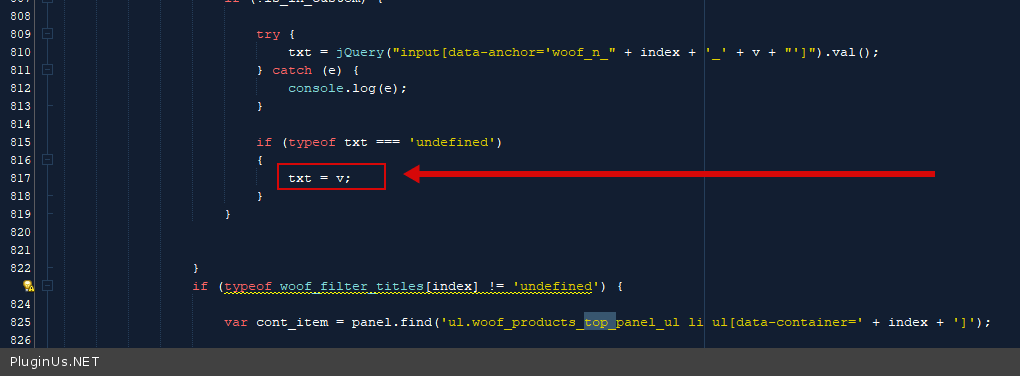
To change  it  you  can  un  file  - wp-content\plugins\woocommerce-products-filter\js\front.js - delete  this  code - https://c2n.me/4fmKZSB.png