Pablo Borysenco(@pavlo_borysenco)
34,196 Posts
Quote from Pablo Borysenco on November 10, 2021, 13:08
Hello
I saw that in permalink it must be like shop/ product_cat /, but we use multi-vendor plugin and permalink must be /product/ to work. - my plugin has nothing to do with permalinks
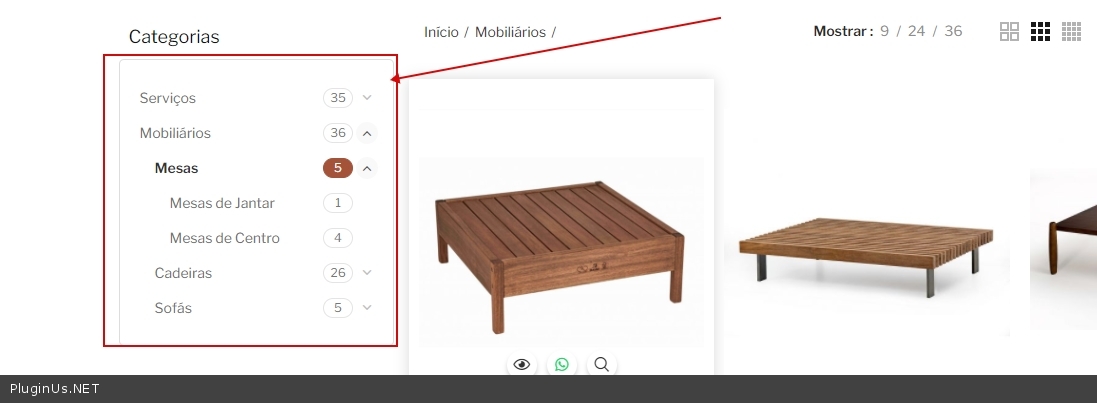
How to solve blank filter in sub-category? - https://c2n.me/4dWAB7L - What should I do to get this error?
Hello
I saw that in permalink it must be like shop/ product_cat /, but we use multi-vendor plugin and permalink must be /product/ to work. - my plugin has nothing to do with permalinks
How to solve blank filter in sub-category? - https://c2n.me/4dWAB7L - What should I do to get this error?
Pablo Borysenco(@pavlo_borysenco)
34,196 Posts
Quote from Pablo Borysenco on November 11, 2021, 12:24
Hello
Of course it won't work. Third party plugin redraws the page in ajax mode. But without reloading the page, the JS code is not initialized
Please disable ajax mode for this third party widget - https://c2n.me/4dXoDSR.jpg - and do a test
Hello
Of course it won't work. Third party plugin redraws the page in ajax mode. But without reloading the page, the JS code is not initialized
Please disable ajax mode for this third party widget - https://c2n.me/4dXoDSR.jpg - and do a test
Pablo Borysenco(@pavlo_borysenco)
34,196 Posts
Quote from Pablo Borysenco on November 12, 2021, 12:50
Hello
Disable ajax mode for third-party functionality
OR Ask the developer of this functionality for an event that is triggered after redrawing in ajax and add JS code:
woof_draw_products_top_panel();
woof_mass_reinit();
//infinite scroll
woof_infinite();
//*** script after ajax loading here
woof_js_after_ajax_done();
/*tooltip*/
woof_init_tooltip();
Hello
Disable ajax mode for third-party functionality
OR Ask the developer of this functionality for an event that is triggered after redrawing in ajax and add JS code:
woof_draw_products_top_panel();
woof_mass_reinit();
//infinite scroll
woof_infinite();
//*** script after ajax loading here
woof_js_after_ajax_done();
/*tooltip*/
woof_init_tooltip();
Pablo Borysenco(@pavlo_borysenco)
34,196 Posts
Quote from Pablo Borysenco on November 22, 2021, 13:21
Hello
Welcome;)
Hello
Welcome;)