

Various questions about woof strange behaviour, hoping for solution!
The support doesn work on Saturdays and Sundays, so some Friday requests can be answered on Monday. If you have problems with registration ask help on contact us page pleaseIf you not got email within 24~36 business hours, firstly check your spam box, and if no any email from the support there - back to the forum and read answer here. DO NOT ANSWER ON EMAILS [noreply@pluginus.net] FROM THE FORUM!! Emails are just for your info, all answers should be published only here.
The support doesn work on Saturdays and Sundays, so some Friday requests can be answered on Monday.

Quote from Darkan85 on February 5, 2021, 15:51HI there, i've bought a week ago ur plug in "woof" i have some question about it.
i'm developing a new web site http://www.dimcreadev.online
1) There's a way to show correctly the breadcrumb in divi? it usually disappear after filternig macro to micro category
2) I have installed a custom search engine (Advanced Woo Search PRO) but if i search a category the plug in disappear in the search results
3) There is a way to give an active to the category ?
4) There is a way to come back to same point(where u had clicked) when u choose another radio category after reloading the page ?
HI there, i've bought a week ago ur plug in"woof" i have some question about it.
i'm developing a new web site http://www.dimcreadev.online
1) There's a way to show correctly the breadcrumb in divi? it usually disappear after filternig macro to micro category
2) I have installed a custom search engine (Advanced Woo Search PRO) but if i search a category the plug in disappear in the search results
3) There is a way to give an active to the category ?
4) There is a way to come back to same point(where u had clicked) when u choose another radio category after reloading the page ?

Quote from Pablo Borysenco on February 8, 2021, 12:02Hello
Paste your license key here - https://c2n.me/43SC6rb.png -> https://c2n.me/42HBIt7.png
1 Try in advanced->Options- https://c2n.me/4aRvNbf.png and add CCS :
body .woof_search_is_going nav.woocommerce-breadcrumb {
display: block;
}
2 this plugin is not compatible with third party filters
3/4 Please describe it in more detail
Hello
Paste your license key here - https://c2n.me/43SC6rb.png -> https://c2n.me/42HBIt7.png


1 Try in advanced->Options- https://c2n.me/4aRvNbf.png and add CCS :

body .woof_search_is_going nav.woocommerce-breadcrumb {
display: block;
}
2 this plugin is not compatible with third party filters
3/4 Please describe it in more detail
Quote from Darkan85 on February 8, 2021, 13:22Ok, I try to explain better my problems!
- Solved.
- Ok. So no way to keep the filter in my sidebar?
- If I click a subcategory, the main category stop to be colored (like a classic active selected button).
- When I switch from a subcategory to antoher, the page reload itself to the top. There is any way to keep customers in the area of the screen they were clicking?
- When I click on a single product detail page, woof stop to filter the sidebar and load the whole huge category tree of the wabsite. That's a bit strange. There is a way to avoid this behaviour?
Thank you in advance!
Dario
Ok, I try to explain better my problems!
- Solved.
- Ok. So no way to keep the filter in my sidebar?
- If I click a subcategory, the main category stop to be colored (like a classic active selected button).
- When I switch from a subcategory to antoher, the page reload itself to the top. There is any way to keep customers in the area of the screen they were clicking?
- When I click on a single product detail page, woof stop to filter the sidebar and load the whole huge category tree of the wabsite. That's a bit strange. There is a way to avoid this behaviour?
Thank you in advance!
Dario
Quote from Darkan85 on February 8, 2021, 22:22Sorry, I have to correct myself about the first question.
- Not solved.
Adopting your solution, the breadcrumb becomes perfect! But I noticed that "disable swoof influence: yes" is vital to let this work... And the problem is that with "disable swoof influence: yes", the subcategory selection stop to mark which subcategory radio is choosen.
Otherwise, if I put "disable swoof influence: no", the selection system comes back to normality but bye bye breadcrumb.Can you help me?
Please!!!
Thank you very much in advance!
Sorry, I have to correct myself about the first question.
- Not solved.
Adopting your solution, the breadcrumb becomes perfect! But I noticed that"disable swoof influence: yes" is vital to let this work... And the problem is that with"disable swoof influence: yes", the subcategory selection stop to mark which subcategory radio is choosen.
Otherwise, if I put"disable swoof influence: no", the selection system comes back to normality but bye bye breadcrumb.
Can you help me?
Please!!!
Thank you very much in advance!
Quote from Pablo Borysenco on February 9, 2021, 13:01Hello
1) This is the problem. To display the product correctly for some themes, you need to use the shop template("disable swoof influence: no"). Otherwise wordpress will redraw to the archive page ("disable swoof influence: yes"). ajax mode can partially solve this problem
2) my plugin can't manage sidebars. it depends on your theme/ https://c2n.me/4aSyHb6.png - but I see a filter in the sidebar
3) Use radio
4) try to use Ajax mode
4) Single product page this is a regular page and the filter will be displayed as on any other page. To hide widget yiu can use - https://wordpress.org/plugins/widget-logic/
Hello
1) This is the problem. To display the product correctly for some themes, you need to use the shop template("disable swoof influence: no"). Otherwise wordpress will redraw to the archive page ("disable swoof influence: yes"). ajax mode can partially solve this problem
2) my plugin can't manage sidebars. it depends on your theme/ https://c2n.me/4aSyHb6.png - but I see a filter in the sidebar
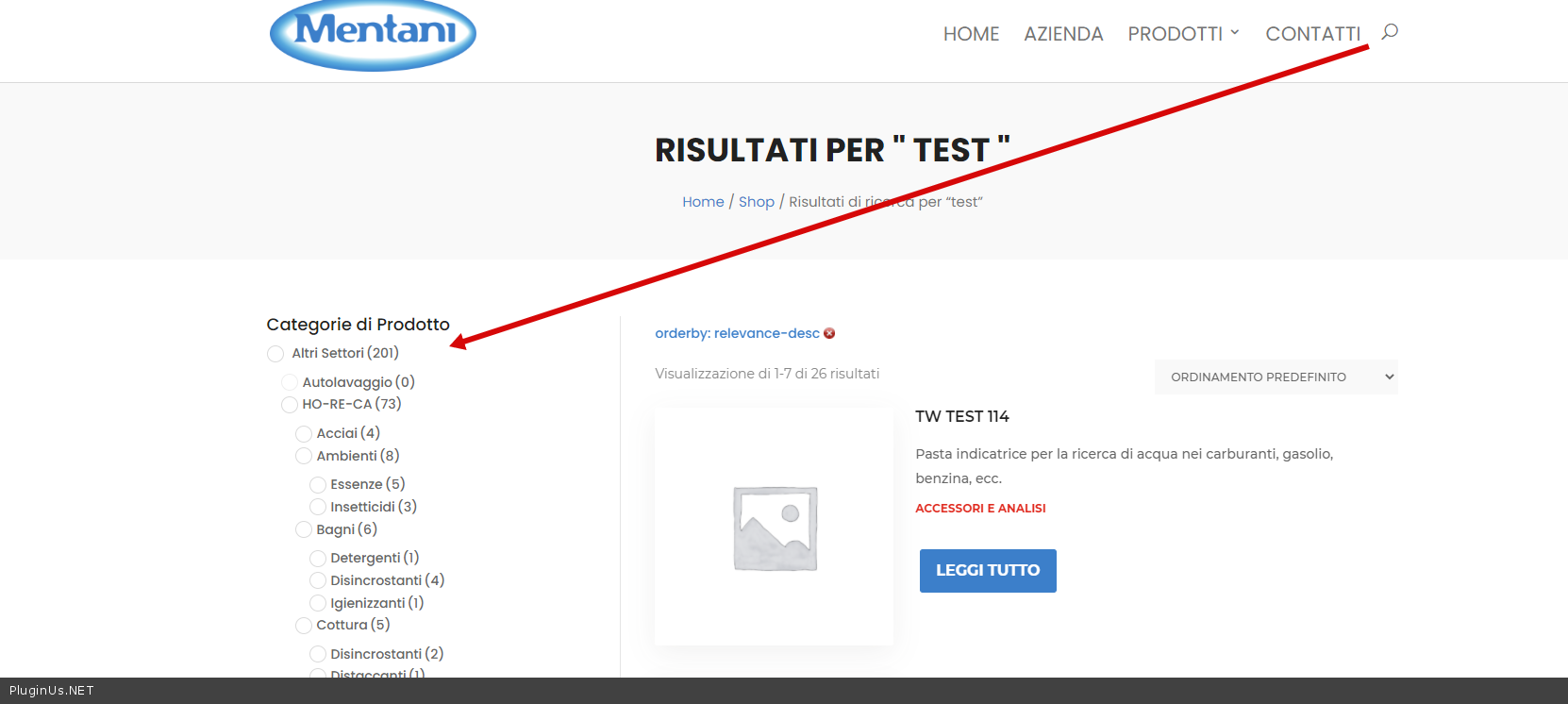
3) Use radio
4) try to use Ajax mode
4) Single product page this is a regular page and the filter will be displayed as on any other page. To hide widget yiu can use - https://wordpress.org/plugins/widget-logic/