PluginUs.Net - Business Tools for WooCommerce and WordPress

[realize your idea - make your dreams come true]

Support Forum

You need to log-in to create request (topic) to the support

Text search bar - Blank

The support doesn work on Saturdays and Sundays, so some Friday requests can be answered on Monday. If you have problems with registration ask help on contact us page please
If you not got email within 24~36 business hours, firstly check your spam box, and if no any email from the support there - back to the forum and read answer here. DO NOT ANSWER ON EMAILS [noreply@pluginus.net] FROM THE FORUM!! Emails are just for your info, all answers should be published only here.
The support doesn work on Saturdays and Sundays, so some Friday requests can be answered on Monday.

Hi there,

For some time i happily am using the Text Search, just a fantastic fast search engine.
After updating Wordpress & WooCommerce to their latest version, the result that it gives is blank.
Things that i have done so far:

- De-activated all plug-ins
- De-activated themes
- Disabled caching

Is this a known issue with the newest version of Woo & WP?

Login data has been provided :)

Hello

To  test  try  to  install  another  theme

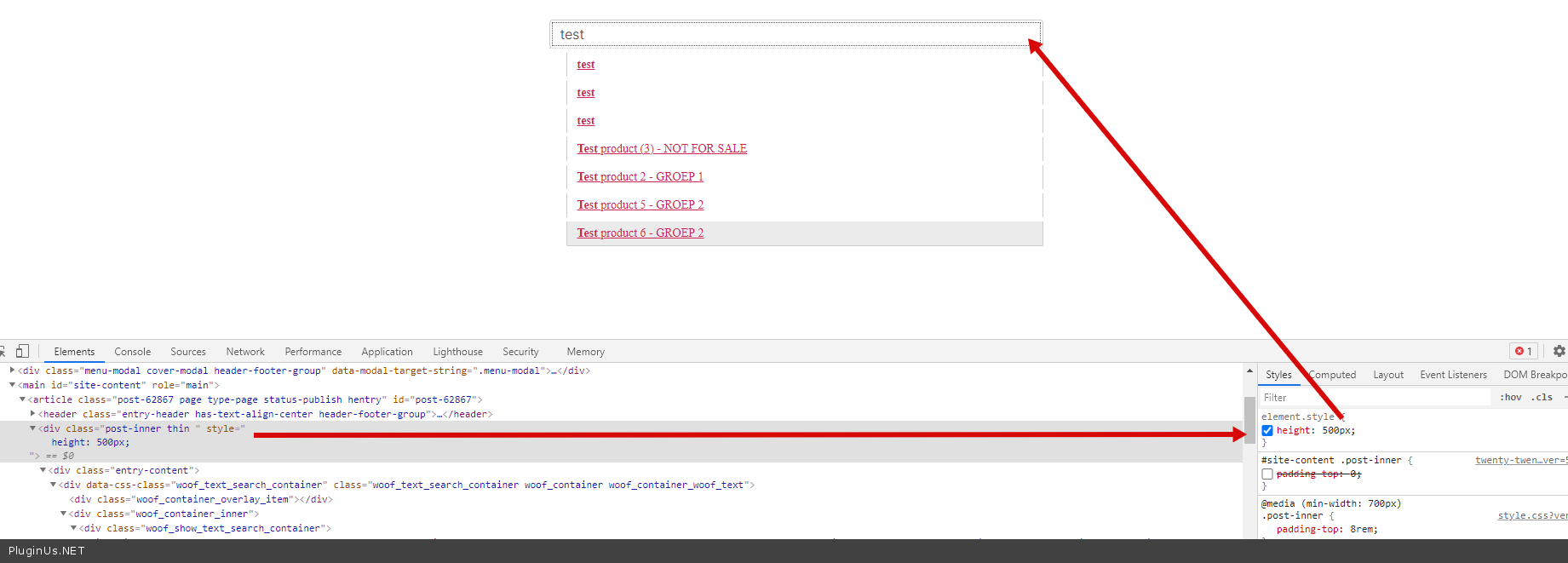
It looks like this is a CSS conflict - https://c2n.me/4bKV1B5.png

Hi there,

I've tested 2 other theme's, same error/blank page.
There are no other active plugins or anything

Hello

Ok!  I  passed  it  to  developer

I will write to you as soon as we get the result

Hi Pablo,

Thank you so much!
Would the payed version also give us more options regarding the search engine?

Hello

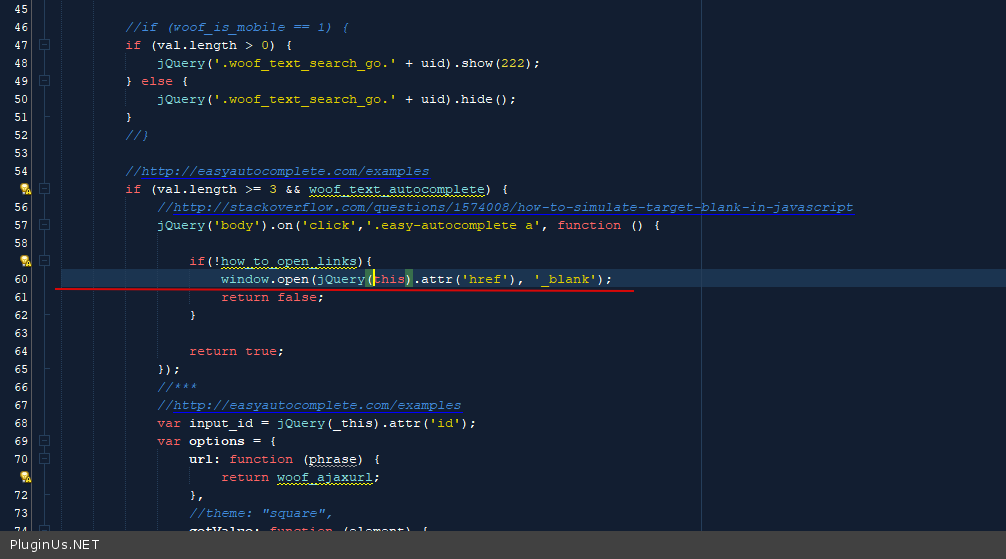
Try  in  file -wp-content\plugins\woocommerce-products-filter\ext\by_text\js\by_text.js  - change  this  code - https://c2n.me/4bMu7Ua.png

window.open(jQuery(this).attr('href'), '_blank');

Hi Pablo,

This did sadly not fix the issue, i have also added FTP log-in for you.
Another qeustion: these options https://products-filter.com/wp-content/uploads/2015/12/ext-165-3.png I can't seem to find yet (to fix the issue on the production webshop)

Hello

Please  clear  all cache

unfortunately I did not understand your second question


I have deleted the cache folder and all caching plugins are disabled, but the error still occurs.

These options below, i can't seem to find them in the Filter settings. Or is this for premium/paid only?

You were right! Even tho there was no caching plugin active there still was some caching going on.
Thanks for your help Pablo!

Hello

this should be visible for all versions

Welcome;)