

Shared URL No Longer Working
The support doesn work on Saturdays and Sundays, so some Friday requests can be answered on Monday. If you have problems with registration ask help on contact us page pleaseIf you not got email within 24~36 business hours, firstly check your spam box, and if no any email from the support there - back to the forum and read answer here. DO NOT ANSWER ON EMAILS [noreply@pluginus.net] FROM THE FORUM!! Emails are just for your info, all answers should be published only here.
The support doesn work on Saturdays and Sundays, so some Friday requests can be answered on Monday.

Quote from stefsterNYC on October 6, 2021, 01:31Hi, client says they would run a filter on the page and then take the url from the page and share it inside a newsletter. He says it's no longer working.
Example URL
https://example.com/product-category/shirts/?swoof=1&product_cat=new-jersey&really_curr_tax=11-product_cat
He'd take this url and it would work. Now he's saying it's not. Which it's not.
Any thoughts? Thanks
Hi, client says they would run a filter on the page and then take the url from the page and share it inside a newsletter. He says it's no longer working.
Example URL
He'd take this url and it would work. Now he's saying it's not. Which it's not.
Any thoughts? Thanks

Quote from Pablo Borysenco on October 6, 2021, 11:15Hello
Please drop me exact link to the issue
Hello
Please drop me exact link to the issue
Quote from stefsterNYC on October 6, 2021, 11:20I prefer not to share client's URL on an open forum. Is there a way to share privately with you? We are thinking there's an issue with Ajax.
Does this mean anything to you?
'stat is not activated or PDO not inited' is the error.
I prefer not to share client's URL on an open forum. Is there a way to share privately with you? We are thinking there's an issue with Ajax.
Does this mean anything to you?
'stat is not activated or PDO not inited' is the error.
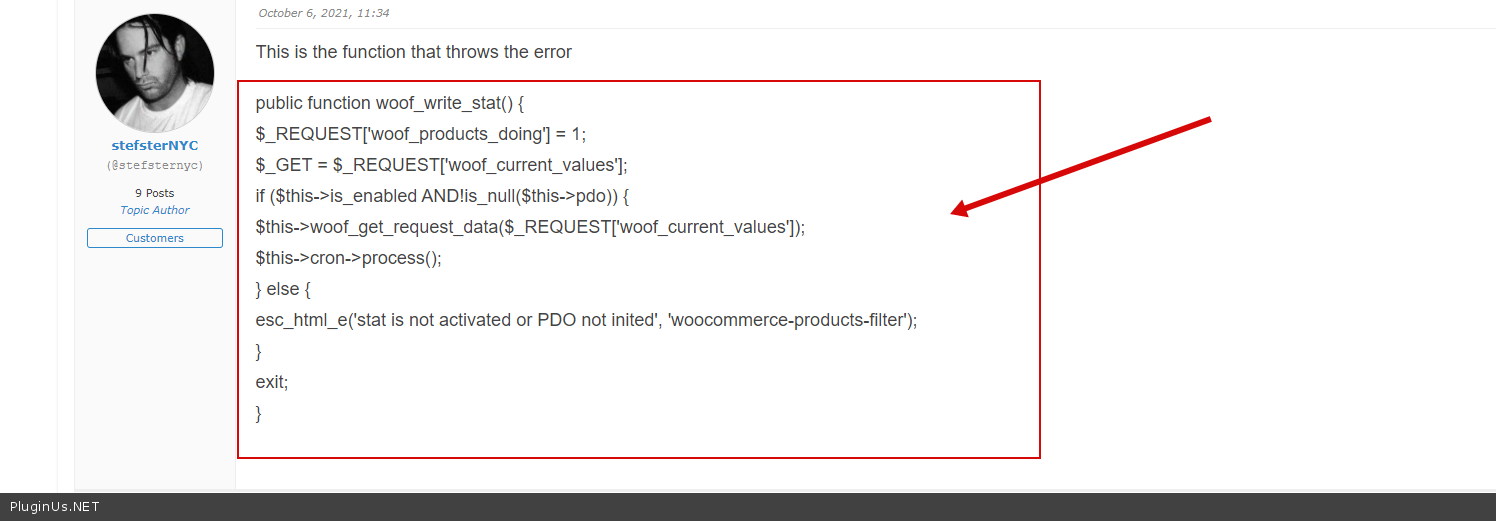
Quote from stefsterNYC on October 6, 2021, 11:34This is the function that throws the error
public function woof_write_stat() {
$_REQUEST['woof_products_doing'] = 1;
$_GET = $_REQUEST['woof_current_values'];
if ($this->is_enabled AND!is_null($this->pdo)) {
$this->woof_get_request_data($_REQUEST['woof_current_values']);
$this->cron->process();
} else {
esc_html_e('stat is not activated or PDO not inited', 'woocommerce-products-filter');
}
exit;
}
This is the function that throws the error
public function woof_write_stat() {
$_REQUEST['woof_products_doing'] = 1;
$_GET = $_REQUEST['woof_current_values'];
if ($this->is_enabled AND!is_null($this->pdo)) {
$this->woof_get_request_data($_REQUEST['woof_current_values']);
$this->cron->process();
} else {
esc_html_e('stat is not activated or PDO not inited', 'woocommerce-products-filter');
}
exit;
}
Quote from stefsterNYC on October 6, 2021, 11:40I added the URL in the private data section. Not sure if you can see it. Thanks.
I added the URL in the private data section. Not sure if you can see it. Thanks.
Quote from Pablo Borysenco on October 6, 2021, 12:08Hello
Have you adjusted the statistics?
if you don't need statistics, disable this extension
Hello
Have you adjusted the statistics?
if you don't need statistics, disable this extension
Quote from stefsterNYC on October 6, 2021, 15:00I have no idea what you're referring to. This isn't something I work in everyday. The client likes your plugin and so ee stepped in. But we don't know your plugin at all.
I have no idea what you're referring to. This isn't something I work in everyday. The client likes your plugin and so ee stepped in. But we don't know your plugin at all.
Quote from stefsterNYC on October 7, 2021, 03:52So I was able to figure out what you were referring to, disabled it and that didn't do anything.
So I was able to figure out what you were referring to, disabled it and that didn't do anything.
Quote from Pablo Borysenco on October 7, 2021, 11:56Hello
not sure if this is possible
Did you do the same? - https://share.pluginus.net/image/i20211007125558.png
Hello
not sure if this is possible
Did you do the same? - https://share.pluginus.net/image/i20211007125558.png

Quote from stefsterNYC on October 7, 2021, 11:58Yes I covered all the standard troubleshooting issues and it comes down to it being in Ajax within the plug-in as I stated earlier with that error notice.
I also pasted a code snippet above. Did you see that?
Yes I covered all the standard troubleshooting issues and it comes down to it being in Ajax within the plug-in as I stated earlier with that error notice.
I also pasted a code snippet above. Did you see that?
Quote from Pablo Borysenco on October 7, 2021, 12:10I saw everything perfectly! And I will ask you again, because you didn’t answer - Did you do the same? - https://share.pluginus.net/image/i20211007125558.png
I saw everything perfectly! And I will ask you again, because you didn’t answer - Did you do the same? - https://share.pluginus.net/image/i20211007125558.png
Quote from stefsterNYC on October 7, 2021, 12:11Did you not see me say Yes right above?
Did you not see me say Yes right above?
Quote from Pablo Borysenco on October 7, 2021, 12:50Ok paste wp-admin access - https://share.pluginus.net/image/i20210618130558.png -> https://share.pluginus.net/image/i20210618130637.png - I will check it
Ok paste wp-admin access - https://share.pluginus.net/image/i20210618130558.png -> https://share.pluginus.net/image/i20210618130637.png - I will check it


Quote from stefsterNYC on October 7, 2021, 18:54Sorry, can't do that. Client won't allow anyone else in their site. We're just reaching out to see if there's anyway we can alter that script we added above to fix it. Not looking for you to investigate what we already have done. Obviously we're not aware of your features and options and all that, but if you're not able to assist from there then we get it. We're all 25+ year full stack devs looking here. We're capable, but we don't know your plugin.
Sorry, can't do that. Client won't allow anyone else in their site. We're just reaching out to see if there's anyway we can alter that script we added above to fix it. Not looking for you to investigate what we already have done. Obviously we're not aware of your features and options and all that, but if you're not able to assist from there then we get it. We're all 25+ year full stack devs looking here. We're capable, but we don't know your plugin.
Quote from Pablo Borysenco on October 8, 2021, 12:44hello
Please drop me screenshots of the plugin settings
If you are a developer, I will explain in more detail:
When you turned off the statistics extension (as I described earlier). The class with this code ( https://c2n.me/4dAYunW.png )is not connected at all. Naturally, this text cannot appear.
And just following the logic, I assume that you made a mistake and did not disable this extension.
hello
Please drop me screenshots of the plugin settings
If you are a developer, I will explain in more detail:
When you turned off the statistics extension (as I described earlier). The class with this code ( https://c2n.me/4dAYunW.png )is not connected at all. Naturally, this text cannot appear.
And just following the logic, I assume that you made a mistake and did not disable this extension.
Quote from stefsterNYC on October 8, 2021, 14:37Added a URL to the private section.
Added a URL to the private section.
Quote from Pablo Borysenco on October 8, 2021, 15:27Thank you for info!
This is of course very strange. In any case, this error cannot affect the search results. As I understand it, the problem is that there are no products on the custom page
What I see on your client's page: there is no template for displaying results. Please paste a shortcode [woof_products] on this page
Thank you for info!
This is of course very strange. In any case, this error cannot affect the search results. As I understand it, the problem is that there are no products on the custom page
What I see on your client's page: there is no template for displaying results. Please paste a shortcode [woof_products] on this page
Quote from stefsterNYC on October 8, 2021, 15:40I'm pretty sure that shortcode is there already. We never changed any of their pages. We just upgraded them from 5 years of not upgrading.

I'm pretty sure that shortcode is there already. We never changed any of their pages. We just upgraded them from 5 years of not upgrading.
Quote from stefsterNYC on October 8, 2021, 17:27I have it working now. Thanks for your help
I have it working now. Thanks for your help
Quote from Pablo Borysenco on October 11, 2021, 11:43Hello
Welcome;)
Hello
Welcome;)