Pablo Borysenco(@pavlo_borysenco)
34,196 Posts
Quote from Pablo Borysenco on August 7, 2020, 11:39
Hello
Ok! Please drop me wp-admin+FTP access
Can I deactivate plugins/theme to a test?
Hello
Ok! Please drop me wp-admin+FTP access
Can I deactivate plugins/theme to a test?
Pablo Borysenco(@pavlo_borysenco)
34,196 Posts
Quote from Pablo Borysenco on August 11, 2020, 11:17
Hello
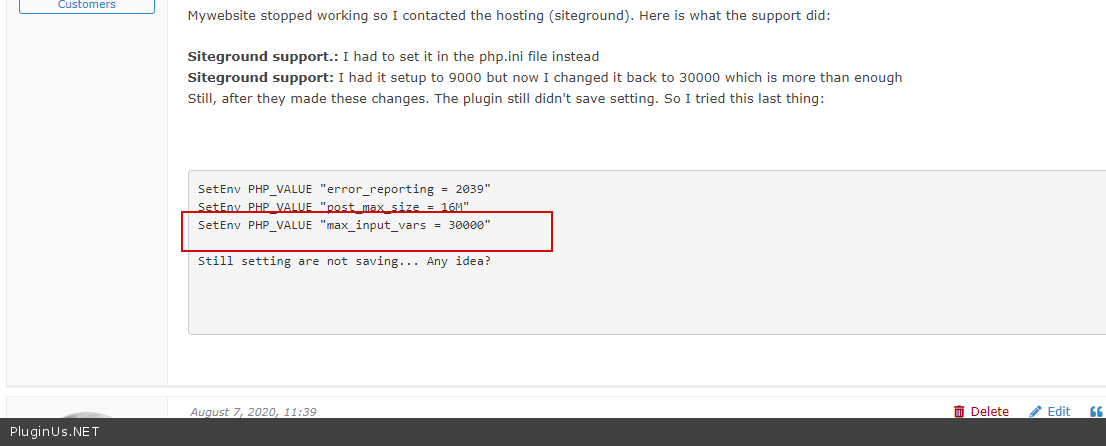
Your site has a lot of taxonomies. So the problem is most likely with this setting - max_input_vars - try to set - 300000
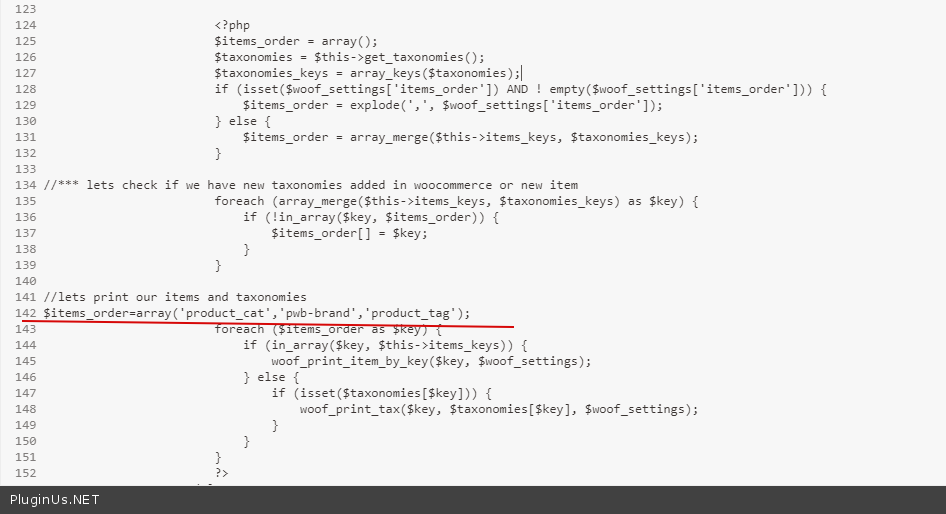
To test you can in file - \wp-content\plugins\woocommerce-products-filter\views\plugin_options.php - add code - https://prnt.sc/txn7xx
$woof_settings['items_order']='product_cat,pwb-brand,product_tag';
and do test please
Hello
Your site has a lot of taxonomies. So the problem is most likely with this setting - max_input_vars - try to set - 300000
To test you can in file - \wp-content\plugins\woocommerce-products-filter\views\plugin_options.php - add code - https://prnt.sc/txn7xx
$woof_settings['items_order']='product_cat,pwb-brand,product_tag';
and do test please
Pablo Borysenco(@pavlo_borysenco)
34,196 Posts
Quote from Pablo Borysenco on August 12, 2020, 15:28
Hello
The problem with this setting - https://c2n.me/48JiSj4.png
I have limited the number of taxonomies(in file - \wp-content\plugins\woocommerce-products-filter\views\plugin_options.php - https://c2n.me/48JiZne.png) and everything works correctly.
Hello
The problem with this setting - https://c2n.me/48JiSj4.png
I have limited the number of taxonomies(in file - \wp-content\plugins\woocommerce-products-filter\views\plugin_options.php - https://c2n.me/48JiZne.png) and everything works correctly.
Pablo Borysenco(@pavlo_borysenco)
34,196 Posts
Quote from Pablo Borysenco on August 13, 2020, 11:56
Hello
Welcome;)
Hello
Welcome;)