Pablo Borysenco(@pavlo_borysenco)
34,196 Posts
Quote from Pablo Borysenco on January 25, 2022, 13:05
Hello Sinisa
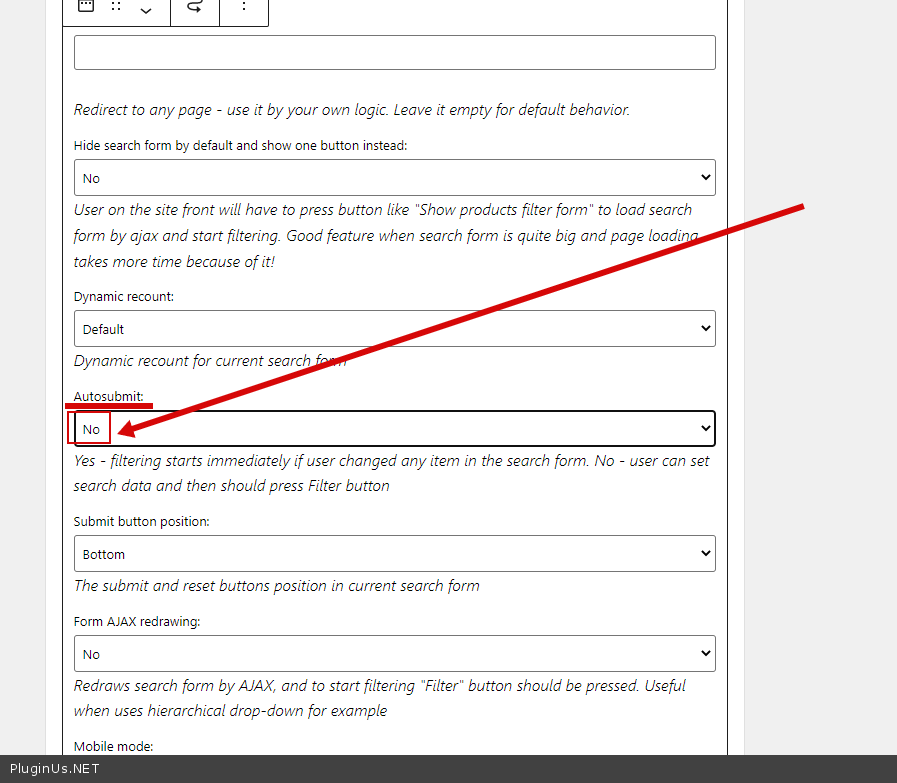
. Have you removed it from options? - No. it seems you changed the filter settings in the widget. please check this option - https://c2n.me/4eIlsEm.png
Please watch this video - https://products-filter.com/video#beGT6p_look
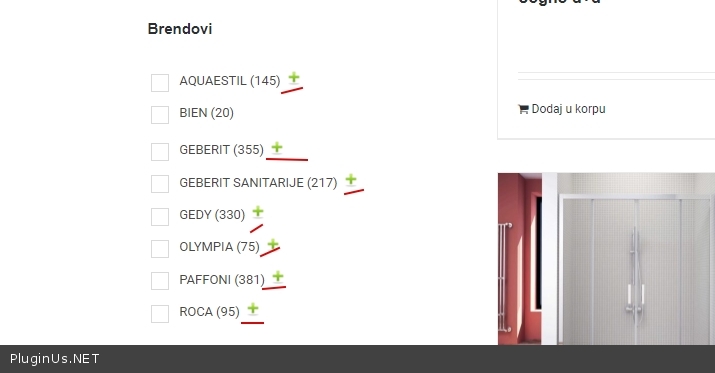
Second question: do you mean it ?- https://c2n.me/4eIlzbw.jpg
Hello Sinisa
. Have you removed it from options? - No. it seems you changed the filter settings in the widget. please check this option - https://c2n.me/4eIlsEm.png
Please watch this video - https://products-filter.com/video#beGT6p_look
Second question: do you mean it ?- https://c2n.me/4eIlzbw.jpg
Pablo Borysenco(@pavlo_borysenco)
34,196 Posts
Quote from Pablo Borysenco on January 26, 2022, 12:27
Hello
this is a feature. these elements have memory, and store their state for each user
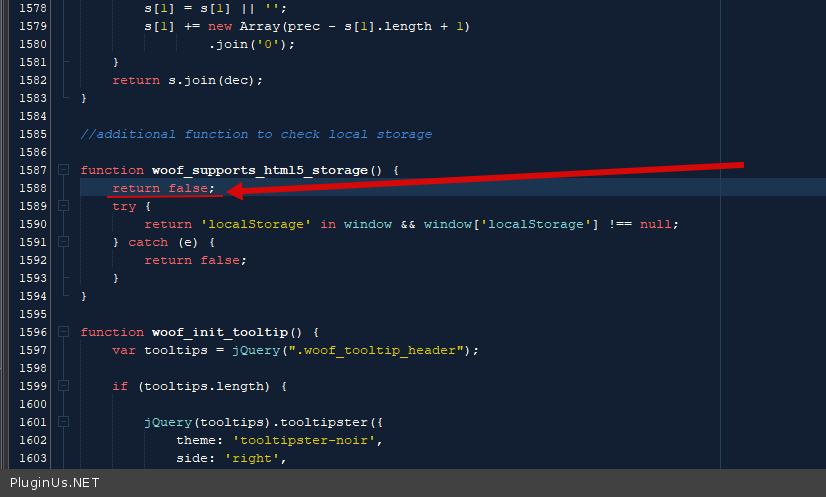
To disable it: in file - \wp-content\plugins\woocommerce-products-filter\js\front.js - add code - https://c2n.me/4eJ6tfn.png
return false;
clear all cache and do a test
Hello
this is a feature. these elements have memory, and store their state for each user
To disable it: in file - \wp-content\plugins\woocommerce-products-filter\js\front.js - add code - https://c2n.me/4eJ6tfn.png
return false;
clear all cache and do a test
Pablo Borysenco(@pavlo_borysenco)
34,196 Posts
Quote from Pablo Borysenco on January 27, 2022, 11:57
Hello
override this function in your JS file
Hello
override this function in your JS file
Pablo Borysenco(@pavlo_borysenco)
34,196 Posts
Quote from Pablo Borysenco on January 27, 2022, 13:39
Try to use this plugin https://wordpress.org/plugins/custom-css-js/ to add:
function woof_supports_html5_storage() {
return false;
}
Try to use this plugin https://wordpress.org/plugins/custom-css-js/ to add:
function woof_supports_html5_storage() {
return false;
}