

Replacement of blue icon on filter
The support doesn work on Saturdays and Sundays, so some Friday requests can be answered on Monday. If you have problems with registration ask help on contact us page pleaseIf you not got email within 24~36 business hours, firstly check your spam box, and if no any email from the support there - back to the forum and read answer here. DO NOT ANSWER ON EMAILS [noreply@pluginus.net] FROM THE FORUM!! Emails are just for your info, all answers should be published only here.
The support doesn work on Saturdays and Sundays, so some Friday requests can be answered on Monday.

Quote from ljvdlinden on March 16, 2026, 15:44I use Products filter with: Set filter automatically=Y. No further shortcodes used.
Is there a possibility to replace the blue icon toggle with a normal button with the text 'Vind Profielen'.
Thx for your help.
Regards,
Loek
I use Products filter with: Set filter automatically=Y. No further shortcodes used.
Is there a possibility to replace the blue icon toggle with a normal button with the text 'Vind Profielen'.
Thx for your help.
Regards,
Loek

Quote from Alex Dovlatov on March 17, 2026, 12:28Hello Loek
Could you please share a screenshot+exact link of the blue icon toggle you're referring to? This will help me pinpoint the exact element so I can give you the most accurate solution.
In the meantime, if it's the filter submit button, you can customize its appearance by adding the following to your theme's Additional CSS (Appearance → Customize → Additional CSS):
/* Hide the icon inside the button */
.woof_submit_search_form i,
.woof_submit_search_form span.dashicon {
    display: none;
}

/* Add custom text via CSS */
.woof_submit_search_form::after {
    content: "Vind Profielen";
}
Alternatively, if it's the filter toggle button (the one that shows/hides the filter panel), a small JS snippet in your theme's
functions.phpor via a plugin like "Code Snippets" can replace the icon with text:jQuery(document).ready(function($) { $('.woof_toggle_button').html('Vind Profielen'); });A screenshot+link would help confirm which approach fits your setup.
Hello Loek
Could you please share a screenshot+exact link of the blue icon toggle you're referring to? This will help me pinpoint the exact element so I can give you the most accurate solution.
In the meantime, if it's the filter submit button, you can customize its appearance by adding the following to your theme's Additional CSS (Appearance → Customize → Additional CSS):
/* Hide the icon inside the button */
.woof_submit_search_form i,
.woof_submit_search_form span.dashicon {
display: none;
}
/* Add custom text via CSS */
.woof_submit_search_form::after {
content:"Vind Profielen";
}Alternatively, if it's the filter toggle button (the one that shows/hides the filter panel), a small JS snippet in your theme's functions.php or via a plugin like"Code Snippets" can replace the icon with text:
jQuery(document).ready(function($) {
    $('.woof_toggle_button').html('Vind Profielen');
});
A screenshot+link would help confirm which approach fits your setup.
Quote from ljvdlinden on March 18, 2026, 14:38Hello Alex,
It's the filter toggle button.
I added the corresponding code by use of the Code Snippets plugin.
Nothing happens (snippet is active).
Will you have look at this.
Thx!
Hello Alex,
It's the filter toggle button.
I added the corresponding code by use of the Code Snippets plugin.
Nothing happens (snippet is active).
Will you have look at this.
Thx!
Quote from Alex Dovlatov on March 19, 2026, 20:44Hello Loek
Share plese exect link wher I can see it
If you mean this button:
You can replace it in tab Advanced ->Slideout -> "Skideout image" -> https://clip2net.com/s/4nNQF5Q
Hello Loek
Share plese exect link wher I can see it
If you mean this button:
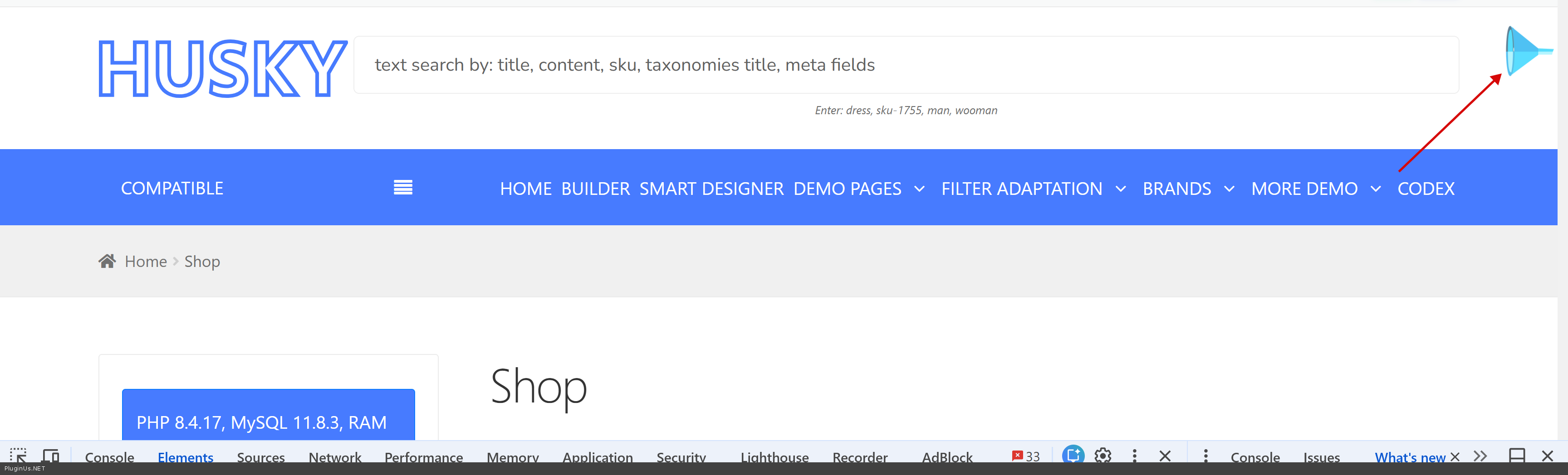
You can replace it in tab Advanced ->Slideout ->"Skideout image" -> https://clip2net.com/s/4nNQF5Q
Quote from ljvdlinden on March 20, 2026, 14:36Hi
You can visit the site by enter www.woondo.nl. You will come to the home page.
In the top select 'Vraag & Aanbod'. The shop page is displayed. On the left you see the filter button.
I made some changes to the settings and it looks good.
Only the gray filter button color must be set by the color orange which is automatically set by Husky.
Hi
You can visit the site by enter http://www.woondo.nl. You will come to the home page.
In the top select 'Vraag & Aanbod'. The shop page is displayed. On the left you see the filter button.
I made some changes to the settings and it looks good.
Only the gray filter button color must be set by the color orange which is automatically set by Husky.
Quote from Alex Dovlatov on March 20, 2026, 18:08Hello Loek
Looks good, and looks like you resolved it today, I see orange:
If you still see gray button - clean your browser cache https://pluginus.net/how-to-reset-page-cache-in-the-browser/
Any way, you can use class .button.woof_submit_search_form{background-color: orange;} if nessesary in style.css of your current wp theme or its child
Hello Loek
Looks good, and looks like you resolved it today, I see orange:
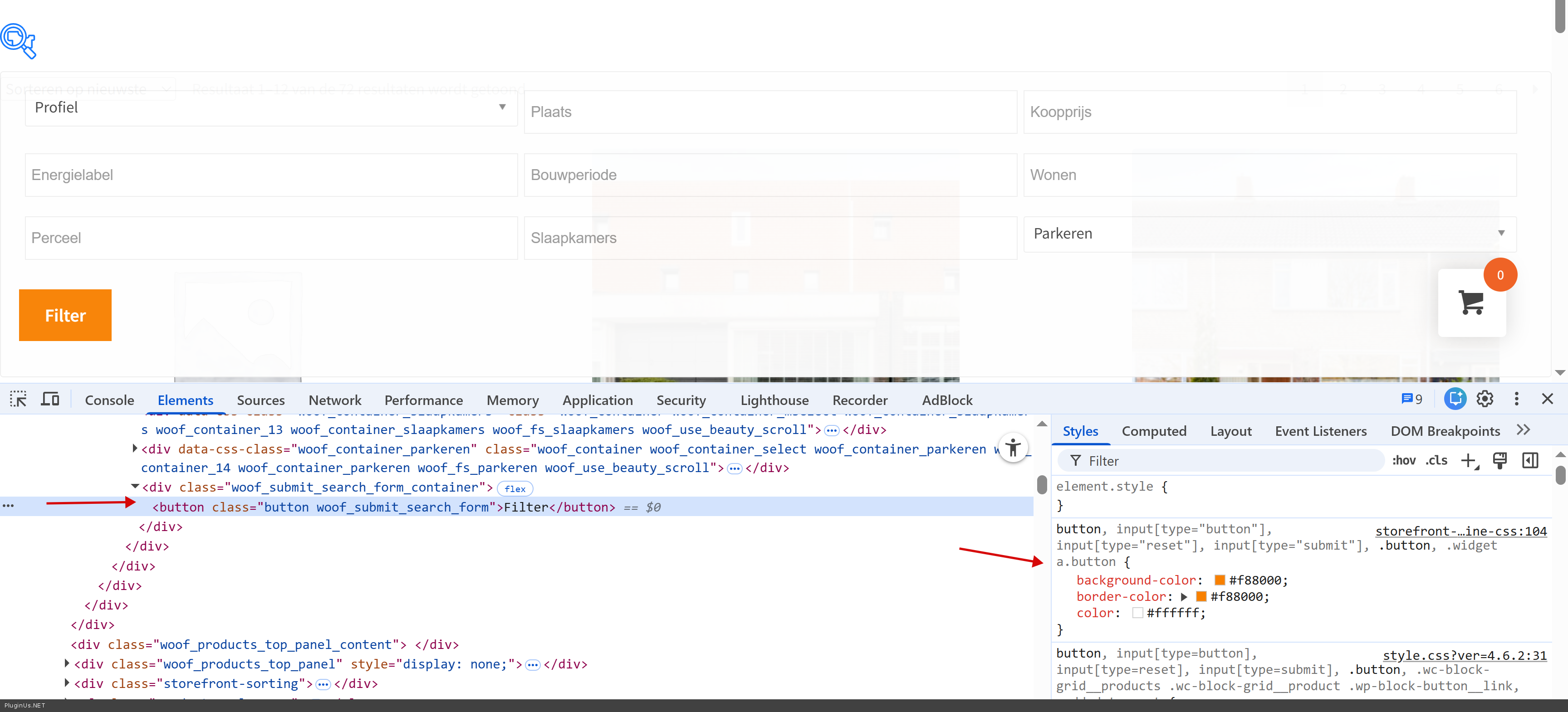
If you still see gray button - clean your browser cache https://pluginus.net/how-to-reset-page-cache-in-the-browser/
Any way, you can use class .button.woof_submit_search_form{background-color: orange;} if nessesary in style.css of your current wp theme or its child
Quote from Alex Dovlatov on March 20, 2026, 18:28Sorry, looks like I undertood you wrong:
Just for this class .woof_show_auto_form set and bacground image, example:
.woof_show_auto_form{
background: url(https://woondo.nl/wp-content/uploads/2025/10/cropped-logo-woondo.webp);
}
Sorry, looks like I undertood you wrong:
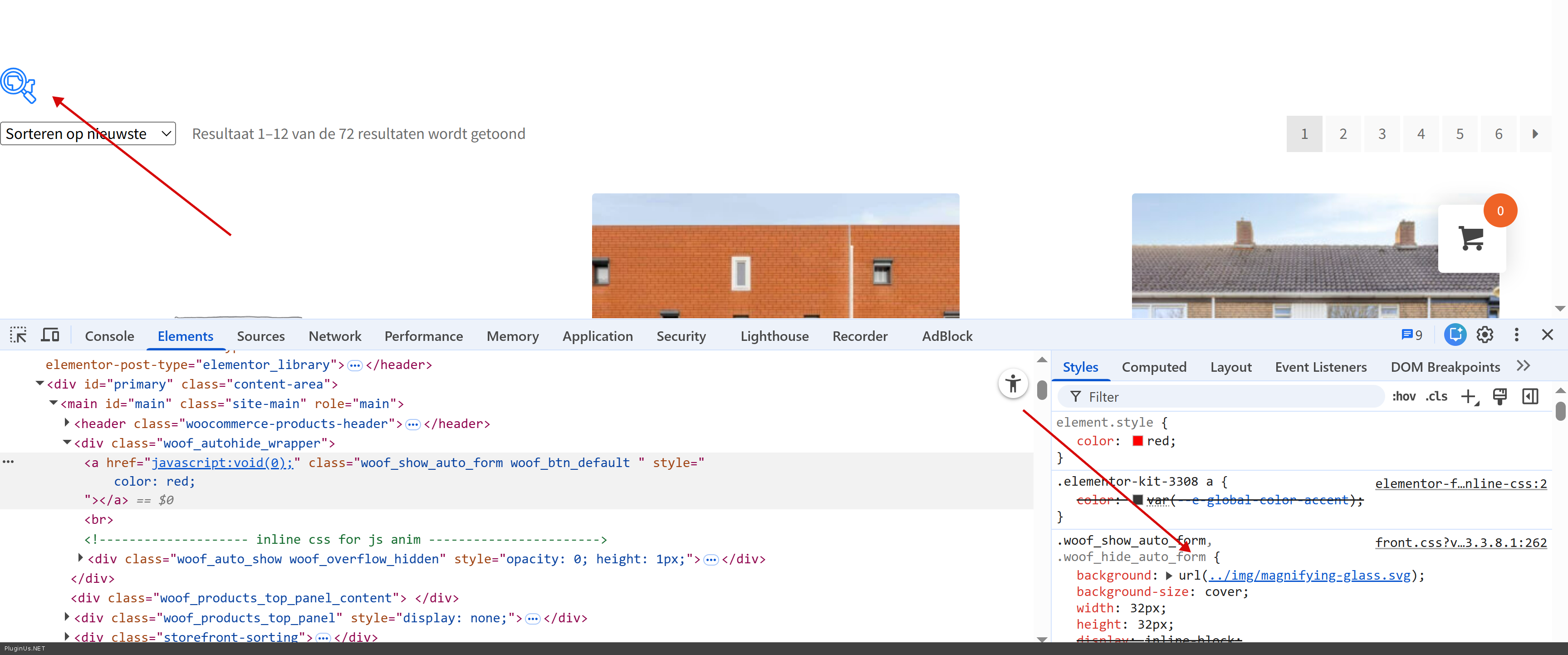
Just for this class .woof_show_auto_form set and bacground image, example:
.woof_show_auto_form{
background: url(https://woondo.nl/wp-content/uploads/2025/10/cropped-logo-woondo.webp);

}
Quote from ljvdlinden on March 24, 2026, 15:26Hi Alex,
I implemented the filter as a slider. Looks nice (see website). I hope my customer also likes it.
Just one thing: can the grey filter button color be changed in orange?
Hi Alex,
I implemented the filter as a slider. Looks nice (see website). I hope my customer also likes it.
Just one thing: can the grey filter button color be changed in orange?
Quote from Alex Dovlatov on March 24, 2026, 17:09Hello Loek
Sure:
You need to apply somewhere in your styles next code:
.ui-slideouttab-handle{
background-color: orange !important;
}
Welcome!
Hello Loek
Sure:
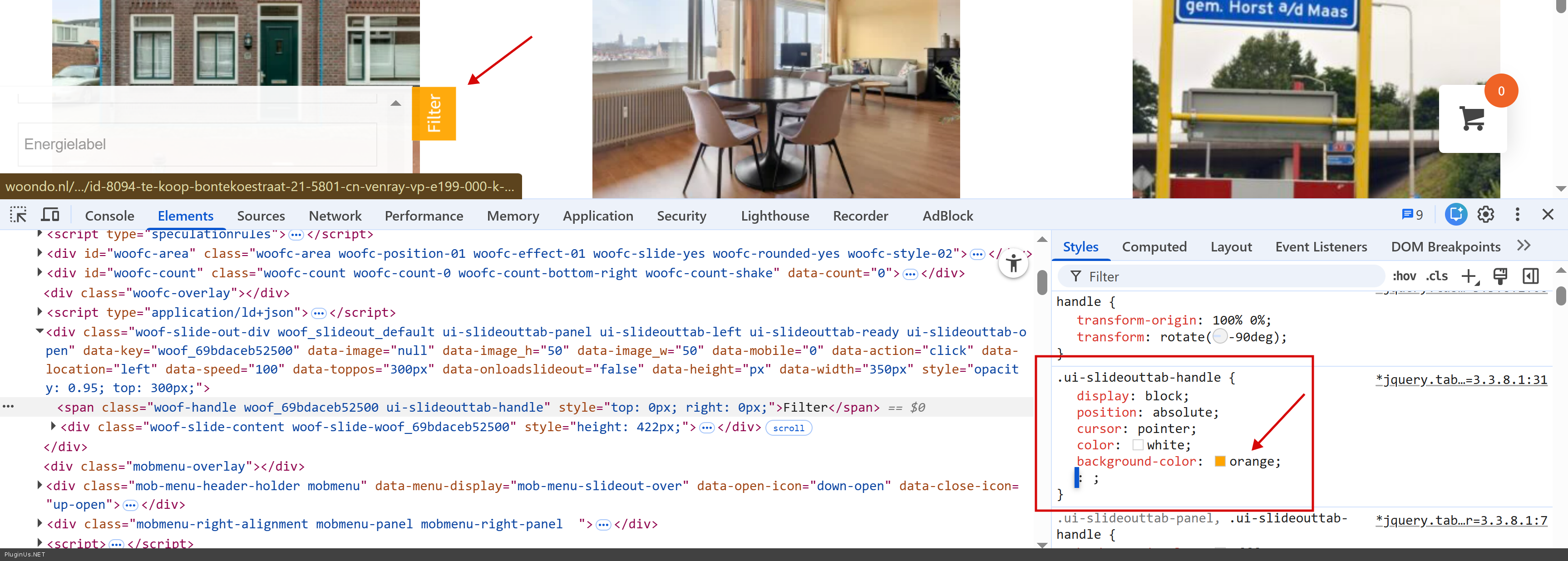
You need to apply somewhere in your styles next code:
.ui-slideouttab-handle{
background-color: orange !important;
}
Welcome!
Quote from ljvdlinden on March 25, 2026, 13:49Hi Alex,
Everything works fine!
I want to thank you very much for your excellent support.
Regards,
Loek
Hi Alex,
Everything works fine!
I want to thank you very much for your excellent support.
Regards,
Loek

Quote from admin on March 26, 2026, 10:36Hello Loek
Thank you and Welcome ❤️ :)
Hello Loek
Thank you and Welcome ❤️ :)
Quote from Alex Dovlatov on March 26, 2026, 10:37You are Welcome :)
You are Welcome :)