PluginUs.Net - Business Tools for WooCommerce and WordPress

[realize your idea - make your dreams come true]
Botoscope is currently in early access

Support Forum

You need to log-in to create request (topic) to the support

Remove all scripts and styles on unwanted pages

The support doesn work on Saturdays and Sundays, so some Friday requests can be answered on Monday. If you have problems with registration ask help on contact us page please
If you not got email within 24~36 business hours, firstly check your spam box, and if no any email from the support there - back to the forum and read answer here. DO NOT ANSWER ON EMAILS [noreply@pluginus.net] FROM THE FORUM!! Emails are just for your info, all answers should be published only here.
The support doesn work on Saturdays and Sundays, so some Friday requests can be answered on Monday.

Hi,
I’m trying to remove all JS and CSS files on unwanted pages. This is not working for me (example) :

function theme_enqueue_styles() {
	if ( ! is_archive() ) {
		wp_dequeue_style( 'woof-css' );
		// other scripts/styles here
	}
}
add_action( 'wp_enqueue_scripts', 'theme_enqueue_styles' );

I just want to fire all stuff only on archive with loop of product and sidebar with filters.
Client’s website is loading very very slowly because of a lots of unnecessary stuff.
Thank you.

Hello

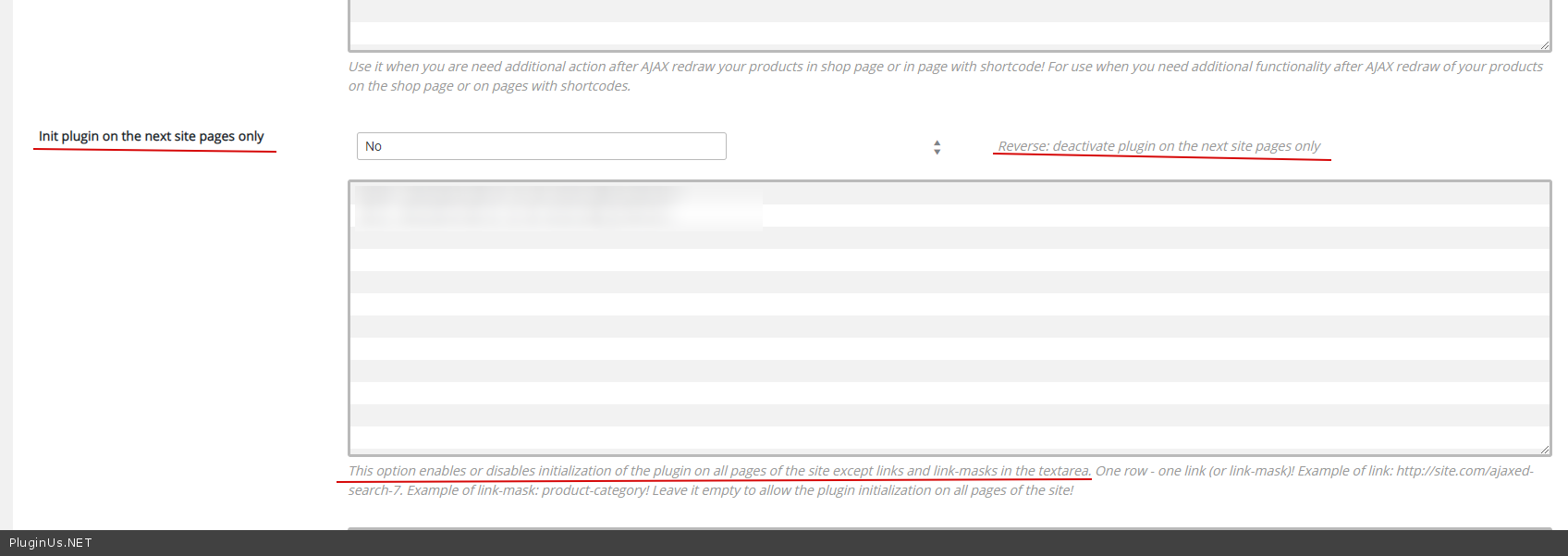
Use  this  option please - https://c2n.me/47TLZZR.png

Hello, thanks for response. I'm sorry but we have hundreds of archive pages where scripts should be fired. Shop has now about 5000 products... The best solution I think is, firing all plugin files only on archive pages, where client have sidebar with your filters...

Hello

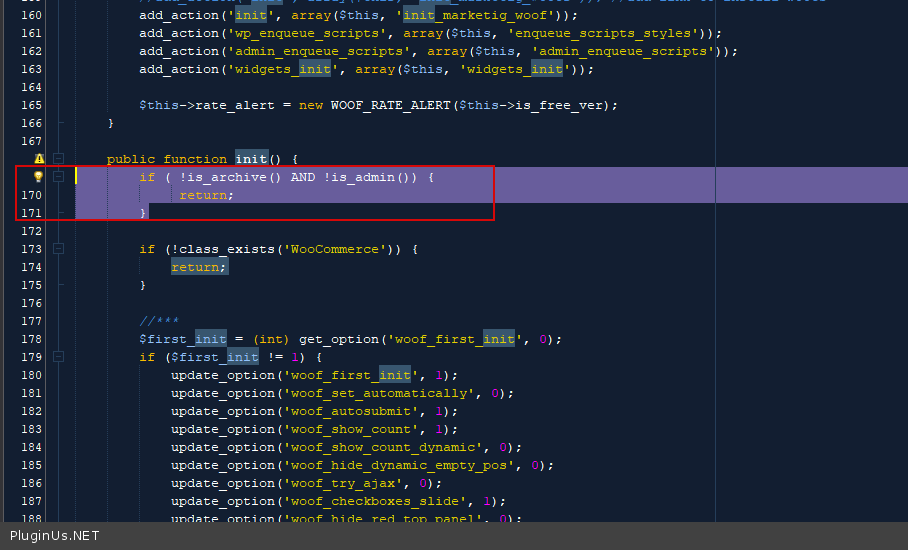
Ok! in  file - wp-content\plugins\woocommerce-products-filter\index.php  You can try  to add  code - https://c2n.me/47USrwf.png

if ( !is_archive() AND !is_admin()) {
return;
}