PluginUs.Net - Business Tools for WooCommerce and WordPress

[realize your idea - make your dreams come true]

Support Forum

You need to log-in to create request (topic) to the support

Quick Search Issues – Product Description Not Searched & Data File Not Generated

The support doesn work on Saturdays and Sundays, so some Friday requests can be answered on Monday. If you have problems with registration ask help on contact us page please
If you not got email within 24~36 business hours, firstly check your spam box, and if no any email from the support there - back to the forum and read answer here. DO NOT ANSWER ON EMAILS [noreply@pluginus.net] FROM THE FORUM!! Emails are just for your info, all answers should be published only here.
The support doesn work on Saturdays and Sundays, so some Friday requests can be answered on Monday.

Hello Support Team,

I have integrated the Make Quick Search functionality on my staging server, but I’m facing the following issues:

  1. When I run the Assemble Products process, it reaches 100%, but the required JS data file is not generated in the plugin folder. Could you confirm if this feature requires a Pro license, or if there’s something missing in my setup?

  2. I have enabled the Quick Search bar, but when I search for a product using a keyword that only exists in the product description (e.g., “X-Y-Z”), the product does not appear in the search results. It only searches by product title but not the description.

Could you please guide me on:

  • How to make Quick Search also search the product description field.

  • Why is the data file not being generated after assembling products?

Looking forward to your assistance.

Hello

  • How to make Quick Search also search the product description field.  - Unfortunately we did not include the description in the search file generation because it significantly increases the file size and greatly reduces performance.

  • Why is the data file not being generated after assembling products?  - I'm not sure I understood you correctly. The search file is not created at all? Can you drop me a link to your page with the filter

Hello

I assembled the product from the admin panel and received a message say: https://prnt.sc/G1W38BHGilUT

However, I have checked, and this particular file is not located in the root folder as mentioned. Please review the screenshots below for reference:
https://prnt.sc/Q9EphjoZeWGS

Could you please confirm if this is a configuration issue or if any files are missing from the correct directory?

Looking forward to your guidance.

Hello

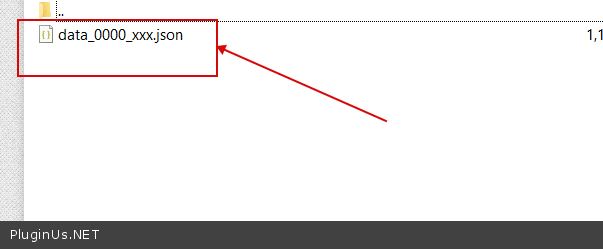
This is the file you need for filtering. - https://c2n.me/4n7ZtBa.png