jonaswnystrom(@jonaswnystrom)
2 Posts
Customers
Quote from jonaswnystrom on December 1, 2020, 19:43
So I have about 95 products with the same purchase note. I want to completely remove the purchase note, so I bought the plugin. I select all product, try to remove the purchase note using "binded editing". The status field on top claims it's doing something, but it only removes the purchase note on the product of which I clicked the "Content" button. Please help? Thank you! / Jonas
So I have about 95 products with the same purchase note. I want to completely remove the purchase note, so I bought the plugin. I select all product, try to remove the purchase note using"binded editing". The status field on top claims it's doing something, but it only removes the purchase note on the product of which I clicked the"Content" button. Please help? Thank you! / Jonas

Pablo Borysenco(@pavlo_borysenco)
34,196 Posts
Quote from Pablo Borysenco on December 2, 2020, 11:36
Hello Jonas
Please try to use bulk editor - https://bulk-editor.com/video-tutorials#video_2502
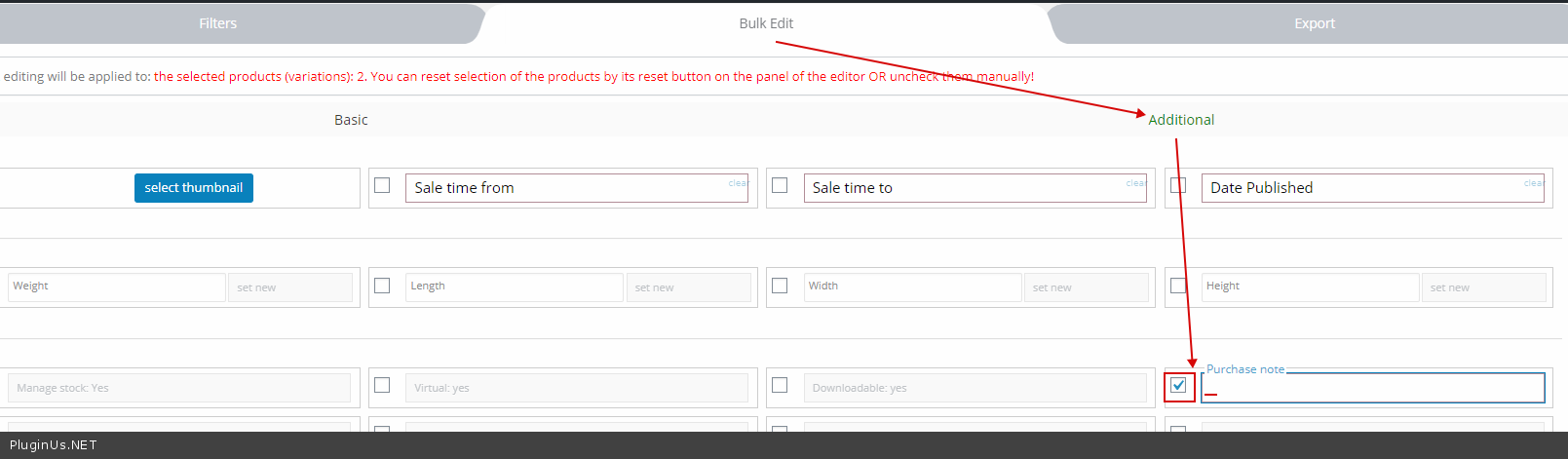
And paste a space - https://c2n.me/4a3zHWC.png
Hello Jonas
Please try to use bulk editor - https://bulk-editor.com/video-tutorials#video_2502
And paste a space - https://c2n.me/4a3zHWC.png
jonaswnystrom(@jonaswnystrom)
2 PostsTopic Author
Customers
Quote from jonaswnystrom on December 2, 2020, 11:49
Thank you! Well, that partially works, but the problem with the space then transfers to the purchase receipt email. Under every purchased item, where the purchase note would usually be – now there’s a space instead, as the space character will produce an empty line under each product purchased. Any way to completely wipe the content of the purchase note field? / Jonas
Thank you! Well, that partially works, but the problem with the space then transfers to the purchase receipt email. Under every purchased item, where the purchase note would usually be – now there’s a space instead, as the space character will produce an empty line under each product purchased. Any way to completely wipe the content of the purchase note field? / Jonas
Pablo Borysenco(@pavlo_borysenco)
34,196 Posts
Quote from Pablo Borysenco on December 3, 2020, 12:10
Hello Jonas
Unfortunately no. But we will add this in the next version
Hello Jonas
Unfortunately no. But we will add this in the next version