PluginUs.Net - Business Tools for WooCommerce and WordPress

[realize your idea - make your dreams come true]

Support Forum

You need to log-in to create request (topic) to the support

Product category disappears when changing pages

The support doesn work on Saturdays and Sundays, so some Friday requests can be answered on Monday. If you have problems with registration ask help on contact us page please
If you not got email within 24~36 business hours, firstly check your spam box, and if no any email from the support there - back to the forum and read answer here. DO NOT ANSWER ON EMAILS [noreply@pluginus.net] FROM THE FORUM!! Emails are just for your info, all answers should be published only here.
The support doesn work on Saturdays and Sundays, so some Friday requests can be answered on Monday.

Hello,

I found an unexpected behavior on my site.

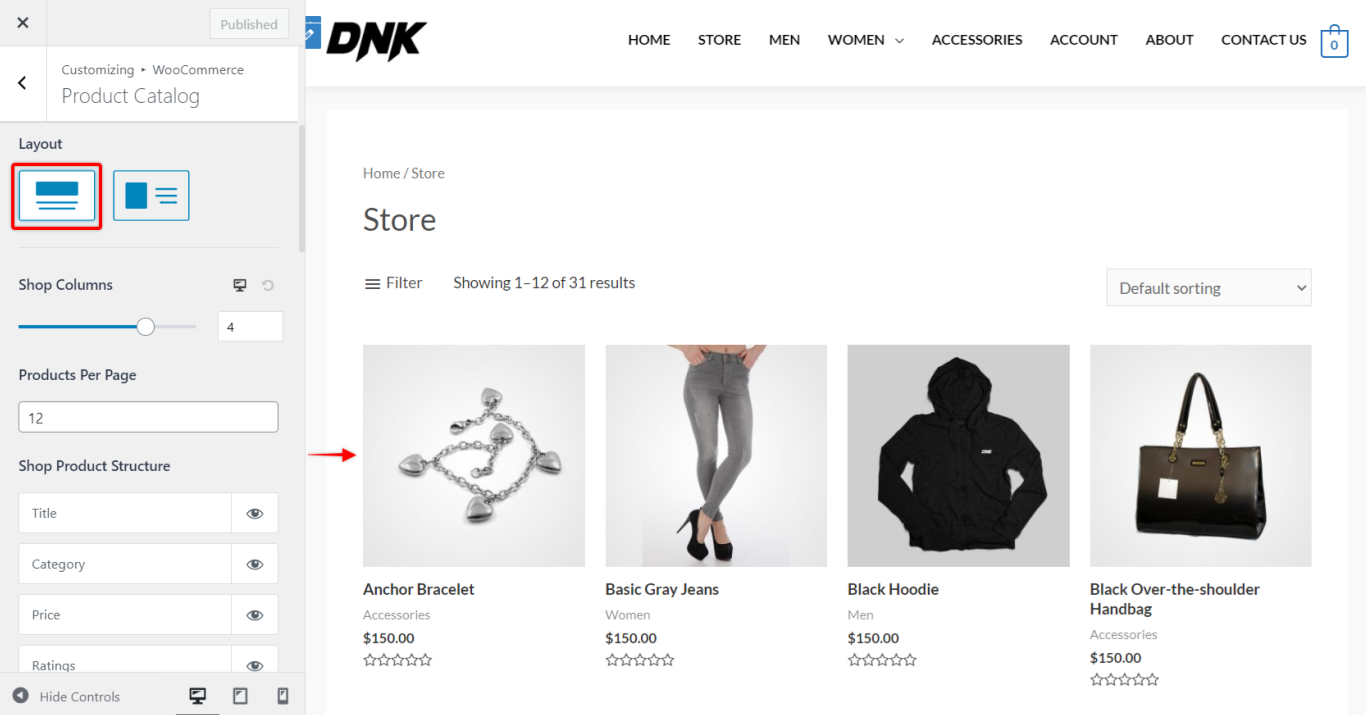
When I go to the shop page, I see for each products: image/category/name/rating/price/add to cart.

But, if I click on page 2/3/... at the bottom of the page, products categories disappear!

Do you now how to fix this?

I shared site accesses above.

This behavior also appears after filtering products on shop page.

Hello

This is the incompatibility of the current template with ajax mode

Please  disable  ajax  mode

Hello,

Thank you for your answer !

Ok too bad... I have now to choose between this behavior with ajax mode and the reason why I chose to activate it (cf. https://pluginus.net/support/topic/auto-scroll-to-products-after-reset-filters/#postid-63978) :\

Hello

What do you use to add a category to a product?

Hello,

I am not sure to understand.

When I create a new product with WooCommerce, I go to dashboard>products>add and then on this creation page I select the product category/categories in the windows"Products categories".

Hello

I mean this visual feature in the template - https://share.pluginus.net/image/i20220427104448.png

Hello,

I am just using the feature provided by Astra theme, WooCommerce>Product catalog>Shop product structure https://wpastra.com/wp-content/uploads/2021/04/ast-3-3-pro-woo-shop-grid.png

Hello

Understood! Yes, it looks like this is an incompatibility of the current theme with ajax mode

Hello,

Ok ! Thank you for your answer, I disabled ajax.

One more question. I am using the shortcode [woof_products is_ajax=1 columns=4] on one page, it's still working very fine, even if I removed Ajax, is it normal? Can I continue to use this shortcode?

Hello

on this page you are using ajax and I see the error - https://share.pluginus.net/video/v20220502102010.mp4


Hello

Oh, you're right sorry! Maybe I couldn't see it because I hadn't cleared the cache, now I see it too.

Hello

Unfortunately I can't help you with this incompatibility.