Price Filter doesn't filter
The support doesn work on Saturdays and Sundays, so some Friday requests can be answered on Monday. If you have problems with registration ask help on contact us page pleaseIf you not got email within 24~36 business hours, firstly check your spam box, and if no any email from the support there - back to the forum and read answer here. DO NOT ANSWER ON EMAILS [noreply@pluginus.net] FROM THE FORUM!! Emails are just for your info, all answers should be published only here.
The support doesn work on Saturdays and Sundays, so some Friday requests can be answered on Monday.
Quote from Levente on May 5, 2021, 06:20Dear Support,
we just installed the Product Filter for our customer. Enabled the Search by Price and tried all settings but it doesn't filter by price. For Example I set up a range between 690-4000 (ion range-slider) the page updated but in the first line I'm still see products above 4000.
If you check this link: https://verotexshop.hu/uzlet/?min_price=690&max_price=3100 and refresh the slider you will still able to see the issue.
Thank you for your help!
Best Regards,
Levente
Dear Support,
we just installed the Product Filter for our customer. Enabled the Search by Price and tried all settings but it doesn't filter by price. For Example I set up a range between 690-4000 (ion range-slider) the page updated but in the first line I'm still see products above 4000.
If you check this link: https://verotexshop.hu/uzlet/?min_price=690&max_price=3100 and refresh the slider you will still able to see the issue.
Thank you for your help!
Best Regards,
Levente

Quote from Pablo Borysenco on May 5, 2021, 14:54Hello Levente
Paste your license key here - https://c2n.me/43SC6rb.png -> https://c2n.me/42HBIt7.png
Please update the plugin to latest version - https://products-filter.com/how-to-make-auto-update-for-wordpress-plugins-and-themes-bought-on-envato/
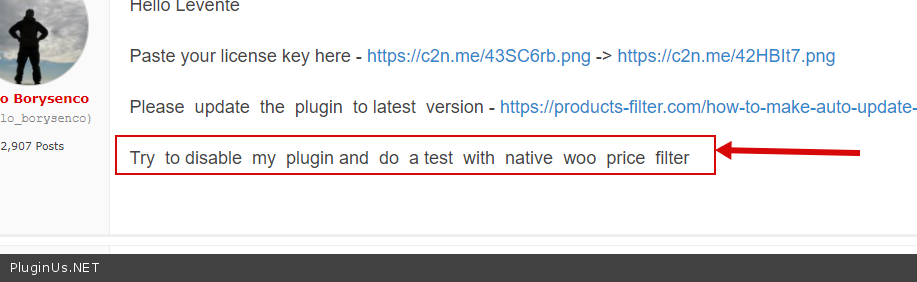
Try to disable my plugin and do a test with native woo price filter
Hello Levente
Paste your license key here - https://c2n.me/43SC6rb.png -> https://c2n.me/42HBIt7.png


Please update the plugin to latest version - https://products-filter.com/how-to-make-auto-update-for-wordpress-plugins-and-themes-bought-on-envato/
Try to disable my plugin and do a test with native woo price filter
Quote from Levente on May 7, 2021, 06:37Dear Pablo,
thank you for your reply. We are using the free version, downloaded from WP Plugin search. So we don't have any license key. Is the license key neceserry to have for support?
Thank you in advance for your help
Best Regards,
Levente
Dear Pablo,
thank you for your reply. We are using the free version, downloaded from WP Plugin search. So we don't have any license key. Is the license key neceserry to have for support?
Thank you in advance for your help
Best Regards,
Levente
Quote from Pablo Borysenco on May 7, 2021, 12:15Hello Levente
We are using the free version - I see which version you are using. You are using the paid version. if you do not have a license, contact support where you downloaded the plugin.
Hello Levente
We are using the free version - I see which version you are using. You are using the paid version. if you do not have a license, contact support where you downloaded the plugin.
Quote from Levente on May 12, 2021, 06:33Dear Pablo,
Added the License Key. Now if I want to connect the customer site with Envato I got the following error:
Additional Error Details:
Error listing buyer purchases..
Forbidden
{"request_url":"https:\/\/api.envato.com\/v2\/market\/buyer\/list-purchases?filter_by=wordpress-plugins","response_code":403,"response_cf_ray":"64d98aae88661cfa-BUD","response_server":"cloudflare"}So I cannot refresh the Plugin. Any Idea why do we get this error?
Thank you in advance for your help!
Best Regards,
Levente
Dear Pablo,
Added the License Key. Now if I want to connect the customer site with Envato I got the following error:
Additional Error Details:
Error listing buyer purchases..
Forbidden
{"request_url":"https:\/\/api.envato.com\/v2\/market\/buyer\/list-purchases?filter_by=wordpress-plugins","response_code":403,"response_cf_ray":"64d98aae88661cfa-BUD","response_server":"cloudflare"}
So I cannot refresh the Plugin. Any Idea why do we get this error?
Thank you in advance for your help!
Best Regards,
Levente
Quote from Pablo Borysenco on May 12, 2021, 12:55Hello Levente
Please contact the envato plugin support
Hello Levente
Please contact the envato plugin support
Quote from Levente on May 13, 2021, 08:00Dear Pablo,
I could solve it the API connection with Envato. Updated the plugin to the latest version, disabled - enabled the plugin. Tried with the woo range-slider but the issue is still persist.
For example if I go under 3000 I'm still able to see products above 3000. You can check my issue in the previous link.
Could you please help?
Thank you in advance
Levente
Dear Pablo,
I could solve it the API connection with Envato. Updated the plugin to the latest version, disabled - enabled the plugin. Tried with the woo range-slider but the issue is still persist.
For example if I go under 3000 I'm still able to see products above 3000. You can check my issue in the previous link.
Could you please help?
Thank you in advance
Levente
Quote from Pablo Borysenco on May 13, 2021, 12:03Hello Levente
If you disabled my plugin and did a test with a native filter for a price( https://c2n.me/4c0GUbo.png ) - So the problem does not depend on my plugin. Most likely this is a problem with your template or database.
Hello Levente
If you disabled my plugin and did a test with a native filter for a price( https://c2n.me/4c0GUbo.png ) - So the problem does not depend on my plugin. Most likely this is a problem with your template or database.