

Plugin Break
The support doesn work on Saturdays and Sundays, so some Friday requests can be answered on Monday. If you have problems with registration ask help on contact us page pleaseIf you not got email within 24~36 business hours, firstly check your spam box, and if no any email from the support there - back to the forum and read answer here. DO NOT ANSWER ON EMAILS [noreply@pluginus.net] FROM THE FORUM!! Emails are just for your info, all answers should be published only here.
The support doesn work on Saturdays and Sundays, so some Friday requests can be answered on Monday.

Quote from TheAlexTucci on February 15, 2022, 17:35Hey there,
I've used the WooFilter for years and love it. I recently had godaddy upgrade the site/migrate the site.
When the site came back online, at the top of the site it said "Server options for statistic stock"
I went on the back end to try and fix the issue - trying to see if the host setting was perhaps wrong, but saving settings didn't work
Then I thought I'd try and clean install of the plugin. So I deactivated it, and deleted it but when I went to reinstall it all the settings were back, and the "Server options for statistic stock" + no savable setting.
I'm pulling my hair out trying to figure out why it's broken.
Hey there,
I've used the WooFilter for years and love it. I recently had godaddy upgrade the site/migrate the site.
When the site came back online, at the top of the site it said"Server options for statistic stock"
I went on the back end to try and fix the issue - trying to see if the host setting was perhaps wrong, but saving settings didn't work
Then I thought I'd try and clean install of the plugin. So I deactivated it, and deleted it but when I went to reinstall it all the settings were back, and the"Server options for statistic stock" + no savable setting.
I'm pulling my hair out trying to figure out why it's broken.
Quote from TheAlexTucci on February 15, 2022, 17:57Sorry, I meant it says "Wrong data for "Server options for statistic stock" options"
Sorry, I meant it says"Wrong data for"Server options for statistic stock" options"
Quote from TheAlexTucci on February 15, 2022, 18:43To further clarify - when I say "no savable settings" - when I go to change the host info - and click save - it says Woof is saving... but never leaves and doesn't save.
I've also added return false; to turn off the Statistic filter as you recommended in other topics, which allows the front end to work. However the statistic page is now gone from the back end.
To further clarify - when I say"no savable settings" - when I go to change the host info - and click save - it says Woof is saving... but never leaves and doesn't save.
I've also added return false; to turn off the Statistic filter as you recommended in other topics, which allows the front end to work. However the statistic page is now gone from the back end.

Quote from Pablo Borysenco on February 16, 2022, 12:26Hello
what version number of the plugin are you using?
Read this please - https://products-filter.com/lot-taxonomies-settings-page-save-options-doesn-works
Hello
what version number of the plugin are you using?
Read this please - https://products-filter.com/lot-taxonomies-settings-page-save-options-doesn-works
Quote from TheAlexTucci on February 17, 2022, 15:36WOOF - WooCommerce Products Filter v.2.2.4
Actualized for WooCommerce v.6.2.0.x
The ability to save is returned. I suspect the "Host" is incorrect but I have no idea if I'm grabbing the wrong ip. I'm pasting in my sites dedicated IP - is this wrong?
WOOF - WooCommerce Products Filter v.2.2.4
Actualized for WooCommerce v.6.2.0.x
The ability to save is returned. I suspect the"Host" is incorrect but I have no idea if I'm grabbing the wrong ip. I'm pasting in my sites dedicated IP - is this wrong?
Quote from Pablo Borysenco on February 18, 2022, 12:04Hello
You are using a very old version of the plugin
Please update the plugin - https://products-filter.com/how-to-make-auto-update-for-wordpress-plugins-and-themes-bought-on-envato
Clear all cache and do a test
Hello
You are using a very old version of the plugin
Please update the plugin - https://products-filter.com/how-to-make-auto-update-for-wordpress-plugins-and-themes-bought-on-envato
Clear all cache and do a test
Quote from TheAlexTucci on February 22, 2022, 17:30So the plugin is now upgraded to version 2.2.6.4, but I'm back at square one - still unable to connect to the database and its breaking the site leaving the error "Wrong data for"Server options for statistic stock" options"
So the plugin is now upgraded to version 2.2.6.4, but I'm back at square one - still unable to connect to the database and its breaking the site leaving the error"Wrong data for"Server options for statistic stock" options"
Quote from Pablo Borysenco on February 23, 2022, 12:44Hello
what is the role of my user, I don't see statistics settings
Hello
what is the role of my user, I don't see statistics settings
Quote from TheAlexTucci on February 24, 2022, 15:56I have to keep adding "return false;" to turn off the Statistic filter as you recommended in other topics or else the site will be broken and our company would fire me immediately.
I've added the Godaddy Login to the private data should you want to go into the c-panel or back end to turn back on the statistics - so long as its not left on/broken for too long.
I have to keep adding "return false;" to turn off the Statistic filter as you recommended in other topics or else the site will be broken and our company would fire me immediately.
I've added the Godaddy Login to the private data should you want to go into the c-panel or back end to turn back on the statistics - so long as its not left on/broken for too long.
Quote from Pablo Borysenco on February 25, 2022, 12:57Hello
Please drop me a link to the c-panel
Hello
Please drop me a link to the c-panel
Quote from TheAlexTucci on February 25, 2022, 21:46https://p3plmcpnl489395.prod.phx3.secureserver.net:2083/cpsess6319270203/frontend/paper_lantern/index.html?login=1&post_login=25476443789958
Quote from Pablo Borysenco on February 28, 2022, 19:19Hello
Unfortunately the access to the c-panel is invalid.
Hello
Unfortunately the access to the c-panel is invalid.
Quote from TheAlexTucci on February 28, 2022, 20:26If you login through godaddy (info in the private data) - you can go to My Products > Web Hosting (click manage)> C-Panel
This is how I have always accessed it.
If you login through godaddy (info in the private data) - you can go to My Products > Web Hosting (click manage)> C-Panel
This is how I have always accessed it.
Quote from Pablo Borysenco on March 1, 2022, 13:11If you login through godaddy (info in the private data) - access data is incorrect (password or login)
If you login through godaddy (info in the private data) - access data is incorrect (password or login)
Quote from TheAlexTucci on March 1, 2022, 14:50I'm so sorry, I have updated to correct the password.
I'm so sorry, I have updated to correct the password.
Quote from Pablo Borysenco on March 3, 2022, 17:01Hello
Please check access - https://c2n.me/4f5JuKL.png
Hello
Please check access - https://c2n.me/4f5JuKL.png
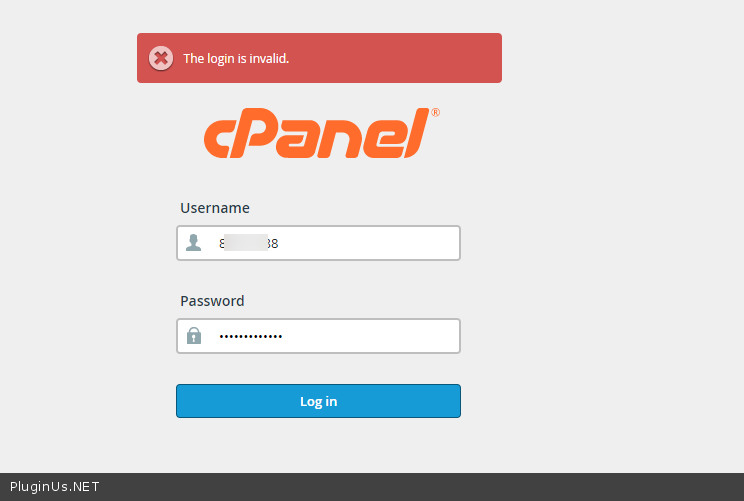
Quote from TheAlexTucci on March 3, 2022, 17:17Hey Pablo, again, it looks like your trying to login directly from Cpanel - I do not know how to login through the cpanel directly. Godaddy automatically logins me into the account when I go through the portal:
If you login through godaddy (info in the private data) - you can go to My Products > Web Hosting (click manage)> C-Panel or you can view this: https://wphowknow.com/how-to-access-cpanel-in-godaddy-web-hosting-account/
I apologize for the extra steps.
Hey Pablo, again, it looks like your trying to login directly from Cpanel - I do not know how to login through the cpanel directly. Godaddy automatically logins me into the account when I go through the portal:
If you login through godaddy (info in the private data) - you can go to My Products > Web Hosting (click manage)> C-Panel or you can view this: https://wphowknow.com/how-to-access-cpanel-in-godaddy-web-hosting-account/
I apologize for the extra steps.
Quote from Pablo Borysenco on March 4, 2022, 12:51Hello
Ok! Just give me FTP access. If you do not know how to do this, contact your hosting support
Hello
Ok! Just give me FTP access. If you do not know how to do this, contact your hosting support
Quote from TheAlexTucci on March 7, 2022, 15:15Hey Pablo, I have posted the FTP info, which I'm now told also is the login for Cpanel, so I feel double dumb now.
Hey Pablo, I have posted the FTP info, which I'm now told also is the login for Cpanel, so I feel double dumb now.
Quote from Pablo Borysenco on March 8, 2022, 17:17Hello
FTP and the login for Cpanel - are different accesses.
Please do a test.
I don't see any errors now
Hello
FTP and the login for Cpanel - are different accesses.
Please do a test.
I don't see any errors now