Quote from rickle on December 31, 2021, 16:47
Hi Pablo,
No I made no customizations at all. I've put the store url in the private data.
In the meantime, I have tried a lot of things until late last night, including deactivating, re-installing, re-importing settings. The same phantom filters were appearing for guests, despite clearing caches and cookies, and across different browsers. (not when logged in). I had Redis page & object caching turned off and flushed, Cloudflare in development mode and cache flushed. None of which made any difference.
I inexplicably had a staging site running fine while the live site was not.
I also tried changing the search slug. This took quite a while to take effect, even with clearing caches.
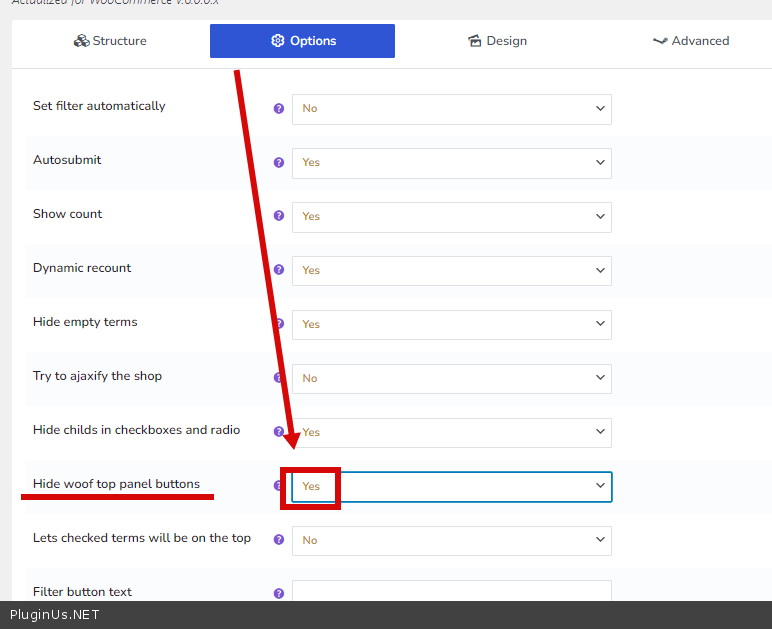
Finally, these phantom filters (top panel buttons) have gone. But I can't pin down a specific thing that made them go away (or start in the first place). But the issue is not over, because I am getting very inconsistent behaviour when using filters. Sometimes a filter in the widget works and displays correctly in the top panel buttons, and sometimes not. I will put another Loom in the private data.
Hi Pablo,
No I made no customizations at all. I've put the store url in the private data.
In the meantime, I have tried a lot of things until late last night, including deactivating, re-installing, re-importing settings. The same phantom filters were appearing for guests, despite clearing caches and cookies, and across different browsers. (not when logged in). I had Redis page & object caching turned off and flushed, Cloudflare in development mode and cache flushed. None of which made any difference.
I inexplicably had a staging site running fine while the live site was not.
I also tried changing the search slug. This took quite a while to take effect, even with clearing caches.
Finally, these phantom filters (top panel buttons) have gone. But I can't pin down a specific thing that made them go away (or start in the first place). But the issue is not over, because I am getting very inconsistent behaviour when using filters. Sometimes a filter in the widget works and displays correctly in the top panel buttons, and sometimes not. I will put another Loom in the private data.