

Multiple selections + product variation images
The support doesn work on Saturdays and Sundays, so some Friday requests can be answered on Monday. If you have problems with registration ask help on contact us page pleaseIf you not got email within 24~36 business hours, firstly check your spam box, and if no any email from the support there - back to the forum and read answer here. DO NOT ANSWER ON EMAILS [noreply@pluginus.net] FROM THE FORUM!! Emails are just for your info, all answers should be published only here.
The support doesn work on Saturdays and Sundays, so some Friday requests can be answered on Monday.

Quote from BenRS1700T on August 14, 2020, 13:01Hello there,
The WOOF plugin is working great on our website http://thornhillmemorials.com/. We would however like to display certain multiple categories at once (eg Thornhill Cemetery Section A,D & G and B, C, E, F, H, I & J at the same time) while still abiding by whatever checkboxes have been checked in other parent options. Can WOOF do this?
Also, our products have a number of images for different variations. Is there a way of displaying specific variation images through the woof plugin? (eg ‘Red Granite’ material checked, the red granite images within the product variations displays)
Any help greatly appreciated.
Hello there,
The WOOF plugin is working great on our website http://thornhillmemorials.com/. We would however like to display certain multiple categories at once (eg Thornhill Cemetery Section A,D & G and B, C, E, F, H, I & J at the same time) while still abiding by whatever checkboxes have been checked in other parent options. Can WOOF do this?
Also, our products have a number of images for different variations. Is there a way of displaying specific variation images through the woof plugin? (eg ‘Red Granite’ material checked, the red granite images within the product variations displays)
Any help greatly appreciated.

Quote from Pablo Borysenco on August 17, 2020, 10:30Hello
We would however like to display certain multiple categories at once - I'm not sure if I understood you correctly. Please describe it in more detail
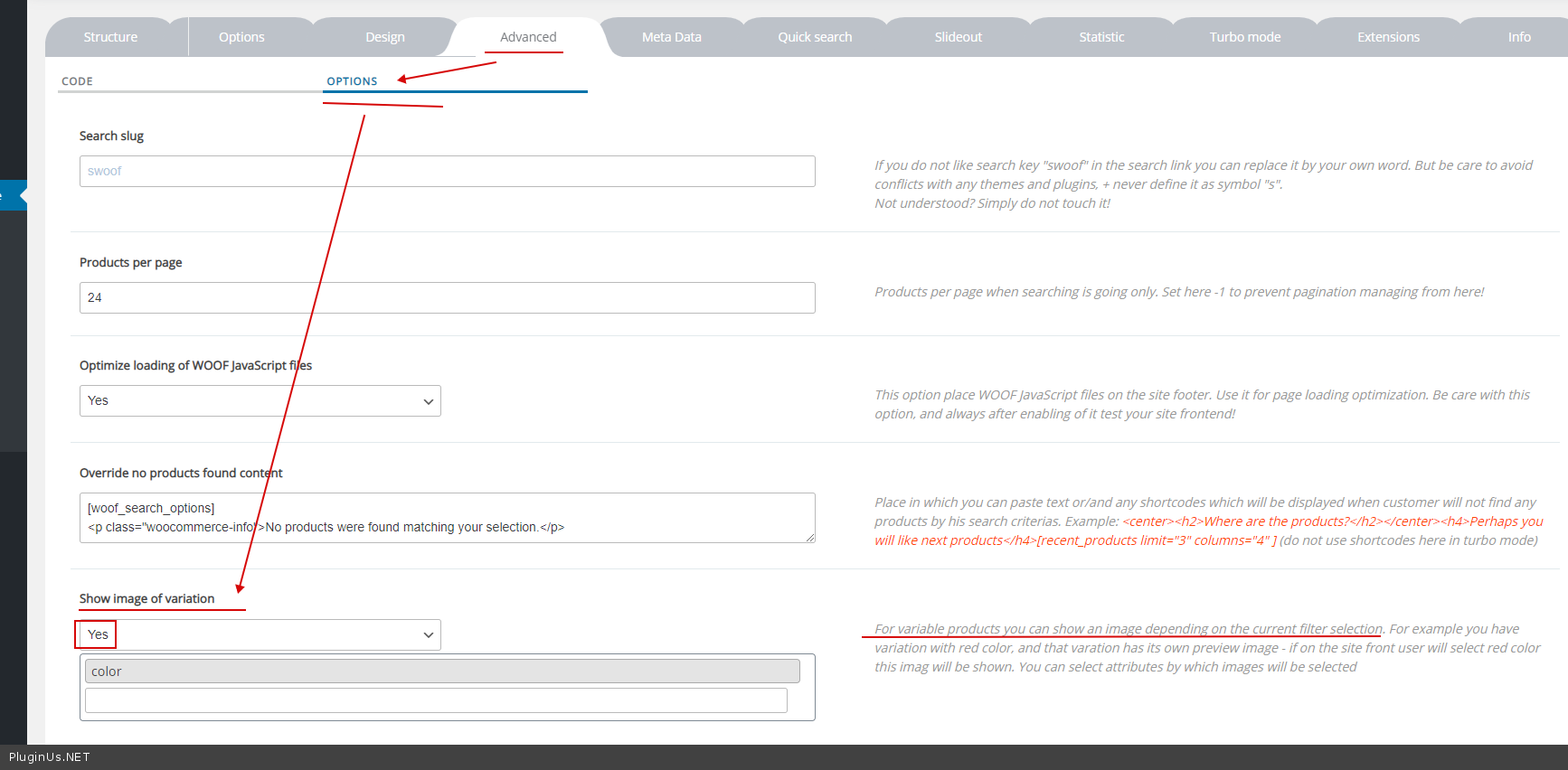
Is there a way of displaying specific variation images through the woof plugin? - Yes! Try this option - https://c2n.me/48LMLaX.png
Hello
We would however like to display certain multiple categories at once - I'm not sure if I understood you correctly. Please describe it in more detail
Is there a way of displaying specific variation images through the woof plugin? - Yes! Try this option - https://c2n.me/48LMLaX.png
Quote from Pablo Borysenco on August 17, 2020, 10:30Paste your license key here - https://c2n.me/43SC6rb.png -> https://c2n.me/42HBIt7.png
Paste your license key here - https://c2n.me/43SC6rb.png -> https://c2n.me/42HBIt7.png


Quote from BenRS1700T on August 17, 2020, 11:43Hello,
Thank you for getting back to me. Regarding displaying multiple categories, the link below shows what I'm looking to achieve - two selected subcategory check boxes within a parent category will show products within those selected subcategories. Any help would be great.
https://thornhillmemorials.com/wp-content/uploads/2020/08/Grey-Blue-Granite.jpg

Hello,
Thank you for getting back to me. Regarding displaying multiple categories, the link below shows what I'm looking to achieve - two selected subcategory check boxes within a parent category will show products within those selected subcategories. Any help would be great.
https://thornhillmemorials.com/wp-content/uploads/2020/08/Grey-Blue-Granite.jpg
Quote from Pablo Borysenco on August 18, 2020, 10:31Please paste your license key here - https://c2n.me/43SC6rb.png -> https://c2n.me/42HBIt7.png
Please paste your license key here - https://c2n.me/43SC6rb.png -> https://c2n.me/42HBIt7.png
Quote from BenRS1700T on August 18, 2020, 11:23Hello there, key has been entered. Any help appreciated.
Hello there, key has been entered. Any help appreciated.
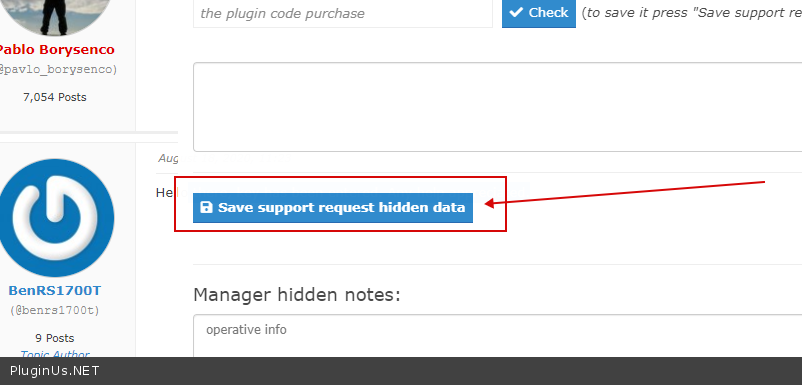
Quote from Pablo Borysenco on August 18, 2020, 12:11don't forget to press the button - https://c2n.me/48MDOVq.png
don't forget to press the button - https://c2n.me/48MDOVq.png
Quote from BenRS1700T on August 21, 2020, 08:46Hello, data has been saved.
Hello, data has been saved.
Quote from Pablo Borysenco on August 21, 2020, 13:41Hello
I understood you.
According to your idea, the plugin should combine comparison logic depending on the selected filters.
Unfortunately the plugin does not have such a function.
You can choose only one comparison logic that will work within the taxonomy - OR / AND / NOT IN
Hello
I understood you.
According to your idea, the plugin should combine comparison logic depending on the selected filters.
Unfortunately the plugin does not have such a function.
You can choose only one comparison logic that will work within the taxonomy - OR / AND / NOT IN
Quote from BenRS1700T on August 21, 2020, 15:57OK thank you for that, regarding showing variation colours, when I select the 'Show image of variation' there are no options like colour in your example above. How do I get the options?
OK thank you for that, regarding showing variation colours, when I select the 'Show image of variation' there are no options like colour in your example above. How do I get the options?
Quote from Pablo Borysenco on August 24, 2020, 12:35Hello
there are no options like colour in your example above - it looks like you don't have such an attribute. please create this attribute
Hello
there are no options like colour in your example above - it looks like you don't have such an attribute. please create this attribute