

Moved site to new server
The support doesn work on Saturdays and Sundays, so some Friday requests can be answered on Monday. If you have problems with registration ask help on contact us page pleaseIf you not got email within 24~36 business hours, firstly check your spam box, and if no any email from the support there - back to the forum and read answer here. DO NOT ANSWER ON EMAILS [noreply@pluginus.net] FROM THE FORUM!! Emails are just for your info, all answers should be published only here.
The support doesn work on Saturdays and Sundays, so some Friday requests can be answered on Monday.

Quote from Wicko on July 7, 2020, 12:13I have moved my site sweetenings.co.uk to a new server. But now I am getting Wrong data for "Server options for statistic stock" options
This appears to be related you WooCommerce Product Filters.
I am unbale to access wp-admin because of this.
How can I fix it?
I have moved my site sweetenings.co.uk to a new server. But now I am getting Wrong data for"Server options for statistic stock" options
This appears to be related you WooCommerce Product Filters.
I am unbale to access wp-admin because of this.
How can I fix it?

Quote from Pablo Borysenco on July 7, 2020, 12:33Hello
So you do not have the correct data (access to the database) for statistics.
I am unbale to access wp-admin because of this. - Very strange!
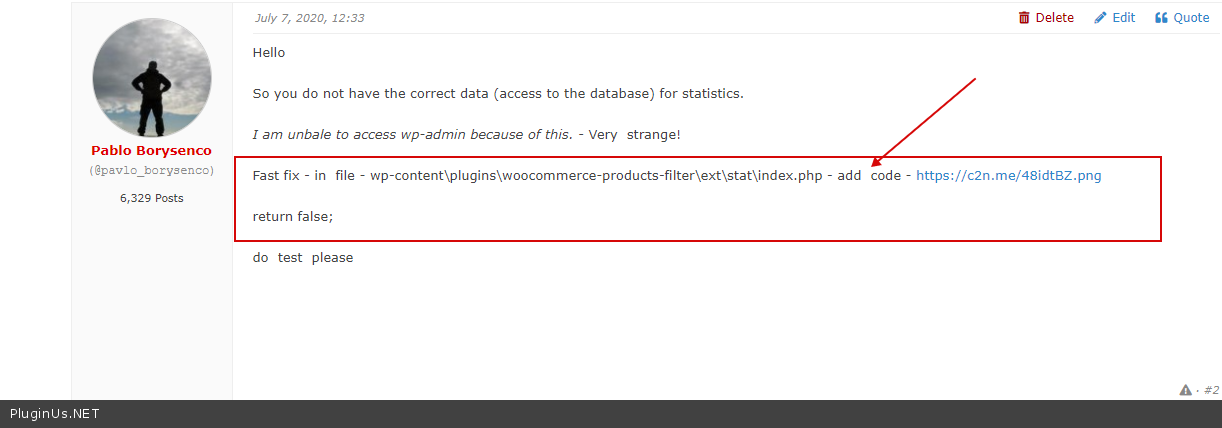
Fast fix - in file - wp-content\plugins\woocommerce-products-filter\ext\stat\index.php - add code - https://c2n.me/48idtBZ.png
return false;
do test please
Hello
So you do not have the correct data (access to the database) for statistics.
I am unbale to access wp-admin because of this. - Very strange!
Fast fix - in file - wp-content\plugins\woocommerce-products-filter\ext\stat\index.php - add code - https://c2n.me/48idtBZ.png
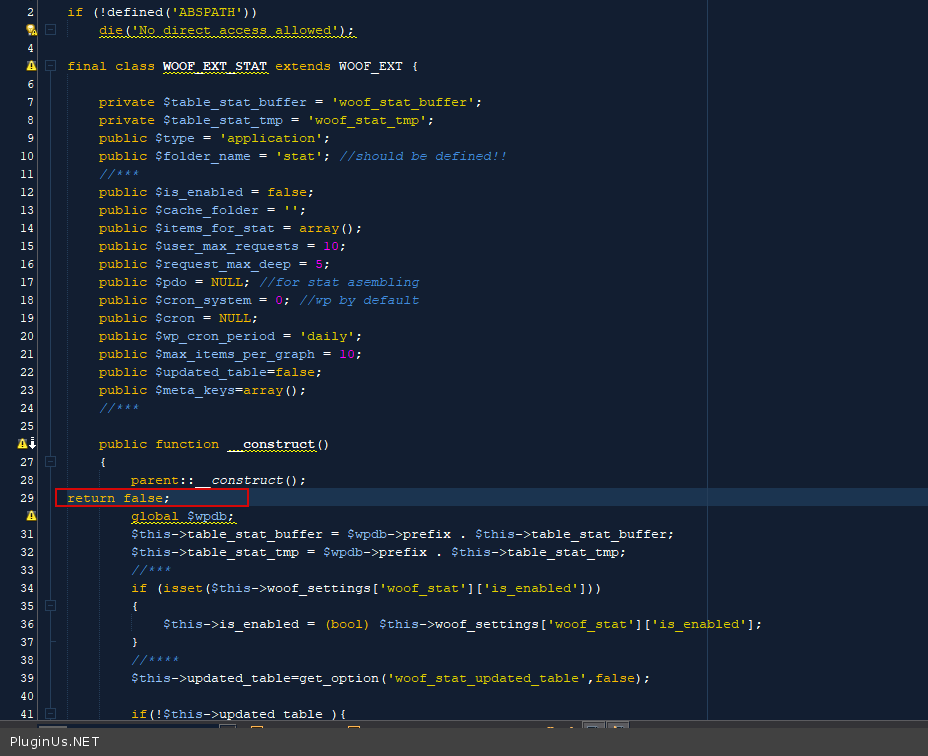
return false;
do test please
Quote from Wicko on July 7, 2020, 12:39ok cleared the error on the front end but still unbale to access backend. Might be due to Admin Toll security issue which I will check now.
thank you
ok cleared the error on the front end but still unbale to access backend. Might be due to Admin Toll security issue which I will check now.
thank you
Quote from Wicko on July 7, 2020, 13:41Not Admin Tools but another issue.
I notice that none of the filter are working now in the front end.
When I try to access the admin site I get the error: Sorry, you are not allowed to access this page.
Not Admin Tools but another issue.
I notice that none of the filter are working now in the front end.
When I try to access the admin site I get the error: Sorry, you are not allowed to access this page.
Quote from Wicko on July 7, 2020, 17:45site up and running and have full admin access.
Filter appears to be working.
But do I need to edit out the return false; comment to get the stats working again?
site up and running and have full admin access.
Filter appears to be working.
But do I need to edit out the return false; comment to get the stats working again?
Quote from Pablo Borysenco on July 8, 2020, 11:04Hello
But do I need to edit out the return false; - Yes! And check access to the database - https://c2n.me/48j6r71.png
Hello
But do I need to edit out the return false; - Yes! And check access to the database - https://c2n.me/48j6r71.png
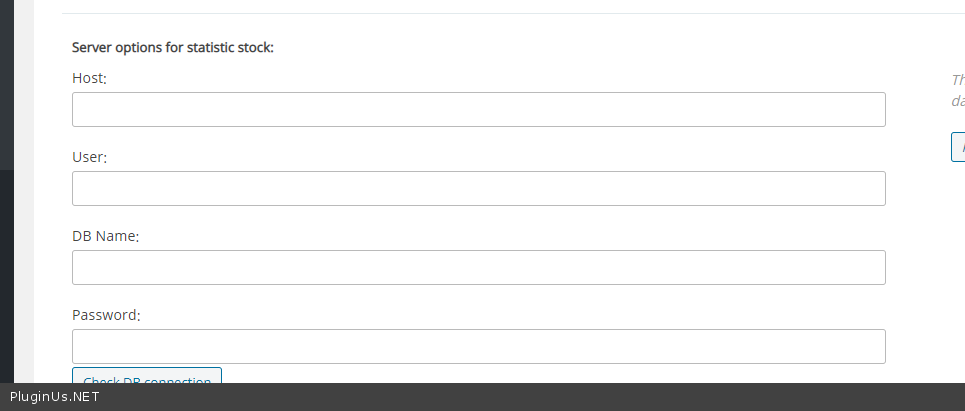
Quote from Wicko on July 8, 2020, 12:55Where do I find these fields for the server so I can add the details?
Where do I find these fields for the server so I can add the details?
Quote from Pablo Borysenco on July 9, 2020, 11:25Hello
ask for your hosting support (database/MySQL access)
Hello
ask for your hosting support (database/MySQL access)
Quote from Wicko on July 9, 2020, 11:29I don't understand. I have full database access and have MyPHPadmin to edit the database settings.
But your screenshot does not look like it is within the database but somewhere within WordPress admin.
I don't understand. I have full database access and have MyPHPadmin to edit the database settings.
But your screenshot does not look like it is within the database but somewhere within WordPress admin.
Quote from Pablo Borysenco on July 9, 2020, 12:11Hello
This is the necessary data to connect to the database. In hosting support know this.
Hello
This is the necessary data to connect to the database. In hosting support know this.
Quote from Wicko on July 9, 2020, 12:23I have added the database details to the private tab.
Is that what you were looking for?
I thought you needed me to edit these somewhere within the site
I have added the database details to the private tab.
Is that what you were looking for?
I thought you needed me to edit these somewhere within the site
Quote from Pablo Borysenco on July 10, 2020, 11:32Hello
it seems we did not understand each other
for statistics to work, you should set up these fields - https://c2n.me/48j6r71.png I do not need this access.
Note: localhost - not suitable for this
Hello
it seems we did not understand each other
for statistics to work, you should set up these fields - https://c2n.me/48j6r71.png I do not need this access.
Note: localhost - not suitable for this
Quote from Wicko on July 10, 2020, 11:42Sorry but I don't know where these fields are.
I have looked on all tabs in woocommerce > settings > product filter
Sorry but I don't know where these fields are.
I have looked on all tabs in woocommerce > settings > product filter
Quote from Pablo Borysenco on July 10, 2020, 12:37Here - https://c2n.me/48l93PU.png - If you enabled statistic extension
Read this - https://products-filter.com/extencion/statistic/
Here - https://c2n.me/48l93PU.png - If you enabled statistic extension
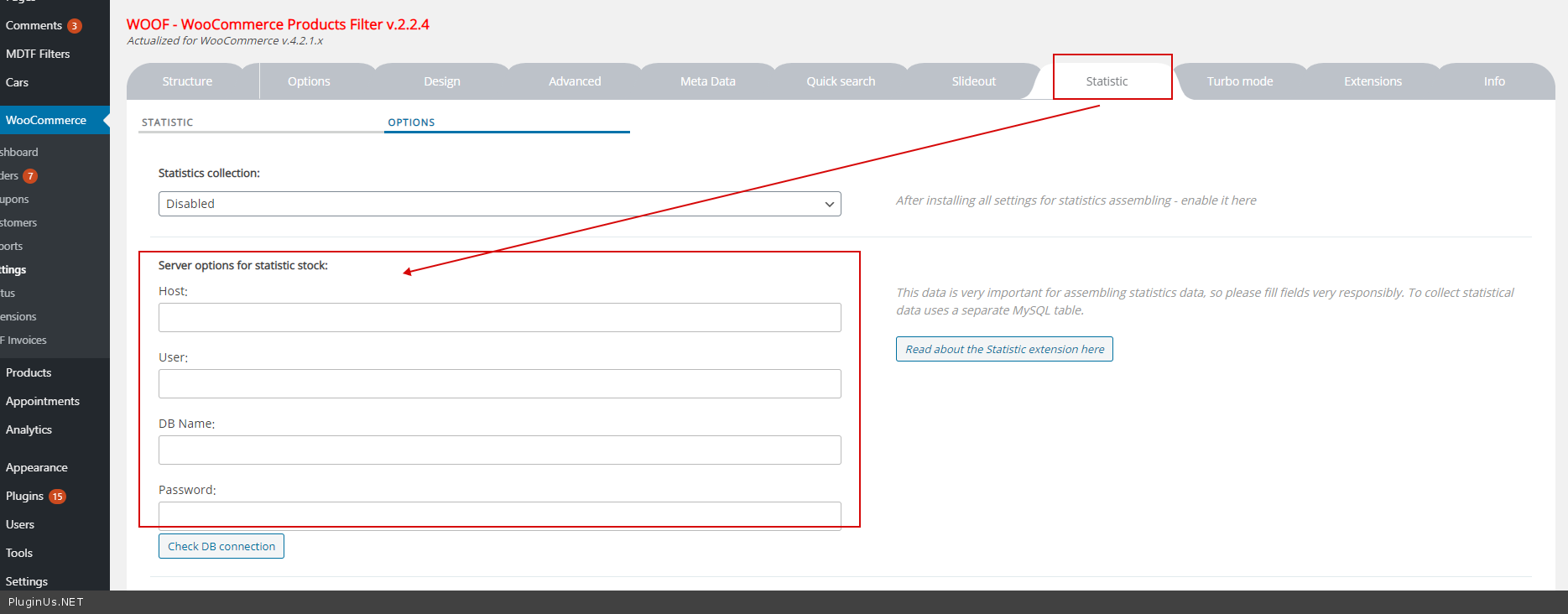
Read this - https://products-filter.com/extencion/statistic/
Quote from Wicko on July 10, 2020, 12:44Ok then this is why I can't find it. The Statistic tab is not available in my site. I have checked the extensions and it is selected.
I am running
WOOF - WooCommerce Products Filter v.2.2.4
please confirm this is the latest version.
regards
David
Ok then this is why I can't find it. The Statistic tab is not available in my site. I have checked the extensions and it is selected.
I am running
WOOF - WooCommerce Products Filter v.2.2.4
please confirm this is the latest version.
regards
David
Quote from Pablo Borysenco on July 13, 2020, 11:12Hello David
Did you do it - https://c2n.me/48mNVre.png
Hello David
Did you do it - https://c2n.me/48mNVre.png
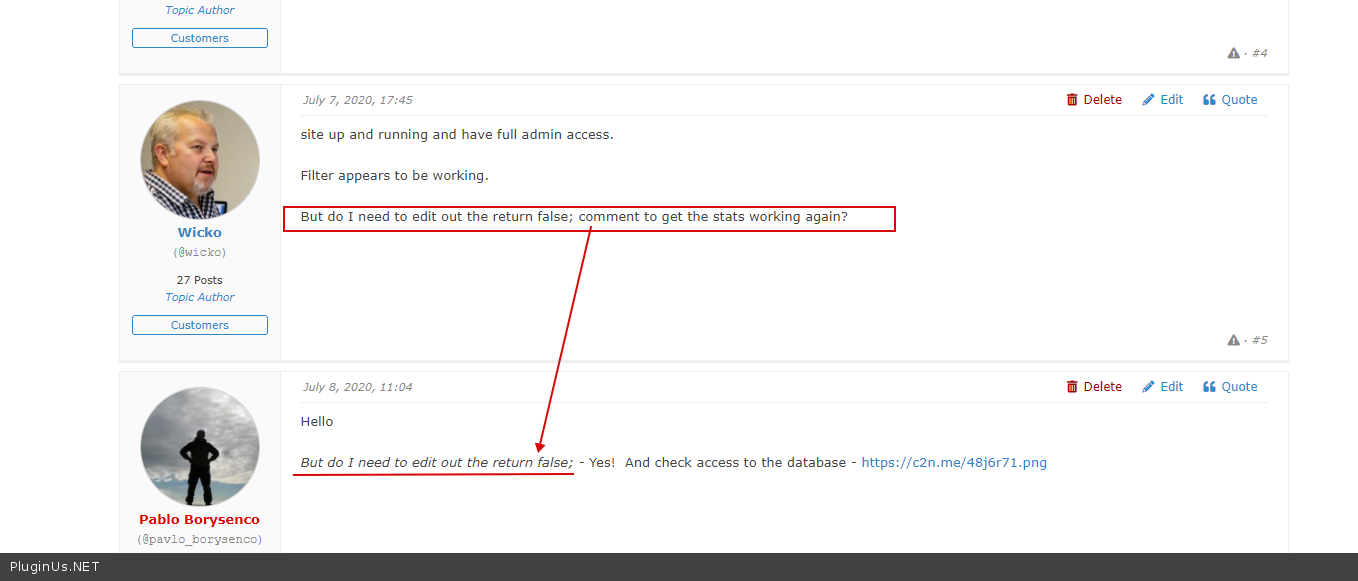
Quote from Wicko on July 13, 2020, 11:20No as unbale to edit Statistics tab as it does not show up in WP-admin.
regards
David
No as unbale to edit Statistics tab as it does not show up in WP-admin.
regards
David
Quote from Pablo Borysenco on July 13, 2020, 11:26Looks like we didn’t understand each other.
I gave you this solution - https://c2n.me/48mP2PH.png - Now for the statistics to start working, delete this custom code
Looks like we didn’t understand each other.
I gave you this solution - https://c2n.me/48mP2PH.png - Now for the statistics to start working, delete this custom code
Quote from Wicko on July 13, 2020, 11:48Yes ok. Realise now that I have to remove false to see the Statistic tab. Before I was not able to open WordPress admin when this was true.
I have added Database details now.
Thank you
Yes ok. Realise now that I have to remove false to see the Statistic tab. Before I was not able to open WordPress admin when this was true.
I have added Database details now.
Thank you
Quote from Pablo Borysenco on July 14, 2020, 11:10Hello
Ok! Welcome;)
Hello
Ok! Welcome;)