PluginUs.Net - Business Tools for WooCommerce and WordPress

[realize your idea - make your dreams come true]

Support Forum

You need to log-in to create request (topic) to the support

Mobile view for woof filter messed up child theme

The support doesn work on Saturdays and Sundays, so some Friday requests can be answered on Monday. If you have problems with registration ask help on contact us page please
If you not got email within 24~36 business hours, firstly check your spam box, and if no any email from the support there - back to the forum and read answer here. DO NOT ANSWER ON EMAILS [noreply@pluginus.net] FROM THE FORUM!! Emails are just for your info, all answers should be published only here.
The support doesn work on Saturdays and Sundays, so some Friday requests can be answered on Monday.

Hello,

I used the 'woof_block_toggle_state' code in functions.php and it completely messed up my website on all views. I deleted the code, but the website is still corrupted. How can I fix it?


I ended up deleting my child theme and reinstalling it.

How can I customize the sidebar widget that is using the WOOF filter to display on desktop and to collapse on mobile view?

Hello

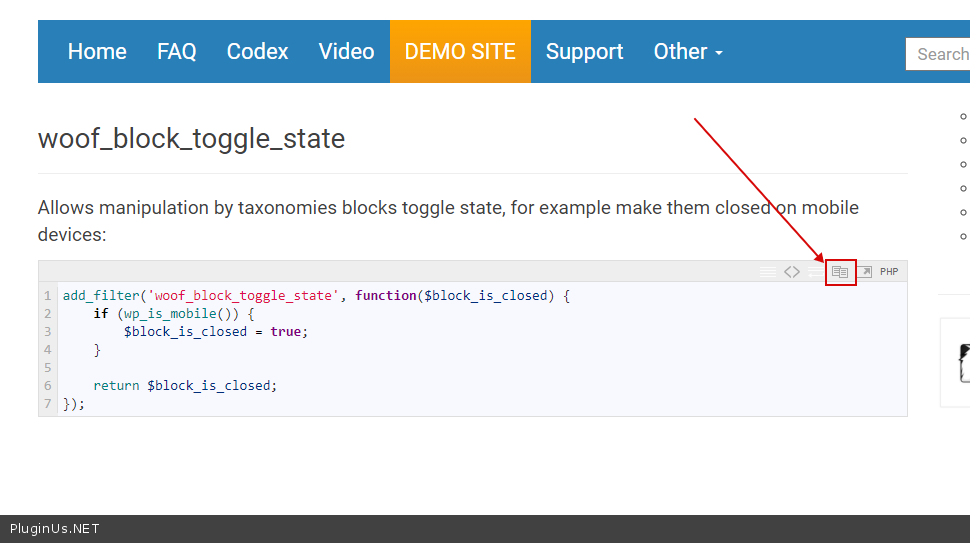
Read  this please - https://products-filter.com/hook/woof_block_toggle_state/  This works for many users without error.

If you have no experience in programming, you should hire a developer

To  copy code  use  this icon - https://c2n.me/49G7fbR.png

I did add it to the functions.php of my child theme. But it did not do anything for the mobile view. Can you please let me know where to add this code?

Hello

Please  add  this code  to  functions.php

Drop me exact  link to the  issue

I have added the code to functions.php of my child theme.


https://dhyaanessentials.com/shop/


The mobile view is not collapsing the filters. It shows  up open just like desktop view.

Hello

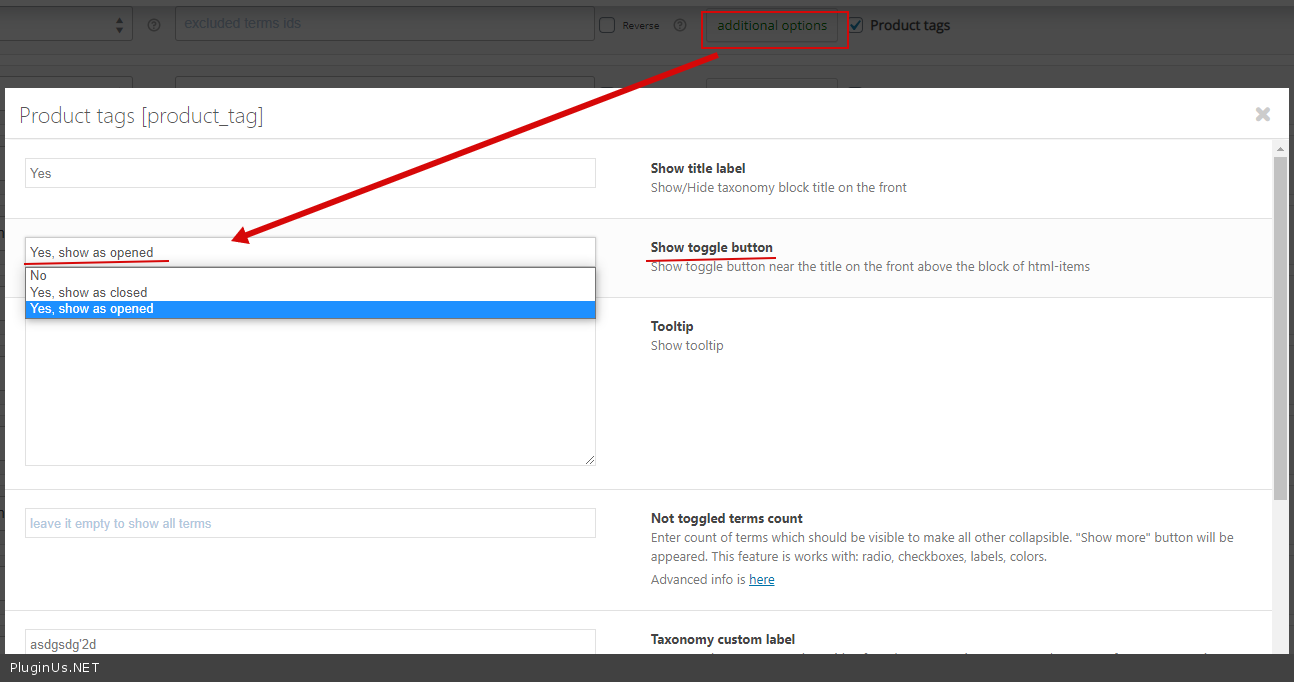
It looks like you haven't enabled this option at all - https://c2n.me/49HHTQ2.png