Issue with elementor archive title
The support doesn work on Saturdays and Sundays, so some Friday requests can be answered on Monday. If you have problems with registration ask help on contact us page pleaseIf you not got email within 24~36 business hours, firstly check your spam box, and if no any email from the support there - back to the forum and read answer here. DO NOT ANSWER ON EMAILS [noreply@pluginus.net] FROM THE FORUM!! Emails are just for your info, all answers should be published only here.
The support doesn work on Saturdays and Sundays, so some Friday requests can be answered on Monday.

Quote from lovely_aroc on October 28, 2020, 03:43Hi team,
We are using a woof filter on our staging site http://wordpressbuilderbrisbane.com.au/products/ and was purchased by my client to a premium version.
It is working fine however we experienced some issues.
On the product page, under "BROWSE CATEGORIES..." and choose the category "animals" the archive or category updates to animals.
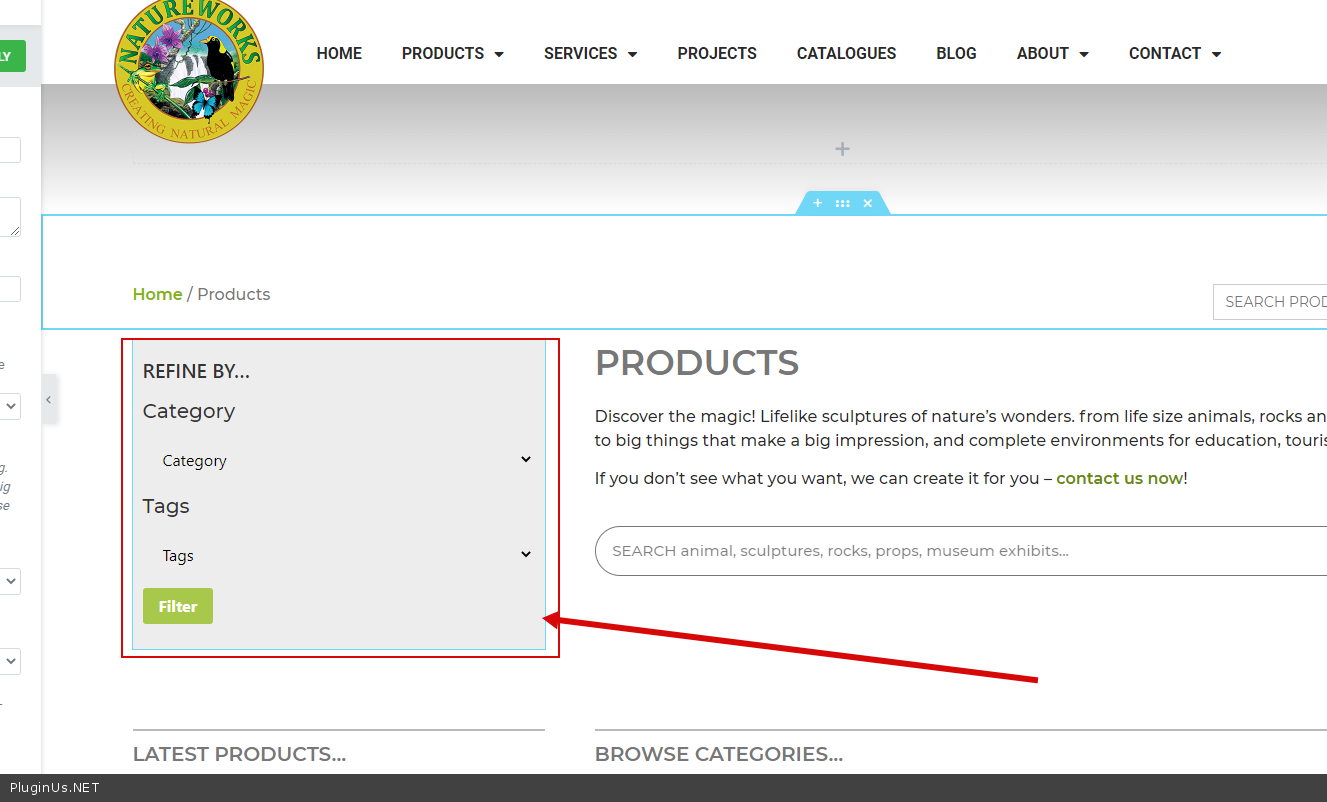
However, when using the woof filter on the product page, on the left side of the page under "REFINE BY…" and under category dropdown choose category "animals" and click filter, the archive title or category title doesn't change. It should update to animals the same when using the filter under "BROWSE CATEGORIES..."
Could you help us solved this issue as soon as possible? We are about to send the site to go live but we can't proceed because of this issue.
Hoping for a response from you :)
If you need the site credentials just let me know.
Kind regards,
Lovely
Hi team,
We are using a woof filter on our staging site http://wordpressbuilderbrisbane.com.au/products/ and was purchased by my client to a premium version.
It is working fine however we experienced some issues.
On the product page, under"BROWSE CATEGORIES..." and choose the category"animals" the archive or category updates to animals.
However, when using the woof filter on the product page, on the left side of the page under"REFINE BY…" and under category dropdown choose category"animals" and click filter, the archive title or category title doesn't change. It should update to animals the same when using the filter under"BROWSE CATEGORIES..."
Could you help us solved this issue as soon as possible? We are about to send the site to go live but we can't proceed because of this issue.
Hoping for a response from you :)
If you need the site credentials just let me know.
Kind regards,
Lovely

Quote from Pablo Borysenco on October 28, 2020, 14:07Hello Lovely
Paste your license key here - https://c2n.me/43SC6rb.png -> https://c2n.me/42HBIt7.png
It should update to animals the same when using the filter under "BROWSE CATEGORIES..." - No. This is not a menu, this is a filter plugin. Plugin filters products on the current page
You can try Advanced->Options-> https://c2n.me/49BKQdS.png and do a test
Hello Lovely
Paste your license key here - https://c2n.me/43SC6rb.png -> https://c2n.me/42HBIt7.png


It should update to animals the same when using the filter under"BROWSE CATEGORIES..." - No. This is not a menu, this is a filter plugin. Plugin filters products on the current page
You can try Advanced->Options-> https://c2n.me/49BKQdS.png and do a test

Quote from lovely_aroc on October 28, 2020, 15:34Hello,
The setting is already set as per screenshots. Is there another way to solve the issue?
Also, Where could I find the license key in the plugin. The plugin was purchased via evanto market and no license key was sent.
https://codecanyon.net/item/woof-woocommerce-products-filter/11498469?_ga=2.70628944.1552661793.1603891978-1747885019.1603891978
Kind regards,
Lovely
Hello,
The setting is already set as per screenshots. Is there another way to solve the issue?
Also, Where could I find the license key in the plugin. The plugin was purchased via evanto market and no license key was sent.
Kind regards,
Lovely
Quote from Pablo Borysenco on October 29, 2020, 12:58Hello Lovely
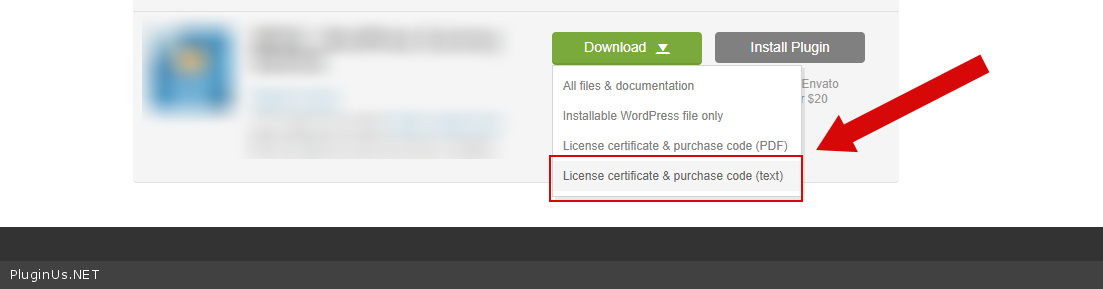
To get license key - https://codecanyon.net/downloads - https://c2n.me/46i7Aam.png
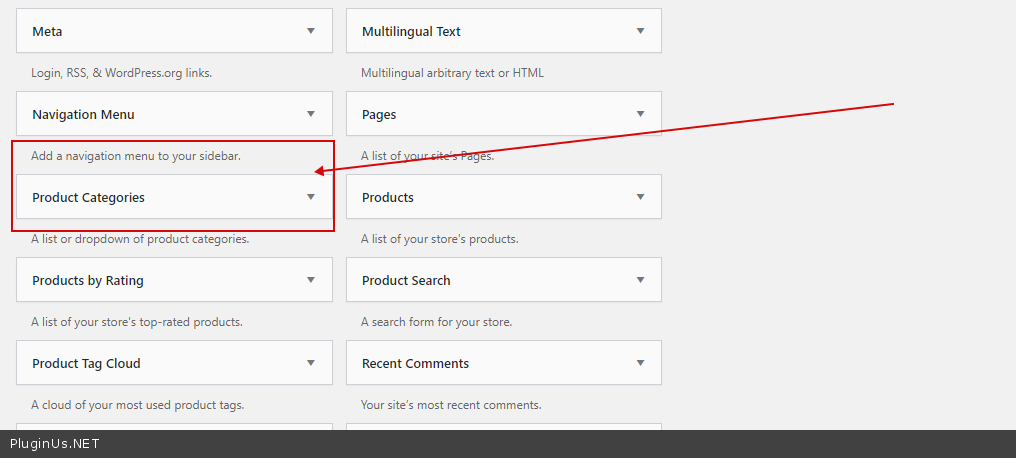
Is there another way to solve the issue? - This is not a problem, this is the correct filter behavior. If you need different behavior use the native widget - https://c2n.me/49CAu8n.png
Hello Lovely
To get license key - https://codecanyon.net/downloads - https://c2n.me/46i7Aam.png
Is there another way to solve the issue? - This is not a problem, this is the correct filter behavior. If you need different behavior use the native widget - https://c2n.me/49CAu8n.png
Quote from lovely_aroc on October 30, 2020, 05:31Hi
I have attached the purchase code and admin credentials. Please let me know if the purchase code is the license key.
Also, the different behavior is not available in hello child theme.
Regards,
Lovely
Hi
I have attached the purchase code and admin credentials. Please let me know if the purchase code is the license key.
Also, the different behavior is not available in hello child theme.
Regards,
Lovely
Quote from Pablo Borysenco on October 30, 2020, 13:54Hello Lovely
the license key - is ok!
the different behavior is not available in hello child theme. - I do not understand you. as I said, the plugin works correctly. This filter is not a menu.
If you need a menu use the native woo widget - https://c2n.me/49CAu8n.png
Hello Lovely
the license key - is ok!
the different behavior is not available in hello child theme. - I do not understand you. as I said, the plugin works correctly. This filter is not a menu.
If you need a menu use the native woo widget - https://c2n.me/49CAu8n.png
Quote from lovely_aroc on November 2, 2020, 08:09Hi,
Could you please send an instruction where I can find the settings on the backend?
Hi,
Could you please send an instruction where I can find the settings on the backend?
Quote from Pablo Borysenco on November 2, 2020, 13:18Hello
Widgets - https://c2n.me/49Fdibp.png
Hello
Widgets - https://c2n.me/49Fdibp.png
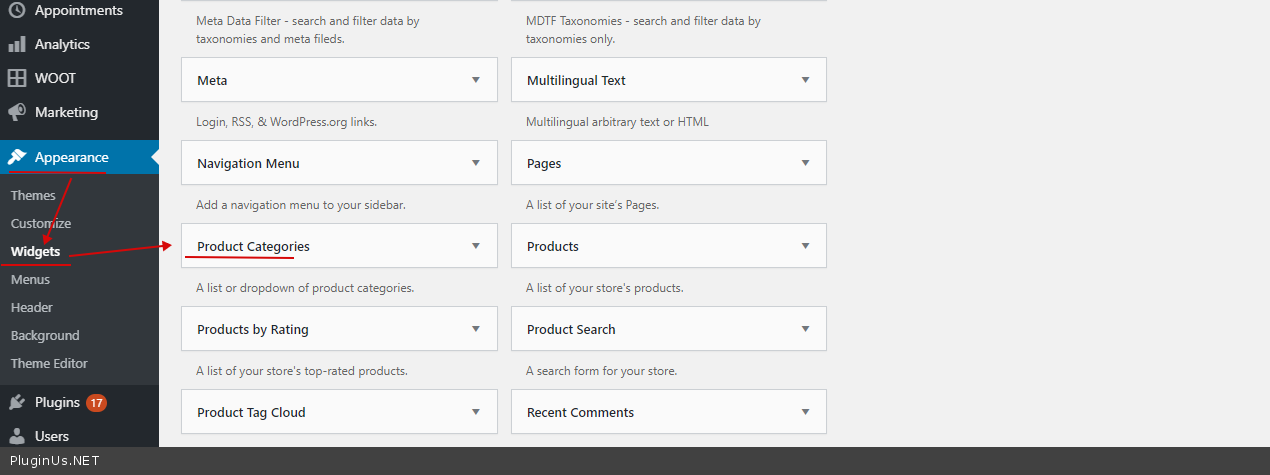
Quote from lovely_aroc on November 3, 2020, 02:30That is not available in the backend. That is why I am asking for your help to solve this.
You might want to check on the site backend so you can see before sending screenshots
https://drive.google.com/file/d/1eSIe3q5QGr3n9w-h_Ev83JxC1Z8pwc3K/view?usp=sharing
That is not available in the backend. That is why I am asking for your help to solve this.
You might want to check on the site backend so you can see before sending screenshots
https://drive.google.com/file/d/1eSIe3q5QGr3n9w-h_Ev83JxC1Z8pwc3K/view?usp=sharing
Quote from Pablo Borysenco on November 3, 2020, 12:47Hello
Please read this - https://www.wpbeginner.com/beginners-guide/how-to-add-and-use-widgets-in-wordpress/#:~:text=The%20easiest%20one%20is%20to,widget%20button%20to%20add%20it
In your case, your theme does not allow adding a widget (this has nothing to do with my plugin)
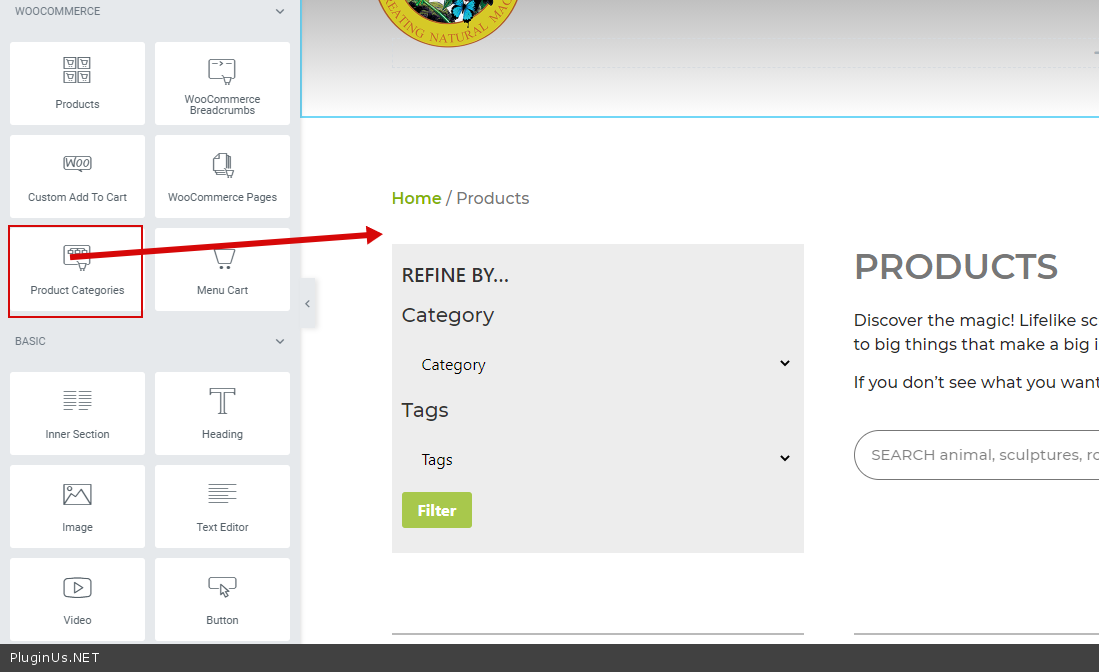
Try adding a widget using elementor /in the same way as you added my filter widget - https://c2n.me/49G6DBU.png ( https://c2n.me/49G6OBV.png )
Hello
Please read this - https://www.wpbeginner.com/beginners-guide/how-to-add-and-use-widgets-in-wordpress/#:~:text=The%20easiest%20one%20is%20to,widget%20button%20to%20add%20it
In your case, your theme does not allow adding a widget (this has nothing to do with my plugin)
Try adding a widget using elementor /in the same way as you added my filter widget - https://c2n.me/49G6DBU.png ( https://c2n.me/49G6OBV.png )